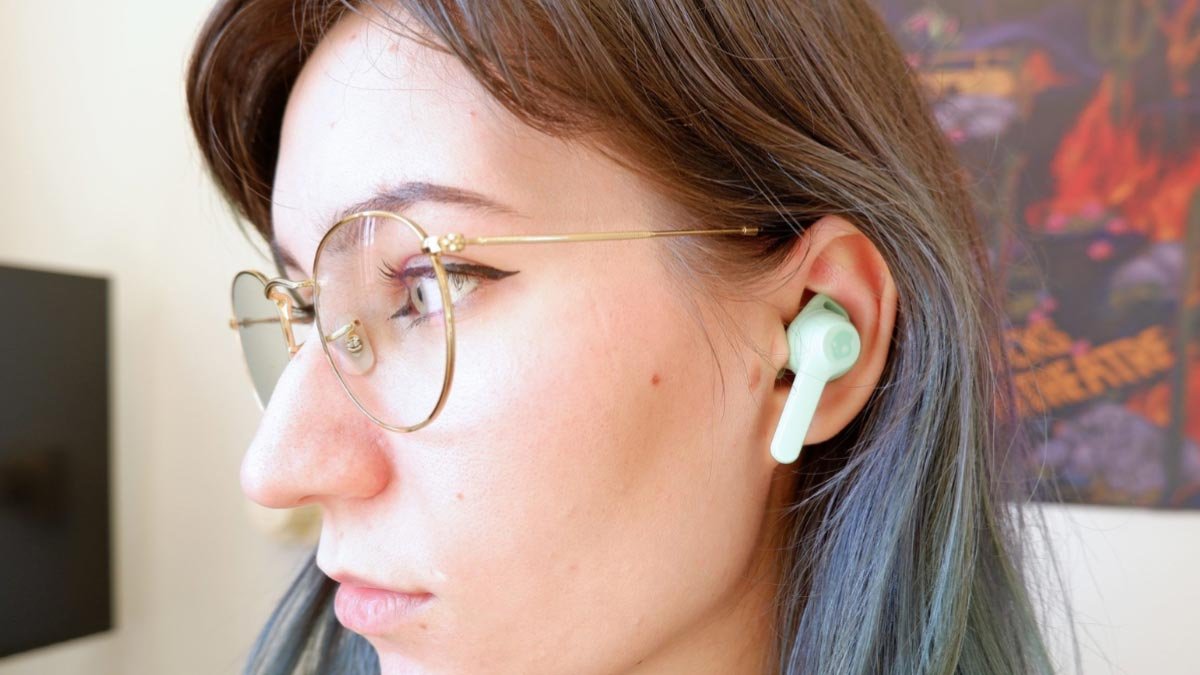
Puas yog koj xav kom khub indy evo earbuds rau koj cov khoom siv? Tsis txhob txhawj xeeb koj nyob hauv qhov chaw ntawm no koj tau txais cov kauj ruam yooj yim los ua khub Indy Evo Earbuds nrog cov khoom siv sib txawv. Vim tias Indy Evo earbuds yog qhov kev xaiv zoo.
Lawv muaj cov roj teeb zoo heev thiab muaj ntau yam kev tswj hwm nyob rau ntawm lub buds, txhais tau tias koj yuav tsis tau tshem koj lub xov tooj los ua ntau yam haujlwm.
Ntxiv rau, koj ua tau Rub tawm Skullcandy app thiab txaus siab rau kev tswj hwm ntau dua thiab nta tailoring lub buds tshwj xeeb rau koj.
Yuav ua li cas koj muab Indy Evo earbuds nyob rau hauv khub hom?
Rau khub Indy Evo earbuds rau txhua lub cuab yeej koj yuav tsum xub muab tso rau hauv kev sib koom ua ke. Txhawm rau muab lawv tso rau hauv kev sib koom ua ke, cov kauj ruam tau piav qhia hauv qab no.
- Ua ntej, Muab ob lub pob ntseg tso rau hauv cov ntaub ntawv them nyiaj thiab paub meej tias lawv lub teeb LED yog liab. Qhov no qhia tau hais tias lawv tau muab tso rau hauv rooj plaub zoo kawg nkaus thiab pib them nyiaj.
- Tom ntej no, tshem cov earbuds los ntawm rooj plaub kom muaj zog rau lawv.
- Yog tias ob lub pob ntseg flash xiav nws txhais tau hais tias lawv tau sib koom ua ke thiab thaum lub pob ntseg sab laug flash xiav thiab liab nws txhais tau tias lawv nyob hauv kev sib koom ua ke.
- Thaum lub earbuds nyob rau hauv khub hom, koj tuaj yeem ua tiav cov txheej txheem ua khub ntawm lub cuab yeej ntawm no lub hauv paus ntaus ntawv yog lub cuab yeej koj xav tau txuas nrog lub pob ntseg.
Tom ntej no, Cov kauj ruam suav nrog yuav ua li cas ua khub Indy Evo Earbuds rau koj cov khoom siv sib txawv.
Pair Indy Evo Earbuds Nrog Android
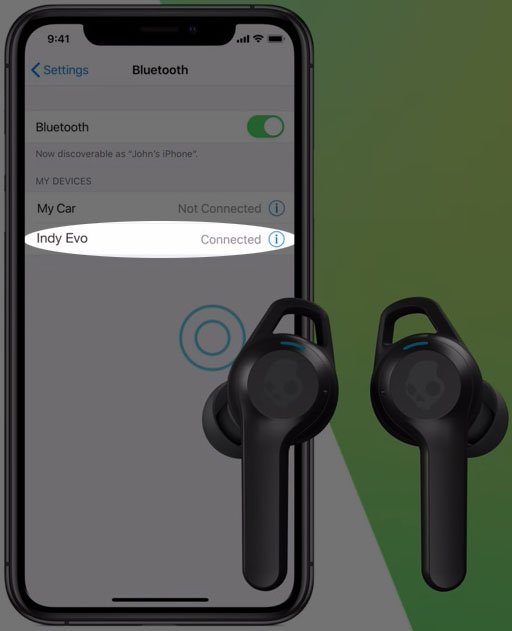
- Ua ntej, qhib cov ntawv thov kev teeb tsa thiab xaiv cov cuab yeej txuas nrog.
- Tom ntej no, xaiv khub tshiab ntaus ntawv. Qhov no yuav cia li qhib Bluetooth yog tias nws raug kaw.
- Ces, lub xov tooj yuav luam theej duab rau cov khoom siv muaj thiab sau lawv.
- Tam sim no, xaiv Indy Evo los ntawm cov npe muaj.
Nco tseg: Cov khoom siv hauv Android muaj cov neeg siv sib txawv me ntsis, thiab cov kauj ruam no yuav siv rau ob peb tus qauv. Txawm li cas los, lawv muab kev pom dav dav ntawm kev ua kom muaj Bluetooth thiab txuas rau lub pob ntseg.
Pair Indy Evo Earbuds nrog iPhone
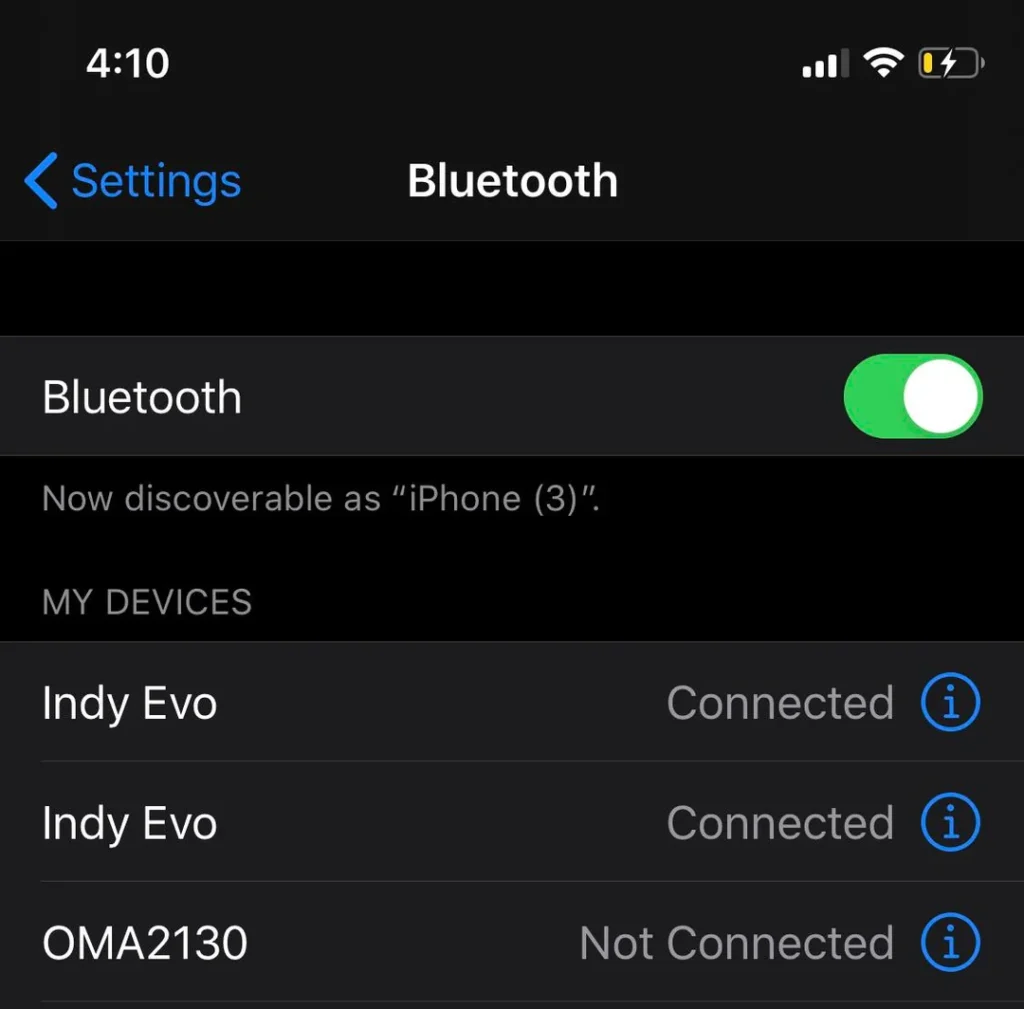
- Ua ntej, qhib qhov chaw ntawm koj iPhone.
- Mus rau Bluetooth thiab xyuas kom meej tias nws tau qhib.
- Tom qab ob peb feeb, lub cuab yeej scans rau cov khoom siv muaj thiab sau lawv.
- Tam sim no, xaiv Indy Evo raws li lawv yuav tsum muaj nyob hauv cov khoom siv.
- Ces, lees txais kev sib txuas lus tam sim thiab koj yuav tau ntse txuas lub pob ntseg rau koj lub iPhone.
Pair Indy Evo Earbuds rau lub Windows Device

- Ua ntej tshaj plaws, mus rau lub taskbar thiab xaiv Start.
- Ces, xaiv qhov chaw thiab mus rau Bluetooth &Kua roj.
- Nco ntsoov tias Bluetooth qhib, ces xaiv Add Device.
- Tam sim no, xaiv Bluetooth ntawm lub Windows.
- Tos ob peb feeb rau lub Windows scan rau cov khoom siv muaj thiab xaiv Indy Evo los ntawm cov npe.
- Tom qab tag nrho cov txheej txheem no lees txais kev sib koom ua ke.
Pair Indy Evo Earbuds nrog MacBook
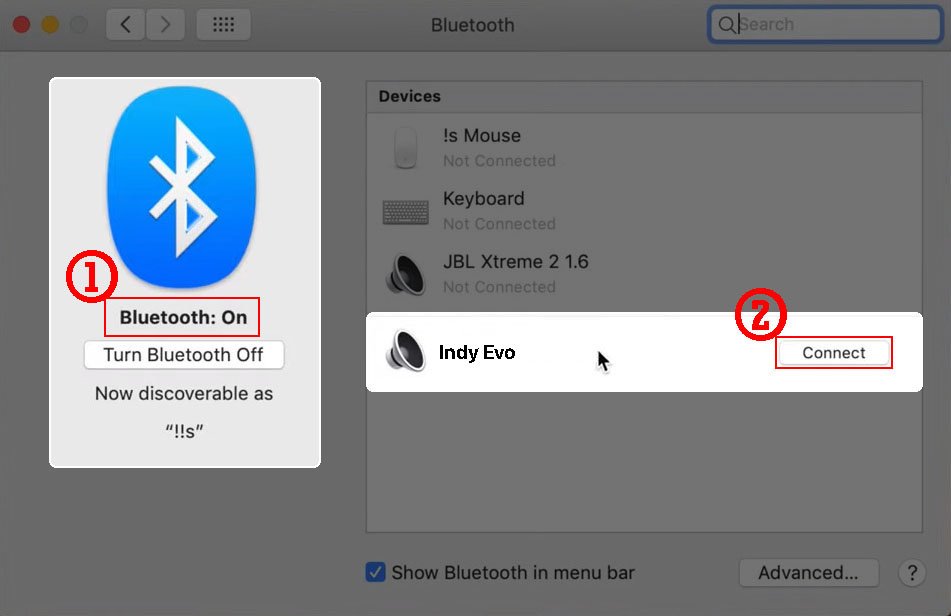
- Qhib Apple menu thiab mus rau System Settings > Bluetooth.
- Muab tus nas pointer rau ntawm Indy Evo buds thiab nias txuas.
Nco tseg: Koj tuaj yeem tshawb xyuas nplooj ntawv txhawb nqa Apple rau lwm txoj hauv kev txuas mus rau lub paj lossis cov lus teb rau cov lus nug tseem ceeb txog kev tsim kev sib txuas.
Yuav rov pib dua Indy Evo Earbuds li cas
Yog koj ntsib kev sib tw, los yog kev sib txuas teeb meem Hoobkas pib dua yog cov kev daws teeb meem uas ib txwm ua haujlwm. Txawm li cas los, ua ntej pib rov pib dua tua lub pob ntseg thiab tig rov qab.
- Ua ntej, mus rau qhov chaw Bluetooth thiab tsis nco qab Indy Evo earbuds yog tias lawv twb txuas lawm.
- Ces, power off the earbuds by pressing and holding the power button for 6 vib nas this.
- Tom ntej no, hold the touch area on both earbuds for ten seconds, to power them on and then off again.
- Tom ntej no, put the earbuds in their charging case and ensure they show they are charging by the LEDs flashing red.
- Tam sim no, remove both earbuds from the case to automatically power them on. The earbuds will start flashing blue as a sign that they are pairing with each other before they can be available for pairing to the source device.
- Once the earbuds have synched, they will play a tone, and the left earbud will start flashing red and blue to show the earbuds are ready to pair with the device that you want to connect.
Xaus
Zoo, if you have a pair of Indy Eve Earbuds and want to connect them to your device. You can do it in a few seconds. We have mentioned step by step guide to do it. You have to follow the steps carefully to pair them with different devices to make a proper connection.
Zoo, if you are facing any issues with the connection you can try the above-mentioned resetting tips.
Yog li, that is all you need to know how to pair Indy Evo Earbuds to your devices. Peb vam tias tsab xov xwm no yuav pab tau koj ntau!