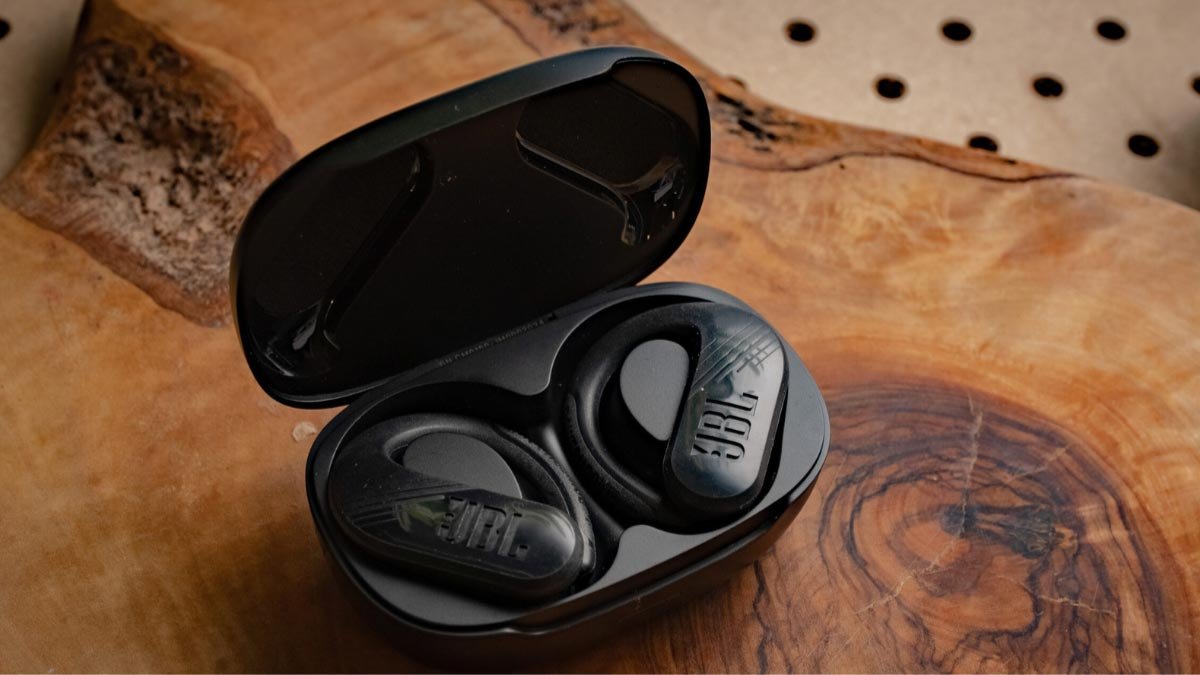
Ar norite suporuoti JBL Endurance Peak II ausinės į savo įrenginius? JBL ištvermės viršūnė II Ausines turi 6 Akumuliatoriaus darbo valandos ir 2 valandų įkrovimo laikas, Bluetooth 5.0 su 10 metrų darbinio nuotolio, 10 mm dinaminis vairuotojas, palaikymas A2DP 1.3, AVRCP 1.5, ir HFP 1.7 profiliai, nuostabus IPX7 atsparus vandeniui sertifikatas.
Bet jei nežinote, kaip susieti JBL Endurance Peak 2 Ausinės jūsų įrenginiams, nesijaudinkite, šiame įraše pateiksime išsamias instrukcijas, kaip susieti JBL Endurance Peak II ausines su skirtingais įrenginiais.
Kaip susieti JBL Endurance Peak II ausines

Žemiau aprašome paprastus žingsnius, kaip susieti JBL Endurance Peak 2 Ausinės įvairiems įrenginiams. Pradėkime.
Sujunkite JBL Endurance Peak II ausines su IOS ir Android įrenginiais
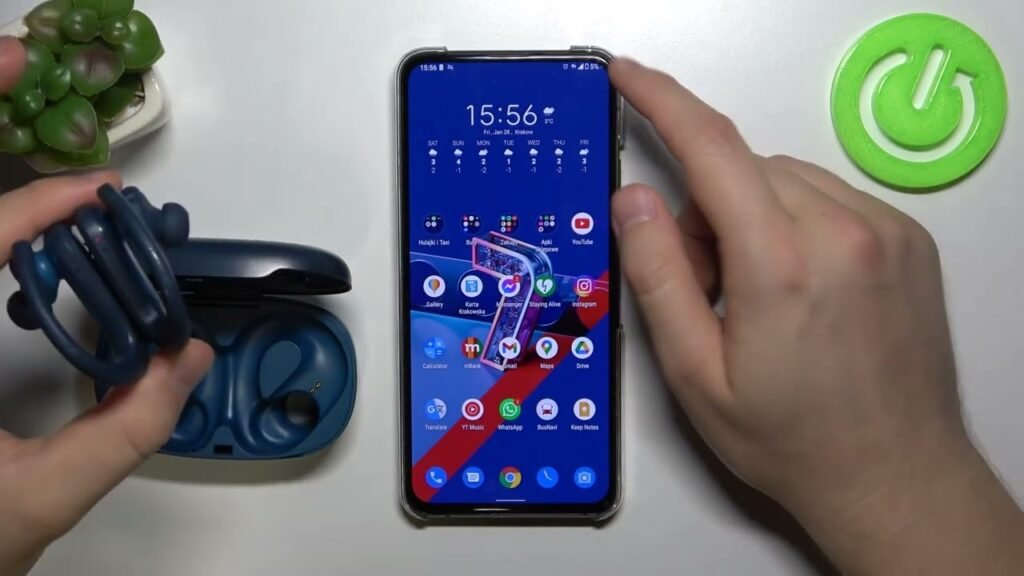
Galite susieti JBL Endurance Peak II Ausinės su IOS ir Android įrenginius, atlikdami šiuos veiksmus.
- Pirmiausia, atidarykite įkrovimo dėklą ir išimkite ausines. Po to, pradės mirksėti mėlyna lemputė, Ir ausinės automatiškai įjungs.
- Dabar, įjunkite „Bluetooth“ savo įrenginyje.
- Eikite į įrenginio „Bluetooth“ nustatymus.
- Pasirinkite JBL Endurance Peak II. Jei paraginsite gauti slaptažodį, tipo 0000. Po to, pradės mirksėti mėlyna lemputė, Ir poravimas bus atliktas.
Sujunkite JBL Endurance Peak II ausines su kompiuteriu

- Pirmas, Įjunkite „Bluetooth“ kompiuteryje, eidami į nustatymus > Prietaisai > Bluetooth & Kiti įrenginiai.
- Tada, atidarykite įkrovimo dėklą ir išimkite ausines. Po to, pradės mirksėti mėlyna lemputė, Ir ausinės automatiškai įjungs.
- Dabar, pasirinkite JBL Endurance Peak II. Jei reikalingas slaptažodis, tipo 0000.
- Po to, pradės mirksėti mėlyna lemputė, Ir poravimas bus atliktas.
Kaip nešioti JBL Endurance Peak II ausines
Išimkite abi ausines iš įkrovimo bylos. Nurodykite kairiosios ir dešinės ausines.
Pasirinkite ausų patarimus, kurie geriausiai tinka jūsų ausims. Dabar, įkiškite ausines į vidinį ausų kanalą. Pasisukite, kad būtų kuo geresnis patogumas ir geriausiai tinka, ir įsitikinkite, kad mikrofonas nukreiptas į burną.
Kaip įjungti ir išjungti JBL Endurance II ausines?
Įjungti
Norėdami įjungti, atidarykite įkrovimo dėklo dangtelį ir išimkite ausines. Po to, pradės mirksėti mėlyna lemputė, Ir ausinės automatiškai įjungs.
Išjunkite
Norėdami išjungti, įdėkite ausines į įkrovimo dėklą ir uždarykite dangtelį. Po to, ausinės automatiškai išsijungs.
Kaip kontroliuoti
- Leiskite arba pristabdykite dainą vieną kartą paspauskite dešinės ausinės jutiklinį skydelį.
- Padidinkite garsumą, pastumkite dešinės ausinės jutiklinį skydelį aukštyn.
- Sumažinkite garsumą, slinkite žemyn dešinės ausinės jutikliniu skydeliu.
- Groti kitą dainą, vieną kartą paspauskite kairiosios ausinės jutiklinį skydelį.
- Groti ankstesnę dainą,du kartus paspauskite jutiklinį skydelį ant kairiosios ausinės.
- Atsakykite į gaunamą skambutį, vieną kartą paspauskite bet kurios ausinės jutiklinį skydelį.
- Baigti dabartinį skambutį, vieną kartą paspauskite bet kurios ausinės jutiklinį skydelį.
- Atmesti gaunamą skambutį, du kartus paspauskite bet kurios ausinės jutiklinį skydelį.
- Nutildyti arba įjungti mikrofoną, paspauskite ir palaikykite bet kurių ausinių jutiklinį skydelį 2 sekundžių.
- Suaktyvinkite balso asistentą, vieną kartą paspauskite dešinės ausinės jutiklinį skydelį.
Kaip suaktyvinti mono režimą
Norėdami suaktyvinti mono režimą JBL Endurance Peak II ausinėse, turite susieti ausines su įrenginiu ir iš įkrovimo dėklo išimti vieną iš ausinių, kurias norite naudoti. Tai pradės veikti pats.
Kaip iš naujo nustatyti JBL Endurance Peak II ausines
- Ištrinkite visus JBL Endurance Peak II poravimo įrašus prijungtame įrenginyje. Įdėkite abi ausines į įkrovimo dėklą.
- Paspauskite ir palaikykite jutiklinį skydelį ant abiejų ausinių 20 sekundžių, arba kol užsidegs raudona lemputė.
- Palaukite, kol jis išsijungs. Po to, Atnaujinimas bus atliktas.
- Dabar, dar kartą suporuokite juos su savo įrenginiu.
DUK norint susieti JBL Endurance Peak II ausinės
Ar JBL Endurance Peak II atsparus vandeniui?
Taip, JBL Endurance Peak II yra atsparus vandeniui. Jie turi IPX7 įvertinimą, o tai reiškia, kad jie ne tik yra prieš vandenį, bet ir yra apsaugoti nuo panardinimo padarinių.
Ar JBL Endurance Peak II turi mikrofoną?
Taip, Ausinės yra su integruotais mikrofonais.
Ar JBL Endurance Peak II slopina triukšmą?
Nr. Šios ausinės nėra su triukšmo ir koceliavimo technologijomis.
Kaip žinoti, kada JBL Endurance Peak II yra visiškai įkrautas?
Kai įkrauna ausines, dega lemputė. Kai jie visiškai įkrauti, šviesa išsijungia.
Išvada
Tikimės, kad perskaitę šį straipsnį galėsite juos susieti su norimu įrenginiu, kaip juos dėvėti, kaip suaktyvinti mono režimą, ir kaip juos atkurti. Tikimės, kad šis straipsnis jums daug padės apie šį produktą!