
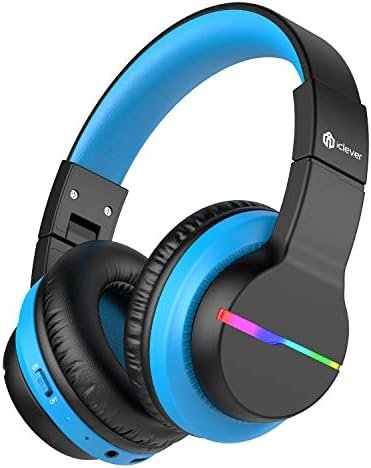
Koj puas xav ua ke iclever BTH12 Wireless Headphones rau koj cov khoom siv? iclever BTH12 wireless headphones muab lub suab zoo heev, tab sis lawv kuj muaj LED teeb nrog ntau cov teebmeem thiab xim ntawm ob sab ntawm lub mloog pob ntseg.
Plaub lub teeb hom yog tswj los ntawm ib tug ywj siab khawm. Thaum nias nyob rau hauv hom bluetooth,, lub teeb yuav tua kom txuag tau roj teeb. These headphones have a built-in 40mm speaker unit, that provides rich bass and lifelike audio.
Limit audio volume between 74, 85, and 94dB using combination keys so the volume switch is not accidentally touched. iClever headphones have a playtime of 55 Hours! You can use a USB-C cord for incredibly fast charging.
Most people do not know how to pair iclever BTH12 Wireless Headphones. Hauv tsab xov xwm no, we provide detailed instructions on how to use the product and information on how to turn the device on and off, pair it with Bluetooth, and switch between light modes.
This article also guides how to operate the buttons, answer and end calls, reject calls, and activate Siri. Li ntawd, yog li, Cia peb pib!
Yuav ua li cas Fais Fab Rau thiab Tawm ntawm iclever BTH12 Wireless Headphones?
Lub Hwj Chim Rau
Switch the button to the On direction. Then the LED indicator flashes blue for 1 second, and the colorful lights are on.
Hluav Taws Xob Tua
Switch the button to the Off direction, and the headphone is turned off. The LED indicator flashes blue for 1 second and then goes off.
Pair iclever BTH12 Wireless Headphones
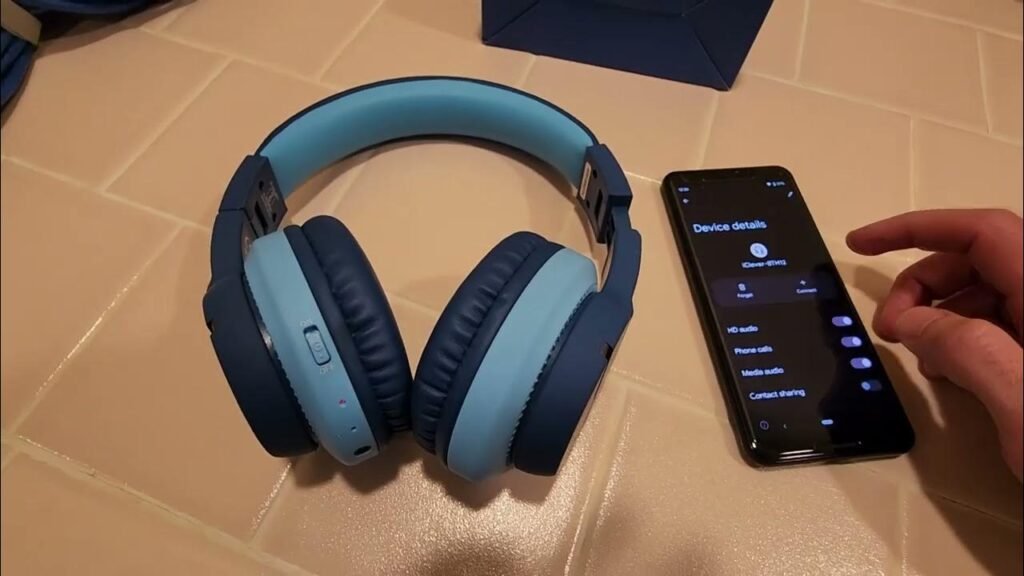
To pair iclever BTH12 Wireless headphones to your device follow the steps.
- Turn on the headphones by switching the button to the On direction and the colorful lights are on.
- Put the headphones in pairing mode, and the red and blue lights flash alternately.
- Tam sim no, turn on your phone go to settings, thiab qhib Bluetooth.
- Ces, find and select the iClever-BTH12 Bluetooth pairing name in the device list for Bluetooth pairing connection.
Yuav Ua Li Cas Them Lub Mloog Pob Ntseg
Connect the Type-C cable to the Type-C port on the headphones. The indicator light will glow red to indicate charging.
When the headphone is fully charged, the indicator light will change from red to blue.
Khawm Ua Haujlwm
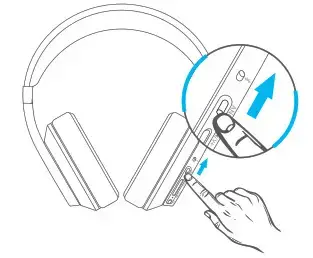
- Short press the + button to volume up.
- Short press the – button to volume down.
- Press and hold the + button for 2 seconds for the next track.
- Press and hold the – button for 2 seconds for the previous
- track.
- Press the MFB button once to play/pause.
- Press the MFB button once to answer/end a call.
- Keep pressing the MFB button to reject a call.
- Press the MFB button twice to activate Siri.
FAQs rau Pairing iclever BTH12 Wireless Headphones
Yuav ua li cas muab iclever BTH12 headphones nyob rau hauv pairing hom?
Pressing and holding the + button and – button simultaneously for 4 seconds in the power-on state to clear the pairing list. Then the headphones will automatically enter pairing mode.
Qhov no puas yuav ua hauj lwm nrog Bluetooth-enabled TV?
Muaj, I’ve successfully connected to our Samsung TV.
Xaus
After reading this article you will able to pair iclever BTH12 Wireless Headphones to your devices. it is a simple process you can do it by following the abovementioned steps.
Li ntawd, yog li, all you need to know is how to pair iclever BTH12 Wireless Headphones to your devices. We hope this article will help you a lot in this case!


