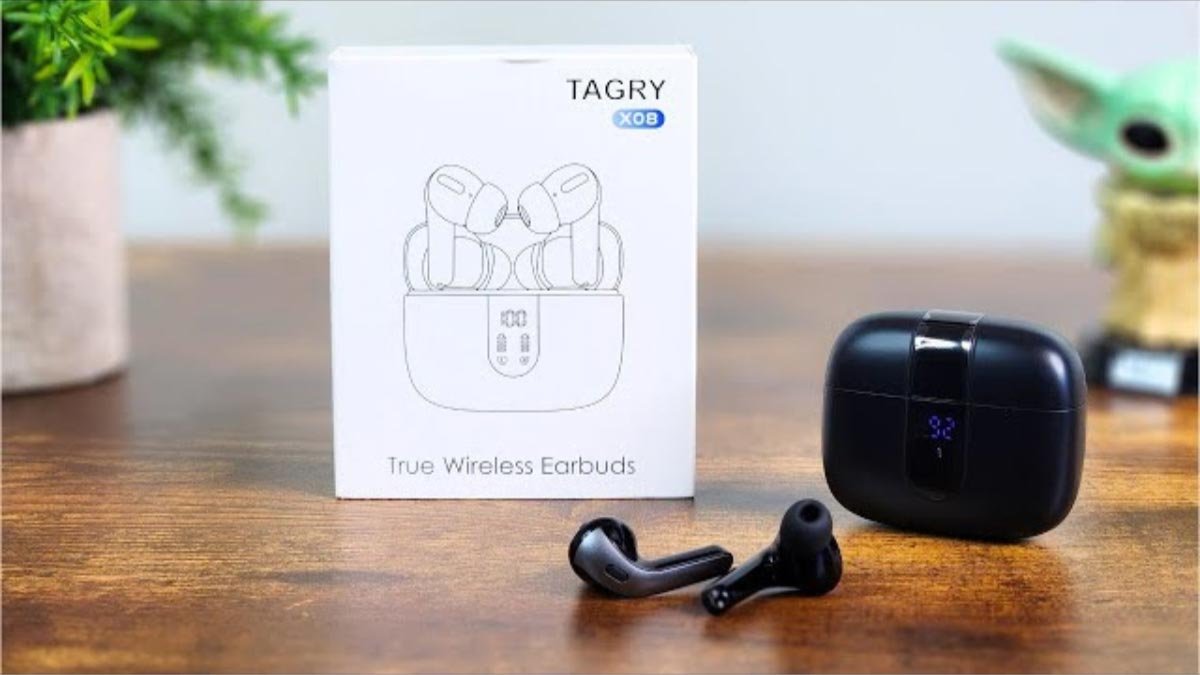
วิธีจับคู่หูฟังบลูทูธ Tagry X08 กับอุปกรณ์ของคุณ, เพราะ TAGRY X08 True Wireless Earbuds เป็นตัวเลือกที่ยอดเยี่ยมสำหรับผู้ที่ต้องการเพลิดเพลินกับเสียงเพลงหรือรับสายโทรศัพท์โดยไม่ต้องยุ่งยากกับสายที่พันกัน.
หูฟังบลูทูธ Tagry X08 มีน้ำหนักเบาและการออกแบบตามหลักสรีรศาสตร์ที่ช่วยให้สวมใส่ได้พอดี. หากคุณยังคงรู้สึกว่ามันไม่พอดีกับช่องหูของคุณ, พวกเขามีเอียร์บัดขนาดใหญ่สามคู่, ปานกลาง, และขนาดที่เล็ก.
ในบทความนี้, เรามีคำแนะนำวิธีการสวมใส่แบบทีละขั้นตอน, เปิดและปิด, คู่, ควบคุมการโทรและเพลง, และชาร์จหูฟังเอียร์บัดและกล่องชาร์จ.
ที่สุด, ผู้คนไม่ทราบวิธีจับคู่หูฟังบลูทูธ Tagry X08 กับอุปกรณ์ของตน. ไม่ต้องกังวลที่นี่ เราจะให้คำแนะนำทีละขั้นตอนเกี่ยวกับวิธีจับคู่หูฟังบลูทูธ Tagry X08 กับอุปกรณ์ของคุณ และเกี่ยวกับทั้งหมดนี้. ดังนั้น, มาเริ่มกันเลย!
หูฟังบลูทูธ Tagry X08

ที่ หูฟัง Tagry X08 เป็นการออกแบบตามหลักสรีรศาสตร์. พวกเขาให้ 3 จุกหูฟังขนาดต่างๆ กันเพื่อให้พอดีกับช่องหูของคนส่วนใหญ่มากที่สุด. เอียร์บัดแต่ละอันมีน้ำหนักเบามาก, เพียงแค่เท่านั้น 0.14 ออนซ์.
เคสชาร์จมีดีไซน์กะทัดรัดและน้ำหนักเบาเพียงเท่านั้น 2.89 ออนซ์, และขนาดกล่องชาร์จคือ 2.56 x 2.16 x 1 ซึ่งง่ายและสะดวกในการพกพาและจัดเก็บ. หูฟังบลูทูธ Tagry X08 มีให้เลือกสี่สีสุดเท่ สีดำ, สีขาว, สีชมพู, และสีม่วง.
ดังนั้น, เหมาะสำหรับทั้งชายและหญิงที่กำลังมองหาหูฟังไร้สายสีเท่ๆ.
วิธีจับคู่หูฟังบลูทูธ Tagry X08
Tagry X08 มี 5.1 Bluetooth version which pairs within a second with its one-step pairing. You just need to pair Tagry X08 Bluetooth earbuds for the first time to your phone. Next time it will automatically connect with your phone by just opening the charging case.
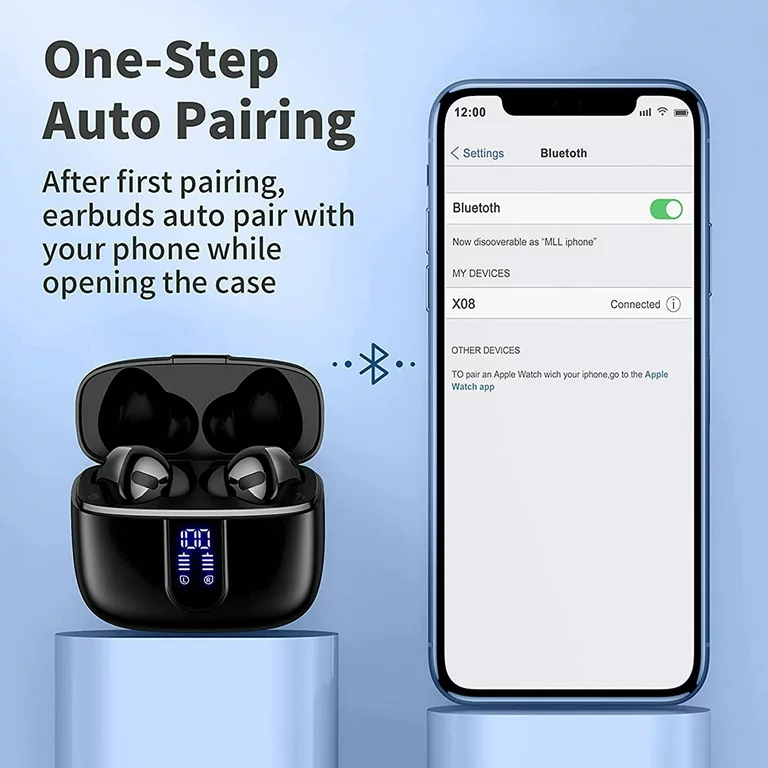
To pair Tagry X08 Bluetooth earbuds to your device follow the steps.
- อันดับแรก, ตรวจสอบให้แน่ใจว่าหูฟังของคุณชาร์จเต็มแล้ว.
- Open the charging case the earbuds will automatically, and then they will connect, and wait to pair with your device.
- Go to settings on your device and ensure that Bluetooth is enabled.
- ตอนนี้, search X08 and select them to pair to your device.
โหมดเอียร์บัดเดี่ยว
- Take out the one earbud that you want to connect from the charging case.
- Turn on Bluetooth on your device and choose X08, the earbud will pair with your device successfully.
วิธีการชาร์จ
เอียร์บัด
To charge the earbuds Put both earbuds into the charging case and close the case. The earbuds are being charged and the LED power display on the case will move.
กล่องชาร์จ
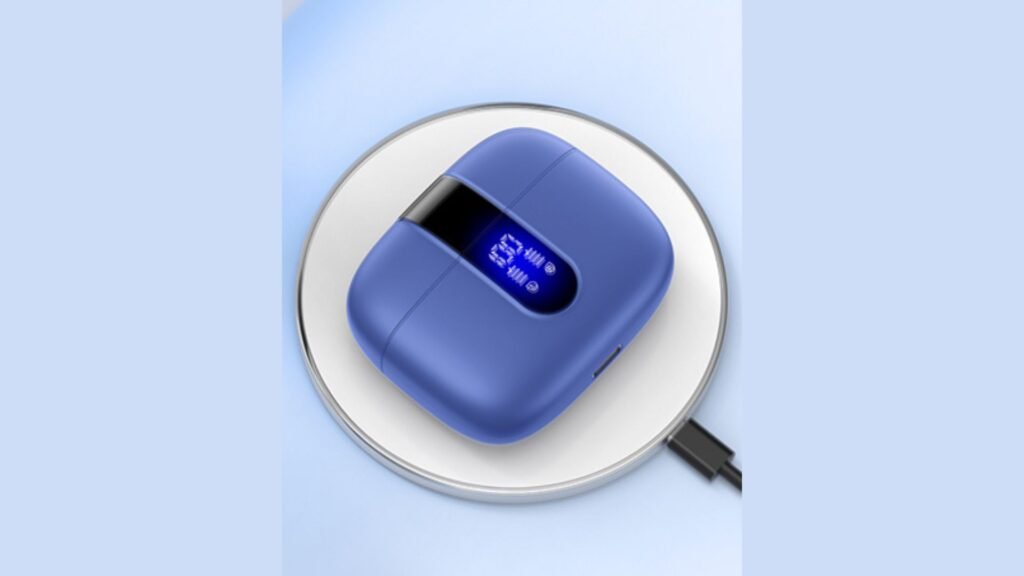
มี 2 methods for charging the Tagry X08, USB-C, and wireless charging.
วิธี 1: Use a USB-C charging cable to connect an adapter to your charging case.
วิธี 2: Put the charging case on a wireless charger. Keep the LED power display facing up, the case can be charged automatically.
วิธีเปิดเครื่อง Tagry X08
เปิดเครื่องอัตโนมัติ
Open the charging case the earbuds power on automatically.
เปิดเครื่องด้วยตนเอง
Press and hold on the touch control area of one earbud for 2 วินาที, the earbud will power on and the earbud light will become blue.
How to Power Off the Tagry X08
วิธี 1: Put both earbuds into the charging case, and close the case earbuds will power off automatically.
วิธี 2: Press and hold on either earbud for 5 วินาที, light on the earbud will flash red, and then the earbud power off.
คำสั่งควบคุม
- Double-tap on either earbud to answer/end a call.
- Tap on either earbud for 2 วินาทีเพื่อปฏิเสธสาย.
- Tap once on either earbud to play/pause music.
- Long tap on the right earbud to volume +.
- Long tap on the left earbud to volume -.
- Quick triple tap on the right or left earbud to the voice assistant.
- Double tap on the left earbud for the previous track.
- Double tap on the right earbud for the next track.
บทสรุป
You can get a hassle-free and wireless audio experience by pairing Tagry X08 Bluetooth earbuds with your device. You can pair Tagry X08 Bluetooth earbuds to your device easily just by following the steps mentioned above. The way to pair Tagry X08 Bluetooth earbuds to your device is just straightforward!