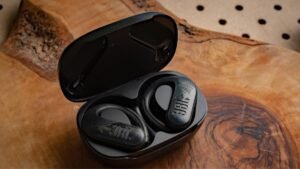
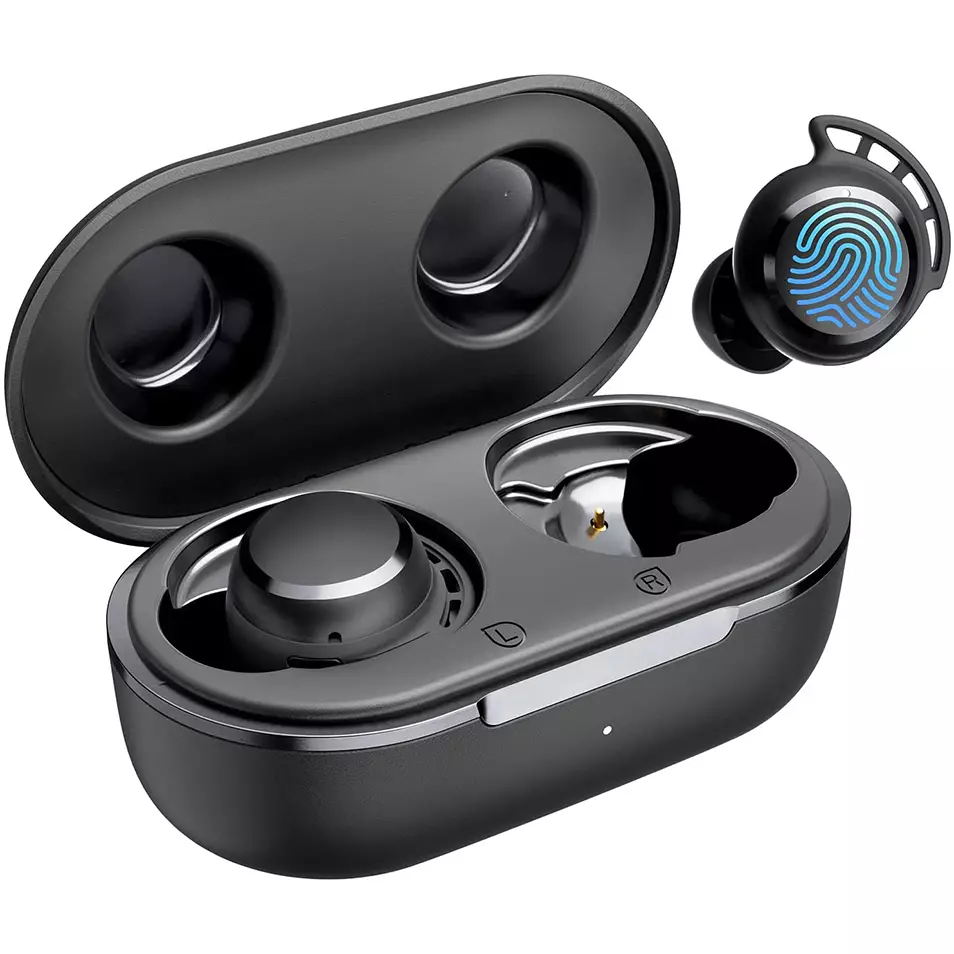
'Oku ke fie ma'u ke Hoa . Tribit FlyBuds 3 earbuds ki hoʻo ngaahi meʻangāué? Tribit FlyBuds 3 Headphones have the amazing IPX7 waterproof certification, Bluetooth 5.0, dynamic EQ, ko ha moʻui ʻa e pā ʻo e 100. 5 ngaahi houa + 95 amazing hours using the charging case, a working range of 10 mita, pea lahi ange.
But if you want to pair them to your devices, and you have no idea, don’t fret in this post we give you a complete guide. Ko ia, tau kamata .!
Founga ke Pair Tribit FlyBuds 3 earbuds?
To pair Tribit FlyBud 3 Earbuds with different devices follow the given different devices steps.
Pair With IOS and Android
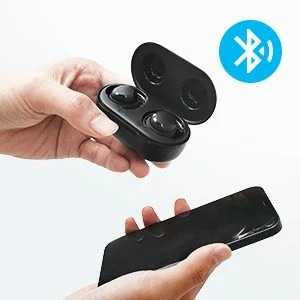
- To'o 'a e earbuds mei he keisi 'o e totongi .. Te nau fakamo'ui 'otometiki ..
- Pea, a red light starts flashing on the earbuds, which means that they will be ready to pair with any device.
- Turn on Bluetooth on your device.
- Alu ki he ngaahi tu’unga Bluetooth ‘o e device ..
- Ko ʻEni, select Tribit FlyBuds 3. If prompted for a password type 0000.
- Hili ia, 'e mate 'a e maama kulokula ., pea 'e fai 'a e hoa ..
Pair With PC (Ngaahi Matapa Sioʻata)
- ʻUluaki, turn on Bluetooth on your PC.
- Alu ki he ngaahi settings ., go to Bluetooth and other devices.
- Lomiʻi ʻi he meʻangāue Tānaki atu ..
- Ko ʻEni, take the earbuds from the charging case. Hili ia, the earbuds will turn on automatically.
- When a red light starts flashing on the earbuds, it means that they will be ready to pair with any device
- Select Tribit FlyBuds 3. If needed for a password, fa'ahinga 0000.
- Hili ia, 'e mate 'a e maama kulokula ., pea 'e fai 'a e hoa ..
How to Wear These Earbuds
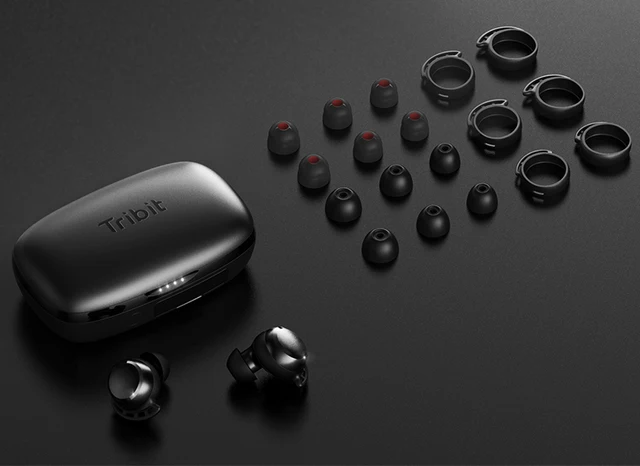
- To'o 'a e ongo telinga mei he keisi 'o e totongi ..
- Faka'ilonga'i 'a e earbuds to'ohema mo e to'omata'u ..
- Choose the ear tips that best suit and fit in your ears.
- Insert the headphones into the inner canal of the ears.
- Rotate ki he fakafiemalie lelei taha pea fe'unga lelei taha ., pea fakapapau'i 'oku tuhu 'a e maikolofoni ki he ngutu ..
How to Turn Off and On
fakamo'ui
To'o 'a e earbuds mei he keisi 'o e totongi .. Hili ia, the earbuds will turn on automatically.
tamate'i
Tuku ʻa e ngaahi telinga ki he keisi ʻo e totongi pea tāpuni hono ʻufiʻufí .. Hili ia, 'e tamate'i 'otometiki 'e he earbuds ..
Founga ke Pule'i
- Press the multifunction touch button on any of the earbuds two times to play or pause.
- Press and hold the multifunction touch button on the right earbud to turn the volume up.
- Press and hold the multifunction touch button on the left earbud to turn the volume down.
- Press the multifunction touch button on any of the earbuds three times to play the next track.
- Press the multifunction touch button on any of the earbuds two times to answer an incoming call.
- Press the multifunction touch button on any of the earbuds two times to end a call.
- Lomiʻi mo pukepuke ʻa e pātene paʻanga multifunction ʻi ha taha ʻo e ngaahi telinga ki he . 2 sekoni ke fakafisingaʻi ha ui ʻoku hū mai ..
- Press the multifunction touch button on any of the earbuds three times to activate the voice call.
Tohi'i: The multifunction touch sensor is placed on the circular part on the top of the earbuds.
How to Reset the Tribit FlyBuds 3 Earbuds
To reset the Tribit FlyBuds 3 Earbuds delete all pairing information from the connected device. Place both earbuds in the charging case with the cover open, and press and hold the charging case button until the four indicator lights of the charging case flash 4 taimi ‘i he taimi tatau ., which shows that the earbuds successfully reset.
FAQS to Pair Tribit FlyBuds 3 Earbuds
Are the Tribit FlyBuds 3 Earbuds waterproof?
ʻIo, the Tribit FlyBuds 3 Earbuds are waterproof (IPX6 and up). 'Oku nau ma'u ha fakafuofua 'o e IPX7., 'a ia 'oku 'uhinga ia 'oku 'ikai ngata pe 'i he'enau fakafepaki'i 'a e vai ka 'oku malu'i foki ia mei he ngaahi ola 'o e fakauku ..
Does the Tribit FlyBuds 3 Earbuds have a microphone?
ʻIo, these earbuds come with integrated microphones.
Does the Tribit FlyBuds 3 Earbuds have a low latency/gaming mode?
ʻIkai, these earbuds don’t have a low latency/gaming mode.
Can the Tribit FlyBuds 3 Earbuds connect to a PC and Laptop?
ʻIo, these earbuds can connect to PCs, ngaahi komipiuta to'oto'o, and even tablets.
Are the Tribit FlyBuds 3 Earbuds noise-canceling?
ʻIkai! ‘Oku ‘ikai ke ha’u ‘a e ngaahi earbuds ko ‘eni mo e tekinolosia ‘o e kaniseli ‘o e longoa’a ..
Fakaʻosi
We hope you know how to Pair Tribit FlyBuds 3 Earbuds ki ho'o ngaahi device ., and also know how to wear, how to reset, and to control them. ʻOku mau ʻamanaki ʻe tokoni lahi atu ʻa e fakamatala ko ʻeni!