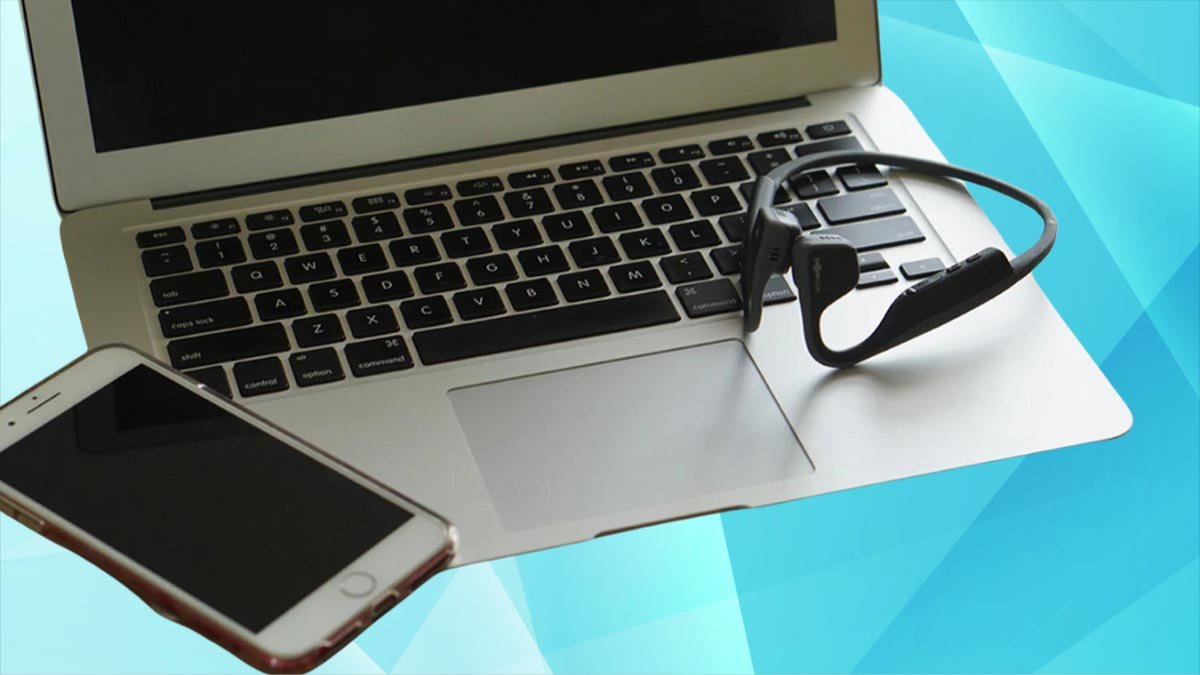
Щоб з’єднати навушники Shokz із вашими пристроями, ви повинні активувати навушники в режимі сполучення, натиснувши та утримуючи кнопку збільшення гучності протягом 7 секунд і знайти їх у своїх пристроях. Перегляньте покрокові інструкції щодо підключення навушників Shokz до будь-якого пристрою, який тільки можна уявити.
Активуйте режим сполучення на навушниках Shokz
Shokz bone conduction навушники need to be in pairing mode before pairing with a Bluetooth device. You can activate this mode automatically or manually.

When you turn ON the headphones pairing mode activates automatically.
To activate the headphones manually, you need to
- Turn OFF your Shokz headphones.
- Hold the volume up button for 5 до 7 seconds or until you see an LED on the headphones blink in red and blue.
- Зараз, check the Bluetooth settings of your Bluetooth device to see if the Shokz headphones have shown up under Available devices.
Як підключити навушники Shokz до iPhone & iPad
Pairing headphones to iOS devices is quite simple, but not as straightforward as on Android, but more on that later. Ось як ви це робите
- Tap on the Bluetooth icon.
- Потім, tap and hold the Bluetooth icon to go to Bluetooth Settings.
- After that make sure that your Shokz headphones are in pairing mode.
- After entering pairing mode, headphones should appear under Other Devices, and tap on them.
- Після цих кроків, when they move to My Devices, they’re successfully connected.
Як підключити навушники Shokz до пристрою Android
Android devices are more intuitive to connect to than iPhones because their Bluetooth pairing process automatically opens everything you need for quick pairing.
- Unlock your Android device and find the Bluetooth icon tap it to turn it ON.
- Put your headphones in pairing mode by pressing and holding the volume up button for 5 до 7 seconds or until you see an LED on the headphones blink in red and blue.
- Зараз, go to Bluetooth settings, scroll down to Available devices, and tap on your headphones. If they haven’t shown up press Scan.
Як підключити навушники Shokz до Windows 11

Pairing Shokz headphones to a Windows is a bit more tedious than with other Bluetooth devices, but don’t worry. Here’s how you do it easily.
- On your desktop screen, move your cursor over the search icons and left-click on them.
- Click on the Bluetooth and select Go to Settings.
- Потім, click Add device.
- Зараз, make sure the Shokz headphones are activated and in pairing mode.
- Go to your Windows device, where you select the Bluetooth option, Windows is searching for your headphones.
- After a few seconds your headphones appear on the screen, click on them to connect.
Як підключити навушники Shokz до Windows 10
- The pairing process on вікна 10 is very similar to Windows 11.
- On your desktop screen, move the cursor to the Notification icon and left-click to open quick settings.
- Click on the Bluetooth and then right-click it to select go to Settings.
- In Settings, click on Add Bluetooth or other device.
- Before continuing this process, enable the pairing mode on your Shokz headphones.
- Return to Windows and click on the Bluetooth option. Be patient after a few seconds, as Windows may take a while to locate your headphones.
- When your headphones appear in the window, click on them to connect.
Як підключити навушники Shokz до Mac, Macbook
If you want to Pair headphones to MacOS follow these steps
- On your desktop screen, click the Apple logo in the upper left corner, and click on SystemPreferences.
- Put your headphones in pairing mode.
- In the System Preferences, find and click on Bluetooth to open its settings.
- Зараз, on nearbyDevices, you should quickly see the name of your Shokz headphones. Click on the Connect option next to it.
Як підключити навушники Shokz до інших пристроїв Bluetooth
Shokz headphones are typically meant for sports activities, you’ll use them outdoors and listen to music using your smartwatch. Так, ми також покажемо вам, як поєднати їх із розумними годинниками від:
- Яблуко
- Huawei
- Garmin
Сполучення з Apple Watch
- Натисніть цифрову заводну головку на правій стороні годинника, щоб перейти до всіх програм.
- Знайдіть і торкніться значка налаштувань.
- Прокрутіть вниз і торкніться Bluetooth.
- Зараз, переведіть навушники Shokz у режим сполучення, натиснувши й утримуючи кнопку збільшення гучності для 5 до 7 seconds or until you see an LED on the headphones blink in red and blue.
- Перевірте свій Apple Watch, щоб побачити, чи ваш Shokz відображається в розділі «Пристрої»..
- Потім, торкніться їх, щоб підключитися.
Підключення до розумного годинника Huawei
- Поперше, натисніть фізичну кнопку збоку розумного годинника.
- Знайдіть і торкніться піктограми «Налаштування»..
- Торкніться Bluetooth, і годинник автоматично розпочне пошук навушників для сполучення.
- Увімкніть режим сполучення на навушниках Shokz.
- Коли ви бачите на годиннику назву своїх навушників Shokz, торкніться його, щоб підключитися.
Підключення до смарт-годинника Garmin
- Утримуйте середню кнопку на лівій стороні годинника, щоб перейти в налаштування.
- Go to the Music app and select Headphones.
- Activate the pairing mode on your Shokz headphones using the instructions above.
- Зараз, on your watch, tap on Add New and tap on your headphones’ name when you see it to connect.
Як скинути налаштування навушників Shokz
To reset your Shokz headphones, виконайте ці дії.
- Turned OFF the headphones and activate their pairing mode by pressing and holding the Volume Up button for at least 7 seconds or until you see an LED flashing red and blue.
- Зараз, press all the buttons simultaneously(multifunction, Volume Up, and Volume Down buttons) for at least 5 seconds or until the headphones don’t beep or vibrate.
- After the reset, turn them OFF and back ON.
Поширені запитання щодо підключення навушників Shokz
Як увімкнути навушники Shokz?
You turn on them by holding the (Volume Up) button for a few seconds.
How do you put Shokz headphones in pairing mode?
You put Shokz headphones in pairing mode by turning them OFF and then back ON while pressing and holding the power (Volume Up) button for about 7 seconds or until you see the LED light flashing red and blue.
Can Shokz headphones be paired to two devices?
Shokz models OpenRun, OpenRun Pro, OpenFit, Aeropex, and OpenComm can be paired to two devices using Bluetooth multipoint.
How do you reset Shokz headphones?
You reset Shokz headphones by putting them in pairing mode, and then simultaneously holding all buttons for 5 seconds or until the headphones vibrate.
Висновок
We hope after reading this article you’ve successfully paired your Shokz headphones to your Bluetooth devices.