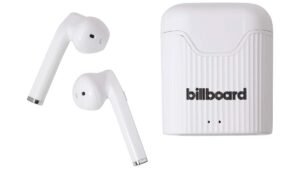
Do you want to pair Tozo A1 Earbuds? Tozo A1 Earbuds have the IPX5 certification, Bluetooth 5.3, a battery life of about 6 години + 24 using the charging case and a 6mm speaker.
If you have a new pair of Tozo A1 Earbuds and want to pair them to your devices. Pairing them to your devices is a simple process, to do this completely read this article and follow the pairing process. Так, Давайте розпочнемо!
Як підключити навушники Tozo A1?

Take out the earbuds from the case and they will automatically be in pairing mode and pair with each other in 10 секунд. One of the earbuds flashes red and blue alternately. Зараз, search for the pairing name Tozo A1.
How to Pair Tozo A1 Earbuds to IOS and Android Phones?
- Вийміть навушники із зарядного футляра, і навушники увімкнуться автоматично.
- After that when a blue and red light starts flashing in one of the earbuds, they will be ready to pair with any device.
- Потім, turn on the Bluetooth on the desired device.
- Перейдіть до налаштувань Bluetooth на своєму пристрої.
- Зараз, select Tozo A1.
- If prompted for a password type 0000.
- Після того, a blue light will start flashing every 3 секунд, і сполучення буде зроблено.
Pair Tozo A1 Earbuds with a PC (вікна)

- Turn on the Window’s Bluetooth.
- Зайдіть в налаштування.
- Go to Bluetooth and other devices and click on Add device.
- Натисніть Bluetooth.
- Open the charging case and take the earbuds out. Після того, the earbuds will turn on automatically.
- Потім, select Tozo A1 If a password is needed, типу 0000.
- Після того, a blue light will start flashing every 3 секунд, і сполучення буде зроблено.
How to Wear Tozo A1 Earbuds
Take both навушники out of the charging case. Визначте лівий і правий вкладиші. Виберіть вушні вкладиші, які найкраще підходять для ваших вух. Then insert the headphones into the inner canal of the ears. Обертайте для максимального комфорту та найкращої посадки, і переконайтеся, що мікрофон направлений до рота.
How to Turn On and Off
Увімкнути
Автоматично
Open the charging case and take the earbuds out. Після того, the earbuds will turn on automatically.
Вручну
You can press and hold the multifunction touch button on both earbuds for about 3 seconds to turn them on.
Вимкнути
Автоматично
Place the earbuds into the charging case and close its lid. Після того, the earbuds will turn off automatically.
Вручну
You can press and hold the multifunction touch button on both earbuds for about 5 секунд, щоб вимкнути їх.
Touch Button

- Багатофункціональна сенсорна кнопка розміщена у верхній частині корпусу навушників.
- Press the multifunction touch button on any of the earbuds 1 time to play or pause the music.
- Press and hold the multifunction touch button on the right earbud to turn the volume up.
- Press and hold the multifunction touch button on the left earbud to turn the volume down.
- Press the multifunction touch button on any of the earbuds 3 times to play the next song.
- Press the multifunction touch button on any of the earbuds 4 times to play the previous song.
- Press the multifunction touch button on any of the earbuds 1 time to answer an incoming call.
- Press the multifunction touch button on any of the earbuds 1 time to end a call.
- Натисніть і утримуйте багатофункціональну сенсорну кнопку на будь-якому з навушників для 2 секунд, щоб відхилити вхідний виклик.
- Press the multifunction touch button on any of the earbuds 3 times to activate the voice assistant.
Як активувати монорежим?
To activate the mono mode in the Tozo A1, all you have to do is to pair the earbuds to the device and take out one of the earbuds from the charging case. Він почне працювати сам.
How to Reset the Tozo A1 Earbuds?
Delete all Tozo A1 pairing records on the connected device. Turn off the Bluetooth function on the device. Вийміть обидва навушники із зарядного футляра. Press the multifunction touch button on both earbuds 5 разів, until a red light flashes for 1 другий.
Помістіть навушники в зарядний футляр. Після того, скидання буде виконано.
Як заряджати навушники та зарядний футляр?
Навушники
Щоб зарядити навушники, place them into the charging case and close the lid. Навушники почнуть заряджатися автоматично.
Зарядний футляр
Щоб зарядити зарядний футляр, all you have to do is connect the case to a USB charger or charging port with the included USB-A to C cable.
Висновок
After reading this article you will be able to pair Tozo A1 earbuds to your devices. Pairing process is an easy process. To do this follow the pairing instruction. Сподіваємося, ця стаття вам дуже допоможе!
![Детальніше про статтю [Підключення UCC] Як звільнитися від правової тиранії PDF?](https://toolpub.com/wp-content/uploads/2023/08/How-To-Free-Yourself-From-Legal-Tyranny-PDF-300x169.jpg)