
Bạn có muốn kết nối tai nghe Baseus Encok W01 với thiết bị của mình không? Baseus Encok W01 là lựa chọn tốt nhất đi kèm với thời lượng pin của 6 giờ, HFP, HSP, A2dp, AVRCP, SPP, PBAP compatibility, Bluetooth 5.0, a charging case with a battery of 2000mAh, the IPX4 sweat and dust-resistant certification, Và nhiều hơn nữa.
But here we learn how to Connect Baseus Encok W01 Tai nghe to your devices. Vì thế, hãy bắt đầu!
Cách kết nối tai nghe Baseus Encok W01?
Connecting Baseus Encok W01 Earbuds to your devices is a simple process. To connect them to your devices follow the below given steps carefully.
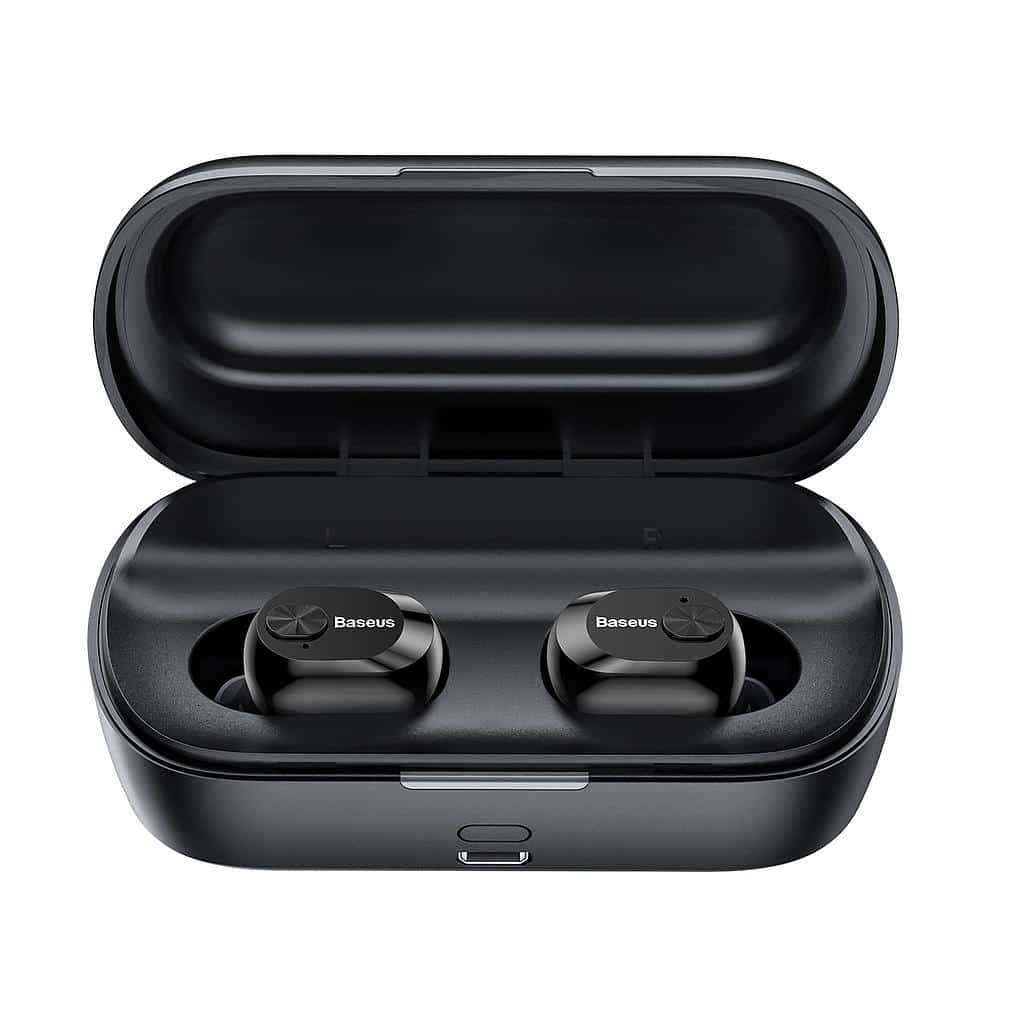
Connect Baseus Encok W01 Earbuds with Android
- Đầu tiên,open the charging case and take the earbuds out. Sau đó, a blue light will be on for 1 thứ hai, và chúng sẽ tự động bật.
- A blue light will start flashing in both earbuds when a blue light starts flashing quickly on the left earbud and once every 5 seconds on the right earbud, it means that the earbuds are now in pairing mode.
- Hiện nay, go to the Android device’s Bluetooth settings.
- Sau đó, select Baseus Encok W01. Nếu được nhắc nhập mật khẩu, kiểu 0000.
- Sau đó, quá trình ghép nối sẽ được thực hiện.

Connect Baseus Enock W01 Earbuds with PC
- đầu tiên, turn on the Window’s Bluetooth.
- Go to the settings, and go to Bluetooth and other devices.
- Sau đó, click on Add device and click on Bluetooth.
- Sau đó, open the charging case and take the earbuds out. Sau đó, a blue light will be on for 1 thứ hai, và chúng sẽ tự động bật.
- When a blue light starts flashing quickly on the left earbud and once every 5 seconds on the right earbud, it means that the earbuds are now in pairing mode.
- Select Baseus Encok W01. If ask for a password, kiểu 0000.
- Sau đó, quá trình ghép nối sẽ được thực hiện.
How to Wear the Earbuds?
- Take out both earbuds from the charging case and identify the left and right earbuds. Choose the ear tips that best suit your ears.
- Insert the earbuds into the inner canal of the ears.
- Rotate the earbuds for the best possible comfort and best fit, và đảm bảo rằng micrô hướng vào miệng.
How to Turn On and Off the Earbuds?
Turn On
There are two methods to turn on the earbuds.
1: Automatically
2: Manually
Automatically
- To automatically turn on the earbuds open the charging case and take the earbuds out.
- Sau đó, a blue light will be on for 1 thứ hai, và chúng sẽ tự động bật.
Manually
- To manually turn on the earbuds press and hold the multifunction button on both earbuds for 2 giây.
- Sau đó, a blue light will be on for 1 thứ hai, and they will turn on.
Turn Off
There are two methods to turn off the earbuds.
1: Automatically
2: Manually
Automatically
- In this method place the earbuds into the charging case.
- Sau đó, a red light will be on for 1 thứ hai, and they will turn off automatically.
Manually
- In this method press and hold the multifunction touch button on both earbuds for about 4 giây.
- Sau đó, a red light will be on for 1 second and then will turn off.
Control Instructions
- Press the multifunction touch button on any of the earbuds one time to play or pause music.
- Nhấn và giữ nút cảm ứng đa chức năng trên tai nghe bên phải trong khoảng 1 second to play the next song.
- Nhấn và giữ nút cảm ứng đa chức năng trên tai nghe bên trái trong khoảng 1 second to play the next song.
- Nhấn nút cảm ứng đa chức năng trên bất kỳ tai nghe nào một lần để trả lời cuộc gọi đến.
- Press the multifunction touch button on any of the earbuds one time to end a current call.
- Press and hold the multifunction touch button on any of the earbuds for 2 seconds to reject an incoming call.
- During a call, press and hold the multifunction touch button on the left earbud for 1 second to switch from the earbuds to the connected device. Do the same to switch back to the earbuds to the redial audio switch.
- When there is an incoming call, press the multifunction touch button on any of the earbuds once to answer the first call. When the second call is coming, press once to answer call 2, and press and hold to switch between them to a multi-party call.
How to Activate the Mono Mode?
To activate or deactivate the mono mode in the Baseus Encok W01, take out one of the earbuds from the charging case that you want to activate. Nó sẽ tự bắt đầu hoạt động.

How to Charge the Earbuds?
Tai nghe
Để sạc tai nghe, simply place them into the charging case and close it properly. Tai nghe sẽ bắt đầu sạc tự động.
Hộp sạc
Để sạc hộp sạc, all you have to do is connect the case to a USB charger or charging port. Nó sẽ bắt đầu sạc tự động.
Phần kết luận
Kết nối Tai nghe Baseus Encok W01 với thiết bị của bạn là một quá trình đơn giản. Bạn có thể Kết nối Tai nghe Baseus Encok W01 với thiết bị của mình bằng cách làm theo quy trình nêu trên. Vì thế, tất cả những gì bạn cần biết là cách Kết nối Tai nghe Baseus Encok W01. Chúng tôi hy vọng bài viết này sẽ giúp ích cho bạn nhiều!