如何配對安克 · 佐洛自由耳機? 個 Anker Zolo Liberty Earbuds come with a battery life of about 8 小時 + 到 100 用充電盒 4 小時, 藍牙 4.2, two 5.5mm graphene dynamic drivers, support for the AAC and SBC audio codecs, the IPX5 sweat and dust-proof certification, 同埋好多其他嘢.
Pairing Anker Zolo Liberty 耳機 to various devices is easy, but most people don’t know how to Pair Anker Zolo Liberty Earbuds. Don’t worry after reading this article you will be able to Pair Anker Zolo Liberty Earbuds to your devices. 我哋開始啦!
How do you Pair Anker Zolo Liberty Earbuds?
Pairing Anker Zolo Liberty Earbuds is a simple and easy process.
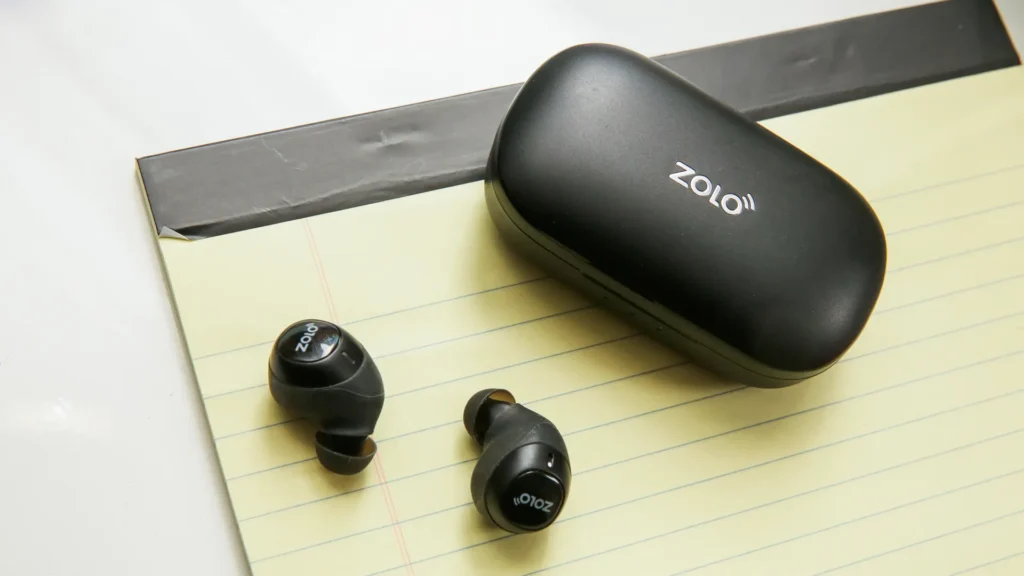
- Please take out the earbuds from the case, they will automatically turn on and in pairing mode. 也, you can press and hold the multifunction button for about 1 第二.
- 然之後, go to settings and turn on the Bluetooth on your device.
- Select Zolo Liberty Earbuds from the list on your device and tap on it to pair.
- If prompted a Password Enter 0000.
How Do You Pair Anker Zolo Liberty Earbuds to IOS and Android Devices?
- 第一, 打開充電盒,然後將耳機拎出嚟. 然之後, they will turn on automatically. If does not turn on automatically, you can press and hold the multifunction touch button on both earbuds for about 1 第二.
- 然之後, 喺你部裝置上面開藍牙.
- 去裝置嘅藍牙設定.
- Select Zolo Liberty. 如果需要密碼, 種類 0000. 然之後, 配對會做.
How Do You Pair Anker Zolo Liberty Earbuds with a PC?
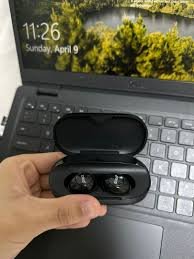
- Turn on Bluetooth on your PC.
- 去設定.
- 去藍牙同其他裝置.
4. 現時, 打開充電盒,然後將耳機拎出嚟. 然之後, they will turn on automatically. 也, you can press and hold the multifunction touch button on both earbuds for about 1 第二.
5. Select Zolo Liberty. 如果需要密碼, 種類 0000. 然之後, 配對會做.
How to Wear Zolo Liberty Earbuds?
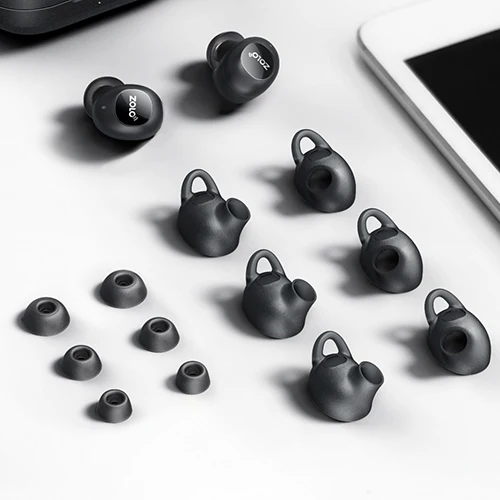
將兩個耳機從充電盒中取出. 識別咗右耳塞. 揀最適合你耳仔嘅耳尖. Insert the earbuds into the inner canal of the ears. 旋轉以獲得最佳舒適度同最佳貼合度, 同埋確保麥克風指向個口.
How to Reset the Zolo Liberty Earbuds?
將耳機從充電盒中取出. 按住兩個耳機上嘅多功能觸控按鈕大約 5 秒, or until a red light starts flashing on the earbuds.
按住兩個耳機上嘅多功能觸控按鈕大約 8 seconds or until a pink light starts flashing on the earbuds. 將兩個耳機放入充電盒.
The right earbud will automatically re-pair to the left earbud. Delete all Zolo Liberty pairing information from the connected device. 然之後, 重設就會完成.
How to Control?
- To play or pause a song press the multifunction touch button on any of the earbuds 1 時間.
- Play the next song press and hold the multifunction touch button on the right earbud for about 1 第二.
- Play the next previous press and hold the multifunction touch button on the left earbud for about 1 第二.
- Answer an incoming call by pressing the multifunction touch button on any of the earbuds 1 時間.
- End a current call press the multifunction touch button on any of the earbuds 1 時間.
- 拒絕一個來電按下,並按住任何耳機嘅多功能觸控按鈕 1 第二.
- Transfer a call from the earbuds to the connected device press and hold the multifunction touch button on any of the earbuds for about 1 第二.
- Switch between a held call and an active call press and hold the multifunction touch button on any of the earbuds for about 1 第二.
- To activate the voice assistant press the multifunction touch button on any of the earbuds 2 次次.
FAQS to Pair Anker Zolo Liberty Earbuds?
Are Anker Zolo Liberty Earbuds waterproof?
唔得, the Anker Zolo Liberty is not waterproof. They have a rating of IPX5, which means they’re protected against some water projected from a nozzle.
What Do If the Microphone is not working?
If the Microphone is not working it can be because the microphone is muted, or the earbuds are badly positioned. To fix this, you can do the following
If the microphone is muted, check the device microphone volume. 如果噉樣都唔得, that means that there might be a defect in the earbuds, so try replacing them or getting a refund.
How to Know when the Anker Zolo Liberty Earbuds are fully charged?
當耳機充電時, some lights are on. When fully charged, all lights turn off from the charging case.
結論
We hope after reading this article you will know how to Pair Anker Zolo Liberty Earbuds to your devices.
The pairing process is so simple and easy just follow the above-mentioned steps carefully without skipping any step, otherwise you can not complete the pairing process. 希望呢篇文章可以幫到你好多!