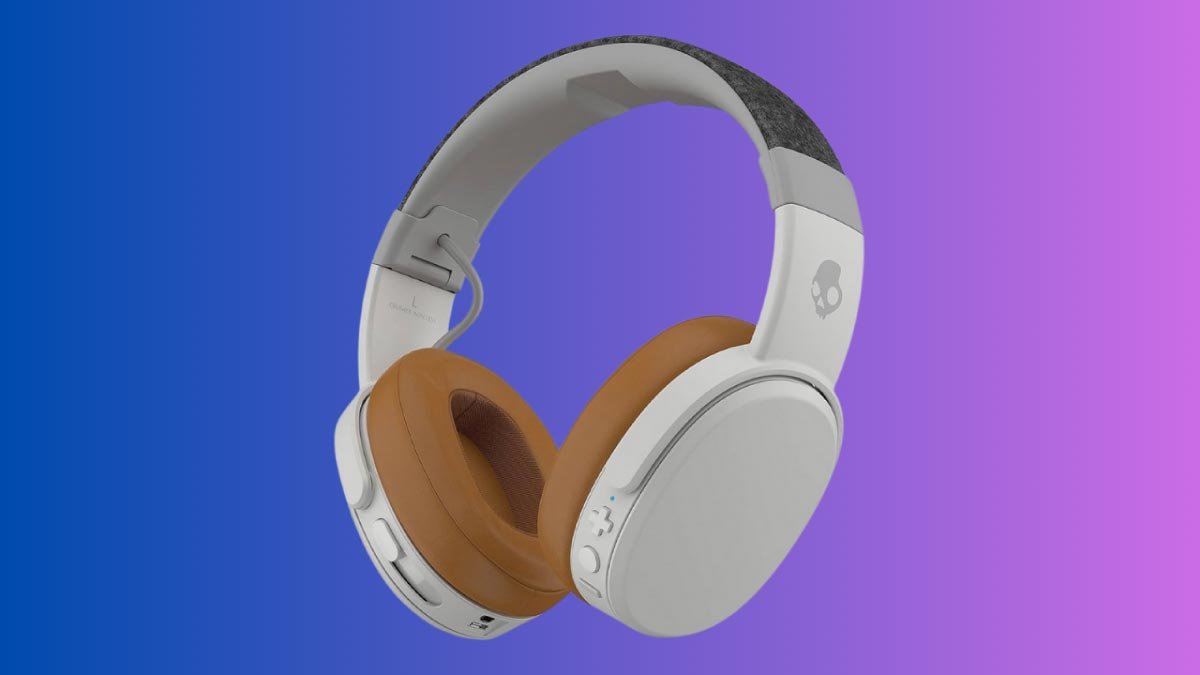
Wil jy Skull Crusher koppel Draadlose oorfone op u toestelle? Skull het ook verskillende koptelefoon. Maar die Skull-koptelefoon het uitstekende bas en hoë kwaliteit oorfone en hulle werk sonder probleme. Hulle is maklik om te gebruik, maar basiese konsepte van hoe om hulle aan te skakel of in paringsmodus te kry, kan uitdagend wees vir nuwe gebruikers.
Maar in hierdie artikel, ons sal vir jou 'n volledige gids gee oor hoe om hulle aan te skakel en om hulle in paringsmodus te kry. Dus, kom ons begin en duik in die besonderhede!
Kenmerke van Skull Crusher Wireless
As jy nuut is met die Skull Crusher Wireless-koptelefoon, dit is belangrik om die kenmerke en tegniese spesifikasies te verstaan.
Die Skull Crusher Wireless-oorfone is ontwerp om klank van hoë gehalte te verskaf met 'n reeks kenmerke wat jou luisterervaring verbeter. Hier is 'n paar sleutelkenmerke
Verstelbare bas
Hierdie oorfone laat jou toe om die bas na jou smaak aan te pas met die ingeboude bas-skuifbalk.
Bluetooth-verbinding
Koptelefoon vir skedelbreker koppel aan jou toestelle via Bluetooth, wat jou toelaat om na jou gunsteling musiek te luister sonder die moeite van drade
Lang batterylewe
Die Crusher Wireless het die beste batterylewe van tot 40 ure, wat jou toelaat om heeldag na jou musiek te luister.
Ingeboude mikrofoon
Hierdie oorfone het 'n ingeboude mikrofoon, wat dit maklik maak om oproepe te neem sonder om jou oorfone af te haal.
Hoe om die Skull Crusher-koptelefoon te laai?
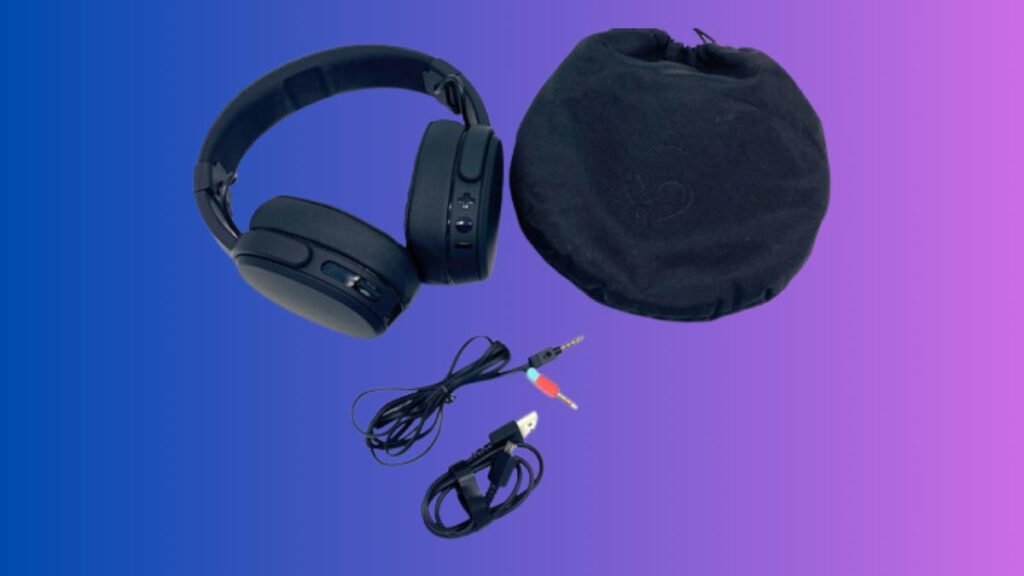
Om jou te laai Skull Crusher Draadlose oorfone, volg hierdie eenvoudige stappe noukeurig.
- Steek die mikro-USB-punt van die kabel in die oorfone.
- Toe, koppel die tweede punt van die kabel aan 'n kragbron.
- Die LED-ligte op die oorfone sal rooi word wat aandui dat die laai begin.
- Op volle battery sal die LED-lig afskakel.
Hoe om Skull Crusher draadlose koptelefoon te koppel?
Dit is maklik om die Skull Crusher Wireless-oorfone met jou toestelle te koppel. Hier is die maklike stappe om te volg
Koppel met 'n slimfoon
- Skakel jou Crusher Wireless-oorfone aan deur die kragknoppie vir te druk en in te hou 3 sekondes totdat jy die LED-lig sien flikker. Hierdie LED dui aan dat die oorfone nou in saambindmodus is.
- Nou, op jou slimfoon, gaan na die Bluetooth-instellings en skakel Bluetooth aan.
- Toe, vind jou Skull Crusher-oorfone op jou foontoestellys en kies hulle om saam te koppel.
- Volg enige aanwysings wat op jou foonskerm verskyn om die saambindproses te voltooi.
- Sodra die paringsproses voltooi is, 'n stemboodskap sal gekoppel wees.
Koppeling met 'n rekenaar
- Eerstens, skakel jou Crusher Wireless-oorfone aan deur die kragknoppie vir te druk en in te hou 3 sekondes totdat jy die LED-lig sien flikker, wat aandui dat die oorfone nou in saambindmodus is.
- Op jou rekenaar, gaan na die Bluetooth-instellings en skakel Bluetooth aan.
- Soek jou Skull Crusher-oorfone op jou rekenaar en kies hulle om saam te koppel.
- Volg enige aanwysings wat op jou rekenaarskerm verskyn om die saambindproses te voltooi.
- Sodra die paring voltooi is, 'n stemboodskap sal gekoppel wees.
Let wel: As jy probleme ondervind om jou oorfone te koppel, jy kan hulp kry van die vinnige begingids wat deur Skull verskaf word. U kan ook die probleemoplossingsafdeling van die Skull-ondersteuningswebwerf nagaan vir hulp.
Wenke vir probleemoplossing
As jy dalk 'n paar probleme ondervind om jou Skull Crusher Wireless-koptelefoon aan jou toestelle te koppel. Hier is 'n paar foutsporingswenke wat jou help om van hierdie probleme ontslae te raak en jou oorfone aan die gang te kry.
Konnektiwiteitsprobleme
Die algemene probleem met hierdie draadlose koptelefoon is konnektiwiteit. Dus, as jy sukkel om jou oorfone aan jou toestel te koppel, Probeer die volgende stappe
- Maak seker dat jou oorfone ten volle gelaai is.
- Maak seker dat jou oorfone aangeskakel en in saambindmodus is.
- Beweeg jou toestel en oorfone nader aan mekaar.
- As die probleem steeds is, stel jou oorfone terug deur die aan / uit-knoppie vir te druk en in te hou 10 sekondes.
- Ontkoppel en herstel jou oorfone met jou toestel.
Oudio-kwessies
Die tweede algemene probleem met die Skull Crusher Wireless-koptelefoon is klank. Dus, as jy probleme ondervind met die klankkwaliteit of volume van jou oorfone, probeer dan die volgende stappe
- Maak seker dat jou oorfone ten volle gelaai is.
- Gaan die volume op jou toestel na en maak seker dit is gedraai.
- Pas die bas op jou oorfone aan deur die bas-skuifbalk te gebruik.
- Plaas die oorfone behoorlik op jou ore.
- Stel jou oorfone terug deur die aan/uit-knoppie vir te druk en in te hou 10 sekondes.
- Onderhoud van jou toestel
Skoonmaak wenke
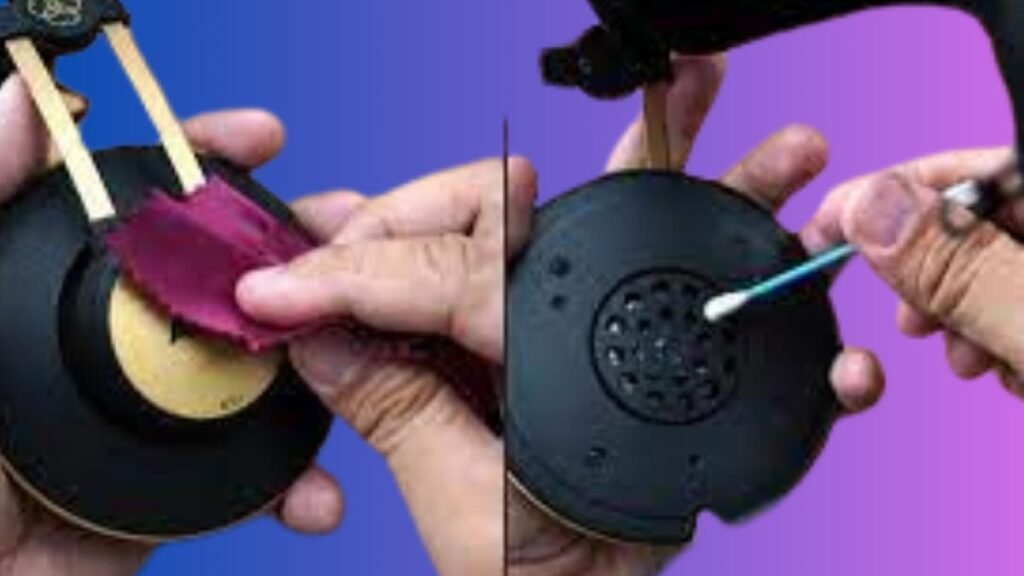
Om jou Skull Crusher Wireless-oorfone in goeie toestand te hou, maak hulle gereeld skoon. Hier gee ons 'n paar stappe om jou te help om jou koptelefoon skoon te hou en te onderhou.
- Vee die oorfone na elke gebruik af met 'n sagte, droë lap.
- Gebruik 'n klam lap met 'n sagte skoonmaakoplossing.
- Vermy harde chemikalieë, aangesien hulle die oorfone kan beskadig.
Batteryversorging
Skull Crusher Draadlose oorfone het 'n lang batterylewe. Dus, dit is belangrik om die battery te versorg. Hier is 'n paar maklike stappe om jou te help om die battery te versorg
- Laai die oorfone gereeld.
- Vermy om die oorfone aan uiterste temperature bloot te stel, dit kan die battery beskadig.
- As jy nie die oorfone vir 'n lang tyd gebruik nie, stoor hulle op 'n koel en droë plek.
- As die batterylewe begin afneem, vervang die battery om die lewe van die oorfone te verleng.
Deur hierdie eenvoudige wenke te volg, jy kan jou Skull Crusher Wireless-oorfone in 'n goeie toestand hou vir die komende jare.
Afsluiting
Om jou Skullcandy Crusher Wireless-koptelefoon te koppel is 'n eenvoudige proses, jy kan dit doen deur die instruksies wat in hierdie pos verskaf word, te volg, jy kan Skull Crusher Wireless-koptelefoon maklik met jou toestel koppel en jou musiek geniet.
Onthou voor gebruik maak seker dat jou oorfone ten volle gelaai is voordat jy die oorfone met jou toestel saambind. Jy moet ook seker maak dat die toestel se Bluetooth aangeskakel is en die toestel binne bereik van jou oorfone is.