
Искате ли да сдвоите Tribit FlyBuds 3 тапи за уши към вашите устройства? Tribit FlyBuds 3 Слушалките имат невероятния водоустойчив сертификат IPX7, Bluetooth 5.0, динамичен EQ, живот на батерията на около 5 часа + 95 amazing hours using the charging case, a working range of 10 метра, и още.
But if you want to pair them to your devices, and you have no idea, don’t fret in this post we give you a complete guide. Така, Да започваме!
Как да сдвоите Tribit FlyBuds 3 тапи за уши?
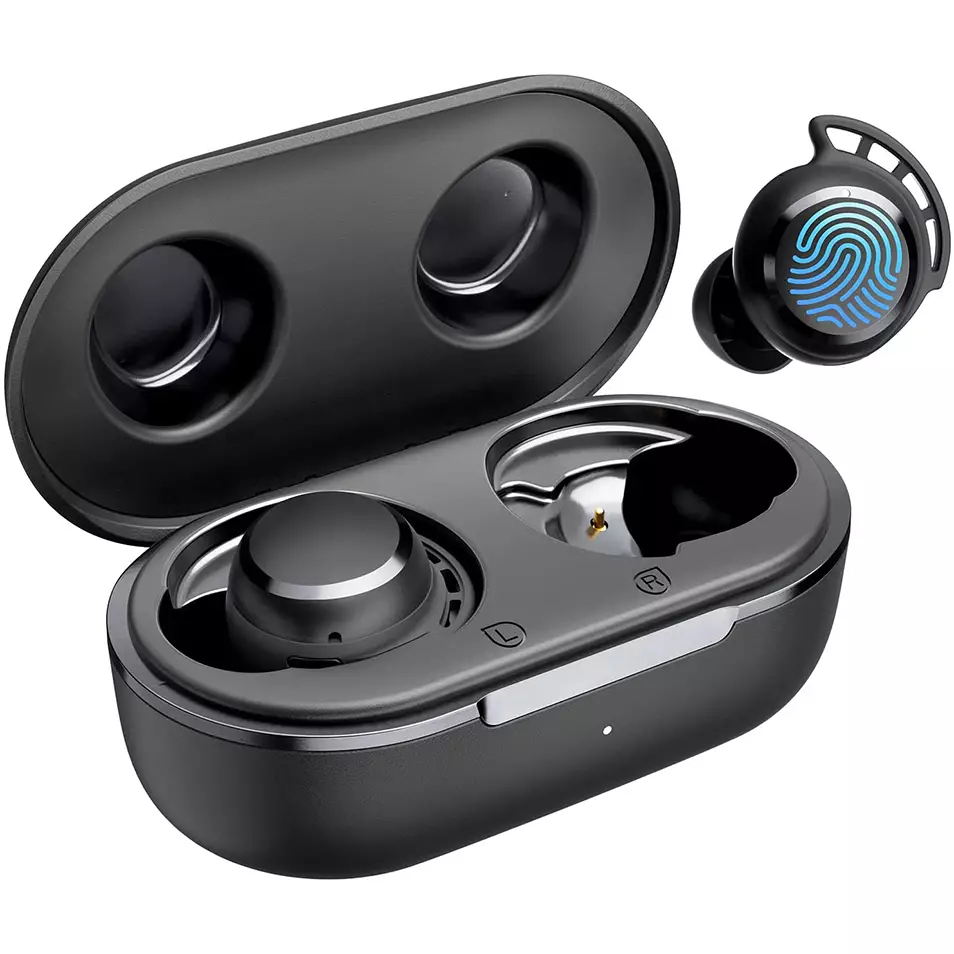
To pair Tribit FlyBud 3 Слушалки with different devices follow the given different devices steps.
Pair With IOS and Android
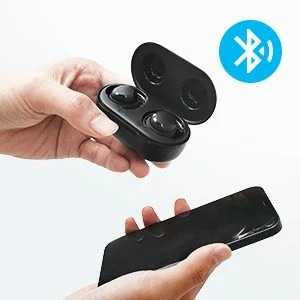
- Извадете слушалките от кутията за зареждане. Те ще се включат автоматично.
- Тогава, a red light starts flashing on the earbuds, which means that they will be ready to pair with any device.
- Turn on Bluetooth on your device.
- Отидете в настройките на Bluetooth на устройството.
- Сега, select Tribit FlyBuds 3. Ако бъдете подканени за тип парола 0000.
- След това, червената светлина ще изгасне, и сдвояването ще бъде направено.
Pair With PC (Windows)
- Първо, turn on Bluetooth on your PC.
- Отидете на настройките, go to Bluetooth and other devices.
- Click on Add device.
- Сега, take the earbuds from the charging case. След това, слушалките ще се включат автоматично.
- When a red light starts flashing on the earbuds, it means that they will be ready to pair with any device
- Select Tribit FlyBuds 3. If needed for a password, Тип 0000.
- След това, червената светлина ще изгасне, и сдвояването ще бъде направено.
How to Wear These Earbuds
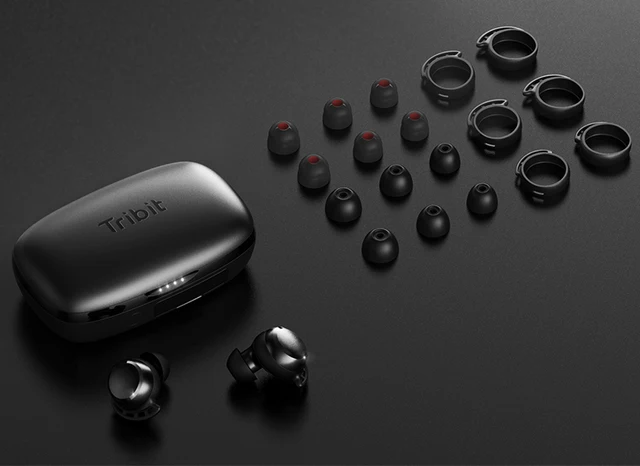
- Извадете двете слушалки от кутията за зареждане.
- Определете левите и десните слушалки.
- Choose the ear tips that best suit and fit in your ears.
- Insert the headphones into the inner canal of the ears.
- Завъртете за възможно най-добър комфорт и най-добро прилягане, и се уверете, че микрофонът сочи към устата.
How to Turn Off and On
Включете
Извадете слушалките от кутията за зареждане. След това, слушалките ще се включат автоматично.
Изключете
Поставете слушалките в кутията за зареждане и затворете капака. След това, слушалките ще се изключат автоматично.
Как да контролираме
- Press the multifunction touch button on any of the earbuds two times to play or pause.
- Натиснете и задръжте многофункционалния сензорен бутон на дясната слушалка, за да увеличите звука.
- Натиснете и задръжте многофункционалния сензорен бутон на лявата слушалка, за да намалите звука.
- Press the multifunction touch button on any of the earbuds three times to play the next track.
- Press the multifunction touch button on any of the earbuds two times to answer an incoming call.
- Press the multifunction touch button on any of the earbuds two times to end a call.
- Натиснете и задръжте многофункционалния сензорен бутон на която и да е от слушалките за 2 секунди, за да отхвърлите входящо повикване.
- Press the multifunction touch button on any of the earbuds three times to activate the voice call.
Забележка: The multifunction touch sensor is placed on the circular part on the top of the earbuds.
How to Reset the Tribit FlyBuds 3 Слушалки
To reset the Tribit FlyBuds 3 Earbuds delete all pairing information from the connected device. Place both earbuds in the charging case with the cover open, and press and hold the charging case button until the four indicator lights of the charging case flash 4 времена едновременно, which shows that the earbuds successfully reset.
FAQS to Pair Tribit FlyBuds 3 Слушалки
Are the Tribit FlyBuds 3 Earbuds waterproof?
да, the Tribit FlyBuds 3 Earbuds are waterproof (IPX6 and up). Имат рейтинг IPX7, което означава, че те не само са срещу вода, но и са защитени срещу ефектите от потапяне.
Does the Tribit FlyBuds 3 Earbuds have a microphone?
да, these earbuds come with integrated microphones.
Does the Tribit FlyBuds 3 Earbuds have a low latency/gaming mode?
Не, these earbuds don’t have a low latency/gaming mode.
Can the Tribit FlyBuds 3 Earbuds connect to a PC and Laptop?
да, these earbuds can connect to PCs, лаптопи, and even tablets.
Are the Tribit FlyBuds 3 Earbuds noise-canceling?
Не! Тези слушалки не се предлагат с технология за шумопотискане.
Заключение
We hope you know how to Pair Tribit FlyBuds 3 Слушалки към вашите устройства, and also know how to wear, how to reset, and to control them. Надяваме се, че тази статия ще ви помогне много!