Ydych chi eisiau paru Clustffonau Beats Solo3? Ond nid ydych chi'n gwybod sut i wneud hyn. Ar ôl darllen yr erthygl hon gallwch chi baru Yn curo Clustffonau Solo3 yn iawn. Mae Clustffonau Beats Solo3 yn darparu 40 oriau o amser chwarae, meicroffon du adeiledig, a llawer mwy.
Sut i wefru a throi clustffonau Beats Solo3 ymlaen?
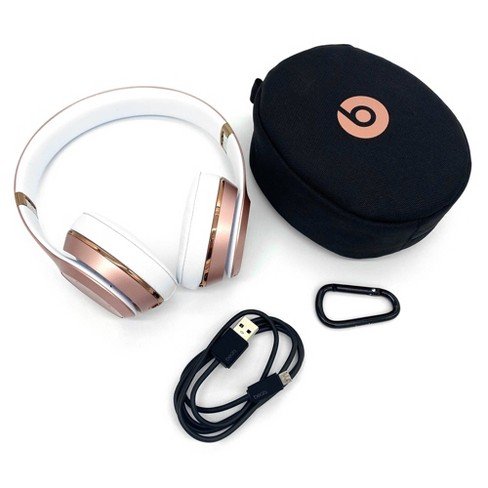
- I droi eich clustffonau Beats Solo3 ymlaen neu i ffwrdd, pwyswch a dal y botwm pŵer ar gyfer 1 ail.
- I wefru'r clustffonau, plygiwch nhw i ffynhonnell pŵer gan ddefnyddio'r cebl Micro USB sydd wedi'i gynnwys. Wrth i'r clustffonau godi tâl, mae'r goleuadau'n fflachio. Pan fydd codi tâl wedi'i gwblhau, bydd pob un o'r pum golau yn goleuo.
- I wirio'r Mesurydd Tanwydd, sy'n dangos lefel y batri a statws codi tâl, pwyswch a rhyddhewch y botwm pŵer.
- Mae eich clustffonau yn darparu hyd at 40 oriau o chwarae o 2 oriau codi tâl, a hyd at 3 oriau chwarae o dâl 5 munud.
Clustffonau Pâr Beats Solo3
Parwch glustffonau Beats Solo3 â'ch dyfais trwy ddilyn y cyfarwyddiadau paru.
Pâr o Glustffonau Beats Solo3 gydag iPhone sy'n defnyddio iOS 10
Os oes gennych chi an iphone sy'n defnyddio iOS 10 ac eisiau ei baru â Chlustffonau Beats Solo3, dilynwch y camau hyn
- Yn gyntaf, pwyswch y botwm pŵer ar gyfer 1 ail ar eich clustffonau i droi arnynt.
- Trowch eich iPhone ymlaen a galluogi Bluetooth.
- Ar ôl ychydig eiliadau, bydd eich iPhone yn eich annog i gysylltu. Os na wna, pwyswch a dal y botwm pŵer ar eich clustffonau ar gyfer 5 eiliadau, a dilynwch y cyfarwyddiadau ar eich iPhone.
- Pan fyddwch chi'n gosod eich clustffonau yn y modd hwn, maent yn sefydlu'n awtomatig gyda'ch dyfeisiau eraill sydd wedi'u mewngofnodi i iCloud ac yn defnyddio iOS 10 neu'n hwyrach.
Pâr Curwch Glustffonau Solo3 gyda Mac neu ddyfais arall sy'n defnyddio Bluetooth
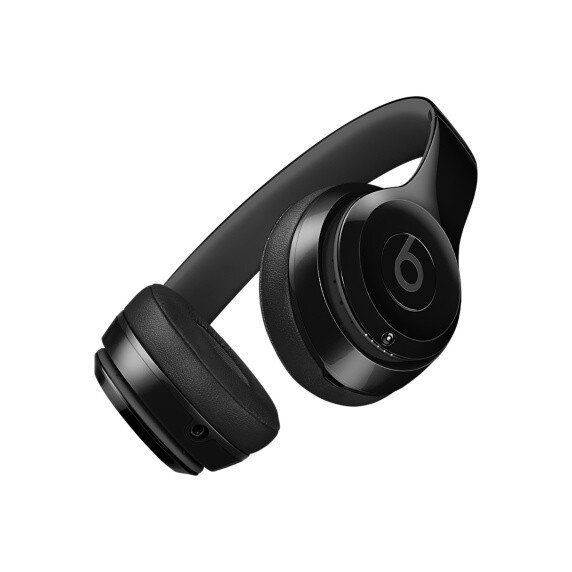
Os oes gennych chi ddyfais Bluetooth arall ac eisiau eu paru â Chlustffonau Solo3, dilynwch y camau hyn i baru'ch clustffonau gyda'r ddyfais honno
- Pwyswch y botwm pŵer ar gyfer 5 eiliadau. Pan fydd y Mesurydd Tanwydd yn fflachio, mae'n golygu bod modd darganfod eich clustffonau.
- Yn awr, ewch i osodiadau Bluetooth ar eich dyfais. Er enghraifft, ar eich Mac, dewiswch y ddewislen Apple, ewch i System Preferences, yna cliciwch ar Bluetooth, a gwnewch yn siŵr bod Bluetooth wedi'i droi ymlaen.
- Dewiswch eich clustffonau o'r rhestr o ddyfeisiau Bluetooth.
Pâr â chlustffonau Beats Solo3 i ddyfais Android
Os ydych chi'n ddefnyddiwr dyfais Android, dilynwch y camau hyn
- Sicrhewch yr app Beats ar gyfer Android
- Pwyswch y botwm pŵer ar gyfer 5 eiliadau. Pan fydd y goleuadau'n fflachio, mae modd darganfod eich clustffonau ac yn barod i'w cysylltu.
- Dewiswch Connect ar eich dyfais Android.
Defnyddio Clustffonau
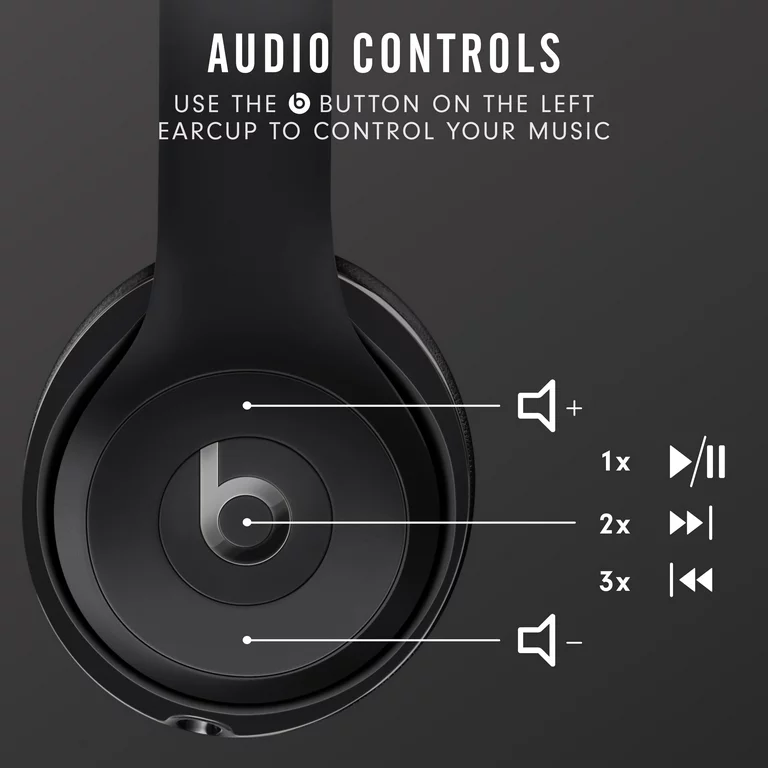
I chwarae cerddoriaeth, newid y gyfrol, ac ateb galwadau dilynwch y camau isod.
Chwarae cerddoriaeth
- I chwarae cerddoriaeth, defnyddiwch y botwm b ar y glust chwith, neu'r botwm canol ar y cebl siarad o bell os yw'r clustffonau mewn modd gwifrau.
- I oedi neu chwarae trac, pwyswch unwaith.
- I neidio i'r trac nesaf, wasg 2 amseroedd. I neidio yn ôl, wasg 3 amseroedd.
- I sganio ymlaen trwy drac, wasg 2 amseroedd a dal ar yr ail wasg.
- I sganio yn ôl trwy drac, wasg 3 amseroedd a dal ar y trydydd wasg.
Newidiwch y gyfrol
- I reoli cyfaint chwarae, defnyddiwch y botymau cyfaint ar y glust chwith neu'r cebl siarad o bell.
- Pwyswch a rhyddhewch y botwm cyfaint i fyny, neu bwyso a dal i gynyddu cyfaint yn barhaus.
- Pwyswch a rhyddhewch y botwm cyfaint i lawr, neu bwyso a dal i leihau cyfaint yn barhaus.
Ateb galwadau
I ateb galwadau ffôn, defnyddiwch y botwm b ar y glust chwith, neu'r botwm canol ar y cebl siarad o bell.
- I ateb neu derfynu galwad, wasg 1 amser.
- I ateb ail alwad sy'n dod i mewn a gohirio'r alwad gyntaf, pwyswch unwaith. Pryd 2 galwadau yn weithredol, mae hyn yn newid rhwng galwadau.
- I wrthod galwad sy'n dod i mewn, pwyso a dal am 1 ail.
- I roi'r gorau i wrando trwy eich clustffonau ac anfon yr alwad i'r ffôn, wasg 2 amseroedd.
Rheolyddion di-dwylo
I actifadu Siri ar eich dyfais iOS neu'r nodwedd llais-gorchymyn ar ddyfais arall, defnyddiwch y botwm b ar y glust chwith, neu'r botwm canol ar y cebl siarad o bell. Pwyswch a daliwch nes i chi glywed sain, yna dywedwch beth sydd ei angen arnoch chi.
Ailosod Studio3 Wireless
- Daliwch y botwm pŵer i lawr a'r botwm cyfaint i lawr ar gyfer 10 eiliadau.
- Pan fydd y Mesurydd Tanwydd yn fflachio, rhyddhau'r botymau.
- Mae'ch clustffonau bellach wedi'u hailosod ac yn barod i'w gosod gyda'ch dyfeisiau eto.
Casgliad
Ar ôl darllen yr erthygl hon byddwch yn gallu paru Clustffonau Beats Solo3 â'ch dyfeisiau Bluetooth. Mae'n hawdd paru Clustffonau Beats Solo3 â'r dyfeisiau. I wneud hyn dilynwch y camau yn ofalus heb hepgor unrhyw gam.
Soniasom hefyd am y camau ar sut i ddefnyddio'r clustffonau. Gobeithiwn y bydd yr erthygl hon yn eich helpu llawer yn yr achos hwn!