Kas olete valmis siduma Blackwebi juhtmevabad kõrvaklapid oma telefoni või muude seadmetega ja kogema muusikat Blackwebi juhtmevabade kõrvaklappide abil? Need kõrvaklapid on klanitud ja stiilsed, pakkudes mugavust traadita ühenduse loomisel ja võimaldavad teil nautida oma lemmiklugusid ilma sassis juhtmeteta..
Blackwebi juhtmevabad kõrvaklapid on oma arenenud tehnoloogia ja muljetavaldava helikvaliteediga populaarne valik muusikasõprade seas.

Niisiis, kui soovite teada, kuidas Blackwebi traadita sidet siduda kõrvaklapid telefoni külge või muudes seadmetes ja saate oma helikogemusest maksimumi, Olete jõudnud õigesse kohta. Selles postituses, juhendame teid Blackwebi juhtmevabade kõrvaklappide sidumise lihtsate sammudega, et saaksite kiiresti oma muusikat juhtmevabalt nautida. Alustame üksikasjalikumalt.
Kuidas siduda Blackwebi juhtmevabad kõrvaklapid oma seadmega?
Blackwebi juhtmevabade kõrvaklappide sidumiseks seadmega järgige neid samme
- Esiteks, Veenduge, et teie kõrvaklapid oleksid täielikult laetud.
- Lülitage kõrvaklapid sidumisrežiimi, vajutades ja hoides mõlemat kõrvaklappide nuppu umbes kolm sekundit all, kuni LED-tuli hakkab siniselt ja punaselt vilkuma.. See näitab, et teie kõrvaklapid on nüüd sidumisrežiimis.
- Nüüd, Avage oma seadmes Bluetoothi sätete menüü ja otsige oma seadmetes saadaolevast loendist Blackwebi.
- Valige see ja oodake, kuni see proovib teie kõrvaklappidega siduda. Kui need on edukalt paaritud, peaksite oma seadme ekraanil nägema selle kohta teadet.
- Teie seade võib paluda teil sisestada PIN-kood või kinnitada sidumine. Kui küsitakse, sisestage PIN-kood 0000 või järgige sidumisprotsessi lõpuleviimiseks seadme juhiseid.
- Nüüd, on aeg testida ühendus pärast sidumise kinnitamist, testige ühendust, esitades kõrvaklappide kaudu heli. Kui kõrvaklapid on korralikult ühendatud, peaksite saama nende kaudu heli kuulda.
Kuidas lähtestada Blackwebi juhtmevabad kõrvaklapid
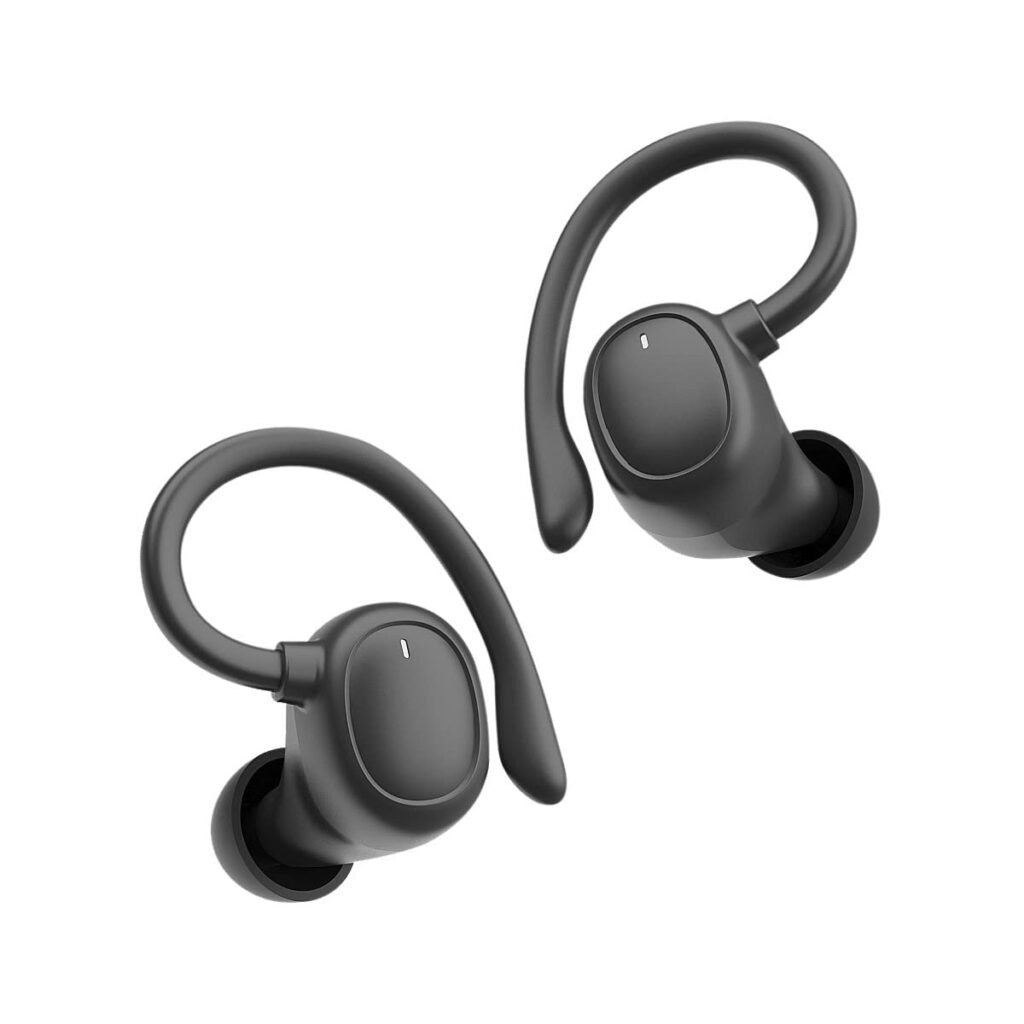
Kui teil on Blackwebi juhtmevabade kõrvaklappide ühendus- või heliprobleemid, lihtne lähtestamine võib aidata probleemi lahendada. Kõrvaklappide lähtestamiseks, järgige neid samme
- Pange kõrvaklapid tagasi laadimisjuhtumisse.
- Hoidke ümbris lahti ja veenduge, et kõrvaklapid pole ühendatud ühegi seadmega.
- Leidke laadimisümbrise allosas asuv lähtestamisnupp ja vajutage seda väikese tihvti või kirjaklambriga. Hoidke nuppu mõni sekund all, kuni korpusel olev LED-indikaator hakkab vilkuma.
- Kui LED-indikaator lõpetab vilkumise, eemaldage kõrvaklapid ümbrisest ja proovige Blackwebi juhtmevabad kõrvaklapid uuesti oma seadmega siduda, järgides hoolikalt ülalnimetatud samme.
Veaotsingu näpunäited

Mõnikord Blackwebi juhtmevabade kõrvaklappide kasutamisel, võib tekkida teatud probleeme, mida saab tõrkeotsingu näpunäidete abil hõlpsasti lahendada. Siin on mõned levinumad veaotsingu näpunäited.
Lähtestamine
Kui teil on Blackwebi juhtmevabade kõrvaklappide ühendus- või heliprobleemid, lihtne lähtestamine võib aidata probleemi lahendada. Pange kõrvaklapid tagasi laadimisjuhtumisse. Hoidke ümbris lahti ja veenduge, et kõrvaklapid pole ühendatud ühegi seadmega.
Leidke laadimisümbrise allosas asuv lähtestamisnupp ja vajutage seda väikese tihvti või kirjaklambriga. Hoidke nuppu mõni sekund all, kuni korpusel olev LED-indikaator hakkab vilkuma.
Kui LED-indikaator lõpetab vilkumise, eemaldage kõrvaklapid ümbrisest ja proovige need uuesti oma seadmega ühendada, järgides hoolikalt ülalnimetatud samme.
Sidumisajaloo kustutamine
Bluetoothi sidumisajaloo kustutamine võib aidata seda probleemi lahendada. Minge oma seadme seadete menüüsse. Avage Bluetoothi seaded, leidke seotud seadmete loend ja leidke kirje, mis vastab teie Blackwebi juhtmevabadele kõrvaklappidele.
Puudutage kõrvaklappide kirje kõrval olevat valikut Unusta või eemalda sidumine. Kui sidumisajalugu on kustutatud, pange kõrvaklapid uuesti sidumisrežiimi ja siduge need uuesti oma seadmega.
Õige ulatus
Bluetoothi leviala on piiratud, tavaliselt ümber 33 jalad (10 meeter). Hoidke seade ja kõrvaklapid õiges vahemikus. Vältige takistusi, nagu seinu või esemeid, mis võivad Bluetooth-signaali häirida.
Järgides neid veaotsingu samme, saate sageli oma Blackwebi juhtmevabade kõrvaklappidega levinud probleeme lahendada ja tagada sujuva kuulamiskogemuse.
KKK Blackwebi juhtmevabade kõrvaklappide sidumiseks
Kuidas Blackweb Bluetoothi sisse lülitada?
Blackweb Bluetoothi sisselülitamiseks, peate vajutama ja hoidma oma seadme toitenuppu, kuni näete LED-indikaatorit vilkuma. See indikaator näitab, et Bluetoothi funktsioon on aktiveeritud ja valmis teiste seadmetega sidumiseks.
Kas saan siduda oma Blackwebi juhtmevabad kõrvaklapid mitme seadmega??
Jah, saate siduda oma Blackwebi juhtmevabad kõrvaklapid mitme seadmega. Kuid, kõrvaklappidega saab korraga ühendada ainult ühe seadme. Teisele seadmele lülitumiseks, ühendage kõrvaklapid praeguse seadme küljest lahti ja järgige uue seadmega sidumisprotsessi.
Kuidas lähtestada kõrvaklappide sidumist?
Kõrvaklappide sidumise lähtestamiseks, vajutage ja hoidke mõlema kõrvaklappide nuppu all, kuni LED-tuled punaselt vilguvad. See kustutab kõik varasemad sidumisandmed, nüüd peate alustama sidumisprotsessi.
Järeldus
Loodame teada, et olete Blackwebi juhtmevabade kõrvaklappide sidumisest hästi teadlik. Kuna Blackwebi juhtmevabade kõrvaklappide sidumine on lihtne protsess. Järgides neid lihtsaid samme, igaüks saab kiiresti õppida, kuidas siduda Blackwebi juhtmevabad kõrvaklapid oma telefoni või muu Bluetooth-seadmega ja alustada kohe kuulamist!