

آیا می خواهید هدفون های Baseus Encok W01 را به دستگاه های خود وصل کنید? Baseus Encok W01 بهترین انتخاب با عمر باتری است 6 ساعت ها, HFP, HSP, A2DP, رفیق, SPP, سازگاری PBAP, بلوتوث 5.0, یک کیس شارژ با باتری 2000 میلی آمپر ساعتی, گواهی IPX4 مقاوم در برابر عرق و گرد و غبار, و خیلی بیشتر.
اما در اینجا نحوه اتصال Baseus Encok W01 را یاد می گیریم گوشواره به دستگاه های شما. بنابراین, بیایید شروع کنیم!
نحوه اتصال Endbuds Baseus Encok W01?
اتصال هدفون Baseus Encok W01 به دستگاه های شما یک فرآیند ساده است. برای اتصال آنها به دستگاه های خود مراحل زیر را به دقت دنبال کنید.
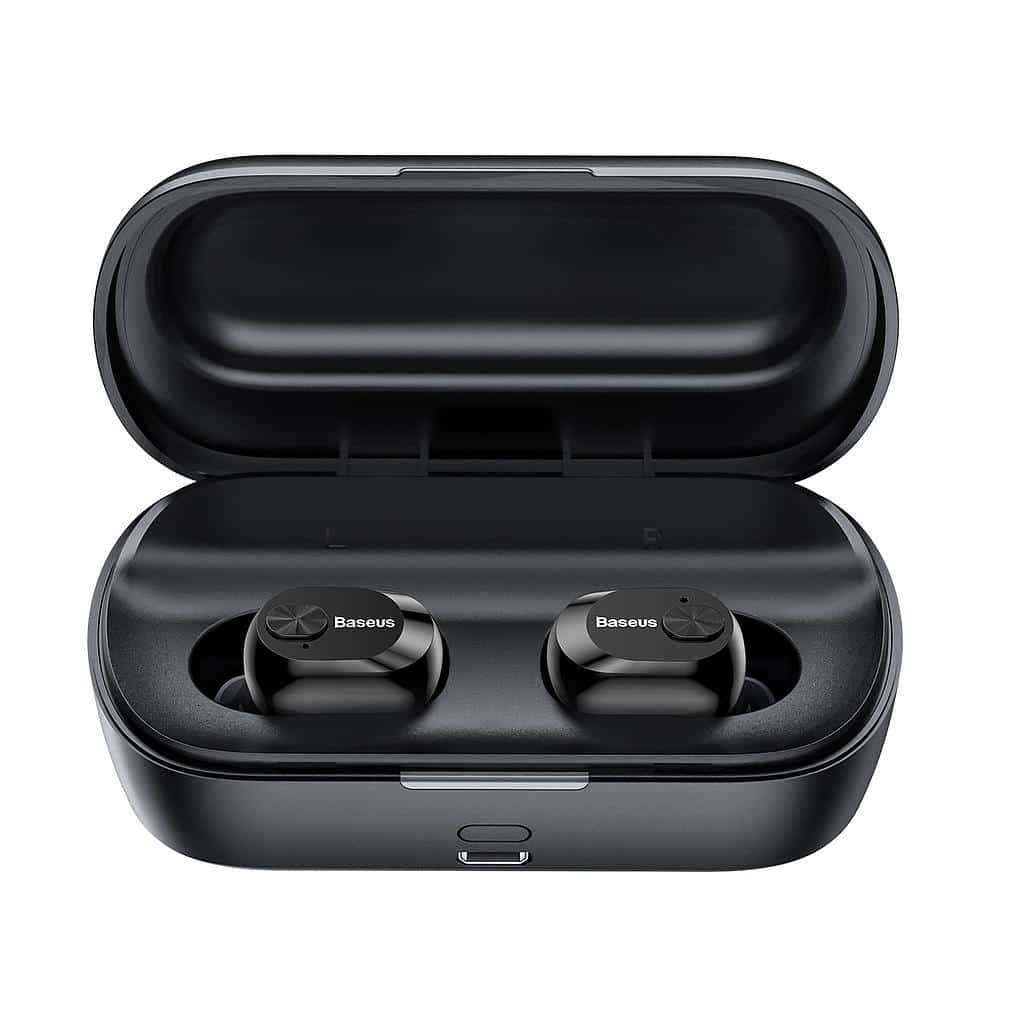
هدفون Baseus Encok W01 را به اندروید متصل کنید
- اولین,پرونده شارژ را باز کنید و گوشواره ها را بیرون بیاورید. بعد از آن, یک چراغ آبی روشن خواهد شد 1 دومین, و آنها به طور خودکار روشن می شوند.
- هنگامی که یک نور آبی به سرعت روی هدفون چپ و هر بار یک بار شروع به چشمک زدن کند، یک چراغ آبی در هر دو هدفون شروع به چشمک زدن می کند. 5 ثانیه روی هدفون سمت راست, این بدان معناست که هدفون ها اکنون در حالت جفت شدن هستند.
- اکنون, به تنظیمات بلوتوث دستگاه اندروید بروید.
- سپس, Baseus Encok W01 را انتخاب کنید. در صورت درخواست رمز عبور, نوع 0000.
- بعد از آن, روند جفت شدن انجام خواهد شد.

هدفون Baseus Enock W01 را به رایانه متصل کنید
- اول از همه, بلوتوث پنجره را روشن کنید.
- به تنظیمات بروید, و به بلوتوث و دستگاه های دیگر بروید.
- سپس, روی افزودن دستگاه کلیک کنید و روی بلوتوث کلیک کنید.
- سپس, پرونده شارژ را باز کنید و گوشواره ها را بیرون بیاورید. بعد از آن, یک چراغ آبی روشن خواهد شد 1 دومین, و آنها به طور خودکار روشن می شوند.
- هنگامی که یک نور آبی به سرعت روی هدفون سمت چپ و هر بار یک بار شروع به چشمک زدن می کند 5 ثانیه روی هدفون سمت راست, این بدان معناست که هدفون ها اکنون در حالت جفت شدن هستند.
- Baseus Encok W01 را انتخاب کنید. اگر رمز عبور بخواهید, نوع 0000.
- بعد از آن, روند جفت شدن انجام خواهد شد.
نحوه پوشیدن هدفون?
- هر دو هدفون را از جعبه شارژ خارج کنید و هدفون چپ و راست را شناسایی کنید. نکات گوش را انتخاب کنید که به بهترین شکل گوش شما باشد.
- گوشواره ها را در کانال داخلی گوش قرار دهید.
- برای بهترین راحتی ممکن و بهترین تناسب، هدفون ها را بچرخانید, و اطمینان حاصل کنید که میکروفون به دهان نشان می دهد.
نحوه روشن و خاموش کردن هدفون?
روشن کنید
دو روش برای روشن کردن هدفون وجود دارد.
1: بطور خودکار
2: به صورت دستی
بطور خودکار
- برای روشن کردن خودکار هدفون ها، جعبه شارژ را باز کنید و هدفون ها را بیرون بیاورید.
- بعد از آن, یک چراغ آبی روشن خواهد شد 1 دومین, و آنها به طور خودکار روشن می شوند.
به صورت دستی
- برای روشن کردن دستی هدفون، دکمه چندکاره هر دو هدفون را فشار دهید و نگه دارید 2 ثانیه.
- بعد از آن, یک چراغ آبی روشن خواهد شد 1 دومین, و آنها روشن خواهند شد.
خاموش کنید
دو روش برای خاموش کردن هدفون وجود دارد.
1: بطور خودکار
2: به صورت دستی
بطور خودکار
- در این روش هدفون ها را در جعبه شارژ قرار دهید.
- بعد از آن, چراغ قرمز روشن خواهد شد 1 دومین, و به طور خودکار خاموش می شوند.
به صورت دستی
- در این روش دکمه لمسی چند منظوره روی هر دو هدفون را حدوداً فشار داده و نگه دارید 4 ثانیه.
- بعد از آن, چراغ قرمز روشن خواهد شد 1 دوم و سپس خاموش می شود.
دستورالعمل کنترل
- دکمه لمسی چند منظوره را روی هر یک از هدفون ها یک بار فشار دهید تا موسیقی پخش یا متوقف شود.
- دکمه لمسی چند منظوره روی هدفون سمت راست را حدوداً فشار دهید و نگه دارید 1 دوم برای پخش آهنگ بعدی.
- دکمه لمسی چند منظوره روی هدفون سمت چپ را حدوداً فشار دهید و نگه دارید 1 دوم برای پخش آهنگ بعدی.
- برای پاسخ دادن به تماس ورودی، دکمه لمسی چند منظوره را روی هر یک از هدفون ها یک بار فشار دهید.
- برای پایان دادن به تماس فعلی، دکمه لمسی چند منظوره را روی هر یک از هدفون ها یک بار فشار دهید.
- دکمه لمسی چند منظوره را روی هر یک از هدفون ها فشار دهید و نگه دارید 2 ثانیه برای رد یک تماس ورودی.
- در طول یک تماس, دکمه لمسی چند منظوره را روی هدفون سمت چپ فشار دهید و نگه دارید 1 دوم برای جابجایی از هدفون به دستگاه متصل. همین کار را انجام دهید تا به هدفون های هدفون برگردید و به سوئیچ شماره گیری مجدد صدا بروید.
- هنگامی که یک تماس ورودی وجود دارد, برای پاسخ به اولین تماس، دکمه لمسی چند منظوره را روی هر یک از هدفون ها یک بار فشار دهید. وقتی تماس دوم در راه است, یک بار فشار دهید تا به تماس پاسخ دهید 2, و فشار دهید و نگه دارید تا بین آنها به یک تماس چند طرفه جابجا شوید.
نحوه فعال کردن حالت مونو?
برای فعال یا غیرفعال کردن حالت مونو در Baseus Encok W01, یکی از هدفونهایی را که میخواهید فعال کنید، از جعبه شارژ خارج کنید. خود به خود شروع به کار خواهد کرد.

نحوه شارژ گوشواره?
گوشواره
برای شارژ گوشواره, به سادگی آنها را در جعبه شارژ قرار دهید و آن را به درستی ببندید. گوشواره ها به طور خودکار شارژ می شوند.
پرونده شارژ
برای شارژ پرونده شارژ, تنها کاری که باید انجام دهید این است که کیس را به یک شارژر USB یا پورت شارژ متصل کنید. شارژ به طور خودکار شروع می شود.
نتیجه
اتصال هدفون Baseus Encok W01 به دستگاههای شما یک فرآیند ساده است. میتوانید با دنبال کردن مراحل فوق، هدفون Baseus Encok W01 را به دستگاههای خود متصل کنید.. بنابراین, تنها چیزی که باید بدانید این است که چگونه هدفون های Baseus Encok W01 را متصل کنید. امیدواریم این مقاله به شما کمک زیادی کند!


