

Voulez-vous jumeler Écouteurs Cowin? Les écouteurs Cowin sont le meilleur casque antibruit. Ils ont un design élégant et une construction robuste, produisant une qualité sonore riche avec des basses tonitruantes et une longue durée de vie de la batterie dépassant 30 heures de la lecture.
La meilleure partie de ces écouteurs est qu’ils disposent de nombreuses options de connectivité. Vous pouvez les coupler avec Android, iPhone, PC Windows, Mac, ou la télévision. Cet article explique comment coupler les écouteurs Cowin avec votre appareil Bluetooth.
Comment coupler des écouteurs Cowin avec Android?
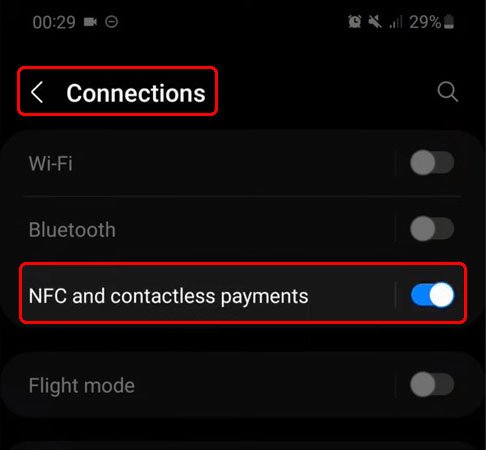
Pour jumeler Cowin Des écouteurs avec votre appareil Android suivez les étapes ci-dessous.
- Première, Allumez vos écouteurs Cowin en appuyant longuement sur le bouton d'alimentation pendant 5 secondes, cela les mettra également en mode d'appairage. Si vous possédez un ancien modèle E7/E7 Pro, vous devez pousser l'interrupteur de la position OFF vers la position BT. Cela allumera vos écouteurs Cowin et les mettra en mode couplage.
- Prochain, accédez aux paramètres de votre appareil Android et activez le Bluetooth.
- Votre appareil Android recherchera les appareils Bluetooth à proximité.
- À présent, appuyez sur vos écouteurs Cowin dans la liste disponible sur vos appareils Android.
- Si vous êtes invité à saisir un code PIN, entrez 0000.
Comment coupler des écouteurs Cowin avec Apple IOS?
Pour coupler les écouteurs Cowin avec Apple ISO, suivez attentivement ces étapes.
- Tout d'abord, allumez vos écouteurs Cowin en appuyant sur le bouton d'alimentation pendant 5 secondes, cela les mettra également en mode d'appairage. Si vous possédez un ancien modèle E7/E7 Pro, il vous suffit de pousser l'interrupteur de la position OFF vers la position BT. Cela allumera vos écouteurs Cowin et les mettra en mode couplage.
- Relâchez le bouton après que le voyant LED clignote. Sur la plupart des modèles, il devrait clignoter en bleu et rouge. Sur les anciens écouteurs E7, vous verrez une lumière bleue clignotante.
- À présent, allez dans Paramètres, appuyez sur Bluetooth.
- Alors, appuyez sur le curseur à côté de Bluetooth pour l'activer.
- Votre appareil iOS recherchera les appareils à proximité.
- Appuyez sur vos écouteurs Cowin pour les associer à votre appareil.
- Si vous êtes invité à saisir un mot de passe, entrer 0000 ou 1234.
Comment coupler un casque Cowin avec votre PC Windows?
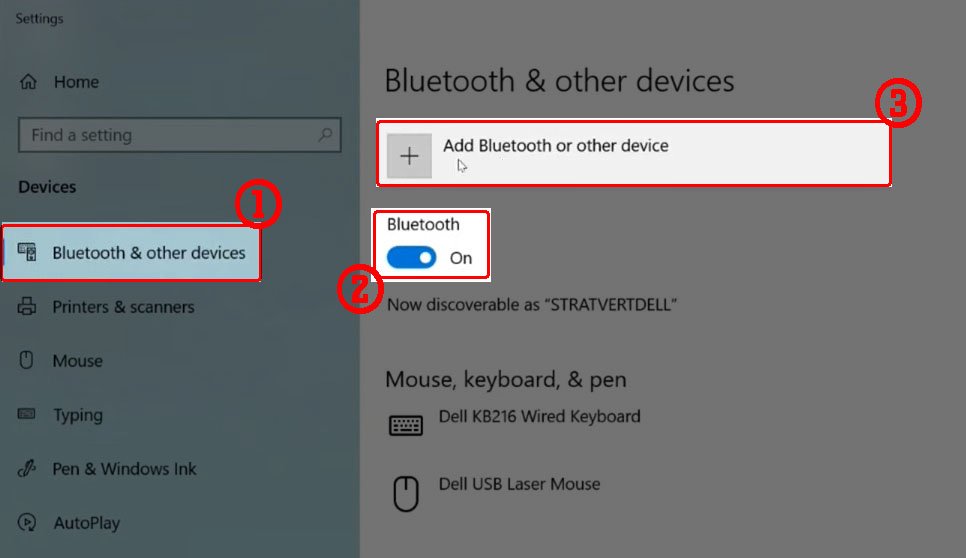
Vous pouvez rapidement coupler vos écouteurs Cowin avec votre PC Windows. Suivez ces étapes pour coupler vos écouteurs avec votre PC Windows.
- Allumez vos écouteurs Cowin en appuyant sur le bouton d'alimentation pendant 5 secondes, cela les mettra également en mode d'appairage. Si vous possédez un ancien modèle E7/E7 Pro, il vous suffit de pousser l'interrupteur de la position off vers la position BT. Cela allumera vos écouteurs COWIN et les mettra en mode appairage.
- Cliquez avec le bouton droit sur le bouton Windows dans la barre des tâches.
- Allez dans Paramètres et allez dans Appareils.
- Ouvrir le Bluetooth&autres appareils.
- Activez Bluetooth pour l'activer et rendre votre PC détectable.
- Cliquez sur Ajouter Bluetooth ou autre appareil.
- Sélectionnez les écouteurs Cowin pour les coupler à votre PC.
Comment coupler un casque Cowin à un Mac?
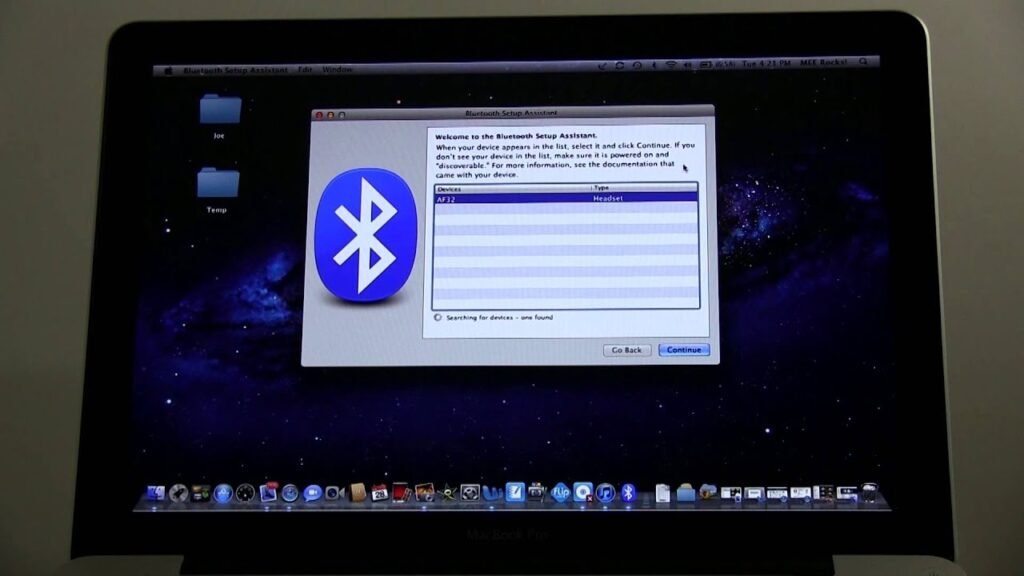
Pour coupler vos écouteurs Cowin avec votre Mac via les préférences système. Voici les étapes
- Première, allumez vos écouteurs Cowin en appuyant sur le bouton d'alimentation pendant 5 secondes, cela les mettra également en mode d'appairage. Si vous possédez un ancien modèle E7/E7 Pro, il vous suffit de pousser l'interrupteur de la position off vers la position BT. Cela allumera vos écouteurs Cowin et les mettra en mode couplage.
- À présent, cliquez sur l'icône Apple dans le menu supérieur.
- Alors, allez dans les Préférences Système, sélectionnez Bluetooth et activez Bluetooth sur votre Mac.
Votre Mac recherchera les appareils Bluetooth à proximité. - Sélectionnez vos écouteurs Cowin dans la liste.
Cliquez sur vos écouteurs pour les appairer. - Après tout ce processus, cliquez sur Ok pour terminer le processus de couplage.
Comment coupler un casque Cowin avec un téléviseur?
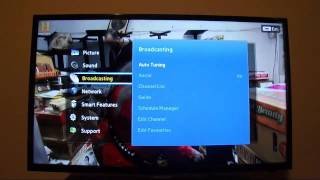
Si vous avez une télévision intelligente, vous pouvez le coupler avec vos écouteurs Cowin pour une expérience d'écoute immersive. Voici quelques étapes faciles
- Allumez vos écouteurs Cowin en appuyant sur le bouton d'alimentation pendant 5 secondes, cela les mettra également en mode d'appairage. Si vous possédez un ancien modèle E7/E7 Pro, il vous suffit de pousser l'interrupteur de la position off vers la position BT. Cela allumera vos écouteurs Cowin et les mettra en mode couplage.
- Appuyez sur le bouton Accueil de la télécommande de votre téléviseur.
- Cliquez sur l'icône d'engrenage sur votre téléviseur pour accéder aux paramètres.
- Accédez à Internet et connectez-vous.
- Sélectionnez Bluetooth.
- Activez le Bluetooth sur votre téléviseur.
- Votre téléviseur recherchera les appareils Bluetooth à proximité.
- Sélectionnez vos écouteurs Cowin pour les coupler à votre téléviseur.
- Si on vous demande un code PIN, entrer 0000 ou 1234 comme mot de passe.
Conclusion
Associer des écouteurs Cowin à vos appareils Bluetooth n'est pas complexe. Il vous suffit de mettre les écouteurs en mode jumelage pour les associer à votre smartphone, la télé, ou d'autres appareils Bluetooth. Suivez ce guide détaillé pour savoir comment coupler les écouteurs Cowin avec vos appareils. Nous espérons que cet article vous aidera beaucoup.


