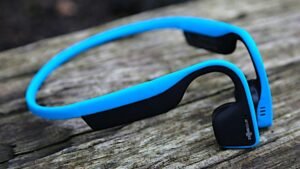
Estás pensando en conectar os auriculares sen fíos Brookstone ao iPhone? Compraches estes auriculares incribles e agora necesitas conectalos ao teu iPhone, ben non te preocupes, estás no lugar axeitado para conseguir un xeito sinxelo de conectar o teu Brookstone ao iPhone. Aquí imos discutir a forma de facer unha conexión entre ambos. Entón, imos comezar……
Conecte os auriculares sen fíos BrookStone ao iPhone
Para conectar os auriculares sen fíos Brookstone ao iPhone, tes que seguir estes pasos:
- En primeiro lugar, tes que asegurarte de que os teus auriculares estean apagados antes de inicialos para entrar no modo de vinculación . O indicador LED dos dous auriculares dos auriculares non se iluminará .
- Agora, para iniciar o procedemento de emparellamento, tes que manter premido o botón POWER situado na parte inferior do auricular dereito durante aproximadamente 5 segundos ou manteña ata que vexa que os indicadores LED comezan a parpadear rapidamente.
- Agora, tes que activar ou permitir o servizo Bluetooth no teu dispositivo móbil e despois tes que buscar ou buscar o”BT-H31″ dispositivo . (Tes que consultar o manual de instrucións do teu dispositivo móbil, ou tes que contactar co fabricante do dispositivo móbil. se tes que requirir máis información.)
- Despois diso, da lista, tes que escoller o dispositivo “BT-H31” e entón tes que introducir a clave de vinculación “0000”Se se lle solicita . Agora, o dispositivo móbil finalizará a vinculación automaticamente .
- Se o proceso de vinculación está rematado ou completado, o indicador LED situado nos dous auriculares deixará de parpadear rápido e volverá a un parpadeo máis lento para indicar que completaron ou finalizaron a vinculación .
Teña en conta que o proceso mencionado anteriormente é importante cando está a usar por primeira vez os auriculares Bluetooth co seu dispositivo móbil.. Para usar os auriculares Bluetooth con outro dispositivo móbil, tes que repetir o proceso anterior. Para usar o dispositivo Bluetooth, no teu dispositivo móbil, tes que ir ao menú Bluetooth e tes que seleccionar “BT-H31” para volver a conectar.
Preguntas frecuentes
Como poñer os auriculares sen fíos no modo de emparellamento?
Para un fácil emparejamiento Bluetooth
En primeiro lugar, tes que poñer os auriculares en modo de emparellamento. Xeralmente, para facelo só tes que manter premido o botón de acendido; Os auriculares ás veces requiren que se apaguen primeiro antes de comezar o proceso. Varios pares activan unha luz intermitente despois duns segundos para mostrar que o modo de vinculación está activado, e algunhas veces tamén hai unha pista de audio.
Como engadir manualmente un dispositivo Bluetooth?
Para engadir manualmente un dispositivo Bluetooth, primeiro tes que abrir a aplicación Configuración no teu teléfono e despois tes que tocar Bluetooth (ou Configuración > Conexións > Bluetooth). Despois diso, tes que asegurarte de que o Bluetooth estea activado (o botón debe ser azul). Entón, tes que comprobar o teu dispositivo Bluetooth e asegurarte de que estea acendido e en modo de descubrimento. No teu teléfono, tes que esperar a que apareza nos Dispositivos dispoñibles.
Por que non funcionan os teus auriculares?
Ten que comprobar a configuración de Bluetooth
Para isto, os pasos poden variar dependendo do dispositivo Android que estea a usar. Tes que abrir Configuración > Conexións > Bluetooth. Despois diso, tes que desactivar o interruptor Bluetooth, ou tes que desvincular os dispositivos de audio Bluetooth que xa se conectaron ao teu teléfono. Tes que conectar os auriculares á toma de audio e despois tocarás algo para comprobar se funcionan.
Podes conectar varios auriculares Bluetooth ao teu iPhone?
Si, os iPhones máis recentes ou modernos permiten que os seus usuarios se conecten a varios altofalantes ou auriculares Bluetooth simultaneamente a través do AirPlay. A característica, que se chama "Compartir audio".,’ foi lanzada en 2019 con iOS 13.1, permitir aos usuarios de iPhone compartir un fluxo de audio entre dous pares de auriculares ou auriculares.
Conclusión
Oxalá, este artigo axudarache moito a resolver o teu problema. A forma de conectar os auriculares sen fíos Brookstoon ao iPhone é sinxela. Só tes que seguir a guía mencionada anteriormente para conectar os teus auriculares sen fíos Brookstone ao iPhone.