Želite li upariti Boltune BT – BH020 Earbuds with your Bluetooth devices? Boltune BT – BH020 slušalice imaju Bluetooth V5. 0 You get 2x faster transmission speed + more stable connectivity with no signal loss or music dropouts.
These earbuds range up to 50 feet away. Never worry if there are any cut-offs during listening and controlling. These earbuds are making music playback and conversations smoother and clearer than ever. Make your lifestyle cool with Bluetooth 5. 0 slušalice za uši.
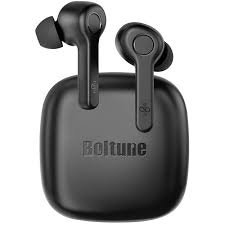
Tako, let’s get started on how to Pair Boltune – BH020 Earbuds with your devices and all about this product!
How to Wear Boltune BT – BH020 Earbuds
Choose the Right Tips
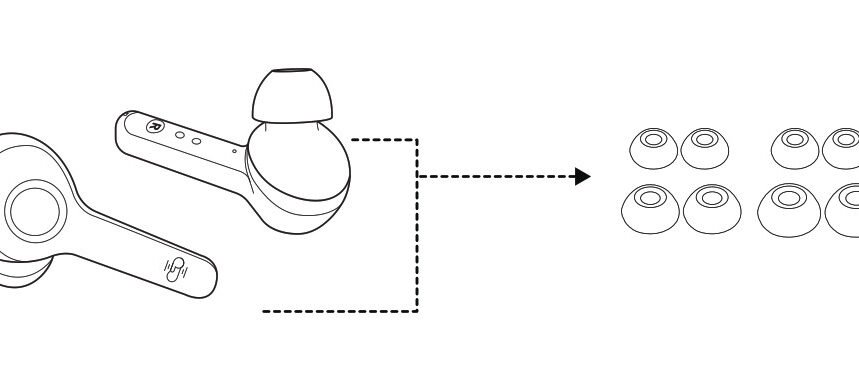
Nastavci za uši dolaze u različitim veličinama koje su uključene u paket, isprobajte sve veličine i odaberite one koje vam najbolje pristaju.
Wear the Earbuds
Nosite umetke za uši na pravilan način i okrećite ih kako bi najbolje pristajale.
Kako napuniti ušice i slučaj
Napunite uši
Stavite slušalice u kutiju za punjenje prema oznakama L i R koji pokrivaju poklopac i punjenje slušalica će početi automatski.
Bilješka: Kada je baterija slaba, čut će se glasovna poruka Battery low (ako nosite slušalice). Napunite ga na vrijeme ili će se slušalice automatski isključiti 10 minuta kasnije.
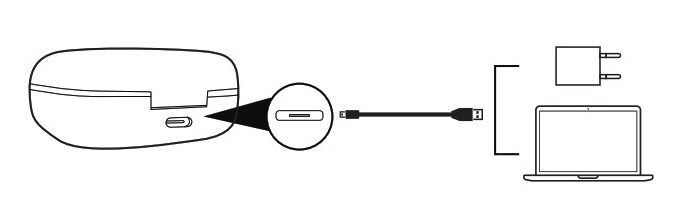
Naplatiti slučaj
Povežite priključak za punjenje s bilo kojim USB adapterom za punjenje ili aktivnim USB priključkom računala.
Četiri indikatora punjenja će svijetliti progresivno.
How to Power Off and On the Earbuds
Napasti
Izvadite slušalice i one će se automatski uključiti.
Power off
Vratite slušalice u kućište za punjenje i zatvorite poklopac, they will turn off automatically.
Kako upariti Boltune BT - BH020 Earbuds
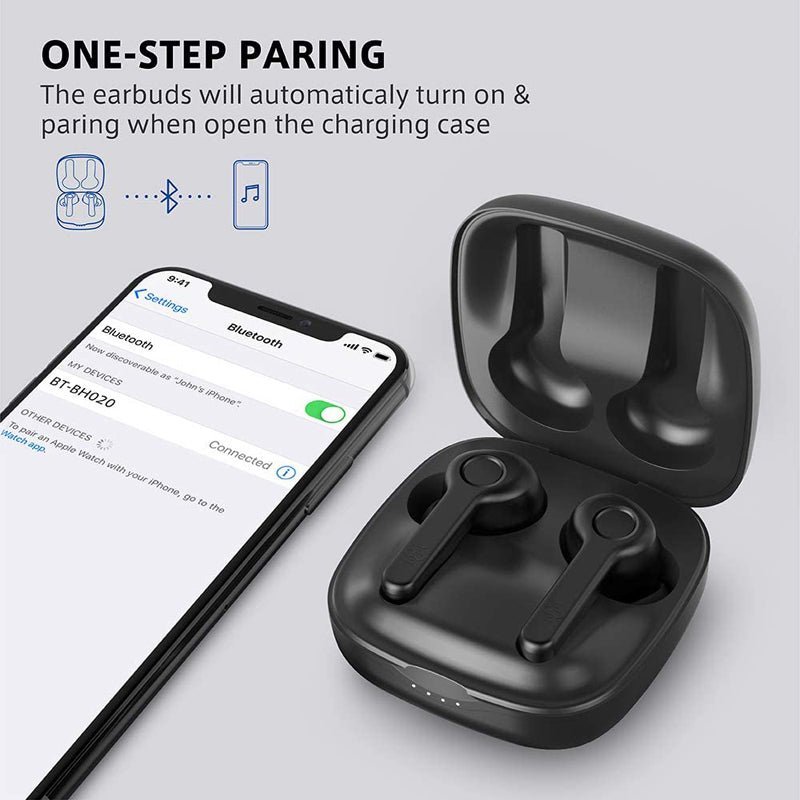
- Izvadite ušice iz slučaja, they will connect automatically. Jednom povezano, The LED indicators on both earbuds will flash blue and white alternately indicating the earbuds are in pairing mode now.
- Turn on the Bluetooth function on your device and search for nearby devices. Find Boltune BT-BH020 in the search list, and tap on the name to connect.
- Jednom povezano, the LED indicators on both earbuds will flash blue slowly.
Bilješka: If the earbuds fail to pair with each other, disconnect the Bluetooth connection with your device, put them back into the charging case, close the lid then open it to pair again.
How to Put Single Earbuds Mode
Take out one earbud from the charging case, and make sure the other one is placed in the charging case and the lid is covered.
Turn on the Bluetooth function on your device and search for nearby devices. Find Boltune BT-BH020 in the search list, and tap on the name to connect.
Jednom povezano, the LED indicators on both earbuds will flash blue slowly.
Bilješka: If you want to change to couple mode, simply take out the other earbuds from the charging case, automatski će se međusobno upariti.
Functions of Earbuds
- Jednom pritisnite višenamjensku tipku na bilo kojoj slušalici da odgovorite na poziv.
- Pritisnite i držite višenamjenski gumb na jednoj od slušalica za 2 sekundi za prekid poziva.
- Pritisnite i držite višenamjenski gumb na jednoj od slušalica za 2 sekundi za odbijanje dolaznog poziva.
- Pritisnite višenamjenski gumb na lijevoj slušalici tri puta za prethodnu pjesmu.
- Pritisnite višenamjenski gumb na desnoj slušalici tri puta za sljedeću pjesmu.
- Dvaput pritisnite višenamjenski gumb na jednoj od slušalica za reprodukciju ili pauziranje glazbe.
- Jednom pritisnite višenamjensku tipku na lijevoj slušalici za smanjivanje glasnoće.
- Pritisnite jednom višenamjenski gumb na desnoj slušalici za glasnoću + povećati.
- Pritisnite višenamjenski gumb na bilo kojoj od slušalica tri puta u stanju reprodukcije bez glazbe za ponovno biranje.
Savjeti za rješavanje problema
If you encounter problems with your earbuds follow the steps to shoot the problem.
Failed to turn on the Earbuds: It is due to the low battery charge of the earbuds.
Failed to Charge the Earbuds: Place the earbuds into the charging case properly and make sure the charging case is charged fully.
Can’t charge the charging case: Make sure the charging cable is intact and plugged in properly.
Can’t find Boltune BT-BH020 in the Bluetooth device list: The earbuds reconnected with the previously paired device automatically. Deactivate the Bluetooth function of the previously paired device or clear Boltune BT-BH020 from its Bluetooth device list, and then search again.
Failed to pair the earbuds with your device: Turn on the device and activate its Bluetooth function before pairing
put the earbuds into pairing mode and pair them again with your device by following the above-mentioned steps.
Zaključak
We hope after reading this article you will be able to Pair Boltune BT – BH020 Earbuds with your desired device. Tako, Sve što trebate znati je kako povezati JBL Earbuds. Nadamo se da će vam ovaj članak puno pomoći!