Pòs sa a diskite ki jan yo konekte bat boujon estidyo nan telefòn ou ak lòt aparèy.
Earbuds Beats Studio yo travay ak iPhone tou sou Android tankou sou iOS ou ka menm itilize yo sou yon PC oswa Mac.. Pandan w ap konekte Beats Studio Buds yo trè senp, mete ekoutè sa yo ka difisil. Se konsa, Men ki jan yo konekte Beats Studio Buds yo ak aparèy Bluetooth ou yo.
Ki jan yo mete Beats Studio Buds yo nan mòd appariement
Anvan ou asosye Beats Studio Buds ou a ak yon aparèy, ou dwe mete yo nan mòd appariement. Mòd Pairing pèmèt ekoutè yo ak aparèy w ap konekte a jwenn youn ak lòt. Li pa twò konplike pou fè sa swiv enstriksyon yo.
- Louvri kouvèti ka Studio Buds ou a.
- Kenbe Beats Studio Buds yo toupre aparèy ou vle konekte a.
- Lè sa a, peze epi kenbe bouton an Sistèm sou ka a jiskaske LED la kòmanse flache.
Kouman pou mwen marye ti boujon estidyo Beats mwen yo?
- Pou mete la manyèlman Beats Studio Buds nan mòd appariement, Premye, nan tout louvri kouvèti a nan ka Studio Buds ou.
- Next, mete Beats Studio Buds yo toupre aparèy ou vle a.
- Finalman, peze epi kenbe bouton an Sistèm sou ka a jiskaske LED la kòmanse flache.
Ki jan yo konekte Beats Studio Buds sou android
Pou konekte Beats Studio Buds sou Android swiv etap sa yo
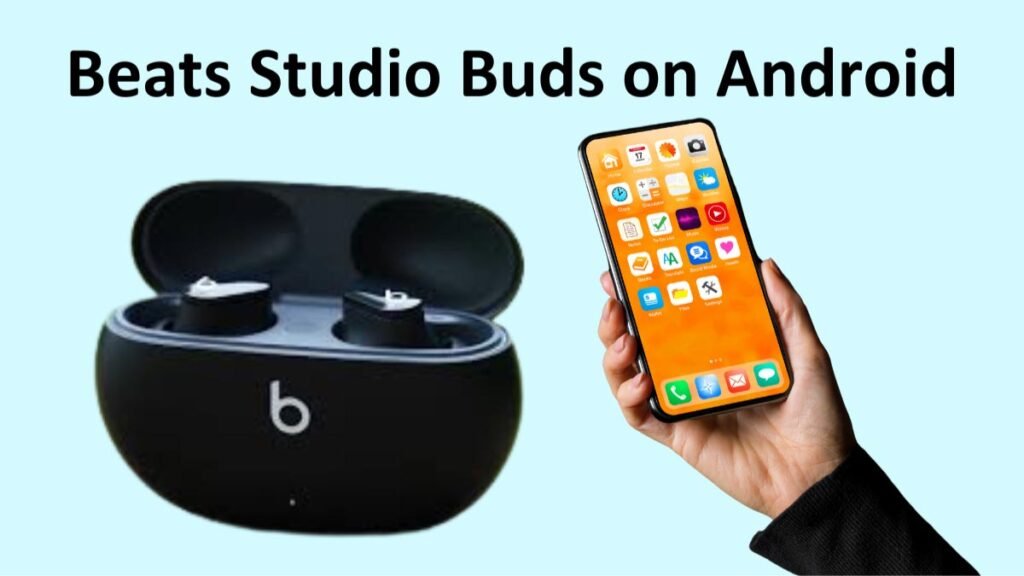
- Premye, asire w ke Bluetooth ak Kote yo aktive sou aparèy Android ou a.
- Mete ka a nan seri koneksyon an louvri kouvèti ka a, epi kenbe ti boujon yo andedan.
- Apre sa, yon notifikasyon pop-up ap parèt sou telefòn ou oswa tablèt Android.
- Lè sa a, chwazi Tape pou pè.
- Pou mete kanpe Studio Buds ou yo, tape Mete kanpe kounye a.
Biyè: Pafwa, ou ta ka pa wè yon èd memwa lè w kenbe ti boujon Beats akote aparèy android ou a. Si sa rive, ou ka marye ou ekoutè sou android ou aparèy manyèlman.
Swiv etap sa yo pou marye Studio Buds ou yo ak yon telefòn Android
- Premye, mete Studio Buds ou nan mòd appariement.
- Ale nan aplikasyon Paramètres sou telefòn ou oswa tablèt ou.
- Ale nan Aparèy Konekte Lè sa a, Bluetooth ak Lè sa a, Pè nouvo aparèy.
- Apre etap sa yo, chwazi Studio Buds yo nan lis aparèy ki disponib yo.
Ki jan yo konekte Beats Studio Buds nan yon iPhone?
Jwenn Beats Studio Buds yo konekte ak yon iPhone se tou byen senp
- Asire w ke Bluetooth aktive sou aparèy ou an.
- Mete Studio Buds ou nan mòd appariement.
- Louvri aplikasyon Paramèt iPhone ou a.
- Tape Bluetooth epi aktive Bluetooth la.
- Lè sa a, Buds Studio Beats ou yo ap parèt anba seksyon Lòt Aparèy.
- Kounye a, tape Studio Buds ou yo.
Ki jan yo konekte Beats Studio Buds yo nan yon Mac
Konekte Beats Studio Buds ou a ak yon Mac gen kèk etap plis, men li toujou pa twò difisil
- Pèmèt Bluetooth sou Mac ou.
- Mete Beata Studio Buds ou yo nan mòd appariement lè w louvri ka a tou pre aparèy ou an epi kenbe bouton Sistèm lan pou kèk segond..
- Louvri meni Apple la epi ale nan Preferans Sistèm Lè sa a, Bluetooth.
- Apre sa, nan lis la nan aparèy Bluetooth, klike sou Konekte bò kote Beats Studio Buds ou yo.
Ki jan yo konekte Beats Studio Buds ak yon PC Windows

Ou ka konekte Beats Studio Buds ak òdinatè w lan lè w fè sa ki annapre yo
- Retire ekoutè yo nan ka a epi mete Beats Studio Buds nan mòd appariement.
- Sou PC ou, ouvri meni an kòmanse ale nan Anviwònman klike sou Bluetooth & aparèy Lè sa a, Chanje aktive Bluetooth la.
- Ale nan Ajoute aparèy ak Lè sa a, Bluetooth.
- Kounye a, chwazi Beats Studio Buds ou yo nan lis aparèy ki disponib yo epi klike sou li pou fè yon koneksyon.
Ki jan yo konekte Beats Studio Buds yo ak yon Chromebook
Ou ka konekte Beats Studio Buds ou a ak yon Chromebook tankou lòt aparèy.
- Mete Studio Buds yo nan mòd appariement.
- Lè sa a,, nan pati anba a dwat nan ekran an chwazi batri > Bluetooth chanje baskile Bluetooth la, epi pè nouvo Aparèy la.
- Koulye a, chwazi Beats Studio a nan lis la.
Biyè: Apre w fin chwazi batri ou pa wè Bluetooth sa vle di aparèy Chromebook ou a pa gen Bluetooth, epi ou pa pral kapab sèvi ak ekoutè ou ak li.
FAQ pou konekte Beats Studio Buds
Poukisa boujon estidyo Beats mwen yo pa konekte??
Si w gen pwoblèm koneksyon, ou ka eseye youn nan solisyon sa yo
- Reyajiste Studio Buds ou yo.
- Fèmen koneksyon Bluetooth aparèy ou a epi limen.
- Asire w ke Beats yo pa deja konekte ak yon lòt aparèy.
Kouman pou mwen konekte kas ekoutè Beats mwen yo ak iPhone mwen an?
Premyerman, asire w ke Bluetooth aktive sou aparèy iOS ou a. Next, louvri ka Studio Buds ou a, kenbe boujon yo toupre aparèy la, epi peze epi kenbe bouton Sistèm nan sou ka a jiskaske LED la kòmanse flache. Kounye a, Swiv enstriksyon yo ki parèt sou ekran kouple kas ekoutè Beats ou yo ak iPhone ou.
Konklizyon
Nou espere apre ou fin li atik sa a ou pral kapab konekte Beats Studio Buds ak iPhone ou, Android telefòn, oswa laptop oswa ak aparèy ou vle. Se konsa, tout sa ou bezwen konnen se ki jan yo konekte Beats Studio Buds ak aparèy ou an. Nou espere atik sa a pral ede w anpil nan ka sa a!