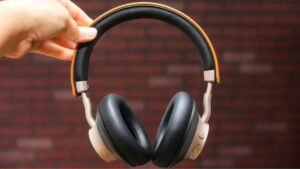
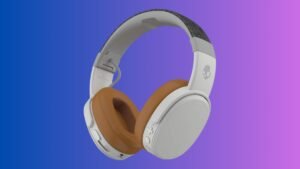
Szeretnél Brookstone vezeték nélküli fejhallgatót csatlakoztatni iPhone-hoz?? Megvette ezeket a csodálatos fejhallgatókat, és most össze kell kapcsolnia iPhone-jával, hát ne izgulj, Ön a megfelelő helyen jár, hogy egyszerűen csatlakoztassa Brookstone-ját iPhone-hoz. Itt azt fogjuk megvitatni, hogyan lehet kapcsolatot teremteni a kettő között. Így, kezdjük……
Csatlakoztassa a BrookStone vezeték nélküli fejhallgatót iPhone-hoz
Brookstone vezeték nélküli fejhallgató csatlakoztatása iPhone-hoz, ezeket a lépéseket kell követnie:
- Először is, győződjön meg arról, hogy a fejhallgató ki van kapcsolva, mielőtt párosítási módba lépne . A LED jelzőfény a fejhallgató egyik FÜLSŐÉNEKÉN nem világít .
- Most, a párosítási eljárás elindításához, le kell nyomni és lenyomva tartani a jobb fülkagyló alján található POWER gombot kb 5 másodpercig, vagy tartsa addig, amíg meg nem látja, hogy a LED-jelzők gyorsan villogni kezdenek.
- Most, engedélyeznie kell vagy engedélyeznie kell a Bluetooth szolgáltatást mobileszközén, majd meg kell keresnie vagy meg kell keresnie a”BT-H31″ eszköz . (Olvassa el a mobileszköz használati útmutatóját, vagy kapcsolatba kell lépnie a mobileszköz gyártójával. ha több információra van szüksége.)
- Azt követően, a listáról, ki kell választani a készüléket “BT-H31” majd meg kell adnia a párosítási kulcsot “0000”Ha kéri . Most, a mobileszköz ezután automatikusan véglegesíti a párosítást .
- Ha a párosítási folyamat befejeződött vagy befejeződött, a mindkét fülkagylón elhelyezett LED-jelző abbahagyja a gyors villogást, és visszavált lassabb villogásra, jelezve, hogy befejezték vagy befejezték a párosítást .
Ne feledje, hogy a fent említett folyamat csak akkor fontos, ha először használ Bluetooth fejhallgatót mobileszközével.. A Bluetooth fejhallgató egy másik mobileszközzel való használatához, meg kell ismételnie a fenti folyamatot. Bluetooth eszköz használatához, mobileszközén, be kell lépnie a Bluetooth menübe, és ki kell választania “BT-H31” hogy újra csatlakozzon.
GYIK
Hogyan helyezzük a vezeték nélküli fejhallgatót párosítási módba?
Az egyszerű Bluetooth párosításhoz
Először is, párosítási módba kell helyeznie a fejhallgatót. Általában, ehhez csak a bekapcsológombot kell lenyomva tartani; a fejhallgatót néha ki kell kapcsolni a folyamat megkezdése előtt. Néhány pár néhány másodperc múlva villogó fényt vált ki, jelezve, hogy a párosítási mód be van kapcsolva, és néhányszor hangjelzés is van.
Bluetooth-eszköz manuális hozzáadása?
Bluetooth-eszköz manuális hozzáadása, először meg kell nyitnia a Beállítások alkalmazást a telefonon, majd meg kell érintenie a Bluetooth lehetőséget (vagy Beállítások > Kapcsolatok > Bluetooth). Azt követően, meg kell győződnie arról, hogy a Bluetooth be van kapcsolva (a gombnak kéknek kell lennie). Akkor, ellenőriznie kell a Bluetooth-eszközt, és meg kell győződnie arról, hogy be van kapcsolva, és felderítési módban van. A telefonodon, meg kell várni, amíg megjelenik az Elérhető eszközök alatt.
Miért nem működik a fejhallgató??
Ellenőriznie kell a Bluetooth beállításait
Ezért, a lépések a használt Android-eszköztől függően változhatnak. Meg kell nyitnia a Beállításokat > Kapcsolatok > Bluetooth. Azt követően, ki kell kapcsolnia a Bluetooth kapcsolót, vagy meg kell szüntetnie a telefonhoz már csatlakoztatott Bluetooth audioeszközök párosítását. Csatlakoztassa a fejhallgatót az audio jack aljzathoz, majd lejátsz valamit, hogy ellenőrizze, működnek-e.
Csatlakoztathat több Bluetooth fejhallgatót az iPhone-jához??
Igen, a legújabb vagy modern iPhone-ok lehetővé teszik felhasználóik számára, hogy egyszerre több Bluetooth hangszóróhoz vagy fejhallgatóhoz csatlakozzanak az AirPlay segítségével. A jellemző, melynek neve „Hang megosztása,’ ki volt gördítve 2019 iOS rendszerrel 13.1, lehetővé teszi az iPhone-felhasználók számára, hogy megoszthassanak egy hangfolyamot két pár fejhallgató vagy fülhallgató között.
Következtetés
Remélhetőleg, ez a cikk sokat segít a probléma megoldásában. A Brookstoon vezeték nélküli fejhallgató iPhone-hoz csatlakoztatásának módja egyszerű. Csak kövesse a fent említett útmutatót a Brookstone vezeték nélküli fejhallgató iPhone-hoz való csatlakoztatásához.