Сиздин түзмөктөрүңүзгө Logitech G435 гарнитурасын жуптоонун көптөгөн жолдору бар, смартфондор сыяктуу, iPhones, же компьютер. Бир жолу Bluetooth туташуусу аркылуу. Бул постто, you learn how to Pair the Logitech G435 Headset with your Bluetooth devices.
Pair the Logitech G435 Headset to your Smartphone
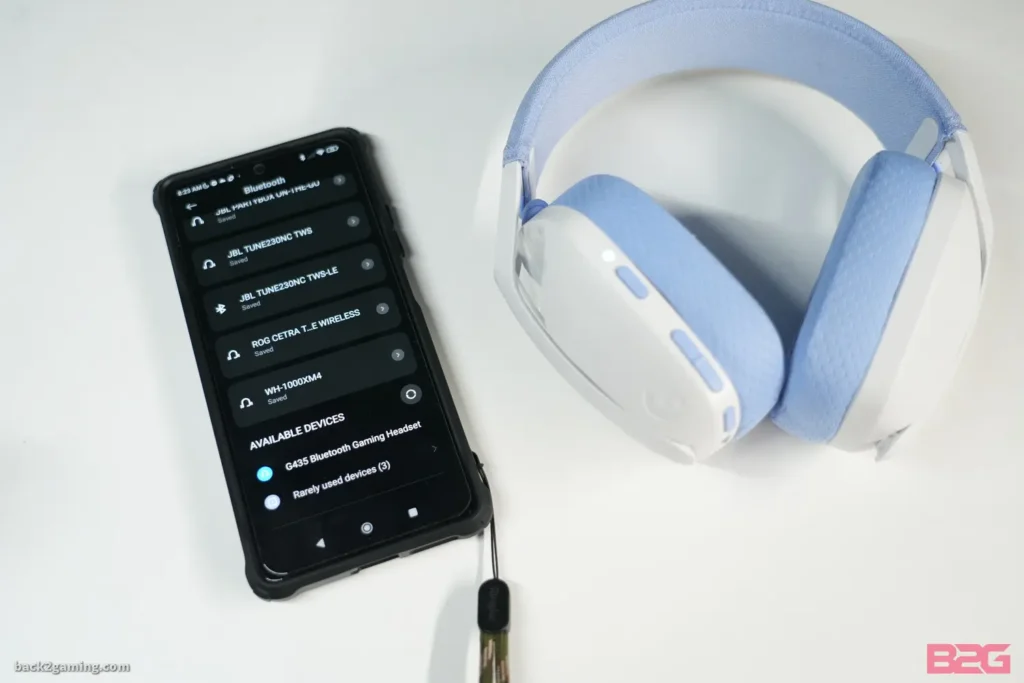
By following the steps you can pair the Logitech G435 Headset to your Smartphone.
- Алгачкы, turn on the G435 by pressing the on button.
- Анда, put your Logitech G435 Headset in pairing mode by pressing and holding the on and mute buttons for 3 секунд. LED flash blue as it is entered into pairing mode.
- Open the settings on your Smartphone, Bluetooth тандаңыз, жана аны күйгүзүңүз.
- Азыр, search Logitech G435 in the list of devices and tap to connect.
Pair the Logitech G435 Headset with PC
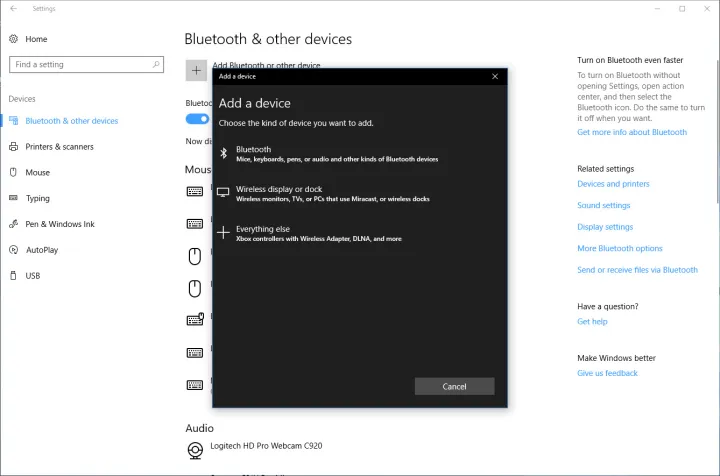
To pair the Logitech G435 Headset with PC Бул кадамдарды аткарыңыз.
- Баарынан мурда, G435 гарнитураңызды күйгүзүү үчүн күйгүзүү баскычын басыңыз.
- Logitech G435 гарнитураңызды жупташтыруу режимине коюңуз 3 секунд. LED flash blue as it is entered into pairing mode.
- Компьютериңиздеги орнотууларды ачыңыз.
- Bluetooth'го өтүңүз & Башка түзмөктөр, Bluetooth тандаңыз, жана аны күйгүзүңүз.
- Азыр, search Logitech G435 in the list of devices and tap to connect.
Pair the Logitech G435 Headset with IOS Devices

Logitech G435ти жупташтыруу үчүн бул жөнөкөй кадамдарды аткарыңыз IOS түзмөктөрү менен гарнитура.
- Logitech G435 гарнитураңызды күйгүзүңүз жана күйгүзүү жана үнүн басуу баскычтарын басып, кармап туруу менен аны жупташтыруу режимине коюңуз. 3 секунд. LED flash blue as it is entered into pairing mode.
- IOS түзмөктөрүңүздүн жөндөөлөрүнө өтүп, Bluetooth'ду күйгүзүңүз.
- Азыр, search Logitech G435 in the list of devices and tap to connect.
Battery Check
- Кубат баскычын бир жолу басыңыз, гарнитура ON болгондо.
- Батарея 31% чейин 100% LED 5 секунд бою жашыл түстү көрсөтөт.
- Батарея 15% чейин 30% LED 5 секундага кызыл түстү көрсөтөт.
- Батарея <15% LED 5 секундага кызыл күйөт.
Side Tune
Sideton башка адамдар менен баарлашып жатканда үнүңүздү угууга мүмкүндүк берет, It mirrors the experience of talking on a phone and allows you to adjust your speaking volume to a proper level.
Enable Side Tune
Double press the Mute button and the LED will flash twice in orange.
Disable Side Tune
Double press the Mute button and the LED will flash once in orange.
Adjust Side Tune
Up: Single press Mute button + Көлөм.
Down: Single press Mute button + Volume DOWN.
Корутунду
Pairing the Logitech G435 headset with your Bluetooth devices is not complex. Смартфонуңуз менен жупташтыруу үчүн кулакчындарды жупташтыруу режимине коюу керек, IOS Devices, же башка Bluetooth түзмөктөрү. Follow this detailed guide to learn how to pair the Logitech G435 Headset to your devices.