Koj puas xav khub Boltune BT – BH020 Earbuds nrog koj cov khoom siv Bluetooth? Boltune BT – BH020 lub pob ntseg muaj Bluetooth V5. 0 Koj tau txais 2x sai dua kev sib kis ceev + kev sib txuas ruaj khov dua nrog tsis muaj teeb liab poob lossis suab paj nruag tso tseg.
Cov pob ntseg no mus txog 50 ko taw deb. Tsis txhob txhawj xeeb yog tias muaj kev txiav tawm thaum mloog thiab tswj hwm. Cov pob ntseg no ua rau cov suab paj nruag rov qab ua si thiab sib tham smoother thiab meej dua li yav dhau los. Ua rau koj txoj kev ua neej txias nrog Bluetooth 5. 0 earbuds.
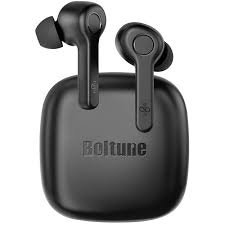
Li ntawd, yog li, cia peb pib yuav ua li cas Pair Boltune – BH020 Earbuds with your devices and all about this product!
Yuav Ua Li Cas Hnav Boltune BT – BH020 Earbuds
Xaiv Cov Lus Qhia Zoo
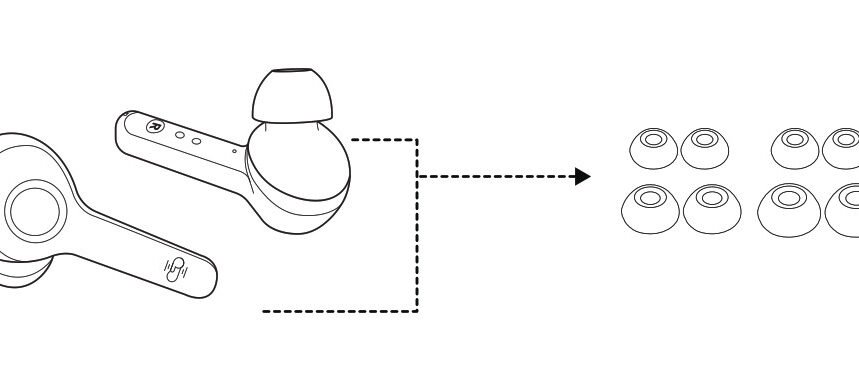
Ear tips come in different sizes that are included in the package, try all sizes and choose the ones that fit you best.
Hnav Lub Pob Ntseg Pob Ntseg
Wear the earbuds in the right way and rotate them for the best fit.
Yuav Ua Li Cas Them Lub Pob Ntseg thiab Rooj Plaub
Them Lub Pob Ntseg Pob Ntseg
Put the earbuds into the charging case as per the L and R marks cover the lid and the earbuds charging will start automatically.
Nco ntsoov: When the battery is low, a voice prompt Battery low will be heard (if you are wearing the earbuds). Charge it in time or the earbuds will turn off automatically around 10 minutes later.
Tsub Cov Ntaub Ntawv
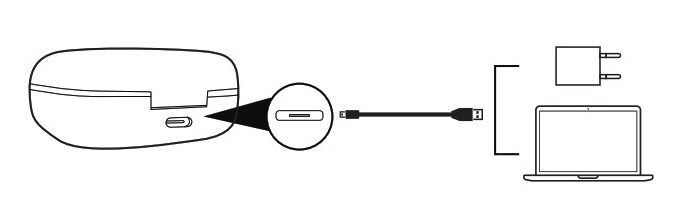
Connect the charging port with any USB charging adapter or active computer USB port.
The four charging indicators will light up progressively.
Yuav Ua Li Cas Fais Fab Tua thiab Ntawm Lub Pob Ntseg Pob Ntseg
Lub Hwj Chim Rau
Take out the earbuds and they will power on automatically.
Fais Fab Tua
Put the earbuds back into the charging case and close the lid, they will turn off automatically.
Yuav Ua Li Cas Pair Boltune BT – BH020 Earbuds
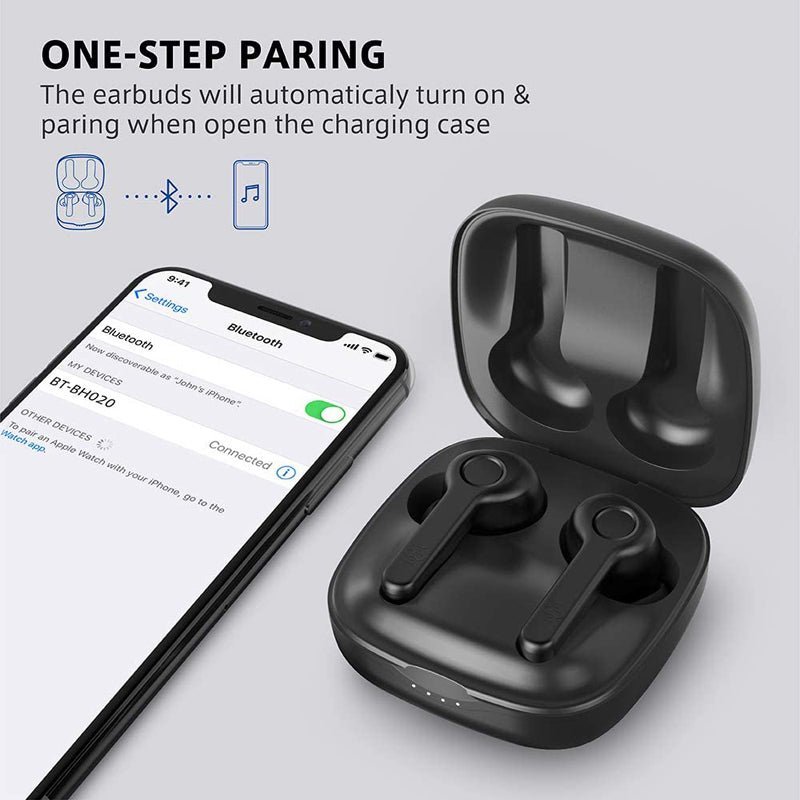
- Nqa tawm lub pob ntseg los ntawm rooj plaub, they will connect automatically. Once connected, The LED indicators on both earbuds will flash blue and white alternately indicating the earbuds are in pairing mode now.
- Turn on the Bluetooth function on your device and search for nearby devices. Find Boltune BT-BH020 in the search list, and tap on the name to connect.
- Once connected, the LED indicators on both earbuds will flash blue slowly.
Nco ntsoov: If the earbuds fail to pair with each other, disconnect the Bluetooth connection with your device, put them back into the charging case, close the lid then open it to pair again.
Yuav Ua Li Cas Tso Hom Pob Ntseg Ib Leeg
Take out one earbud from the charging case, and make sure the other one is placed in the charging case and the lid is covered.
Turn on the Bluetooth function on your device and search for nearby devices. Find Boltune BT-BH020 in the search list, and tap on the name to connect.
Once connected, the LED indicators on both earbuds will flash blue slowly.
Nco ntsoov: If you want to change to couple mode, simply take out the other earbuds from the charging case, they will pair with each other automatically.
Muaj nuj nqi ntawm lub pob ntseg pob ntseg
- Press the multifunction button on either of the earbuds once to answer a call.
- Press and hold the multifunction button on either of the earbuds for 2 seconds to hang up a call.
- Press and hold the multifunction button on either of the earbuds for 2 seconds to reject an incoming call.
- Press the multifunction button on the left earbud three times for the previous track.
- Press the multifunction button on the right earbud three times for the next track.
- Press the multifunction button on either of the earbuds twice to Play or Pause the music.
- Press the multifunction button on the left earbud once to Volume – down.
- Nias lub pob multifunction ntawm lub pob ntseg sab xis ib zaug los kho lub ntim + nce.
- Nias lub pob multifunction ntawm ob qho ntawm lub pob ntseg peb zaug thaum tsis ua si suab paj nruag kom rov hu dua.
Cov lus qhia daws teeb meem
Yog tias koj ntsib teeb meem nrog koj lub pob ntseg, ua raws li cov kauj ruam los kuaj pom qhov teeb meem.
Ua tsis tiav qhib lub pob ntseg pob ntseg: Nws yog vim muaj roj teeb qis ntawm lub pob ntseg pob ntseg.
Ua tsis tiav them lub pob ntseg pob ntseg: Muab lub pob ntseg tso rau hauv lub thawv them kom zoo thiab xyuas kom meej tias lub rooj plaub them tau them tag nrho.
Tsis tuaj yeem them lub thawv them: Nco ntsoov tias lub charger cable yog qhov zoo thiab ntsaws rau hauv.
Tsis tuaj yeem nrhiav Boltune BT-BH020 hauv daim ntawv teev cov cuab yeej Bluetooth: Lub mloog pob ntseg cia li rov txuas nrog cov cuab yeej khub yav dhau los. Deactivate the Bluetooth function of the previously paired device or clear Boltune BT-BH020 from its Bluetooth device list, and then search again.
Failed to pair the earbuds with your device: Turn on the device and activate its Bluetooth function before pairing
put the earbuds into pairing mode and pair them again with your device by following the above-mentioned steps.
Xaus
We hope after reading this article you will be able to Pair Boltune BT – BH020 Earbuds with your desired device. Li ntawd, yog li, all you need to know is how to Connect JBL Earbuds. Zaj no yuav pab koj heev!