

There are many ways to pair the Logitech G435 Headset to your devices, like Smartphones, iPhones, or PC. The one way is via a Bluetooth connection. Hauv tsab xov xwm no, you learn how to Pair the Logitech G435 Headset with your Bluetooth devices.
Pair the Logitech G435 Headset to your Smartphone
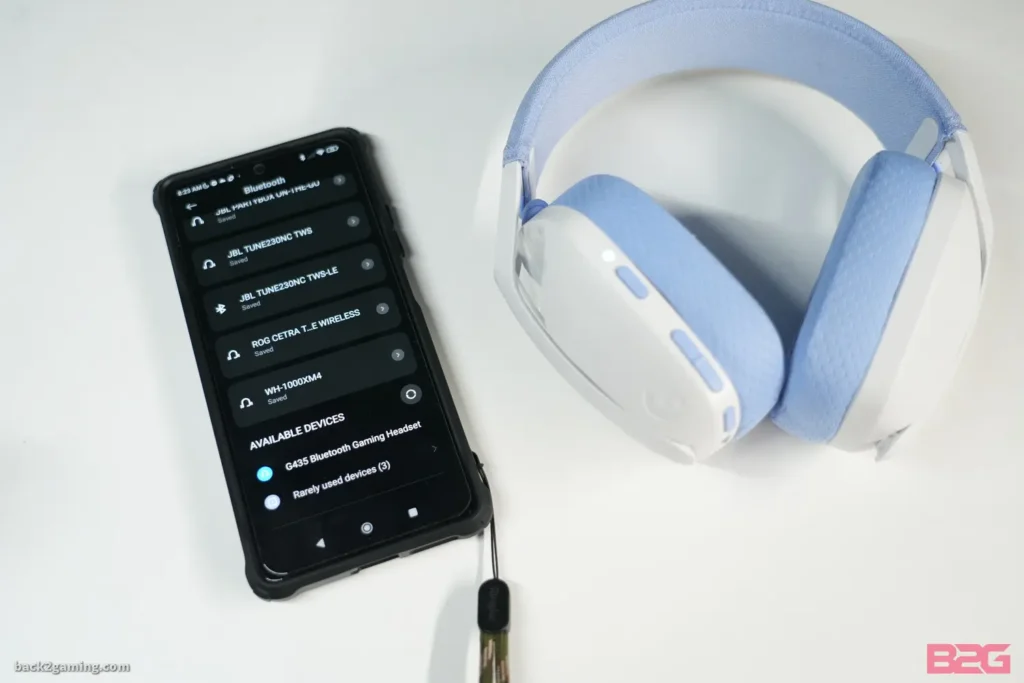
By following the steps you can pair the Logitech G435 Headset to your Smartphone.
- Thawj, turn on the G435 by pressing the on button.
- Ces, put your Logitech G435 Headset in pairing mode by pressing and holding the on and mute buttons for 3 vib nas this. LED flash blue as it is entered into pairing mode.
- Open the settings on your Smartphone, select Bluetooth, and turn it on.
- Tam sim no, search Logitech G435 in the list of devices and tap to connect.
Pair the Logitech G435 Headset with PC
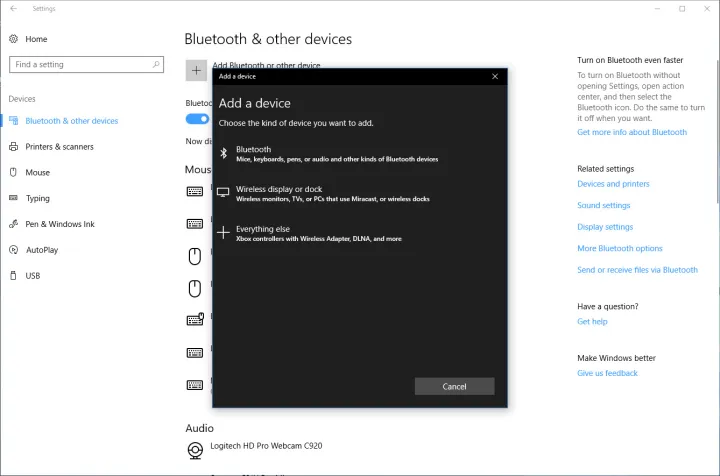
To pair the Logitech G435 Headset with PC follow these steps.
- Ua ntej no, press the on button to turn on your G435 Headset.
- Put your Logitech G435 Headset in pairing mode by pressing and holding the on and mute buttons for 3 vib nas this. LED flash blue as it is entered into pairing mode.
- Open the settings on your PC.
- Go to Bluetooth & Lwm yam pab kiag li lawm, select the Bluetooth, and turn it on.
- Tam sim no, search Logitech G435 in the list of devices and tap to connect.
Pair the Logitech G435 Headset with IOS Devices

Follow these simple steps to pair the Logitech G435 Headset with IOS Devices.
- Turn on your Logitech G435 Headset and put it into the pairing mode by pressing and holding the on and mute buttons for 3 vib nas this. LED flash blue as it is entered into pairing mode.
- Go to settings on your IOS devices and turn on the Bluetooth.
- Tam sim no, search Logitech G435 in the list of devices and tap to connect.
Battery Check
- Single press the power button, when the headset is ON.
- Roj teeb. 31% rau 100% the LED will show green for 5 seconds.
- Roj teeb. 15% rau 30% the LED will show red for 5 seconds.
- Roj teeb. <15% lub LED yuav flash liab rau 5 vib nas this.
Side Tune
Sidetone cia koj hnov koj lub suab thaum sib txuas lus nrog lwm tus neeg, Nws tsom iav qhov kev paub ntawm kev tham hauv xov tooj thiab tso cai rau koj los kho koj qhov kev hais lus ntim rau qib zoo.
Enable Side Tune
Ob npaug nias lub pob ruam thiab lub LED yuav flash ob zaug hauv txiv kab ntxwv.
Disable Side Tune
Ob npaug nias lub pob ruam thiab LED yuav flash ib zaug hauv txiv kab ntxwv.
Adjust Side Tune
Up: Single nias Mute khawm + Ntim UP.
Down: Single nias Mute khawm + Volume DOWN.
Xaus
Pairing lub Logitech G435 headset nrog koj Bluetooth pab kiag li lawm yog tsis nyuaj. You only need to put the headphones into pairing mode to pair them with your smartphone, IOS Devices, or other Bluetooth devices. Ua raws li cov ncauj lus kom ntxaws no qhia kom paub yuav ua li cas pair lub Logitech G435 Headset rau koj pab kiag li lawm.


