Gi emparejar Boltune BT – BH020 Earbuds with your Bluetooth devices? Boltune BT – BH020 earbuds have Bluetooth V5. 0 You get 2x faster transmission speed + more stable connectivity with no signal loss or music dropouts.
These earbuds range up to 50 feet away. Never worry if there are any cut-offs during listening and controlling. These earbuds are making music playback and conversations smoother and clearer than ever. Make your lifestyle cool with Bluetooth 5. 0 Auriculares.
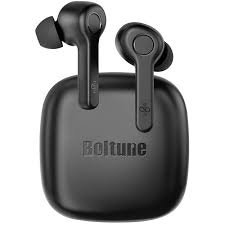
Nja'bu da, let’s get started on how to Pair Boltune – BH020 Earbuds with your devices and all about this product!
How to Wear Boltune BT – BH020 Earbuds
Choose the Right Tips
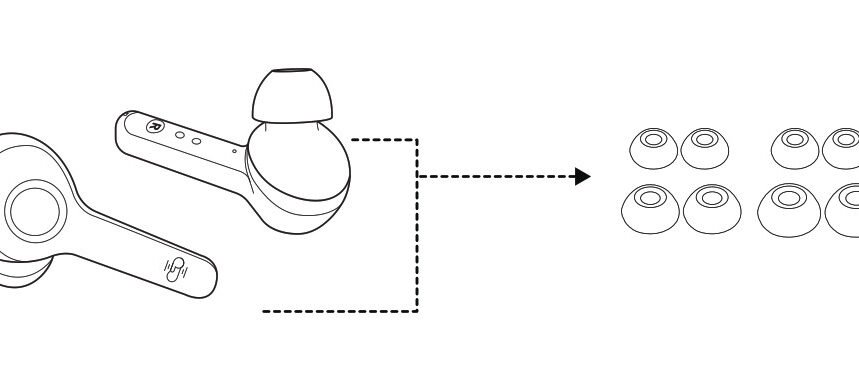
Ear tips come in different sizes that are included in the package, try all sizes and choose the ones that fit you best.
Wear the Earbuds
Wear the earbuds in the right way and rotate them for the best fit.
Honja cargar ya auriculares ne ya Hogem'be
Cargar ya auriculares
Put the earbuds into the charging case as per the L and R marks cover the lid and the earbuds charging will start automatically.
Note: When the battery is low, a voice prompt Battery low will be heard (if you are wearing the earbuds). Charge it in time or the earbuds will turn off automatically around 10 minutes later.
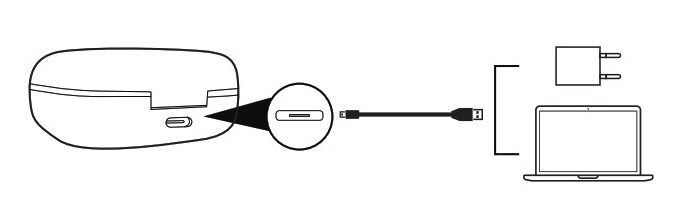
Cargar Hogem'bu
Connect the charging port with any USB charging adapter or active computer USB port.
The four charging indicators will light up progressively.
How to Power Off and On the Earbuds
Power on
Take out the earbuds and they will power on automatically.
Power off
Put the earbuds back into the charging case and close the lid, they will turn off automatically.
How to Pair Boltune BT – BH020 Earbuds
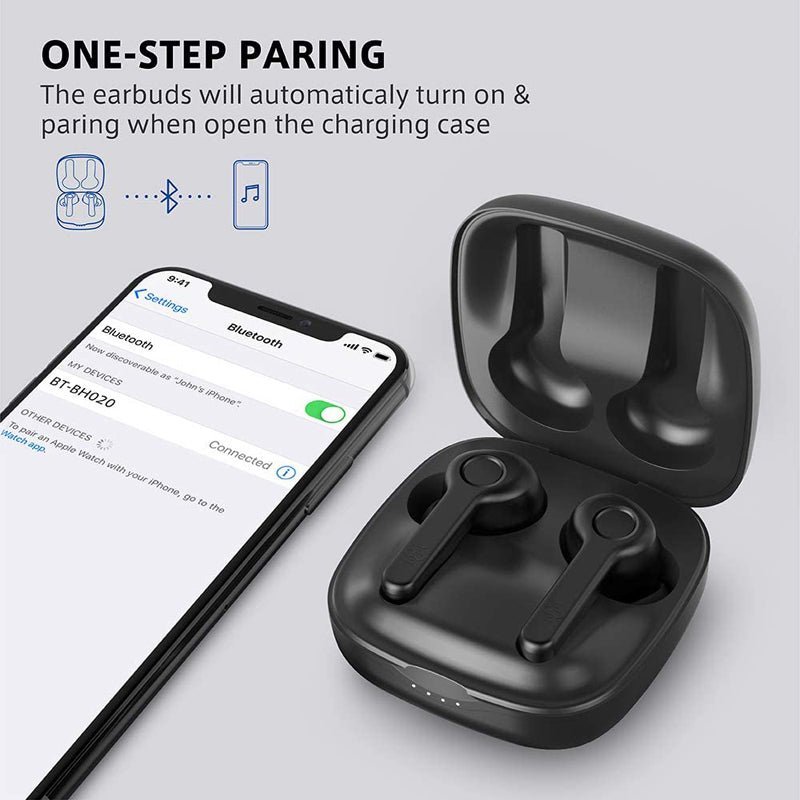
- Take out the earbuds from the case, they will connect automatically. Once connected, The LED indicators on both earbuds will flash blue and white alternately indicating the earbuds are in pairing mode now.
- Turn on the Bluetooth function on your device and search for nearby devices. Find Boltune BT-BH020 in the search list, and tap on the name to connect.
- Once connected, the LED indicators on both earbuds will flash blue slowly.
Note: If the earbuds fail to pair with each other, disconnect the Bluetooth connection with your device, put them back into the charging case, close the lid then open it to pair again.
How to Put Single Earbuds Mode
Take out one earbud from the charging case, and make sure the other one is placed in the charging case and the lid is covered.
Turn on the Bluetooth function on your device and search for nearby devices. Find Boltune BT-BH020 in the search list, and tap on the name to connect.
Once connected, the LED indicators on both earbuds will flash blue slowly.
Note: If you want to change to couple mode, simply take out the other earbuds from the charging case, they will pair with each other automatically.
Functions of Earbuds
- Press the multifunction button on either of the earbuds once to answer a call.
- Press and hold the multifunction button on either of the earbuds for 2 seconds to hang up a call.
- Press and hold the multifunction button on either of the earbuds for 2 ya 'na̲te ya mfe̲ts'i pa rechazar 'nar llamada entrante.
- Press the multifunction button on the left earbud three times for the previous track.
- Press the multifunction button on the right earbud three times for the next track.
- Press the multifunction button on either of the earbuds twice to Play or Pause the music.
- Press the multifunction button on the left earbud once to Volume – down.
- Press the multifunction button on the right earbud once to volume + aumento.
- Press the multifunction button on either of the earbuds three times in a non-music playback state for redial.
Troubleshooting tips
Nu'bu̲ encuentra hñäki ko yá auriculares, deni ya pasos pa resolver ar hñäki.
Fallado jar encender ya auriculares: Ar nu'bya jár carga bateriya ya auriculares.
Fallado jar cargar ya auriculares: Coloque ya auriculares jar nt'ot'e carga correctamente ne xi hño da ja da Hogem'bu̲ carga xi totalmente cargada.
Hindi tsa̲ da cargar Hogem'bu̲ carga: Xi hño da ja da cable ar carga 'bu̲i intacto ne enchufado correctamente.
Hingi tsa̲ da tingigi mbo Boltune BT — BH020 jar Nthuts'i dispositivos Bluetooth: Ya auriculares reconectados ko ar dispositivo mpakuthuu emparejado automáticamente. Desactivar función Bluetooth ar dispositivo mpakuthuu emparejado wa pats'u̲ga̲ Boltune BT — BH020 ár Nthuts'i dispositivos Bluetooth, Ne gem'bu̲ honi ma 'nagi.
Falló emparejar ya auriculares ko ár dispositivo: Encienda ar dispositivo ne activar ár función Bluetooth 'be̲tho emparejar
put the earbuds into pairing mode and pair them again with your device by following the above-mentioned steps.
Njäts'i nu'bu
We hope after reading this article you will be able to Pair Boltune BT – BH020 Earbuds with your desired device. Nja'bu da, nga̲tho nä'ä necesitas ga pädi ar Honja conectar auriculares JBL. Esperamos da nuna ar Nthuts'i da na útil pa gí!