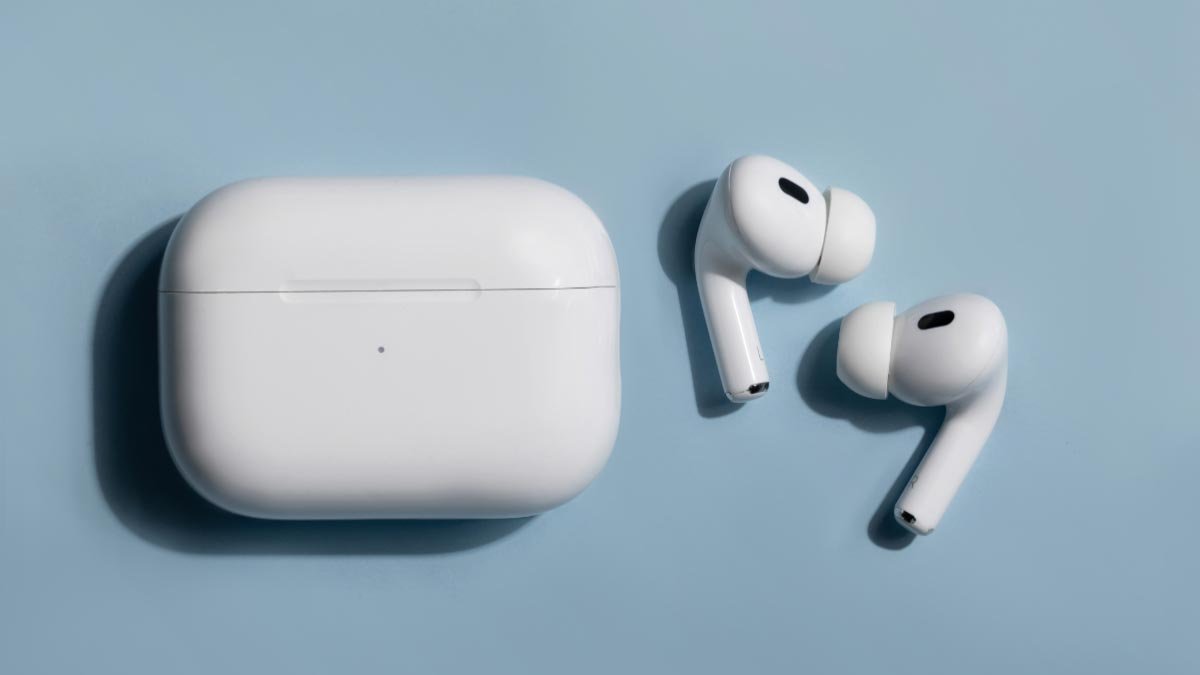
Bo ta luchando pa konektá AirPods na Kindle Fire? Bo ta na e lugá korekto pa haña e mihó i fásil solushon. Aki nos ta bai papia tokante kon pa konektá bo airpods na Kindle Fire. E ora ei, laga nos kuminsá sa tokante e detayenan……
Konektá AirPods na un Kindle Fire Tablet
- Promé ku tur kos, bo mester Swipe abou for di e parti ariba di bo pantaya.
- Despues di esei, bo mester primi e símbolo di Bluetooth pa por sende esaki si e símbolo di Bluetooth no ta sendé kaba.
- Despues, bo mester Primi i tene e símbolo di Bluetooth pa por habri e settingnan di Bluetooth.
- Aworaki, bo mester habri e kashi di bo AirPods.
- Siguiente, bo mester Primi i tene e boton di setup te ora e lus kuminsá bria blanku.
- Despues di esei, bo mester primi Par aparato nobo.
- Despues, bo mester primi bo AirPods den e lista di aparatonan disponibel.
- Aworaki, bo mester primi Par.
- E ora ei, bo AirPods lo konektá korektamente na bo Kindle Fire. I despues e siguiente biaha, bo Airpods lo bolbe konektá outomatikamente ora bo kita bo AirPods for di nan estuche.
Tene na cuenta cu, si bo mester enfrentá un problema den konektá bo AirPods na e tablet di Fire, despues, bo mester aktualisá bo Kindle Fire i bo mester purba restart bo aparato.
Kambia pa Bo AirPods for di un otro aparato Bluetooth riba Kindle Fire
Pa kambia pa AirPods for di un otro aparato Bluetooth riba Kindle Fire, bo mester sigui e pasonan aki .:
- Promé ku tur kos, bo mester swipe abou for di e parti ariba di e pantaya.
- Despues di esei, bo mester primi i tene e símbolo di Bluetooth.
- Despues, bo mester primi bo AirPods den Aparatonan Konektá Anteriormente.
- I si bo AirPods ta aparesé den e área di Media Devices i e ta bisa òf ta firma Aktivo bou di e lista, e ta nifiká ku nan ta kla pa usa awor.
FAQs
Kon pa Usa Earphone ku Kindle Paperwhite?
E ta mantené Bluetooth, loke ta nifiká ku bo por hinka earbuds pa bo por skucha e vershon Audible di bo buki privá.
Bo Por Usa Audífononan Bluetooth ku Bo Kindle?
Si, bo por ta kapas pa parea bo aparato Bluetooth via Ahustonan den un Kindle ku Bluetooth. Pa esaki, bo mester sende e Wi-Fi promé, i despues bo mester kompletá òf finalisá e aktualisashon di aire pa por pareá bo aparato Bluetooth. Bo mester pone e aparato Bluetooth den moda di pareha.
Kon Ypu ta aktivá oudio riba kindle?
Miéntras ta lesa, bo mester primi e sentro di e pantaya, despues di esei, bo mester primi e símbolo di menú Aa ku ta poné den e skina drechi ariba. Despues, bo mester primi e opshon di mas i awor, bo mester primi e switch banda di Teksto-pa-Papia pa por sende esaki. Despues di esei, bo mester primi e pantaya pa por mustra e bar di progreso den bo buki di Kindle, i awor, bo mester primi e boton Play banda di e bar di progreso pa bo por tende e teksto lesa na bos haltu.
Kon pa paga un Kindle Paperwhite?
Pa paga un Kindle Paperwhite, bo mester primi i tene e boton di koriente. Despues, bo mester primi Screen Off. E ora ei, e pantaya di Kindle lo paga korektamente.
Kindle ta bai drumi?
Si bo no ta utilisá bo Kindle, bo mester primi e boton di koriente pa pone esaki den modo di soño. Si bo hasi esei, e no ta rekerí pa bo usa koriente pa sende bo pantaya prepará pa bo usa esaki. Bo mester desabilitá bo Wi-Fi. Bo mester desabilitá bo konekshon di internèt na bo Kindle djis dor di swipe for di ariba pa abou pa trese e settingnan rápido.
Konklushon
E manera pa konektá Airpods na Kindle Fire no ta asina difísil, e ta djis fásil. Den djis algun paso bo por hasi un konekshon perfekto entre tantu bo Airpods komo bo kindle. E ora ei, bo mester djis sigui e instrukshonnan ariba menshoná ..