Hopi bia hende ta konfundí tokante di konektá na Kia Bluetooth, nan no sa kon pa operá e solushon di Bluetooth di e Kia. Pero no mester ta preokupá pasobra nos ta aki ku tep i triki pa duna bo e solushon final!
Kia kasi tur modelo ta mas avansá teknológikamente ku nunka, pero sorprendentemente ainda, e popular Kia ta sigui agregá nobo teknología den vehíkulonan na alturanan nobo dia pa dia.
Si bo ta enfrentá e reto pa konektá na Kia Bluetooth, anto lo bo keda sorprendí despues di lesa e artíkulo aki tokante kon simpel e ta pa konektá na Kia Bluetooth. E ora ei, laga nos bai den direkshon di un proseso paso pa paso pa un solushon.
E Proseso pa Konektá na Kia Bluetooth
Ta relativamente hopi fásil i simpel pa konektá un aparato na e sistema di Bluetooth di Kia. Pa esaki, bo mester djis sigui e pasonan fásil aki, i despues di sigui e pasonan aki bo por kuminsá stream músika sin waya, hasiendo i tambe kontestá bo yamadanan, i tambe mas tur sin bira bo wowo for di kaminda i asta bo mannan keda riba wiel.
- Promé ku tur kos, Riba bo smartphone, bo mester sende Bluetooth
- E ta dependé di ki tipo di telefon bo tin i ta usa, despues di sende Bluetooth lo bo mester skohe “Deskubrí," "Buska,” òf “Buska Konekshon”
- Despues di esei, bo mester Primi e boton “Setup” riba e unidat di radio di bo Kia, i despues bo ta selektá “Telefon”
- Despues, bo ta Selektá “Par”
- Si na e paso aki, e ta pidi bo pa bisa e nòmber di bo telefon, despues hasi esei, i despues bo mester bisa “Si”
- Akinan, bo ta haña e nòmber di bo outo i un yabi di pas riba e unidat di radio. E ora ei, lo bo hinka e passkey den bo smartphone despues di selektá e nòmber di bo vehíkulo
- Y esey ta, konektá na Kia Bluetooth ta kompleto!
Kiko Ta e Nifikashon di Kia UVO?
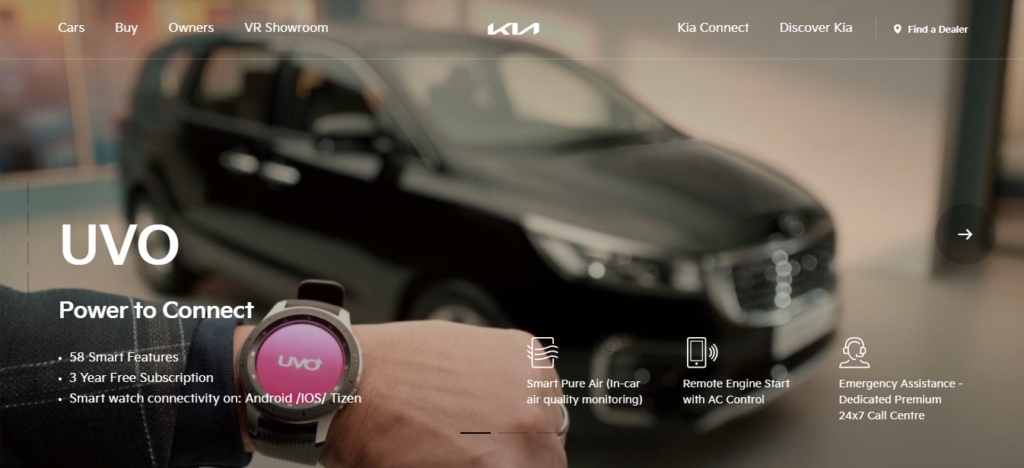
Ta bon pa bo ku bo por empleá òf usa UVA app di Kia pa asina por konektá na e vehíkulo usando un smartphone. Bo por hasi un kantidat di kos remotamente pasobra e konekshon aki lo permití bo hopi funshon pa hasi esaki. Algun di nan ta lo siguiente:
- (DESPUES) Mi Puntonan di Interes: Bo por plania bo biahenan riba kaminda muchu mas efektivo dor di usa e funshon aki. Bo lo por warda bo instrukshonnan di nabegashon pa bo uso despues, durante e biahe bo por haña un restorant lokal, marka ta para na bo kaminda i muchu mas.
- Mi Zona di Outo: E funshon asombroso aki di mi zona di outo ta permití tur hende personalisá nan settingnan di shofùr pa shofùrnan partikular. Dor di usa e funshon aki bo lo por pone alertanan pa fronteranan spesífiko, límite di velosidat, i toque de queda, i naturalmente, e lo yuda bo monitoriá bo Kia i shofùr na momentu ku bo no ta den bo vehíkulo. E funshon aki ta popular bou di mayornan pasobra nan ta haña e funshon di My Car Zone un hèrmènt balioso pa siña nan shofùrnan tiner. Pa medio di dje tur bo alertanan ta bai na e smartphone direktamente i ta permití bo yega si ta importante pa puntra tokante e situashon.
- Parkeo Ménos: Bo por haña bo Kia dor di usa e app aki, asta si bo por hasi esei den e garashinan di parker mamut ei. Pa esaki, bo mester djis aktivá e tracker di lokalidat i despues bo por haña direkshon pa kana bai na e vehíkulo. Bo por pone rekordatorionan di meter di stashoná ku yudansa di e funshon aki i dor di hasi esaki nunka lo bo no pidi pa paga un karchi di stashoná ni sikiera riba un meter ku a kaduká.
Kon pa Aktivá UVO den Kia?
Tambe ta simpel pa aktivá UVO den Kia meskos ku e proseso pa konektá na Bluetooth Kia. Pa e aktivashon di bo servisionan di UVO riba Kia, bo no mester di un titulo di ingenieria. Bo mester djis sigui e pasonan simpel aki:
- Na promé lugá, bo mester selektá e [Modo] boton for di bo kòntròlnan di stürwiel. Algun modelo ta empleá e [Informashon] boton.
- Despues di esei, bo mester selektá e [Establesé] boton for di e pantaya di toke.
- Aworaki, bo ta selektá [UVO eServices] riba bo pantaya di toke.
- Akinan, for di e menú di pantaya di toke, bo mester selektá [Aktivashon di eServisio di UVO].
- I porfin, bo tin ku selektá [Aktivá] riba e pantaya di toke, i e ta kla. E ora ei, awor bo tin akseso na tur servisio di UVO.
FAQs di Konektá na Kia Bluetooth
Dikon Bluetooth No Ta Trahando riba Kia?
Ora pa motibu di e eror di komunikashon di aparato di vehíkulo-Bluetooth, e sistema no a keda stabil anto bo mester eliminá e aparatonan pareá i despues rekonektá e aparatonan Bluetooth. Si despues di hasi esei e konekshon di Bluetooth ainda no ta stabil, despues bo mester desaktivá Bluetooth i reaktivá Bluetooth riba e aparato. I konektá e aparato atrobe.
Kon Bo Ta Reset Bo Kia Bluetooth?
Pa hasi esaki bo mester primi Setup > Konekshon di Telefòn > Bluetooth > Standart > Si riba e pantaya di infotainment di bo Kia. E proseso aki lo reset bo Kia Bluetooth perfektamente.
Kon Bo Ta Reset Bo Kia Connect?
Pa esaki, promé bo mester introdusí bo PIN aktual, despues pone un PIN nobo, konfirmá e Pin aki, i por último entregá. Pero si bo a lubidá bo kódigo PIN, anto no preokupá bo por reset e kódigo PIN bou di e sekshon di Mi Kuenta ku bo por haña den e Kia Connect App. E lo pidi bo pa drenta atrobe na e Kia Connect App pa asina bo por pone un kódigo PIN nobo.
Konklushon
Ohalá, e artíkulo aki a proveé bo ku un solushon kompleto pa bo problema i awor despues di lesa e artíkulo aki, bo lo por konektá na Kia Bluetooth sin ningun difikultat. Ta importante pa bo sa tokante e modelonan teknológikamente avansá di Kia, komo ku e lo ta benefisioso pa bo.