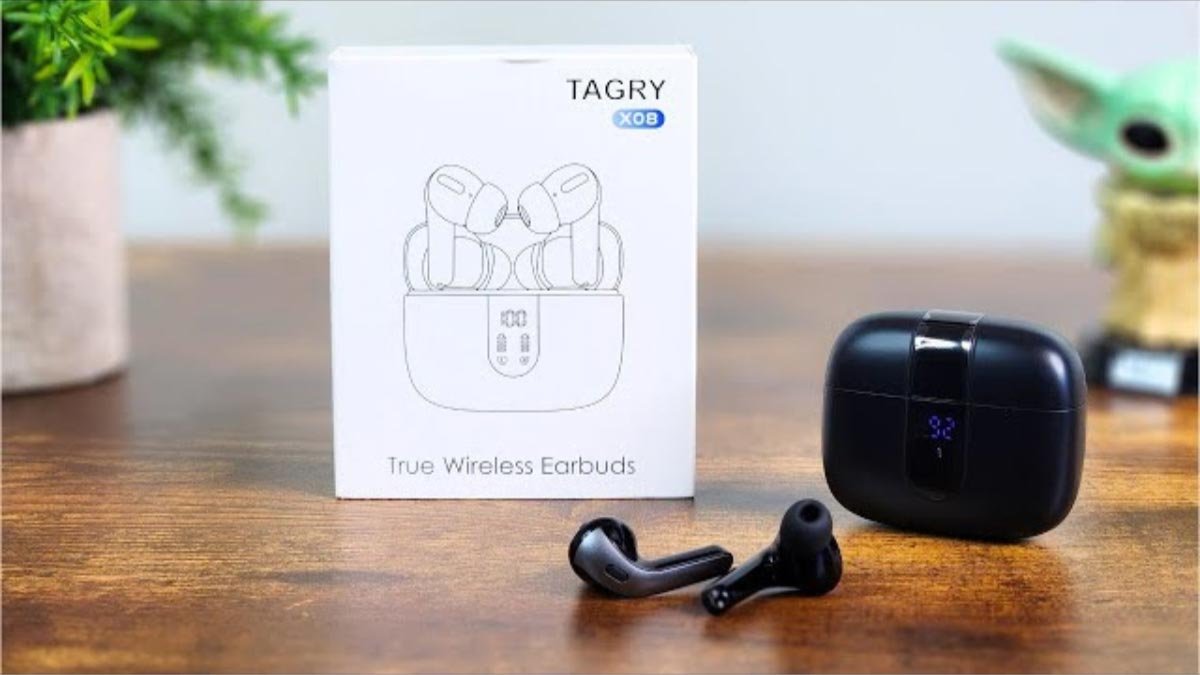
Kon pa kombiná Tagry X08 Bluetooth earbuds na bo aparato, pasobra e TAGRY X08 True Wireless Earbuds ta un gran eskoho pa esnan ku ke disfrutá di músika òf tuma yamadanan di telefon sin e molèster di wayanan enredá.
Tagry X08 Bluetooth earbuds ta lihé i un diseño Ergonómiko ku ta pèrmití un ahuste kómodo. Si ainda bo ta sinti ku nan no ta apto pa bo kanal di oido, nan tin tres par di earbuds na grandi, mediano, i tamañonan chikí.
Den e artíkulo aki ., nos ta duna instrukshonnan paso pa paso kon pa bisti, koriente sende i paga, par, kontrolá yamadanan di telefon i músika, i karga e earbuds i e kashi di karga.
Mayoria, Hende no sa kon pa kombiná Tagry X08 Bluetooth earbuds na nan aparato. No preokupá aki nos ta duna bo un guia stap pa stap riba kon pa kombiná Tagry X08 Bluetooth earbuds na bo aparato i tokante tur esaki. E ora ei, ban kuminsá!
Tagry X08 Bluetooth earbuds

E Tagry X08 earbuds ta un diseño ergonómiko. Nan ta proveé 3 diferente tamaño di punta di orea pa e fit mas perfekto pa e kanalnan di orea di mayoria hende. Kada earbud ta hopi lihé, djis solamente 0.14 ons.
E kashi di karga ta kompakto den diseño i lihé tambe djis solamente 2.89 ons, i e tamaño di e kashi di karga ta 2.56 x 2.16 x 1 ku ta fásil i kumbiniente pa portá i warda. Tagry X08 Bluetooth earbuds ta optenibel den kuater koló fresku pretu, blanku, ros, i lila.
E ora ei, e ta ideal pa tantu hende hòmber komo hende muhé ku ta buskando earbuds wireless di koló fresku.
Kon pa kombiná Tagry X08 Bluetooth earbuds
Tagry X08 tin un 5.1 Vershon di Bluetooth ku ta pareá denter di un sekònde ku su parehamentu di un solo paso. Bo mester djis pareha Tagry X08 Earbuds di Bluetooth pa promé biaha na bo telefon. E siguiente biaha e lo konektá outomatikamente ku bo telefon dor di djis habri e kaha di karga.
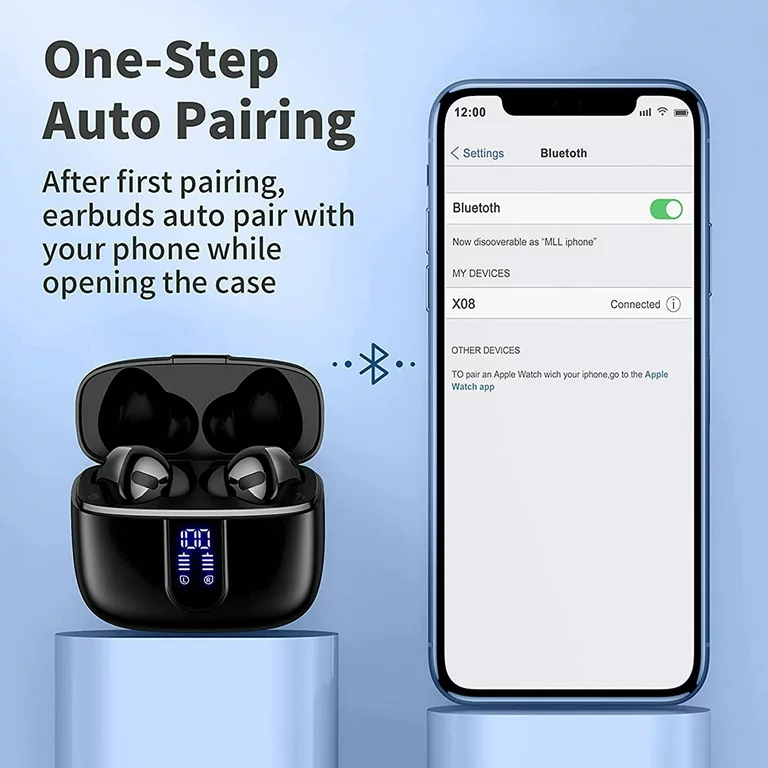
Pa kombiná Tagry X08 Bluetooth earbuds na bo aparato sigui e pasonan.
- Prome, hasi sigur ku bo earbuds ta kompletamente kargá.
- Habri e kashi di karga e earbuds lo outomátikamente, i despues nan lo konektá, i warda pa kombiná ku bo aparato.
- Bai na e settingnan di bo aparato i sòru pa Bluetooth ta aktivá.
- Aworaki, buska X08 i selektá nan pa kombiná ku bo aparato.
Modo di Earbud Úniko
- Saka e un earbud ku bo ke konektá for di e kashi di karga.
- Sende Bluetooth riba bo aparato i skohe X08, e earbud lo kombiná ku bo aparato ku éksito.
Kon pa Karga
Earbuds
Pa karga e earbudnan Pone tur dos earbud den e kashi di karga i sera e kashi. E earbuds ta wòrdu kargá i e pantaya di koriente LED riba e kashi lo move.
Kaso di karga
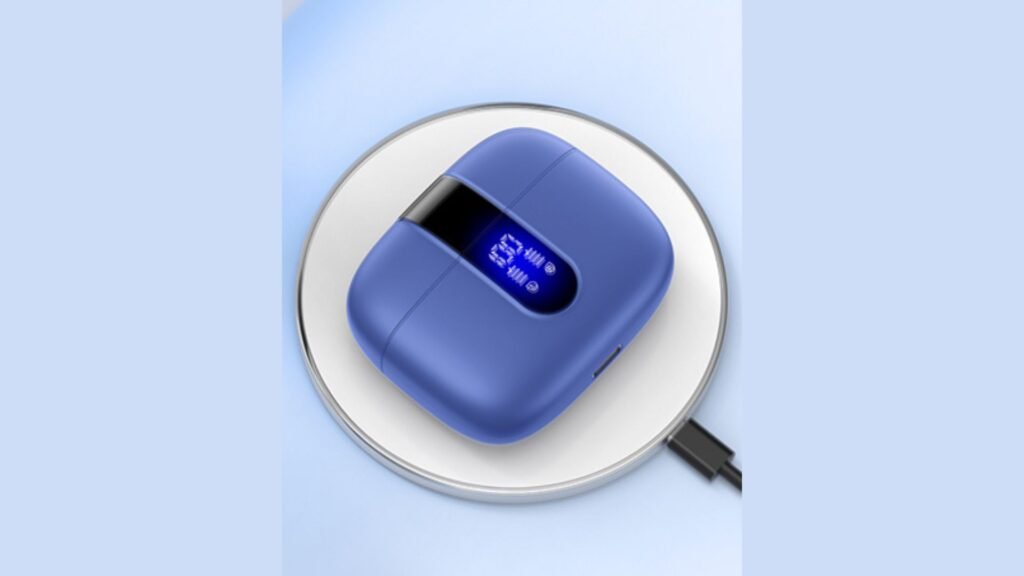
Tin 2 métodonan pa karga e Tagry X08, USB-C, i kargamentu inalámbriko.
Método 1: Usa un kabel di karga USB-C pa konektá un adaptador na bo estuche di karga.
Método 2: Pone e kashi di karga riba un kargadó wireless. Tene e pantaya di koriente di LED mirando ariba, e kaso por wòrdu kobra outomátikamente.
Kon pa Sende e Tagry X08
Sendé outomátiko
Habri e kashi di karga e earbuds ta sende outomatikamente.
Sendé Manual
Primi i tene riba e área di kòntròl di toke di un earbud pa 2 di dos, e earbud lo sende i e lus di e earbud lo bira blou.
Kon pa paga e Tagry X08
Método 1: Pone tur dos earbud den e kashi di karga, i sera e kashi e earbuds lo paga outomatikamente.
Método 2: Primi i tene riba kualke earbud pa 5 di dos, lus riba e earbud lo bria kòrá, i despues e koriente di e earbud ta paga.
Instrukshon di Kontrol
- Dòbel-tap riba kualke earbud pa kontestá/terminá un yamada.
- Primi riba kualke earbud pa 2 di dos pa rechasá un yamada ..
- Primi un biaha riba kualke earbud pa toka/pausa músika.
- Tap largu riba e earbud drechi pa volúmen +.
- Tap largu riba e earbud robes pa volúmen -.
- Trip lihé riba e earbud drechi òf robes pa e asistente di bos.
- Dòbel primi riba e earbud robes pa e kansion anterior.
- Dòbel primi riba e earbud drechi pa e siguiente kansion.
Konklushon
Bo por haña un eksperensia di oudio sin molèster i inalámbriko dor di kombiná orea Bluetooth Tagry X08 ku bo aparato. Bo por kombiná Tagry X08 Bluetooth earbuds na bo aparato fásilmente djis dor di sigui e pasonan menshoná ariba. E manera pa kombiná Tagry X08 Bluetooth earbuds na bo aparato ta djis fásil!