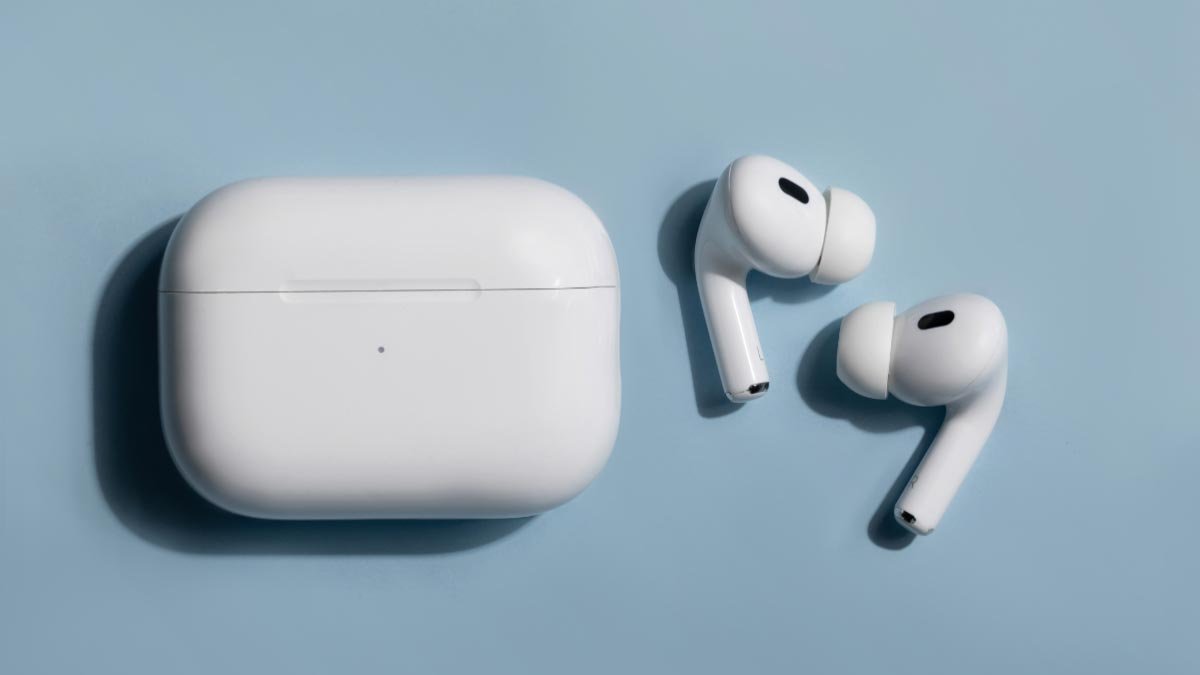
AirPods Kindle Fire වෙත සම්බන්ධ කිරීමට ඔබ අරගල කරන්නේද?? හොඳම සහ පහසු විසඳුම ලබා ගැනීමට ඔබ නිවැරදි ස්ථානයේ සිටී. මෙන්න අපි ඔබේ එයාර්පොඩ් Kindle Fire වෙත සම්බන්ධ කිරීම ගැන සාකච්ඡා කරන්නෙමු. ඒ නිසා, අපි විස්තර ගැන දැන ගැනීමට පටන් ගනිමු……
AirPods Kindle Fire Tablet වෙත සම්බන්ධ කරන්න
- සියල්ලට කළින්, ඔබට ඔබගේ තිරයේ ඉහල සිට පහලට ස්වයිප් කිරීමට සිදුවේ.
- එයට පසු, බ්ලූටූත් නිරූපකය දැනටමත් ක්රියාත්මක වී නොමැති නම් එය සක්රිය කිරීමට ඔබට බ්ලූටූත් නිරූපකය තට්ටු කළ යුතුය.
- ඉන්පසු, බ්ලූටූත් සැකසුම් විවෘත කිරීම සඳහා ඔබට බ්ලූටූත් නිරූපකය ඔබා අල්ලාගෙන සිටිය යුතුය.
- දැන්, ඔබ ඔබේ AirPods නඩුව විවෘත කළ යුතුය.
- ඊළඟ, ආලෝකය සුදු පැහැයෙන් දැල්වීමට පටන් ගන්නා තෙක් ඔබ පිහිටුවීම් බොත්තම ඔබාගෙන සිටිය යුතුය.
- එයට පසු, ඔබ නව උපාංගය යුගල තට්ටු කළ යුතුය.
- ඉන්පසු, ඔබට පවතින උපාංග ලැයිස්තුවේ ඔබගේ AirPods තට්ටු කළ යුතුය.
- දැන්, ඔබ යුගල තට්ටු කළ යුතුය.
- සහ දැන්, ඔබගේ AirPods ඔබගේ Kindle Fire වෙත නිවැරදිව සම්බන්ධ වනු ඇත. ඊට පස්සේ ඊළඟ වතාවේ, ඔබ ඔබේ AirPods ඒවායේ නඩුවෙන් ඉවත් කළ විට ඔබේ Airpods ස්වයංක්රීයව නැවත සම්බන්ධ වේ.
එය මතක තබා ගන්න, ඔබගේ AirPods Fire tablet වෙත සම්බන්ධ කිරීමේදී ඔබට ගැටලුවකට මුහුණ දීමට සිදුවුවහොත්, ඉන්පසු, ඔබ ඔබේ Kindle Fire යාවත්කාලීන කළ යුතු අතර ඔබ ඔබේ උපාංගය නැවත ආරම්භ කිරීමට උත්සාහ කළ යුතුය.
Kindle Fire මත වෙනත් Bluetooth උපාංගයකින් ඔබේ AirPods වෙත මාරු වන්න
Kindle Fire මත වෙනත් Bluetooth උපාංගයකින් AirPods වෙත මාරු වීමට, ඔබ මෙම පියවර අනුගමනය කළ යුතුය:
- සියල්ලට කළින්, ඔබ තිරයේ ඉහළ සිට පහළට ස්වයිප් කළ යුතුය.
- එයට පසු, ඔබට බ්ලූටූත් නිරූපකය ඔබා අල්ලාගෙන සිටිය යුතුය.
- ඉන්පසු, ඔබ කලින් සම්බන්ධිත උපාංගවල ඔබේ AirPods තට්ටු කළ යුතුය.
- සහ ඔබේ AirPods මාධ්ය උපාංග ප්රදේශයේ සිදු වුවහොත් සහ එය ලැයිස්තුගත කිරීම යටතේ Active යැයි පවසන්නේ නම් හෝ අත්සන් කරන්නේ නම්, එයින් අදහස් වන්නේ ඔවුන් දැන් භාවිතා කිරීමට සූදානම් බවයි.
නිතර අසන පැන
Kindle Paperwhite සමඟ ඉයර්ෆෝන් භාවිතා කරන්නේ කෙසේද?
එය බ්ලූටූත් නඩත්තු කරයි, එයින් අදහස් වන්නේ ඔබේ පොතේ ශ්රව්ය අනුවාදයට පුද්ගලිකව සවන් දීම සඳහා ඔබට ඉයර්බඩ් තුළ පොප් කළ හැකි බවයි.
ඔබට ඔබේ Kindle සමඟ බ්ලූටූත් හෙඩ්ෆෝන් භාවිතා කළ හැකිද??
ඔව්, ඔබට ඔබගේ බ්ලූටූත් උපාංගය බ්ලූටූත් සක්රීය කින්ඩල් එකක සිටුවම් හරහා යුගල කිරීමට හැකිය. මේ වෙනුවෙන්, ඔබ මුලින්ම Wi-Fi සක්රිය කළ යුතුය, ඉන්පසු ඔබේ බ්ලූටූත් උපාංගය යුගල කිරීම සඳහා ඔබට ගුවන් හරහා යාවත්කාලීන කිරීම සම්පූර්ණ කිරීමට හෝ අවසන් කිරීමට සිදුවේ. ඔබට බ්ලූටූත් උපාංගය යුගල කිරීමේ ප්රකාරයට දැමිය යුතුය.
Ypu Kindle හි ශ්රව්ය සක්රිය කරන්නේ කෙසේද?
කියවන අතරතුර, ඔබ තිරයේ මැදට තට්ටු කළ යුතුය, එයට පසු, ඔබට ඉහළ දකුණු කෙළවරේ ඇති මෙනු නිරූපකය Aa තට්ටු කළ යුතුය. ඉන්පසු, ඔබට තවත් විකල්පය තට්ටු කළ යුතු අතර දැන්, ඔබට එය සක්රිය කිරීමට Text-to-Speeච් අසල ඇති ස්විචය තට්ටු කළ යුතුය. එයට පසු, ඔබේ Kindle පොතේ ප්රගති තීරුව පෙන්වීමට ඔබට තිරය තට්ටු කිරීමට සිදුවේ, දැන්, පෙළ ශබ්ද නඟා කියවීමට ඔබට ප්රගති තීරුව අසල ඇති Play බොත්තම තට්ටු කළ යුතුය.
Kindle Paperwhite අක්රිය කරන්නේ කෙසේද??
Kindle Paperwhite එකක් නිවා දැමීමට, ඔබ බල බොත්තම ඔබා අල්ලාගෙන සිටිය යුතුය. ඉන්පසු, ඔබට Screen Off තට්ටු කිරීමට සිදුවේ. සහ දැන්, Kindle තිරය නිවැරදිව නිවා දමයි.
Kindle Go to Sleepද??
ඔබ ඔබේ Kindle භාවිතා නොකරන්නේ නම්, එය නිද්රා ප්රකාරයට සැකසීමට ඔබට බල බොත්තම තට්ටු කිරීමට සිදුවේ. එහෙම කළොත්, ඔබට එය භාවිතා කිරීමට සූදානම් කර ඇති ඔබේ තිරය ආලෝකමත් කිරීමට බලය භාවිතා කිරීම අවශ්ය නොවේ. ඔබ ඔබේ Wi-Fi අක්රිය කළ යුතුය. ඉක්මන් සැකසුම් ගෙන ඒම සඳහා ඉහළ සිට පහළට ස්වයිප් කිරීමෙන් ඔබේ Kindle වෙත ඔබේ අන්තර්ජාල සම්බන්ධතාවය අක්රිය කිරීමට ඔබට අවශ්ය වේ..
නිගමනය
Airpods Kindle Fire වෙත සම්බන්ධ කරන ආකාරය එතරම් උපක්රමශීලී නොවේ, එය හුදෙක් පහසු ය. පියවර කිහිපයකින් ඔබට ඔබේ එයාර්පොඩ් සහ කින්ඩ්ල් යන දෙකම අතර සාර්ථකව පරිපූර්ණ සම්බන්ධතාවයක් ඇති කර ගත හැක. ඒ නිසා, ඔබ කළ යුත්තේ ඉහත සඳහන් උපදෙස් අනුගමනය කිරීම පමණි.