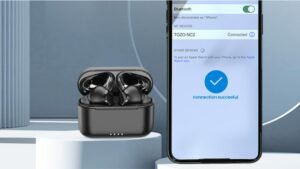
Altec Lansing NanoPods இயர்பட்ஸை இணைக்க விரும்புகிறீர்களா? Altec Lansing NanoPodகள் உள்ளன 4 மணிநேர பேட்டரி ஆயுள் மற்றும் 16 சார்ஜிங் கேஸைப் பயன்படுத்தும் மணிநேரம். அவர்களிடம் புளூடூத் உள்ளது 5.0, IPX5 வியர்வை மற்றும் தூசி-ஆதார சான்றிதழ், 50வேலை வரம்பின் அடி, மேலும். உங்கள் சாதனங்களுடன் இந்த புதிய Altec Lansing NanoPodகளுடன் அவற்றை எவ்வாறு பயன்படுத்துவது என்பதை இங்கே நீங்கள் கற்றுக்கொள்கிறீர்கள்.
Altec Lansing NanoPods இயர்பட்களை எப்படி இணைப்பது?
நீங்கள் இணைக்க விரும்பினால் Altec Lansing NanoPods இயர்பட்ஸ் உங்கள் சாதனங்களுக்கு எந்த படியையும் தவிர்க்காமல் கீழே குறிப்பிடப்பட்டுள்ள படிகளை கவனமாக பின்பற்றவும்.
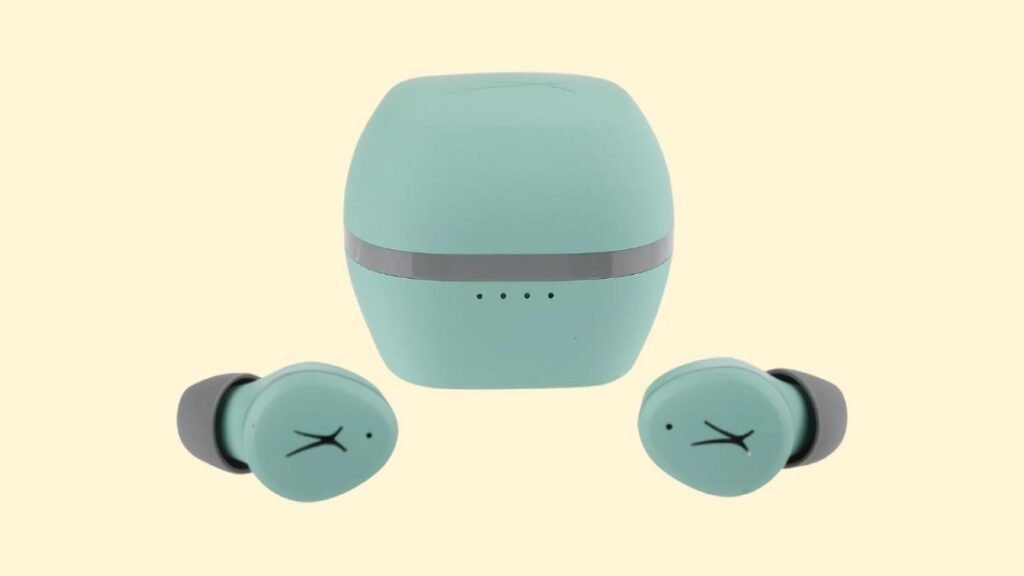
ஆல்டெக் லான்சிங் நானோ பாட்ஸ் இயர்பட்களை iOS மற்றும் ஆண்ட்ராய்டு ஃபோன்களுடன் இணைப்பது எப்படி?
படி 1: சார்ஜிங் கேஸில் இருந்து இயர்பட்களை எடுக்கவும். அதற்கு பிறகு, அவை தானாகவே இயக்கப்படும், மற்றும் அவர்கள் மீது ஒரு ஒளி ஒளிரும்.
படி 2: உங்கள் சாதனத்தில் புளூடூத்தை இயக்கி, புளூடூத் அமைப்புகளுக்குச் செல்லவும்.
படி 3: இப்போது, நானோ பாட்களைத் தேர்ந்தெடுக்கவும். கடவுச்சொல் கேட்கப்பட்டால், வகை 0000.
அதற்கு பிறகு, இணைத்தல் செயல்முறை செய்யப்படும், இயர்பட்கள் உங்கள் சாதனத்துடன் இணைக்கப்பட்டு பயன்படுத்த தயாராக இருக்கும்.
Altec Lansing NanoPods இயர்பட்களை கணினியுடன் இணைப்பது எப்படி (விண்டோஸ்)
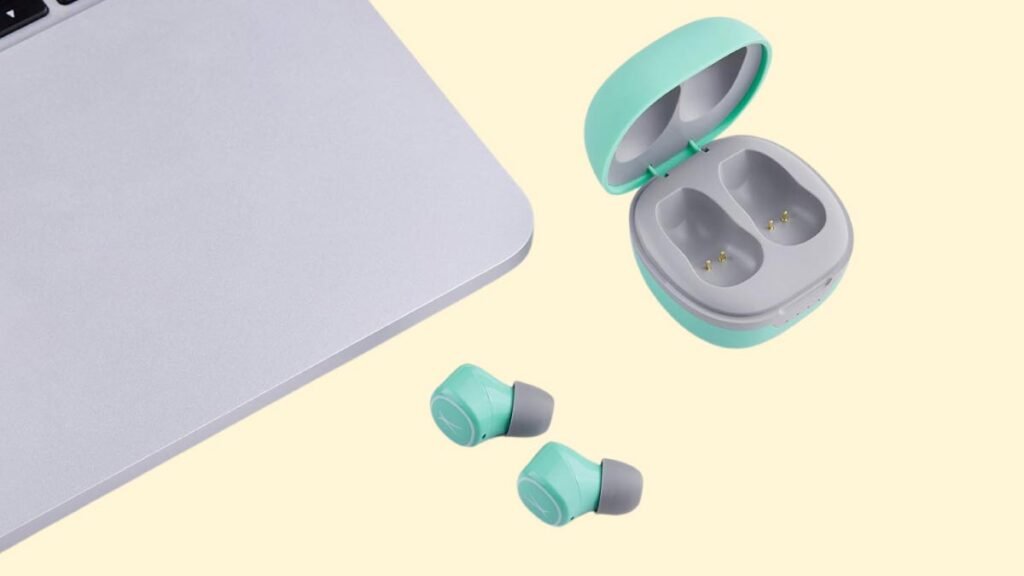
படி 1: முதலில், உங்கள் கணினியில் உள்ள தேடல் பட்டியில் செல்ல இங்கே கிளிக் செய்யவும் புளூடூத் என தட்டச்சு செய்து புளூடூத்தை இயக்கவும்.
படி 2: இப்போது, அமைப்புகளுக்குச் செல்லவும்.
படி 3: புளூடூத் மற்றும் பிற சாதனங்களுக்குச் செல்லவும்.
படி 4: சாதனத்தைச் சேர் என்பதைக் கிளிக் செய்யவும்.
படி 5: அதன் பிறகு கேஸில் இருந்து இயர்பட்களை வெளியே எடுக்கவும், அவை தானாக இயங்கும் மற்றும் நீங்கள் அவற்றில் ஒரு ஒளியைக் காண்பீர்கள்.
படி 6: பிறகு, நானோ பாட்களைத் தேர்ந்தெடுக்கவும். கடவுச்சொல் தேவைப்பட்டால், வகை 0000.
இந்த அனைத்து நடவடிக்கைகளுக்கும் பிறகு, இணைத்தல் செயல்முறை செய்யப்படும், இயர்பட்ஸ் உங்கள் சாதனத்துடன் இணைக்கப்படும், இப்போது நீங்கள் அவற்றைப் பயன்படுத்தலாம்.
Altec Lansing NanoPods இயர்பட்ஸ் அணிவது எப்படி?
Altec Lansing NanoPodகளை எப்படி அணிவது என்பது குறித்த சில படிகளை இங்கே விவரிக்கிறோம் இயர்பட்ஸ்.
படி 1: முதலில், சார்ஜிங் கேஸில் இருந்து இரண்டு இயர்பட்களையும் வெளியே எடுக்கவும்.
படி 2: பிறகு, இடது மற்றும் வலது இயர்பட்களை அடையாளம் காணவும்.
படி 3: உங்கள் காதுகளுக்கு மிகவும் பொருத்தமான காது குறிப்புகளைத் தேர்வு செய்யவும்.
படி 4: இந்த படிகளுக்குப் பிறகு காதுகளின் உள் கால்வாயில் ஹெட்ஃபோன்களை செருகவும், சிறந்த வசதிக்காகவும் சிறந்த பொருத்தத்திற்காகவும் அவற்றைச் சுழற்றுங்கள், மற்றும் மைக்ரோஃபோன் வாயை நோக்கி இருப்பதை உறுதிசெய்யவும்.

Altec Lansing NanoPods இயர்பட்ஸை ஆன் மற்றும் ஆஃப் செய்வது எப்படி?
இயக்கவும்
சார்ஜிங் கேஸில் இருந்து இயர்பட்களை எடுக்கவும். அதற்கு பிறகு, இயர்பட்களில் ஒரு விளக்கு ஒளிரும், மேலும் அவை தானாகவே இயங்கும்.
அணைக்க
இயர்பட்ஸை ஆஃப் செய்ய, அவற்றை சார்ஜிங் கேஸில் வைக்கவும். அவை தானாகவே அணைக்கப்படும்.
எப்படி கட்டுப்படுத்துவது? / எப்படி செயல்பட வேண்டும்? - வழிமுறைகள்
குறிப்பு: மல்டிஃபங்க்ஷன் டச் சென்சார் இயர்பட்ஸின் மேல் பகுதியில் வைக்கப்பட்டுள்ளது.
- வலதுபுற இயர்பட்டில் மல்டிஃபங்க்ஷன் டச் பட்டனை அழுத்திப் பிடிக்கவும் 2 இசையை இயக்க அல்லது இடைநிறுத்த வினாடிகள்.
- அடுத்த பாடலை இயக்க வலது இயர்பட்டில் உள்ள மல்டிஃபங்க்ஷன் டச் பட்டனை இரண்டு முறை அழுத்தவும்.
- முந்தைய பாடலை இயக்க, இடது இயர்பட்டில் உள்ள மல்டிஃபங்க்ஷன் டச் பட்டனை இரண்டு முறை அழுத்தவும்.
- ஒலியளவை அதிகரிக்க, வலது இயர்பட்டில் உள்ள மல்டிஃபங்க்ஷன் டச் பட்டனை ஒரு முறை அழுத்தவும்.
- ஒலியளவைக் குறைக்க, இடது இயர்பட்டில் உள்ள மல்டிஃபங்க்ஷன் டச் பட்டனை ஒரு முறை அழுத்தவும்.
- உள்வரும் அழைப்புக்கு பதிலளிக்க, ஏதேனும் இயர்பட்களில் உள்ள மல்டிஃபங்க்ஷன் டச் பட்டனை ஒரு முறை அழுத்தவும்.
- ஏறக்குறைய எந்த இயர்பட்களிலும் மல்டிஃபங்க்ஷன் டச் பட்டனை அழுத்திப் பிடிக்கவும் 2 தற்போதைய அழைப்பை முடிக்க வினாடிகள்.
- உள்வரும் அழைப்பை நிராகரிக்க ஏதேனும் இயர்பட்களில் மல்டிஃபங்க்ஷன் டச் பட்டனை இரண்டு முறை அழுத்தவும்.
- இடதுபுற இயர்பட்டில் மல்டிஃபங்க்ஷன் டச் பட்டனை அழுத்திப் பிடிக்கவும் 2 குரல் உதவியாளரை இயக்க வினாடிகள்.
மோனோ பயன்முறையை எவ்வாறு செயல்படுத்துவது?
இந்த இயர்பட்களில் மோனோ பயன்முறையை இயக்க அல்லது செயலிழக்கச் செய்ய, சாதனத்துடன் இயர்பட்களை இணைத்து, நீங்கள் பயன்படுத்த விரும்பும் சார்ஜிங் கேஸில் இருந்து இயர்பட்களில் ஒன்றை எடுக்கவும். அது தானே வேலை செய்ய ஆரம்பிக்கும்.
இயர்பட்களை எப்படி சார்ஜ் செய்வது?
இயர்பட்ஸ்
இயர்பட்களை சார்ஜ் செய்ய, அவற்றை சார்ஜிங் கேஸில் வைத்து மூடியை சரியாக மூடவும். இயர்பட்கள் தானாகவே சார்ஜ் செய்யத் தொடங்கும்.
சார்ஜிங் கேஸ்
சார்ஜிங் கேஸ் வசூலிக்க, USB-A முதல் C கேபிளுடன் USB சார்ஜர் அல்லது சார்ஜிங் போர்ட்டுடன் கேஸை இணைக்கவும். அது தானாகவே சார்ஜ் ஆக ஆரம்பிக்கும்.
விளக்குகள் என்ன அர்த்தம்?
இயர்பட்ஸ்
- சார்ஜிங் கேஸில் இருந்து அவற்றை வெளியே எடுக்கும்போது ஒரு விளக்கு இயக்கப்படும். இதன் பொருள் இயர்பட்கள் இயக்கப்படுகின்றன.
- சிவப்பு விளக்கு எரிகிறது, கட்டணம் வசூலிக்கும் வழக்கில். இயர்பட்கள் சார்ஜ் ஆகும் போது.
- சார்ஜிங் கேஸில் சிவப்பு விளக்கு அணைக்கப்படும். இயர்பட்கள் முழுவதுமாக சார்ஜ் செய்யப்படும்போது.
- ஒரு நீல விளக்கு மூன்று முறை ஒளிர்ந்தது. இயர்பட்கள் ரீசெட் மோடில் இருக்கும் போது.
- சிவப்பு விளக்கு நீலமாக மாறும். இயர்பட்கள் மீட்டமைக்கப்படும் போது.
சார்ஜிங் கேஸ்
- சார்ஜ் செய்யும் போது ஒளிரும் ஒரு விளக்கு குறைவாக உள்ளது 25% பேட்டரியின்.
- சார்ஜ் செய்யும் போது ஒரு லைட் ஆன் மற்றும் ஒரு ஃபிளாஷ் குறைவாக உள்ளது 50% பேட்டரியின்.
- கேஸை சார்ஜ் செய்யும் போது இரண்டு விளக்குகள் ஆன் மற்றும் ஒன்று ஒளிரும் 75% பேட்டரியின்.
- சார்ஜ் செய்யும் போது மூன்று விளக்குகள் ஆன் மற்றும் ஒரு ஒளிரும் குறைவாக உள்ளது 100% பேட்டரியின்.
- சார்ஜிங் கேஸ் முழுவதுமாக சார்ஜ் செய்யப்பட்டிருக்கும் போது அனைத்து விளக்குகளும் ஆன் செய்யப்பட்டிருக்கும்.
Altec Lansing NanoPods இயர்பட்ஸை எவ்வாறு மீட்டமைப்பது?
படி 1: இணைக்கப்பட்ட சாதனத்திலிருந்து NanoPodகளின் அனைத்து இணைத்தல் பதிவுகளையும் நீக்கவும்.
படி 2: பின்னர் பெட்டியிலிருந்து இரண்டு இயர்பட்களையும் வெளியே எடுக்கவும். அதற்கு பிறகு, அவை தானாகவே இயக்கப்படும்.
படி 3: இப்போது, இரண்டு இயர்பட்களிலும் மல்டிஃபங்க்ஷன் டச் பட்டனை அழுத்திப் பிடிக்கவும் 9 வினாடிகள். அதற்கு பிறகு, ஒரு நீல விளக்கு மூன்று முறை ஒளிரும், பின்னர் சிவப்பு நிறமாகவும், மீண்டும் நீல நிறமாகவும் மாறும்.
படி 4: இயர்போன்களை மீண்டும் சார்ஜிங் கேஸில் வைக்கவும். அதற்கு பிறகு, மீட்டமைப்பு செய்யப்படும்.
பிழைகாணல் குறிப்புகள்
இயர்பட்ஸின் இடது/வலது/ஒரு பக்கம் வேலை செய்யவில்லை
இந்த பிரச்சினை நடந்தால், பேட்டரி குறைவாக இருப்பதால் அல்லது சாதனத்துடன் சரியாக இணைக்கப்படாததால் இருக்கலாம். இதை சரி செய்ய, நீங்கள் பின்வருவனவற்றை செய்யலாம்:
1. வேலை செய்யாத இயர்பட்டை சார்ஜ் செய்யவும் அல்லது, இரண்டு இயர்பட்களையும் சார்ஜிங் கேஸில் வைக்கவும்.
2. இயர்பட்களை தொழிற்சாலை மீட்டமைக்கவும்.
3. இயர்பட்கள் சாதாரண வேலை வரம்பிற்குள் செயல்படுகிறதா எனச் சரிபார்க்கவும்
அது வேலை செய்யவில்லை என்றால், இயர்பட் தவறாக இருக்கலாம்.
இயர்பட்ஸின் இடது/வலது/ஒரு பக்கம் குறைந்த ஒலியளவு உள்ளது
இது நடந்தால், இயர்பட் அழுக்காக அல்லது ஒலியளவு குறைவாக அமைக்கப்பட்டிருப்பதால் இருக்கலாம். இதை சரி செய்ய, நீங்கள் பின்வரும் படிகளை செய்யலாம்.
1. காட்டன் ஸ்வாப்பைப் பயன்படுத்தி இயர்பட்டை சுத்தம் செய்யவும் அல்லது பின்னை கொண்டு மெஷை கவனமாக சுத்தம் செய்யவும்.
2. இயர்பட்களை தொழிற்சாலைக்கு மீட்டமைக்க முயற்சிக்கவும்.
மைக்ரோஃபோன் வேலை செய்யவில்லை
இது நடந்தால், ஒலிவாங்கி ஒலியடக்கப்பட்டதால் இருக்கலாம், அல்லது இயர்பட்கள் மோசமாக நிலைநிறுத்தப்பட்டுள்ளன. இதை சரி செய்ய, நீங்கள் பின்வருவனவற்றை செய்யலாம்:
சாதனத்தின் மைக்ரோஃபோன் ஒலியளவைச் சரிபார்க்கவும். அது வேலை செய்யவில்லை என்றால், அதாவது இயர்பட்களில் குறைபாடு இருக்கலாம், எனவே அவற்றை மாற்ற முயற்சிக்கவும் அல்லது பணத்தைத் திரும்பப் பெறவும்.
Altec Lansing NanoPods இயர்பட்களை இணைப்பதற்கான அடிக்கடி கேட்கப்படும் கேள்விகள்
Altec Lansing NanoPods நீர்ப்புகா?
இல்லை, Altec Lansing NanoPodகள் நீர்ப்புகா இல்லை (IPX6 மற்றும் அதற்கு மேல்). அவர்கள் IPX5 மதிப்பீட்டைப் பெற்றுள்ளனர், அதாவது, அவை ஒரு முனையிலிருந்து சில தண்ணீரிலிருந்து பாதுகாக்கப்படுகின்றன.
Altec Lansing NanoPodகளில் மைக்ரோஃபோன் உள்ளதா?
ஆம், இயர்பட்கள் ஒருங்கிணைந்த மைக்ரோஃபோன்களுடன் வருகின்றன.
Altec Lansing NanoPodகளில் குறைந்த தாமதம்/கேமிங் பயன்முறை உள்ளதா?
இல்லை, இந்த இயர்பட்களில் குறைந்த தாமதம்/கேமிங் பயன்முறை இல்லை.
Altec Lansing NanoPodகள் எப்போது முழுமையாக சார்ஜ் செய்யப்படுகின்றன என்பதை எப்படி அறிவது?
இயர்பட்கள் சார்ஜ் ஆகும் போது, சில விளக்குகள் சார்ஜிங் கேஸை இயக்குகின்றன. முழுமையாக சார்ஜ் செய்யும்போது, அனைத்து விளக்குகளும் அணைக்கப்படும்.
Altec Lansing NanoPods PC மற்றும் Laptop உடன் இணைக்க முடியுமா??
ஆம், இந்த இயர்பட்கள் கணினிகளுடன் இணைக்க முடியும், மடிக்கணினிகள், மற்றும் மாத்திரைகள் கூட.
Altec Lansing NanoPods சத்தம் ரத்து செய்யப்படுகிறதா?
இல்லை! இந்த இயர்பட்கள் சத்தம் ரத்து செய்யும் தொழில்நுட்பத்துடன் வரவில்லை.
முடிவுரை
நீங்கள் விரும்பிய சாதனத்துடன் Altec Lansing NanoPods இயர்பட்ஸை எவ்வாறு இணைப்பது என்பது இப்போது உங்களுக்குத் தெரியும் என நம்புகிறோம்.. அதனால், உங்கள் சாதனத்தில் Altec Lansing NanoPods இயர்பட்களை எவ்வாறு இணைப்பது என்பதை நீங்கள் தெரிந்து கொள்ள வேண்டியது. இந்த கட்டுரை உங்களுக்கு நிறைய உதவும் என்று நம்புகிறோம்!