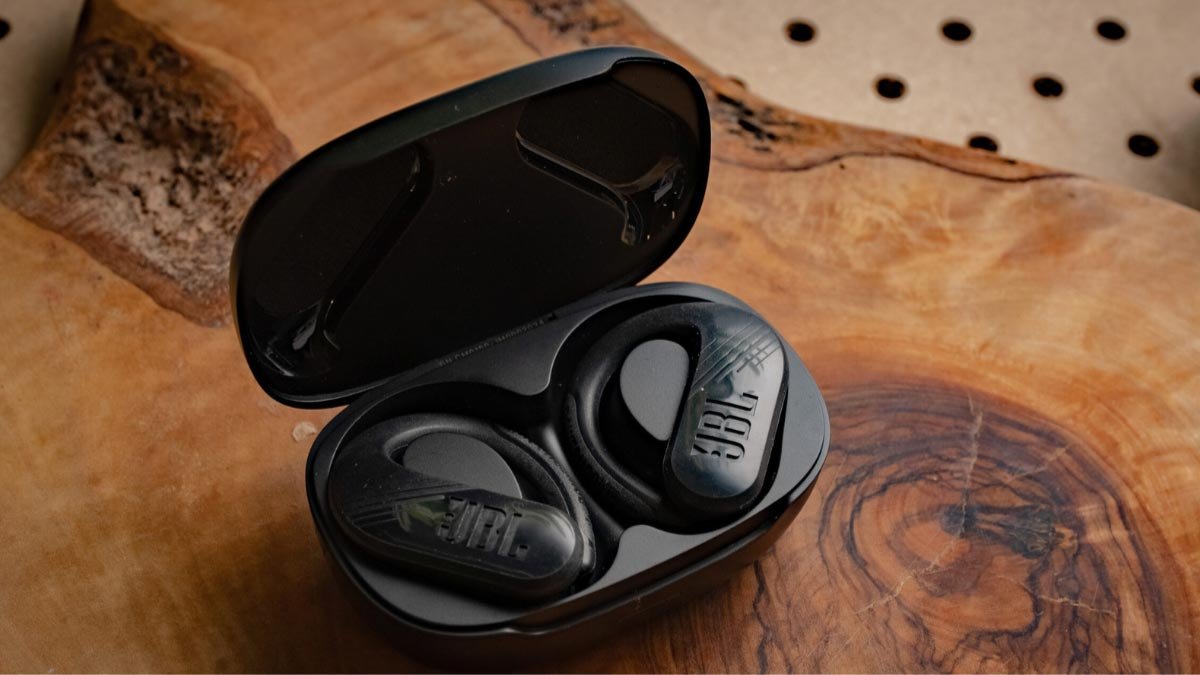
நீங்கள் இணைக்க விரும்புகிறீர்களா ஜேபிஎல் எண்டூரன்ஸ் பீக் II இயர்பட்ஸ் உங்கள் சாதனங்களுக்கு? ஜேபிஎல் எண்டூரன்ஸ் பீக் II இயர்பட்ஸ் உள்ளது 6 மணிநேர பேட்டரி ஆயுள் மற்றும் 2 மணி நேரம் சார்ஜ் நேரம், புளூடூத் 5.0 உடன் 10 வேலை வரம்பின் மீட்டர், ஒரு 10மிமீ டைனமிக் டிரைவர், A2DP க்கு ஆதரவு 1.3, ஏவிஆர்சிபி 1.5, மற்றும் எச்.எஃப்.பி 1.7 சுயவிவரங்கள், அற்புதமான IPX7 வாட்டர்-ப்ரூஃப் சான்றிதழ்.
ஆனால் ஜேபிஎல் எண்டூரன்ஸ் பீக்கை எப்படி இணைப்பது என்பது உங்களுக்குத் தெரியாவிட்டால் 2 உங்கள் சாதனங்களுக்கு இயர்பட்கள், இந்த இடுகையில் கவலைப்பட வேண்டாம் வெவ்வேறு சாதனங்களுடன் JBL Endurance Peak II இயர்பட்களை இணைப்பதற்கான முழுமையான வழிமுறையை நாங்கள் உங்களுக்கு வழங்குவோம்.
ஜேபிஎல் எண்டூரன்ஸ் பீக் II இயர்பட்ஸை எப்படி இணைப்பது

ஜேபிஎல் எண்டூரன்ஸ் பீக்கை இணைப்பதற்கான எளிய வழிமுறைகளை கீழே விவரிக்கிறோம் 2 வெவ்வேறு சாதனங்களுக்கு இயர்பட்கள். தொடங்குவோம்.
IOS மற்றும் Android சாதனங்களுடன் JBL Endurance Peak II இயர்பட்ஸை இணைக்கவும்
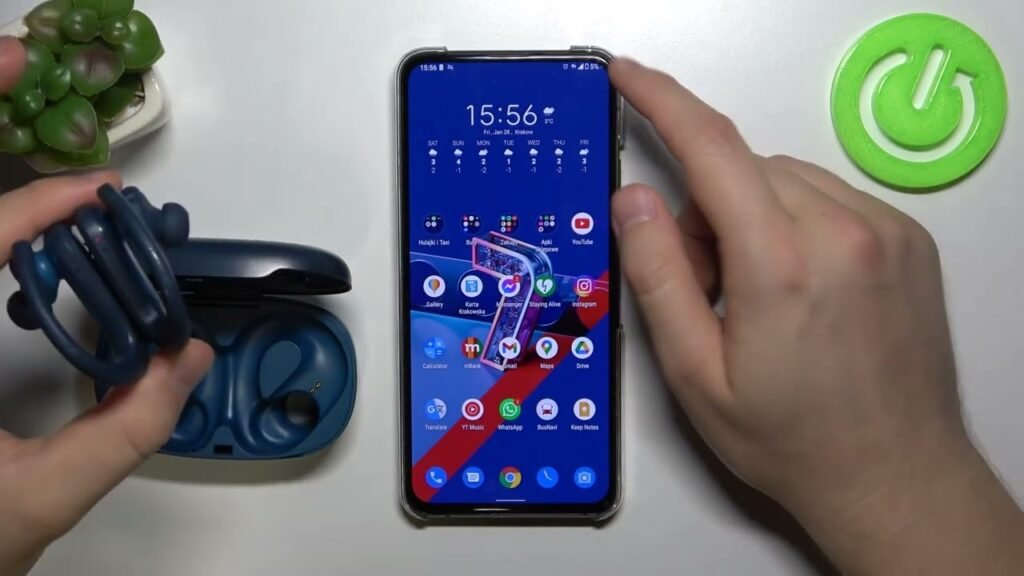
நீங்கள் JBL Endurance Peak II ஐ இணைக்கலாம் IOS மற்றும் Android உடன் இயர்பட்ஸ் இந்த வழிமுறைகளுக்கு உதவுவதன் மூலம் சாதனங்கள்.
- முதலில், சார்ஜிங் கேஸைத் திறந்து இயர்பட்களை வெளியே எடுக்கவும். அதற்கு பிறகு, ஒரு நீல விளக்கு ஒளிரும், மேலும் இயர்பட்கள் தானாக ஆன் செய்யப்படும்.
- இப்போது, உங்கள் சாதனத்தில் புளூடூத்தை இயக்கவும்.
- சாதனத்தின் புளூடூத் அமைப்புகளுக்குச் செல்லவும்.
- ஜேபிஎல் எண்டூரன்ஸ் பீக் II ஐத் தேர்ந்தெடுக்கவும். கடவுச்சொல் கேட்கப்பட்டால், வகை 0000. அதற்கு பிறகு, ஒரு நீல விளக்கு ஒளிரும், மற்றும் இணைத்தல் செய்யப்படும்.
பிசியுடன் JBL Endurance Peak II இயர்பட்ஸை இணைக்கவும்

- முதலில், அமைப்புகளுக்குச் சென்று உங்கள் கணினியில் புளூடூத்தை இயக்கவும் > சாதனங்கள் > புளூடூத் & பிற சாதனங்கள்.
- பிறகு, சார்ஜிங் கேஸைத் திறந்து இயர்பட்களை வெளியே எடுக்கவும். அதற்கு பிறகு, ஒரு நீல விளக்கு ஒளிரும், மேலும் இயர்பட்கள் தானாக ஆன் செய்யப்படும்.
- இப்போது, JBL Endurance Peak II ஐத் தேர்ந்தெடுக்கவும். கடவுச்சொல் தேவைப்பட்டால், வகை 0000.
- அதற்கு பிறகு, ஒரு நீல விளக்கு ஒளிரும், மற்றும் இணைத்தல் செய்யப்படும்.
ஜேபிஎல் எண்டூரன்ஸ் பீக் II இயர்பட்ஸ் அணிவது எப்படி
இரண்டு இயர்பட்களையும் சார்ஜிங் கேஸில் இருந்து வெளியே எடுக்கவும். இடது மற்றும் வலது இயர்பட்களை அடையாளம் காணவும்.
உங்கள் காதுகளுக்கு மிகவும் பொருத்தமான காது குறிப்புகளைத் தேர்வு செய்யவும். இப்போது, காதுகளின் உள் கால்வாயில் ஹெட்ஃபோன்களை செருகவும். சிறந்த வசதிக்காகவும் சிறந்த பொருத்தத்திற்காகவும் சுழற்றுங்கள், மற்றும் மைக்ரோஃபோன் வாயை நோக்கி இருப்பதை உறுதிசெய்யவும்.
JBL Endurance II இயர்பட்ஸை எப்படி ஆன் மற்றும் ஆஃப் செய்வது?
இயக்கவும்
ஆன் செய்ய, சார்ஜிங் கேஸின் மூடியைத் திறந்து, இயர்பட்களை வெளியே எடுக்கவும். அதற்கு பிறகு, ஒரு நீல விளக்கு ஒளிரும், மேலும் இயர்பட்கள் தானாக ஆன் செய்யப்படும்.
அணைக்க
ஆஃப் செய்ய, இயர்பட்களை சார்ஜிங் கேஸில் வைத்து அதன் மூடியை மூடவும். அதற்கு பிறகு, இயர்பட்கள் தானாகவே அணைக்கப்படும்.
எப்படி கட்டுப்படுத்துவது
- வலதுபுற இயர்பட்டில் டச் பேனலை ஒரு முறை அழுத்தி பாடலை இயக்கவும் அல்லது இடைநிறுத்தவும்.
- ஒலியளவை அதிகரிக்கவும், வலதுபுற இயர்பட்டில் டச் பேனலை மேலே ஸ்லைடு செய்யவும்.
- ஒலியளவைக் குறைக்கவும், வலதுபுற இயர்பட்டில் டச் பேனலின் கீழே ஸ்லைடு செய்யவும்.
- அடுத்த பாடலைப் பாடுங்கள், இடதுபுற இயர்பட்டில் டச் பேனலை ஒரு முறை அழுத்தவும்.
- முந்தைய பாடலை இயக்கவும்,இடது இயர்பட்டில் டச் பேனலை இரண்டு முறை அழுத்தவும்.
- உள்வரும் அழைப்பிற்கு பதிலளிக்கவும், எந்த இயர்பட்களிலும் டச் பேனலை ஒரு முறை அழுத்தவும்.
- தற்போதைய அழைப்பை முடிக்கவும், எந்த இயர்பட்களிலும் டச் பேனலை ஒரு முறை அழுத்தவும்.
- உள்வரும் அழைப்பை நிராகரிக்கவும், எந்த இயர்பட்களிலும் டச் பேனலை இரண்டு முறை அழுத்தவும்.
- மைக்ரோஃபோனை முடக்கவும் அல்லது ஒலியடக்கவும், எந்த இயர்பட்களிலும் டச் பேனலை அழுத்திப் பிடிக்கவும் 2 வினாடிகள்.
- குரல் உதவியாளரை இயக்கவும், வலதுபுற இயர்பட்டில் டச் பேனலை ஒரு முறை அழுத்தவும்.
மோனோ பயன்முறையை எவ்வாறு செயல்படுத்துவது
JBL Endurance Peak II இயர்பட்களில் மோனோ பயன்முறையைச் செயல்படுத்த, உங்கள் சாதனத்துடன் இயர்பட்களை இணைக்க வேண்டும் மற்றும் சார்ஜிங் கேஸில் இருந்து நீங்கள் பயன்படுத்த விரும்பும் இயர்பட்களில் ஒன்றை எடுக்க வேண்டும். அது தானே வேலை செய்ய ஆரம்பிக்கும்.
ஜேபிஎல் எண்டூரன்ஸ் பீக் II இயர்பட்ஸை எப்படி மீட்டமைப்பது
- இணைக்கப்பட்ட சாதனத்தில் உள்ள அனைத்து JBL Endurance Peak II இணைத்தல் பதிவுகளையும் நீக்கவும். இரண்டு இயர்பட்களையும் சார்ஜிங் கேஸில் வைக்கவும்.
- இரண்டு இயர்பட்களிலும் டச் பேனலை அழுத்திப் பிடிக்கவும் 20 வினாடிகள், அல்லது சிவப்பு விளக்கு எரியும் வரை.
- அது அணைக்கப்படும் வரை காத்திருங்கள். அதற்கு பிறகு, மீட்டமைப்பு செய்யப்படும்.
- இப்போது, மீண்டும் அவற்றை உங்கள் சாதனத்துடன் இணைக்கவும்.
இணைப்பதற்கான கேள்விகள் ஜேபிஎல் எண்டூரன்ஸ் பீக் II இயர்பட்ஸ்
ஜேபிஎல் எண்டூரன்ஸ் பீக் II நீர்ப்புகா?
ஆம், ஜேபிஎல் எண்டூரன்ஸ் பீக் II நீர்ப்புகா. அவர்கள் IPX7 மதிப்பீட்டைப் பெற்றுள்ளனர், அதாவது அவை தண்ணீருக்கு எதிரானது மட்டுமல்ல, நீரில் மூழ்கும் விளைவுகளிலிருந்தும் பாதுகாக்கப்படுகின்றன.
JBL Endurance Peak II இல் மைக்ரோஃபோன் உள்ளதா?
ஆம், இயர்பட்கள் ஒருங்கிணைந்த மைக்ரோஃபோன்களுடன் வருகின்றன.
ஜேபிஎல் எண்டூரன்ஸ் பீக் II சத்தத்தை ரத்துசெய்கிறதா?
இல்லை. இந்த இயர்பட்கள் சத்தம் ரத்து செய்யும் தொழில்நுட்பத்துடன் வரவில்லை.
ஜேபிஎல் எண்டூரன்ஸ் பீக் II முழுவதுமாக சார்ஜ் ஆகும் போது நமக்கு எப்படி தெரியும்?
இயர்பட்கள் சார்ஜ் ஆகும் போது, ஒரு விளக்கு எரிகிறது. அவை முழுமையாக சார்ஜ் செய்யப்படும்போது, விளக்கு அணைகிறது.
முடிவுரை
இந்தக் கட்டுரையைப் படித்த பிறகு, நீங்கள் விரும்பிய சாதனத்துடன் அவற்றை இணைக்க முடியும் என்று நம்புகிறோம், அவற்றை எப்படி அணிய வேண்டும், மோனோ பயன்முறையை எவ்வாறு செயல்படுத்துவது, மற்றும் அவற்றை எவ்வாறு மீட்டமைப்பது. இந்த தயாரிப்பு பற்றி இந்த கட்டுரை உங்களுக்கு நிறைய உதவும் என்று நம்புகிறோம்!