คุณต้องการจับคู่ หูฟัง Boltune BT – BH020 กับอุปกรณ์บลูทูธของคุณ? หูฟัง Boltune BT – BH020 มี Bluetooth V5. 0 คุณจะได้รับความเร็วในการส่งข้อมูลเร็วขึ้น 2 เท่า + การเชื่อมต่อที่เสถียรยิ่งขึ้นโดยไม่มีสัญญาณขาดหายหรือเพลงขาดหาย.
เอียร์บัดเหล่านี้มีช่วงถึง 50 ห่างออกไปหลายฟุต. ไม่ต้องกังวลหากมีการสะดุดระหว่างการฟังและการควบคุม. เอียร์บัดเหล่านี้ทำให้การเล่นเพลงและการสนทนาราบรื่นและชัดเจนกว่าที่เคย. ทำให้ไลฟ์สไตล์ของคุณเย็นสบายด้วย Bluetooth 5. 0 หูฟัง.
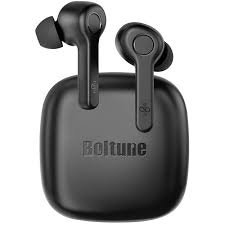
ดังนั้น, มาเริ่มกันที่วิธีจับคู่ Boltune – BH020 เอียร์บัดกับอุปกรณ์ของคุณ และทั้งหมดเกี่ยวกับผลิตภัณฑ์นี้!
วิธีสวมหูฟัง Boltune BT – BH020
เลือกเคล็ดลับที่เหมาะสม
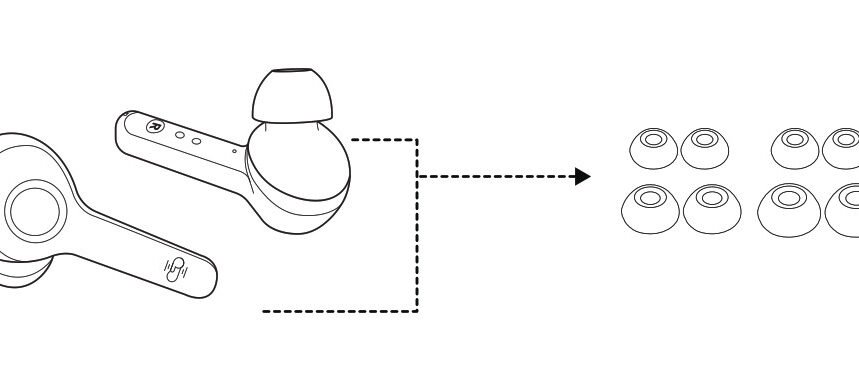
Ear tips come in different sizes that are included in the package, try all sizes and choose the ones that fit you best.
สวมหูฟังเอียร์บัด
Wear the earbuds in the right way and rotate them for the best fit.
วิธีการชาร์จหูฟังเอียร์บัดและเคส
ชาร์จหูฟังเอียร์บัด
Put the earbuds into the charging case as per the L and R marks cover the lid and the earbuds charging will start automatically.
บันทึก: When the battery is low, a voice prompt Battery low will be heard (if you are wearing the earbuds). Charge it in time or the earbuds will turn off automatically around 10 minutes later.
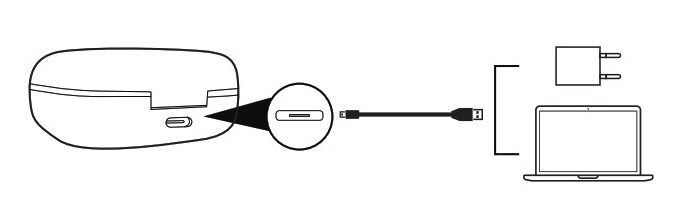
ชาร์จเคส
Connect the charging port with any USB charging adapter or active computer USB port.
The four charging indicators will light up progressively.
วิธีการปิดและเปิดหูฟังเอียร์บัด
เปิดเครื่อง
Take out the earbuds and they will power on automatically.
ปิดเครื่อง
Put the earbuds back into the charging case and close the lid, they will turn off automatically.
วิธีจับคู่หูฟัง Boltune BT – BH020
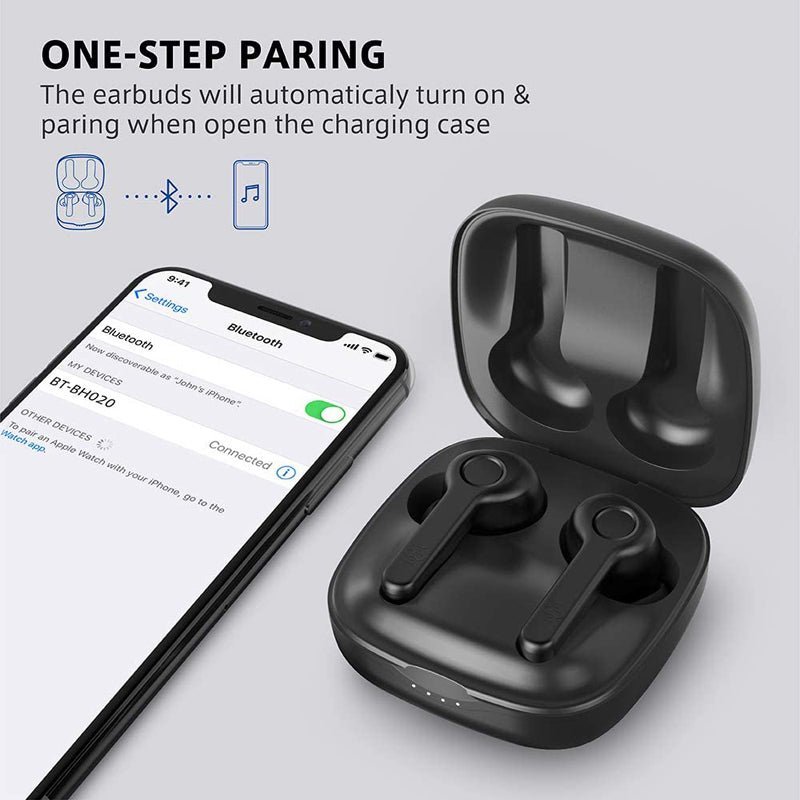
- ดึงเอียร์บัดออกจากเคส, they will connect automatically. เมื่อเชื่อมต่อแล้ว, The LED indicators on both earbuds will flash blue and white alternately indicating the earbuds are in pairing mode now.
- Turn on the Bluetooth function on your device and search for nearby devices. Find Boltune BT-BH020 in the search list, and tap on the name to connect.
- เมื่อเชื่อมต่อแล้ว, the LED indicators on both earbuds will flash blue slowly.
บันทึก: If the earbuds fail to pair with each other, disconnect the Bluetooth connection with your device, put them back into the charging case, close the lid then open it to pair again.
วิธีใส่โหมดหูฟังเดี่ยว
Take out one earbud from the charging case, and make sure the other one is placed in the charging case and the lid is covered.
Turn on the Bluetooth function on your device and search for nearby devices. Find Boltune BT-BH020 in the search list, and tap on the name to connect.
เมื่อเชื่อมต่อแล้ว, the LED indicators on both earbuds will flash blue slowly.
บันทึก: If you want to change to couple mode, simply take out the other earbuds from the charging case, พวกเขาจะจับคู่กันโดยอัตโนมัติ.
ฟังก์ชั่นของเอียร์บัด
- กดปุ่มมัลติฟังก์ชั่นบนหูฟังเอียร์บัดข้างใดข้างหนึ่งหนึ่งครั้งเพื่อรับสาย.
- กดปุ่มมัลติฟังก์ชั่นบนหูฟังเอียร์บัดข้างใดข้างหนึ่งค้างไว้เพื่อ 2 วินาทีเพื่อวางสาย.
- กดปุ่มมัลติฟังก์ชั่นบนหูฟังเอียร์บัดข้างใดข้างหนึ่งค้างไว้เพื่อ 2 วินาทีเพื่อปฏิเสธสายเรียกเข้า.
- กดปุ่มมัลติฟังก์ชั่นบนเอียร์บัดด้านซ้ายสามครั้งเพื่อเล่นเพลงก่อนหน้า.
- กดปุ่มมัลติฟังก์ชั่นบนเอียร์บัดด้านขวาสามครั้งเพื่อเล่นเพลงถัดไป.
- กดปุ่มมัลติฟังก์ชั่นบนหูฟังเอียร์บัดข้างใดข้างหนึ่งสองครั้งเพื่อเล่นหรือหยุดเพลงชั่วคราว.
- กดปุ่มมัลติฟังก์ชั่นบนเอียร์บัดด้านซ้ายหนึ่งครั้งเพื่อลดระดับเสียง.
- กดปุ่มมัลติฟังก์ชั่นบนเอียร์บัดด้านขวาหนึ่งครั้งเพื่อปรับระดับเสียง + เพิ่มขึ้น.
- กดปุ่มมัลติฟังก์ชั่นบนหูฟังเอียร์บัดข้างใดข้างหนึ่งสามครั้งในสถานะที่ไม่ใช่การเล่นเพลงเพื่อโทรซ้ำ.
เคล็ดลับการแก้ปัญหา
If you encounter problems with your earbuds follow the steps to shoot the problem.
Failed to turn on the Earbuds: It is due to the low battery charge of the earbuds.
Failed to Charge the Earbuds: Place the earbuds into the charging case properly and make sure the charging case is charged fully.
Can’t charge the charging case: Make sure the charging cable is intact and plugged in properly.
Can’t find Boltune BT-BH020 in the Bluetooth device list: The earbuds reconnected with the previously paired device automatically. Deactivate the Bluetooth function of the previously paired device or clear Boltune BT-BH020 from its Bluetooth device list, and then search again.
Failed to pair the earbuds with your device: Turn on the device and activate its Bluetooth function before pairing
put the earbuds into pairing mode and pair them again with your device by following the above-mentioned steps.
บทสรุป
We hope after reading this article you will be able to Pair Boltune BT – BH020 Earbuds with your desired device. ดังนั้น, สิ่งที่คุณต้องรู้คือวิธีเชื่อมต่อหูฟัง JBL. เราหวังว่าบทความนี้จะช่วยคุณได้มาก!