Nagtataka ka ba kung paano kumonekta Mga JBL Earbuds na may iba't ibang mga aparato, kabilang ang iPhone, Android, Mac, PC + higit pa? Huwag mag-alala gagabayan ka ng artikulong ito sa mga madaling hakbang, at sa dulo, makakahanap ka ng mga tip sa pag-troubleshoot para sa mga karaniwang isyu. Kaya, Magsimula na tayo!
Paano Ilagay ang JBL Earbuds sa Pairing Mode
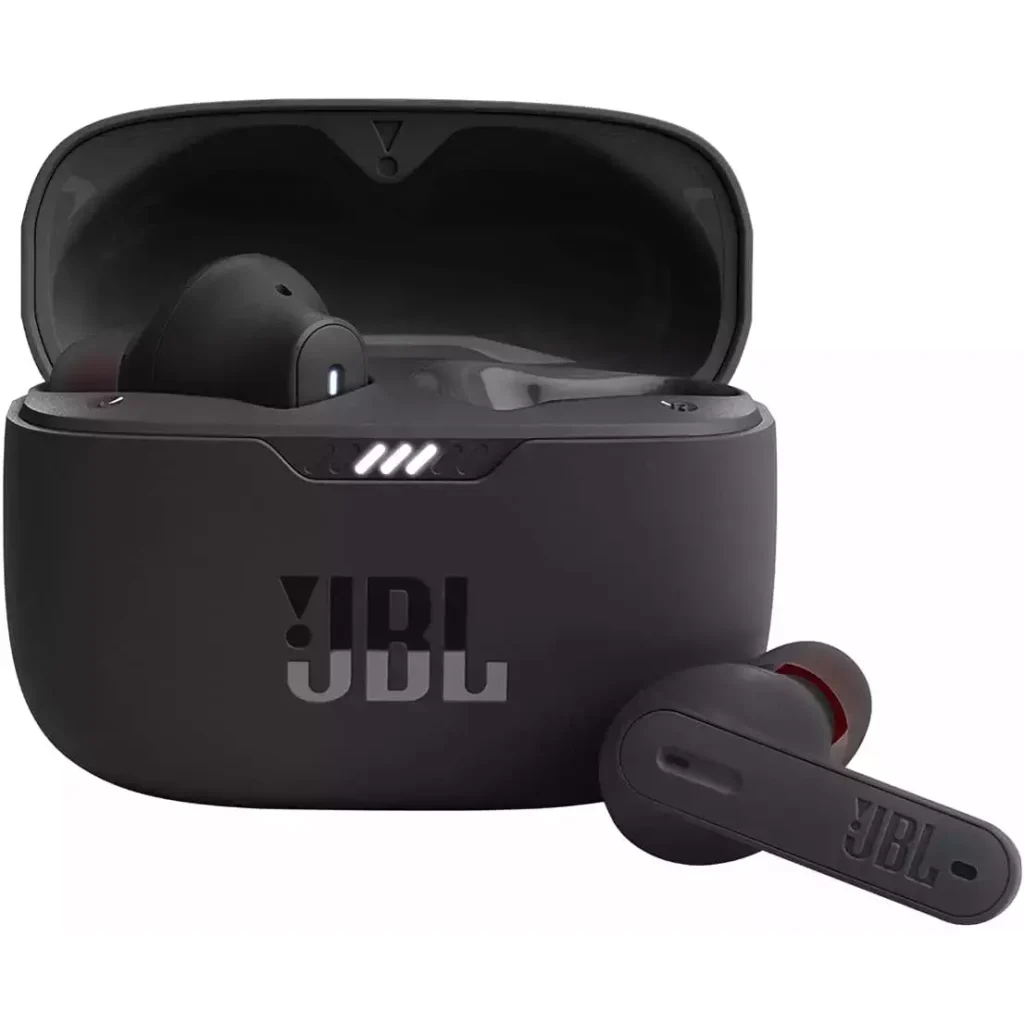
Ang unang bagay na dapat mong gawin bago kumonekta sa anumang device ay ilagay ang iyong earbuds sa pairing mode. Magkaroon ng kamalayan na karamihan sa mga JBL earbud ay awtomatikong pumapasok sa mode ng pagpapares kapag naka-on o inalis sa kanilang case.
Kung ito ang unang pagkakataon na kumonekta sa kanila, or if they do not automatically connect, you can follow these simple steps.
Take out the earbuds from the case and hold the button on the side of one earbud for 5 seconds.
An LED will flash to indicate that the pairing mode is active. Your earbuds are now ready to pair with your device.
Paano Ikonekta ang JBL Earbuds
Connect JBL Earbuds with various devices following the step.
Ikonekta ang JBL Earbuds sa isang Android
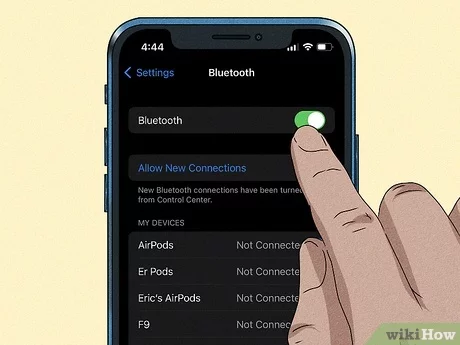
Kumokonekta JBL earbuds to an Android device is straightforward as they allow for Fast Pairing.
Simply open the earbuds case and interact with the pop-up notification on your phone. If this doesn’t work, you may have an older Android model before v6.0 and will need to follow these steps.
- Una, ensure your earbuds are in pairing mode and open Settings on your Android device.
- Select Connected Devices.
- Take out the earbuds from the case and select Pair New Device.
- Your earbuds will appear in the Connected Devices menu. Select your JBL earbuds under available Devices.
- Confirm pairing is successful by playing some audio.
Ikonekta ang JBL Earbuds sa isang iPhone & ipad
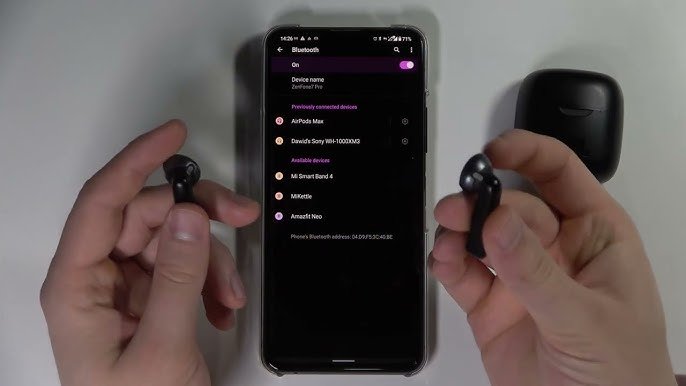
Connecting JBL Earbuds to iPhone & iPad is simple and the same process.
- Ensure your earbuds are in pairing mode and follow these steps.
- Open Settings on your device and select Bluetooth.
- Ensure Bluetooth is turned on. It will automatically scan for a compatible connection.
- Remove the JBL earbuds from the charging case, and they should appear under Other Devices.
- Click on your model to confirm pairing.
- Play some audio to ensure you have successfully paired to your device.
Ikonekta ang JBL Earbuds sa Mac
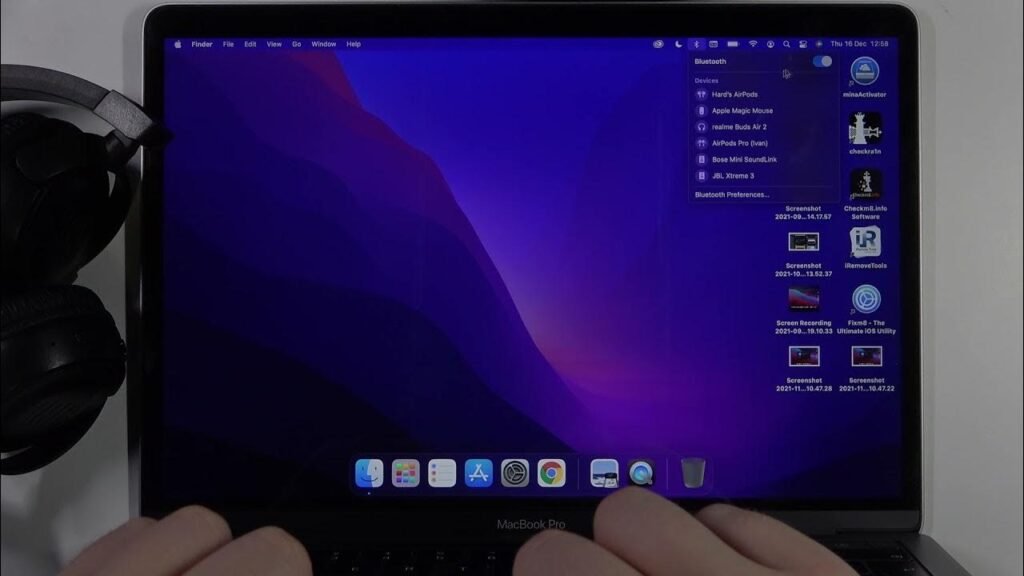
Connecting JBL earbuds to MacBooks & Mac Desktops is the same. Follow these simple steps for connecting.
- Una, click on the Apple logo in the top left of the screen and select System Settings.
- Piliin ang Bluetooth, ensure your earbuds are in pairing mode, and you will see them appear on nearby Devices.
- Click on them to pair and test the connection worked by playing some audio.
Ikonekta ang JBL Earbuds sa isang Windows
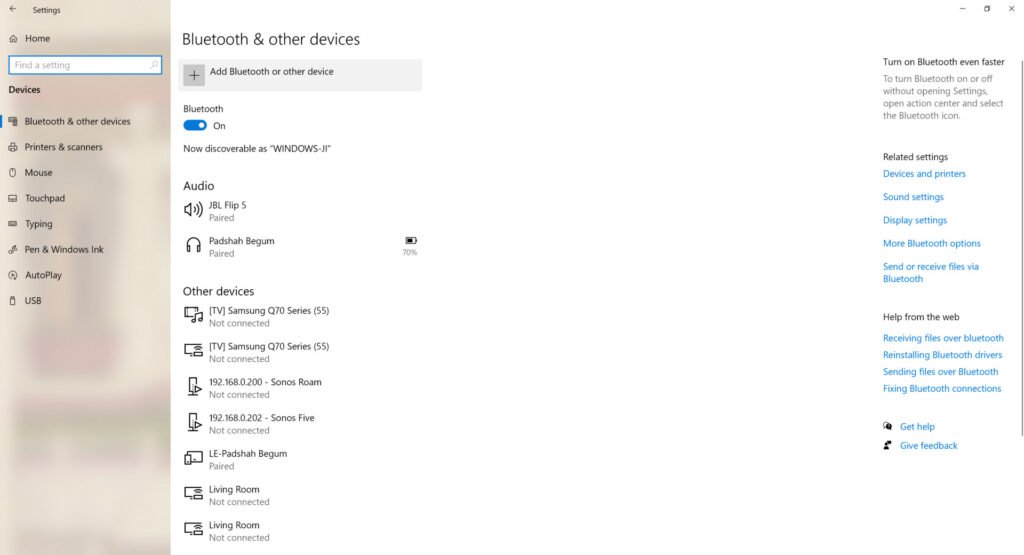
Follow these steps to connect your earbuds to a Windows PC
- Una, i-on ang Bluetooth sa iyong PC sa pamamagitan ng pagpunta sa Mga Setting > Aparato > Bluetooth & Other Devices then select Bluetooth.
- Ensure your earbuds are in pairing mode.
- Select your JBL earbuds from the list of available devices.
Enter the password 0000 to complete the pairing process if prompted. - Your earbuds should now be connected. Play some audio to test the connection.
Ikonekta ang JBL Earbuds sa isang Smart TV
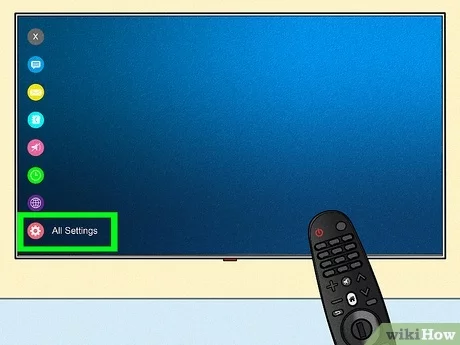
- Una sa lahat, open the Settings menu and enable Bluetooth mode.
- Ensure your earbuds are in pairing mode and search for Available Bluetooth Devices.
- Piliin ang iyong JBL earbuds mula sa listahan ng mga available na device para simulan ang pagpapares. Ipasok ang password 0000 upang makumpleto ang proseso ng pagpapares kung sinenyasan.
- Ipapares na ang iyong mga earbud. Kumpirmahin ang pagpapares sa pamamagitan ng pag-play ng ilang audio.
Paano I-reset ang JBL Earbuds
- Tiyaking naka-off ang iyong mga earbud.
- Pindutin ang power button para sa 10 segundo.
- Bitawan ang power button kapag kumikislap ang LED.
- Na-reset na ngayon ang iyong mga earbud.
- Ngayon, muling ipares ang mga ito sa iyong device.
FAQ para Ikonekta ang JBL Earbuds
Bakit Hindi Sinisingil ang Mga Earbud?
- Kung hindi magcha-charge ang iyong earbuds, maaaring ito ay isang isyu sa paglilinis.
- Suriin ang mga pin sa loob ng charging case gamit ang isang micro fiber cloth at dahan-dahang alisin ang anumang nakikitang dumi, alikabok, o iba pang mga hadlang.
- Makakakita ka rin ng tatlong butas kung saan pumapasok ang mga pin sa mga buds mismo. Maaari mong alisin ang anumang mga sagabal sa pamamagitan ng dahan-dahang pag-scrape gamit ang isang toothpick o pinong brush. Just be careful not to damage any sensitive electronics inside.
- If they still won’t charge you may have a faulty unit. Contact JBL directly or the retailer you purchased them from to arrange repair or replacement (pending warranty).
Bakit Hindi Kumonekta ang Mga Earbud?
- Some earbuds may fail to connect due to a low battery in the playback device or the earbuds themselves. Ensure that both your playback device and JBL earbuds are sufficiently charged for efficient pairing.
- If your devices and earbuds are fully charged you can attempt a reset of your earbuds and/or Unpair or Forget them in your playback devices’ Bluetooth menu. Pagkatapos nito, turn on your earbuds and perform the pairing process.
Konklusyon
We hope after reading this article you will be able to connect JBL Earbuds with your desired device. Kaya, ang kailangan mo lang malaman ay kung paano ikonekta ang JBL Earbuds. Umaasa kami na ang artikulong ito ay makakatulong sa iyo ng marami!