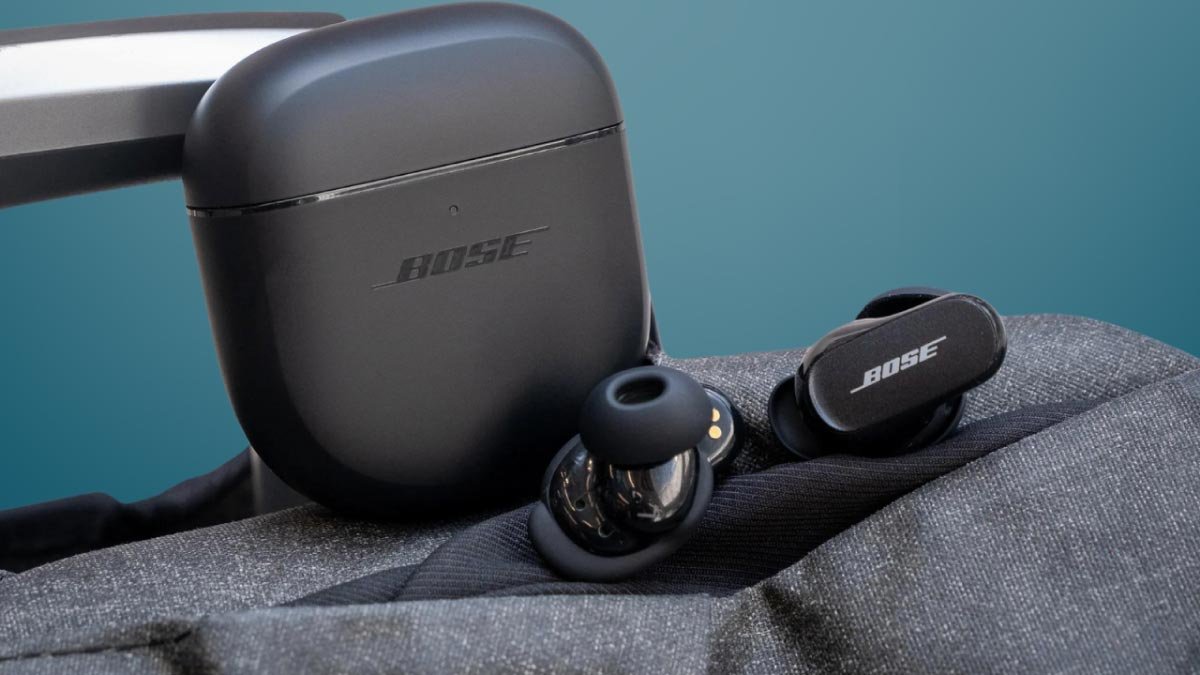
Bose QuietComfort Kulaklıklarını bağlamak istiyor musunuz?? Bose QuietComfort Kulaklıklar alabileceğiniz en iyi gerçek kablosuz kulaklıklardan bazılarıdır. Bu kulaklıklar yüksek kaliteli ses sağlar, bu kulaklıklar müzik severler için en iyisidir. Bu yüzden, Bu makalede, Bose QuietComfort Earbuds'ı iPhone'unuza nasıl bağlayacağınızı gösteriyoruz, akıllı telefon, veya PC.
Bose QuietComfort Kulaklıkları eşleştirme moduna nasıl geçirilir
Koymak Bose Sessiz Birlik eşleştirme modunda. Her iki kulaklığı da şarj kutusundan çıkarın, ve otomatik olarak açılacak ve eşleştirme moduna girecekler. Kulaklıklar herhangi bir nedenden dolayı eşleştirme moduna girmezse, ışık yanıp sönene kadar kasanın üzerindeki düğmeyi basılı tutarak bunları manuel olarak etkinleştirebilirsiniz..
Eşleştirme moduna girdiğinizde, kulaklıkları seçtiğiniz herhangi bir cihaza bağlayabilirsiniz.
Bose QuietComfort Kulaklıklarını Mac veya MacBook ile nasıl eşleştiririm
Bose'un Android ve iOS için tamamlayıcı uygulamaları var. Ancak Windows ve MacOS için sürüm yok, bu yüzden bunları manuel olarak eşleştirmeniz gerekir. İşte nasıl bağlanılacağına dair bir rehber veriyoruz Bose MacBook'a QuietComfort Kulaklıklar
- Birinci, Bose QuietComfort'u eşleştirme moduna getirin.
- Daha sonra, MacBook'unuzun ana ekranının sol üst köşesindeki Apple simgesine tıklayın.
- Açılır menüden Sistem Ayarları'nı seçin.
- Bluetooth'u seçin ve etkinleştirin.
- QuietComfort Kulaklıklarınız Cihazlar listesinde göründüğünde, üzerlerine tıklayın. Listeden kulaklıkların adına tıkladıktan sonra sesli bağlantının başarılı olduğunu duyacaksınız.
Bose QuietComfort Kulaklıkları Windows PC ile nasıl eşleştirilir
Bose QuietComfort Earbuds'ı Windows PC'nize nasıl bağlayacağınız aşağıda açıklanmıştır
- Birinci, açılacakları kutudan kulaklıkları çıkarın ve otomatik olarak eşleştirme moduna girin.
- Şimdi, Başlat menüsünü açın ve Ayarlar uygulamasına gidin.
- Burada Bluetooth'u tıklayın & cihazlar > Cihaz ekle ve Bluetooth'u açın.
- Daha sonra, seçeneklerden Bluetooth'u seçin.
- Tüm bu adımlardan sonra mevcut cihazlar listesinden Bose QuietComfort Kulaklıkları seçin.
Bose QuietComfort Earbuds'ı bir iPhone veya iPad ile nasıl eşleştiririm?

Bose'un iki refakatçi uygulaması var: Bose Connect ve Bose (eski adıyla Bose Müzik). Her ikisi de iOS ve Android'de mevcuttur.
Bose QuietComfort Kulaklıklarını iPhone'unuzla manuel olarak veya Bose yardımcı uygulamasıyla eşleştirebilirsiniz.. Burada size Bose uygulamasını kullanarak Bose QuietComfort Kulaklıkları nasıl bağlayacağınızla ilgili bir talimat veriyoruz.
- Boseapp'ı açın. İstenirse Bluetooth'a izin ver.
- Uygulamada oturum açmak için Oturum aç'a dokunun, ve bir hesap oluştur.
- Şimdi, kulaklıkları kutudan çıkarın, eşleştirme moduna getirin, ekranda görünmelerini bekleyin, ve onları seç.
- Ancak kulaklıklar görünmüyorsa, Dokun + bunları manuel olarak eklemek için düğme.
- Kulaklıkları seçin, bağlantı kurmak ve uygulamanın onları bulmasını beklemek için. Bir süre sonra bağlantının başarılı olduğunu duyacaksınız.
Bose QuietComfort Earbuds'ı bir iOS cihazına manuel olarak bağlama
- Kulaklıkları eşleştirme moduna getirin.
- Ayarlar'a gidin ve iPhone veya iPad'inizde Bluetooth'u açın.
- iPhone veya iPad'inizdeki mevcut listeden Bose QuietComfort Kulaklıkları seçin.
Bose QuietComfort Kulaklıkları Android telefon veya tabletle nasıl eşleştirilir?
Bose QuietComfort Earbuds'ı Android cihazınızla manuel olarak veya iPhone gibi Bose Companion uygulamasıyla eşleştirebilirsiniz..
- Boseapp'ı açın ve istenirse Bluetooth izinlerine izin verin.
- Daha sonra, uygulamada oturum açmak için Oturum aç veya Hesap oluştur'u seçin.
- Kulaklıkları eşleştirme moduna getirin.
- Bundan sonra ekranda göründüklerinde bunları seçin.
- Kulaklıklar görünmüyorsa, bunları manuel olarak eklemek için +düğmesine dokunun.
- Kulaklıkları seçin ve uygulamanın onları bulmasını bekleyin.
Bose QuietComfort Earbuds'ı Android telefonunuza veya tabletinize manuel olarak nasıl bağlayabilirsiniz?
- Kulaklıkları eşleştirme moduna getirin.
- Ayarlar > Bağlı Cihazlar'a gidin ve Bluetooth'u açın.
- Yeni cihazı eşleştir'e gidin ve kulaklıkların Kullanılabilir cihazlar altında görünmesini bekleyin..
- Listeden kulaklıkları seçin.
- Şimdi, bağlantı kurmak için üzerine tıklayın.
- Birkaç saniye sonra kulaklığınız cihazınıza bağlanacak ve kullanıma hazır olacaktır..
Çözüm
Bu makaleyi okuduktan sonra Bose QuietComfort Kulaklıkları cihazlarınızla manuel olarak ve Bose Companion uygulamasıyla bağlayabileceksiniz.. Bunu yapmak için hiçbir adımı atlamadan yukarıdaki adımları dikkatlice uygulamanız yeterlidir..
Bu yüzden, bilmeniz gereken tek şey, Bose QuietComfort Kulaklıkları cihazlarınızla manuel olarak ve Bose Companion uygulamasıyla nasıl bağlayacağınızdır. Bu makalenin size çok yardımcı olacağını umuyoruz!