
Сез парлашырга телисезме? Tribit FlyBuds 3 колаклар сезнең җайланмаларга? Tribit FlyBuds 3 Наушникларның искиткеч IPX7 су үткәрми торган сертификаты бар, Bluetooth 5.0, динамик EQ, батарея гомере 5 сәгатьләр + 95 зарядка корпусын кулланып гаҗәп сәгатьләр, эш диапазоны 10 метр, һәм күбрәк.
Ләкин аларны җайланмаларга бәйләргә теләсәгез, һәм сезнең уйларыгыз юк, бу язмада борчылмагыз, без сезгә тулы күрсәтмә бирәбез. Шулай, Башланыйк!
Tribit FlyBuds белән ничек парлашырга 3 колаклар?
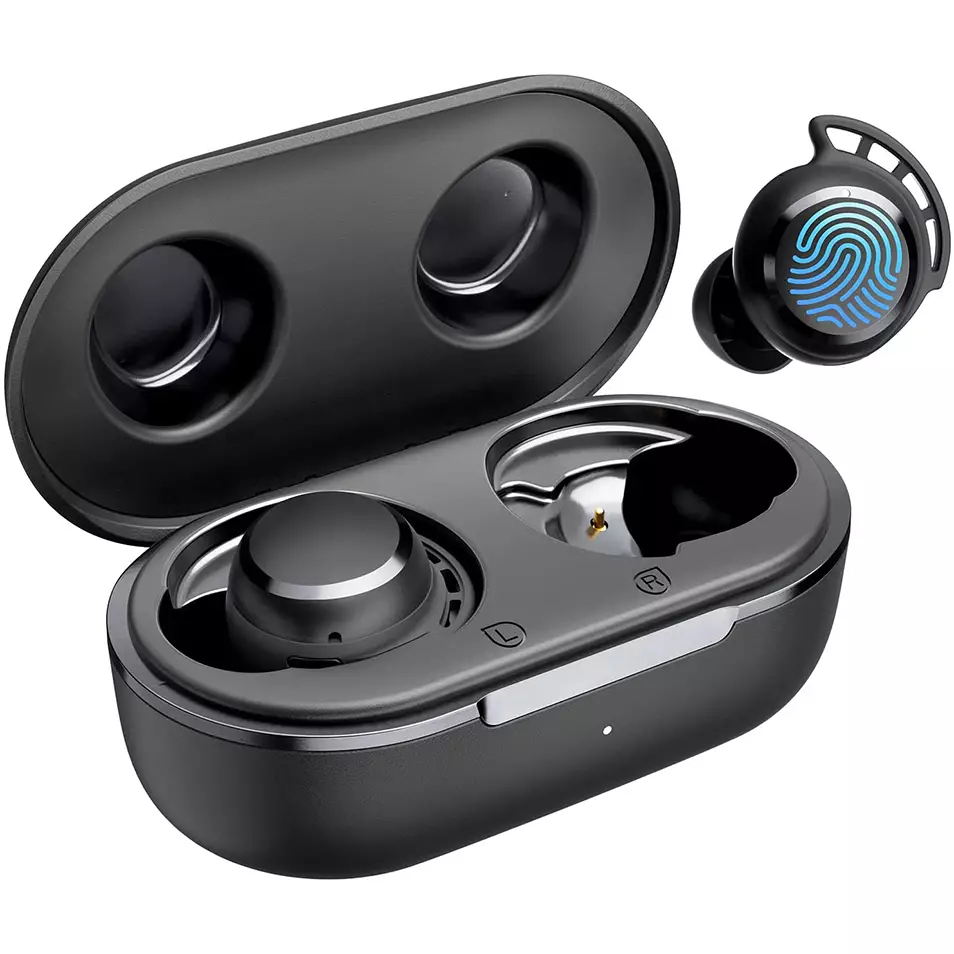
Tribit FlyBud парлаштырырга 3 Колаклар төрле җайланмалар белән бирелгән төрле җайланмалар адымнарын үтәгез.
IOS һәм Android белән парлашыгыз
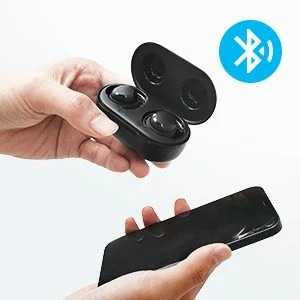
- Зарядка корпусыннан колакларны чыгар. Алар автоматик рәвештә кабызылачак.
- Аннары, колак колакларында кызыл ут кабызыла башлый, димәк, алар теләсә нинди җайланма белән парлашырга әзер булачаклар.
- Bluetoothайланмагызда Bluetooth кабызыгыз.
- Deviceайланманың Bluetooth көйләүләренә бар.
- Хәзер, Tribit FlyBuds сайлагыз 3. Серсүз тибы соралса 0000.
- Аннан соң, кызыл ут сүнәчәк, һәм парлашу эшләнәчәк.
Компьютер белән парлашыгыз (Windows)
- Башта, компьютерыгызда Bluetooth кабызыгыз.
- Көйләүләргә керегез, Bluetooth һәм башка җайланмаларга керегез.
- Deviceайланма өстәүгә басыгыз.
- Хәзер, зарядка корпусыннан колак колакларын алыгыз. Аннан соң, колаклар автоматик рәвештә кабызылачак.
- Колак колакларына кызыл ут кабызыла башлагач, бу теләсә нинди җайланма белән парлашырга әзер булуларын аңлата
- Tribit FlyBuds сайлагыз 3. Серсүз өчен кирәк булса, тип 0000.
- Аннан соң, кызыл ут сүнәчәк, һәм парлашу эшләнәчәк.
Бу колакларны ничек кияргә
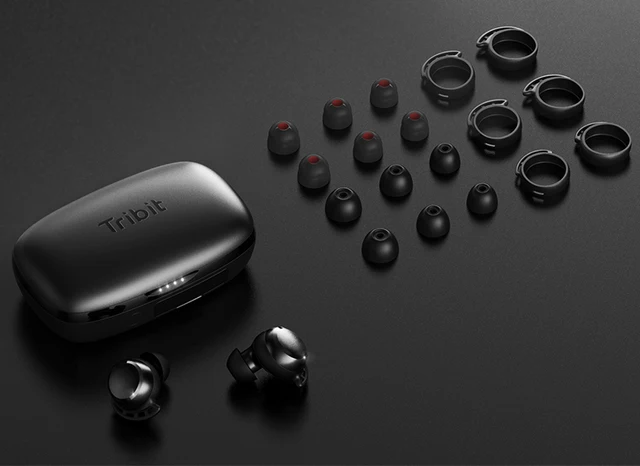
- Ике юлны гаепләү эшеннән алыгыз.
- Сул һәм уң колакларны ачыклагыз.
- Иң яхшы туры килгән һәм колагыгызга туры килгән колак киңәшләрен сайлагыз.
- Наушникларны колакның эчке каналына кертегез.
- Иң яхшы уңайлык өчен әйләнегез һәм иң яхшы туры килегез, Микрофонның авызга күрсәтелүенә инаныгыз.
Ничек сүндерергә һәм кабызырга
Кабызу
Зарядка корпусыннан колакларны чыгар. Аннан соң, колаклар автоматик рәвештә кабызылачак.
Сүндерү
Колак колакларын корылма корпусына урнаштырыгыз һәм аның капкачын ябыгыз. Аннан соң, Колаклар автоматик рәвештә сүнәчәк.
Ничек контрольдә тотарга
- Уйнау яки пауза ясау өчен, күп функцияле сенсор төймәсенә ике тапкыр басыгыз.
- Тавышны күтәрү өчен уң колактагы күп функцияле сенсор төймәсенә басыгыз һәм тотыгыз.
- Тавышны түбәнәйтү өчен сул колактагы күп функцияле сенсор төймәсенә басыгыз һәм тотыгыз.
- Киләсе трекны уйнау өчен, күп функцияле сенсор төймәсенә өч тапкыр басыгыз.
- Килгән шалтыратуга җавап бирү өчен, күп функцияле сенсор төймәсенә ике тапкыр басыгыз.
- Чакыруны туктатыр өчен, күп функцияле сенсор төймәсенә ике тапкыр басыгыз.
- Күп функцияле сенсор төймәсенә басыгыз һәм тотып торыгыз 2 килүче шалтыратуны кире кагу өчен секундлар.
- Тавышны активлаштыру өчен, күп функцияле сенсор төймәсенә өч тапкыр басыгыз.
Искәрмә: Күп функцияле сенсор колак колаклары өстендәге түгәрәк өлешкә урнаштырылган.
Tribit FlyBuds-ны ничек торгызырга 3 Колаклар
Tribit FlyBuds-ны яңадан урнаштыру 3 Колаклар тоташтырылган җайланмадан барлык парлаштыру мәгълүматларын бетерәләр. Ике колак колакчасын каплау ачык булганда зарядка корпусына урнаштырыгыз, һәм корылма корпусының дүрт индикатор утлары кабызылганчы зарядлау корпусын басыгыз һәм тотыгыз 4 бер үк вакытта, бу колак колакларының уңышлы яңадан торгызылуын күрсәтә.
Tribit FlyBuds өчен сораулар 3 Колаклар
Tribit FlyBuds 3 Колаклар су үткәрми?
Әйе, Tribit FlyBuds 3 Колаклар су үткәрми (IPX6 һәм югарырак). Аларда IPX7 рейтингы бар, димәк, алар суга каршы гына түгел, ә чуму тәэсиреннән сакланалар.
Тритит FlyBuds 3 Колакларның микрофоны бар?
Әйе, бу колаклар интеграль микрофоннар белән килә.
Тритит FlyBuds 3 Колак колаклары түбән тоткарлык / уен режимына ия?
Юк, бу колак колакларының түбән тоткарлык / уен режимы юк.
Tribit FlyBuds 3 Колаклар компьютерга һәм ноутбукка тоташалар?
Әйе, бу колаклар компьютерларга тоташырга мөмкин, ноутбуклар, хәтта планшетлар.
Tribit FlyBuds 3 Колак ишетү?
Юк! Бу колаклар шау-шу-юкка чыгару технологиясе белән килми.
Йомгаклау
Tribit FlyBuds белән парлашырга белерсез дип ышанабыз 3 Сезнең җайланмаларга колак салыгыз, шулай ук ничек киенергә беләләр, ничек урнаштырырга, һәм аларны контрольдә тоту. Бу мәкалә сезгә бик ярдәм итәр дип ышанабыз!