Існує багато способів підключити гарнітуру Logitech G435 до ваших пристроїв, як смартфони, iPhone, або ПК. Один із способів – через з’єднання Bluetooth. У цій публікації, ви дізнаєтесь, як з’єднати гарнітуру Logitech G435 із пристроями Bluetooth.
З’єднайте гарнітуру Logitech G435 зі своїм смартфоном
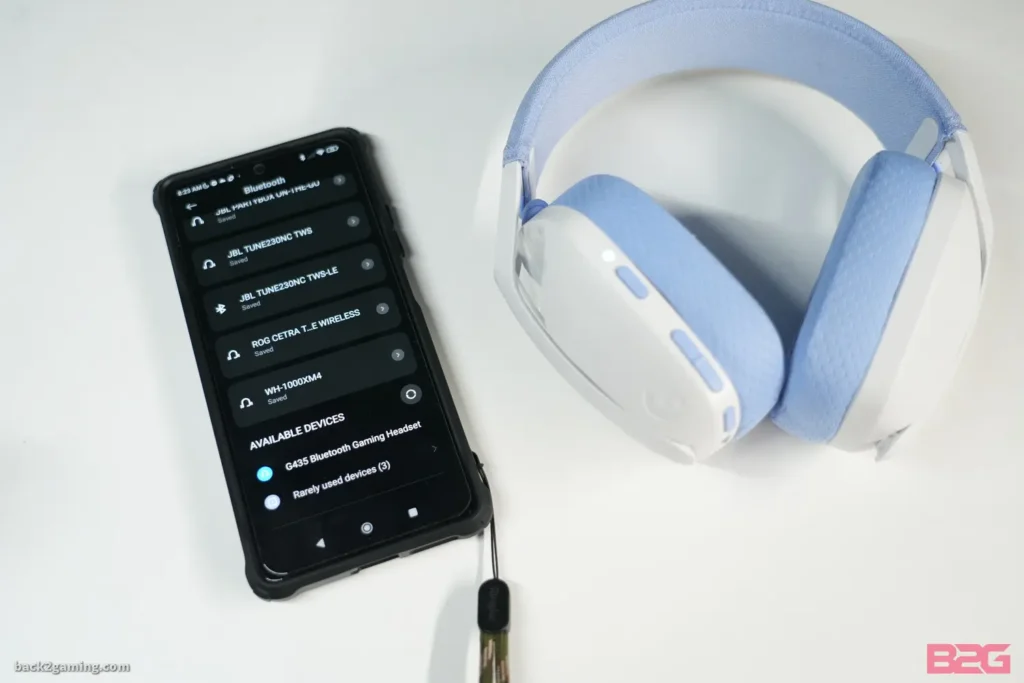
Дотримуючись цих кроків, ви можете створити пару Гарнітура Logitech G435 на ваш смартфон.
- Перший, увімкніть G435, натиснувши кнопку ввімкнення.
- Потім, переведіть гарнітуру Logitech G435 у режим сполучення, натиснувши й утримуючи кнопки ввімкнення та вимкнення звуку 3 секунд. Світлодіодний індикатор блимає синім кольором під час переходу в режим сполучення.
- Відкрийте налаштування на своєму смартфоні, виберіть Bluetooth, і увімкніть його.
- Зараз, знайдіть Logitech G435 у списку пристроїв і натисніть, щоб підключитися.
Підключіть гарнітуру Logitech G435 до ПК
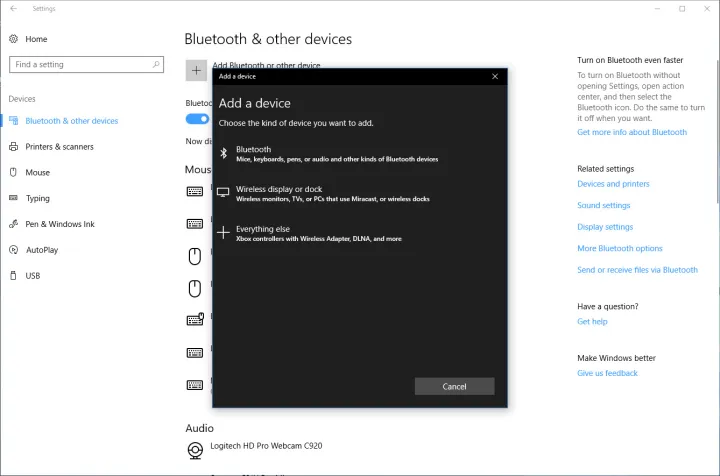
Для створення пари з Logitech G435 Гарнітура з ПК виконайте ці дії.
- Поперше, натисніть кнопку ввімкнення, щоб увімкнути гарнітуру G435.
- Переведіть гарнітуру Logitech G435 у режим сполучення, натиснувши й утримуючи кнопки увімкнення та вимкнення звуку 3 секунд. Світлодіодний індикатор блимає синім кольором під час переходу в режим сполучення.
- Відкрийте налаштування на вашому ПК.
- Перейдіть до Bluetooth & Інші пристрої, виберіть Bluetooth, і увімкніть його.
- Зараз, знайдіть Logitech G435 у списку пристроїв і натисніть, щоб підключитися.
З’єднайте гарнітуру Logitech G435 із пристроями IOS

Виконайте ці прості кроки, щоб створити пару з Logitech G435 Гарнітура з пристроями IOS.
- Увімкніть гарнітуру Logitech G435 і переведіть її в режим сполучення, натиснувши й утримуючи кнопки ввімкнення та вимкнення звуку 3 секунд. Світлодіодний індикатор блимає синім кольором під час переходу в режим сполучення.
- Перейдіть до налаштувань своїх пристроїв IOS і ввімкніть Bluetooth.
- Зараз, знайдіть Logitech G435 у списку пристроїв і натисніть, щоб підключитися.
Перевірка батареї
- Одне натискання кнопки живлення, коли гарнітуру ввімкнено.
- акумулятор 31% до 100% світлодіод буде світитися зеленим протягом 5 секунд.
- акумулятор 15% до 30% світлодіод світитиметься червоним протягом 5 секунд.
- акумулятор <15% індикатор буде блимати червоним протягом 5 секунд.
Налаштування сторінки
Sidetone дозволяє чути свій голос під час спілкування з іншими людьми, Він відображає враження від розмови по телефону та дозволяє регулювати гучність розмови до потрібного рівня.
Увімкнути Side Tune
Двічі натисніть кнопку вимкнення звуку, і світлодіод двічі спалахне оранжевим.
Вимкнути Side Tune
Двічі натисніть кнопку вимкнення звуку, і світлодіод один раз спалахне оранжевим.
Налаштуйте Side Tune
вгору: Натисніть кнопку Mute один раз + ЗБІЛЬШЕННЯ гучності.
вниз: Натисніть кнопку Mute один раз + ЗМЕНШЕННЯ гучності.
Висновок
Сполучення гарнітури Logitech G435 із пристроями Bluetooth не є складним. Вам потрібно лише перевести навушники в режим сполучення, щоб з’єднати їх зі смартфоном, Пристрої IOS, або інші пристрої Bluetooth. Дотримуйтеся цього докладного посібника, щоб дізнатися, як підключити гарнітуру Logitech G435 до ваших пристроїв.