
Ulanishni xohlaysizmi Tribit Flybuds 3 quloqchinlar qurilmalaringizga? Tribit Flybuds 3 Eshitish vositalarida ajoyib IPx7 suv o'tkazmaydigan sertifikatlash mavjud, Bluetooth 5.0, Dinamik Eq, taxminan batareyaning ishlash muddati 5 soat + 95 zaryadlash qutisi yordamida ajoyib soatlar, ish diapazoni 10 metr, va ko'proq.
Ammo ularni qurilmalaringizga ulashni istasangiz, va sizda hech qanday fikr yo'q, bu postda xafa bo'lmang, biz sizga to'liq ko'rsatma beramiz. Shunday qilib, boshlaylik!
Qanday qilib tribit flybuddss 3 quloqchinlar?
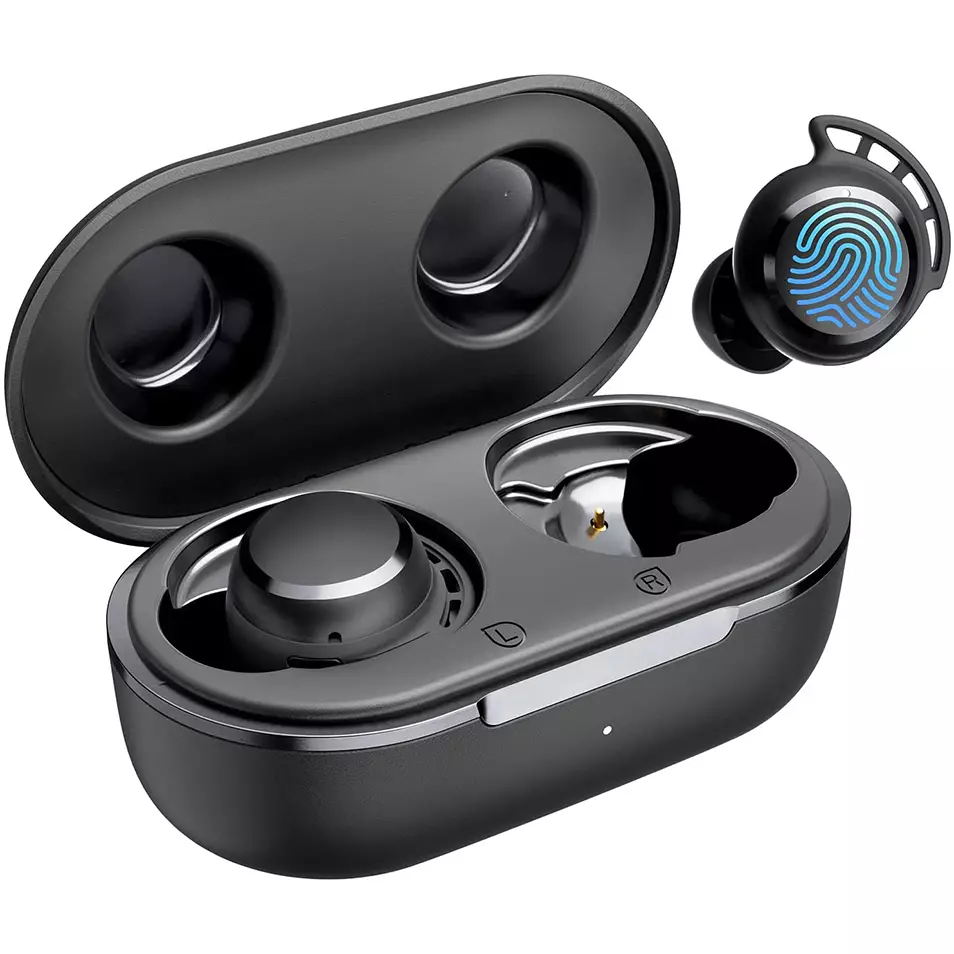
Tribit FlyBud-ni ulash uchun 3 Quloqchalar turli qurilmalar bilan berilgan turli qurilmalar bosqichlarini bajaring.
IOS va Android bilan ulang
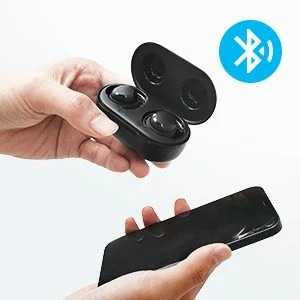
- Quloqliklarni zaryadlash qutisidan chiqarib oling. Ular avtomatik ravishda yoqiladi.
- Keyin, quloqchinlarda qizil chiroq miltillay boshlaydi, ya'ni ular har qanday qurilma bilan bog'lanishga tayyor bo'ladi.
- Qurilmangizda Bluetooth-ni yoqing.
- Qurilmaning Bluetooth sozlamalariga o'ting.
- Hozir, Tribit FlyBuds-ni tanlang 3. Agar parol turi so'ralsa 0000.
- Undan keyin, qizil chiroq o'chadi, va ulanish amalga oshiriladi.
Kompyuter bilan ulash (Windows)
- Birinchidan, kompyuteringizda Bluetooth-ni yoqing.
- Sozlamalarga o'ting, Bluetooth va boshqa qurilmalarga o'ting.
- Qurilma qo'shish-ni bosing.
- Hozir, Quloqliklarni zaryadlash qutisidan oling. Undan keyin, quloqchinlar avtomatik ravishda yoqiladi.
- Quloqliklarda qizil chiroq miltillay boshlaganda, bu ular har qanday qurilma bilan ulanishga tayyor bo'lishini anglatadi
- Tribit FlyBuds-ni tanlang 3. Agar parol uchun kerak bo'lsa, turi 0000.
- Undan keyin, qizil chiroq o'chadi, va ulanish amalga oshiriladi.
Ushbu quloqchinlarni qanday kiyish kerak
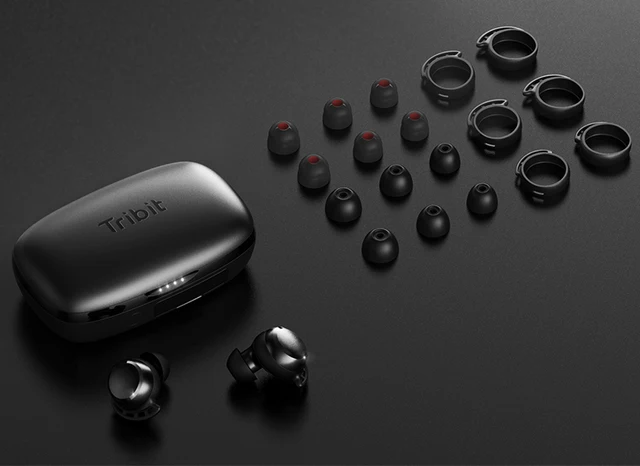
- Ikkala quloqni zaryadlash ishidan chiqarib oling.
- Chap va o'ng quloqchinlarni aniqlang.
- Qulog'ingizga eng mos keladigan va mos keladigan quloq uchlarini tanlang.
- Eshitish vositalarini quloqlarning ichki kanaliga joylashtiring.
- Eng yaxshi qulaylik va eng yaxshi mos kelish uchun aylantiring, va mikrofon og'izga ishora qilayotganiga ishonch hosil qiling.
Qanday o'chirish va yoqish
Yoqish; ishga tushirish
Quloqliklarni zaryadlash qutisidan chiqarib oling. Undan keyin, quloqchinlar avtomatik ravishda yoqiladi.
O'chirib qo'yish
Quloqchalarni zaryadlash qutisiga joylashtiring va qopqog'ini yoping. Undan keyin, quloqchinlar avtomatik ravishda o'chadi.
Qanday boshqarish kerak
- Oʻynash yoki toʻxtatib turish uchun quloqchinlarning istalganidagi koʻp funksiyali sensorli tugmani ikki marta bosing.
- Ovoz balandligini oshirish uchun o'ng quloqlikdagi ko'p funksiyali sensorli tugmani bosib ushlab turing.
- Ovozni pasaytirish uchun chap quloqchindagi ko'p funksiyali sensorli tugmani bosib ushlab turing.
- Keyingi trekni ijro etish uchun har qanday quloqchindagi ko‘p funksiyali sensorli tugmani uch marta bosing.
- Kiruvchi qo'ng'iroqqa javob berish uchun har qanday quloqchindagi ko'p funksiyali sensorli tugmani ikki marta bosing.
- Qo'ng'iroqni tugatish uchun har qanday quloqchindagi ko'p funksiyali sensorli tugmani ikki marta bosing.
- Ko'p funktsiyani bosib chiqarish tugmachasini bosing va ushlab turing 2 Kiruvchi qo'ng'iroqni rad qilish uchun soniya.
- Ovozli qo'ng'iroqni faollashtirish uchun har qanday quloqchindagi ko'p funksiyali sensorli tugmani uch marta bosing.
Eslatma: Ko'p funksiyali sensorli sensor quloqchinlarning yuqori qismidagi dumaloq qismga o'rnatilgan.
Tribit FlyBuds-ni qanday tiklash mumkin 3 Quloqchalar
Tribit FlyBuds-ni tiklash uchun 3 Quloqliklar ulangan qurilmadan barcha ulanish ma'lumotlarini o'chirib tashlaydi. Ikkala quloqchinni ham qopqog'i ochiq holda zaryadlash qutisiga joylashtiring, va zaryadlash qutisining to'rtta indikator chirog'i miltillamaguncha zaryadlash qutisi tugmasini bosing va ushlab turing 4 bir vaqtning o'zida, bu naushniklar muvaffaqiyatli tiklanganligini ko'rsatadi.
Tribit FlyBuds-ni ulash uchun tez-tez so'raladigan savollar 3 Quloqchalar
Tribit FlyBuds 3 Naushniklar suv o'tkazmaydigan?
Ha, Tribit FlyBuds 3 Quloqchalar suv o'tkazmaydigan (IPX6 va undan yuqori). Ular IPX7 reytingiga ega, ya'ni ular nafaqat suvga qarshi, balki suvga cho'mish ta'siridan ham himoyalangan.
Tribit FlyBuds 3 Eshitish vositasida mikrofon mavjud?
Ha, bu minigarnituralar o'rnatilgan mikrofonlar bilan birga keladi.
Tribit FlyBuds 3 Quloqliklarda past kechikish/oʻyin rejimi mavjud?
Yo'q, bu quloqchinlarda past kechikish/o‘yin rejimi yo‘q.
Tribit FlyBuds 3 Eshitish vositasi kompyuter va noutbukga ulanadi?
Ha, bu minigarnituralar shaxsiy kompyuterlarga ulanishi mumkin, noutbuklar, va hatto planshetlar.
Tribit FlyBuds 3 Eshitish vositalari shovqinni bekor qiladi?
Yo'q! Ushbu quloqchinlar shovqinni o'chirish texnologiyasi bilan ta'minlanmaydi.
Xulosa
Umid qilamizki, siz Tribit FlyBuds-ni qanday ulashni bilasiz 3 Qurilmalaringizga quloqchinlar, va shuningdek, qanday kiyishni bilish, qanday tiklash kerak, va ularni nazorat qilish. Umid qilamizki, ushbu maqola sizga ko'p yordam beradi!