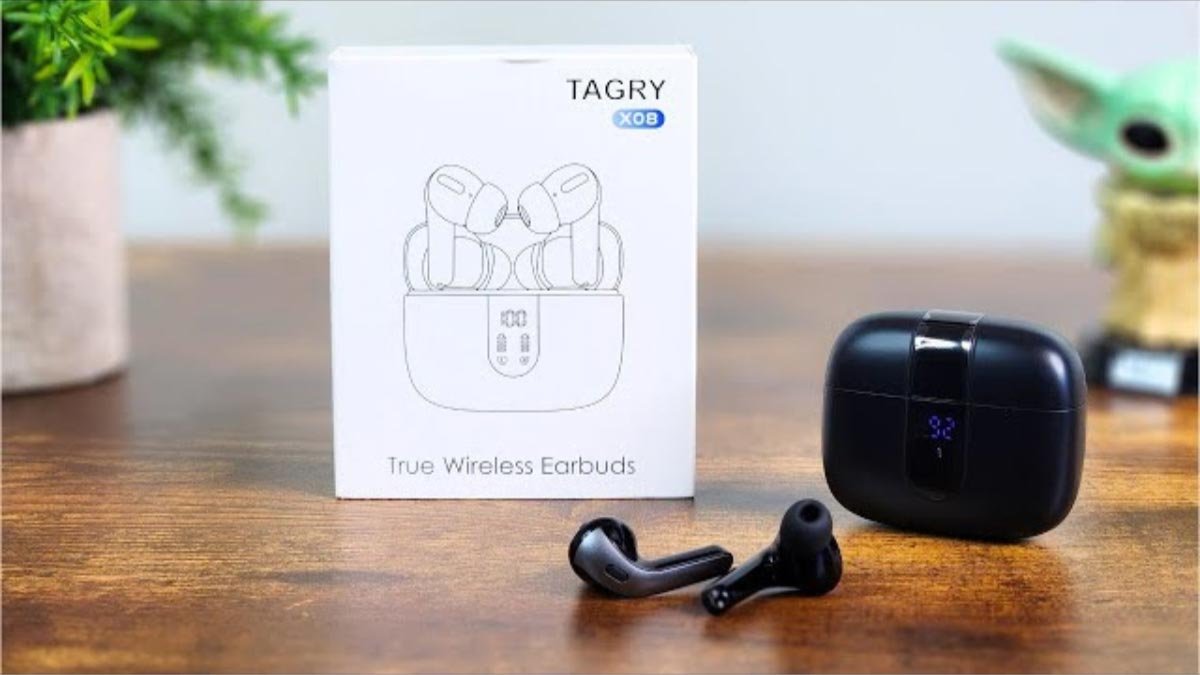
Cách ghép nối tai nghe Bluetooth Tagry X08 với thiết bị của bạn, bởi vì Tai nghe không dây thực sự TAGRY X08 là sự lựa chọn tuyệt vời cho những ai muốn thưởng thức âm nhạc hoặc nhận cuộc gọi điện thoại mà không gặp rắc rối với dây nhợ rối rắm.
Tai nghe Bluetooth Tagry X08 có trọng lượng nhẹ và thiết kế tiện dụng giúp bạn vừa vặn thoải mái. Nếu bạn vẫn cảm thấy chúng không phù hợp với ống tai của bạn, họ có ba cặp tai nghe cỡ lớn, trung bình, và kích thước nhỏ.
Trong bài viết này, chúng tôi cung cấp hướng dẫn từng bước về cách mặc, bật và tắt nguồn, đôi, điều khiển cuộc gọi điện thoại và âm nhạc, và sạc tai nghe và hộp sạc.
Hầu hết, People do not know how to pair Tagry X08 Bluetooth earbuds to their device. Don’t worry here we give you a step-by-step guide on how to pair Tagry X08 Bluetooth earbuds to your device and about all this. Vì thế, hãy bắt đầu!
Tai nghe Bluetooth Tagry X08

Các Tagry X08 earbuds is an ergonomic design. They provide 3 different sizes of ear tips for the most perfect fit for most people’s ear canals. Each earbud is very lightweight, just only 0.14 ounce.
The charging case is compact in design and lightweight too just only 2.89 ounce, and the charging case size is 2.56 x 2.16 x 1 which is easy and convenient to portable and store. Tagry X08 Bluetooth earbuds are available in four cool colors black, trắng, pink, and purple.
Vì thế, it is ideal for both men and women who looking for cool color wireless earbuds.
Cách ghép nối tai nghe Bluetooth Tagry X08
Tagry X08 has a 5.1 Bluetooth version which pairs within a second with its one-step pairing. You just need to pair Tagry X08 Bluetooth earbuds for the first time to your phone. Next time it will automatically connect with your phone by just opening the charging case.
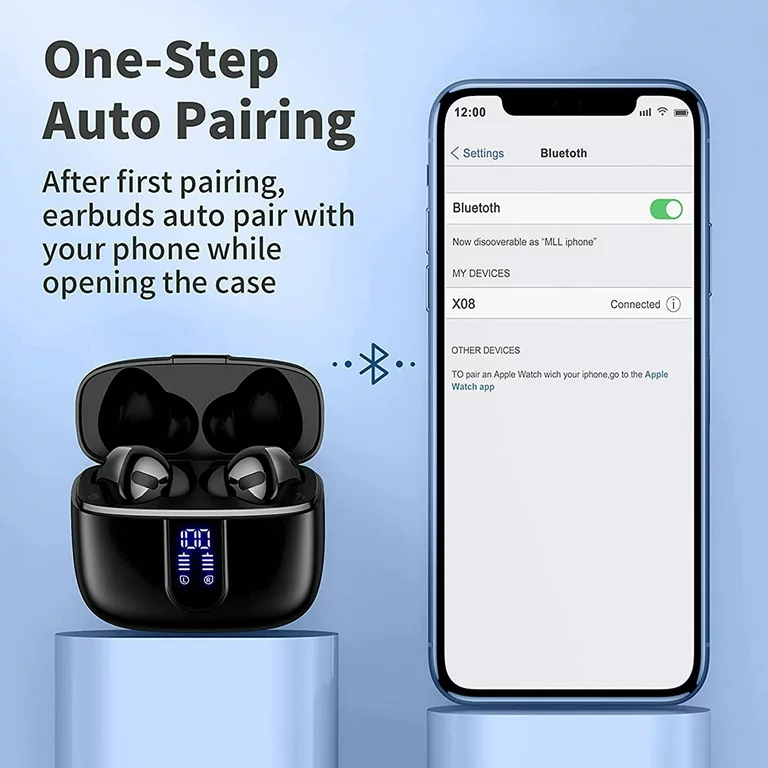
To pair Tagry X08 Bluetooth earbuds to your device follow the steps.
- Đầu tiên, đảm bảo rằng tai nghe của bạn đã được sạc đầy.
- Open the charging case the earbuds will automatically, and then they will connect, and wait to pair with your device.
- Go to settings on your device and ensure that Bluetooth is enabled.
- Hiện nay, search X08 and select them to pair to your device.
Chế độ tai nghe đơn
- Take out the one earbud that you want to connect from the charging case.
- Turn on Bluetooth on your device and choose X08, the earbud will pair with your device successfully.
Cách sạc
Tai nghe
To charge the earbuds Put both earbuds into the charging case and close the case. The earbuds are being charged and the LED power display on the case will move.
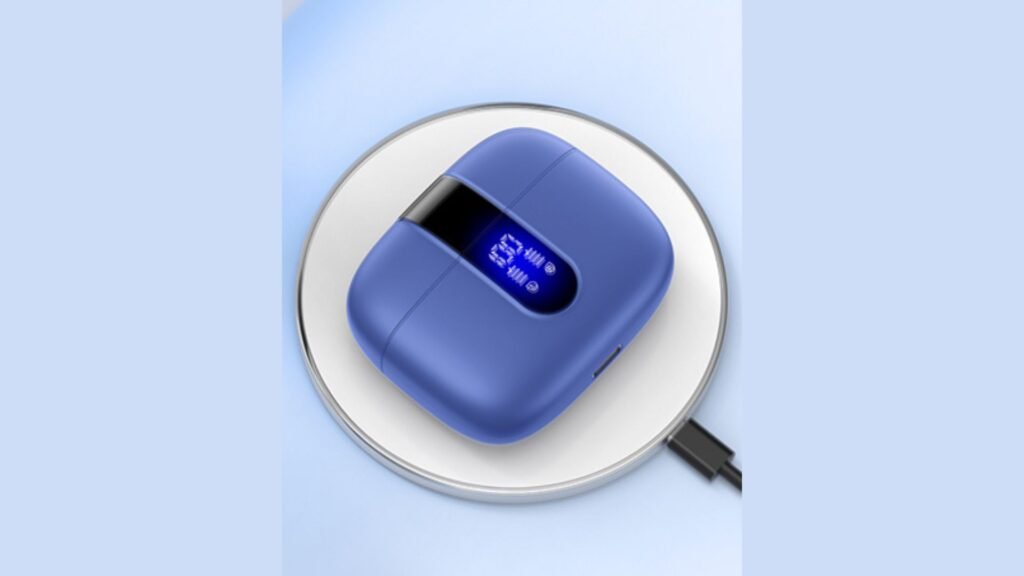
Hộp sạc
Có 2 methods for charging the Tagry X08, USB-C, and wireless charging.
Phương pháp 1: Use a USB-C charging cable to connect an adapter to your charging case.
Phương pháp 2: Put the charging case on a wireless charger. Keep the LED power display facing up, the case can be charged automatically.
Cách bật nguồn Tagry X08
Tự động bật nguồn
Open the charging case the earbuds power on automatically.
Bật nguồn thủ công
Press and hold on the touch control area of one earbud for 2 giây, the earbud will power on and the earbud light will become blue.
How to Power Off the Tagry X08
Phương pháp 1: Put both earbuds into the charging case, and close the case earbuds will power off automatically.
Phương pháp 2: Press and hold on either earbud for 5 giây, light on the earbud will flash red, và sau đó tai nghe tắt nguồn.
Hướng dẫn điều khiển
- Nhấn đúp vào một trong hai tai nghe để trả lời/kết thúc cuộc gọi.
- Chạm vào một trong hai tai nghe để 2 giây để từ chối cuộc gọi.
- Chạm một lần vào một trong hai tai nghe để phát/tạm dừng nhạc.
- Chạm lâu vào tai nghe bên phải để tăng âm lượng +.
- Chạm lâu vào tai nghe bên trái để tăng âm lượng -.
- Nhấn nhanh ba lần vào tai nghe bên phải hoặc bên trái vào trợ lý giọng nói.
- Nhấn đúp vào tai nghe bên trái để phát bài hát trước đó.
- Nhấn đúp vào tai nghe bên phải để phát bài hát tiếp theo.
Phần kết luận
Bạn có thể có được trải nghiệm âm thanh không dây và không rắc rối bằng cách ghép nối tai nghe Bluetooth Tagry X08 với thiết bị của bạn. Bạn có thể ghép nối tai nghe Bluetooth Tagry X08 với thiết bị của mình một cách dễ dàng chỉ bằng cách làm theo các bước được đề cập ở trên. Cách ghép nối tai nghe Bluetooth Tagry X08 với thiết bị của bạn thật đơn giản!