

Do you want to Pair Tribit FlyBuds 3 tai nghe nhét tai to your devices? Tribit FlyBuds 3 Headphones have the amazing IPX7 waterproof certification, Bluetooth 5.0, dynamic EQ, a battery life of about 5 giờ + 95 amazing hours using the charging case, a working range of 10 mét, và hơn thế nữa.
But if you want to pair them to your devices, and you have no idea, don’t fret in this post we give you a complete guide. Vì thế, hãy bắt đầu!
Cách ghép nối Tribit FlyBuds 3 tai nghe nhét tai?
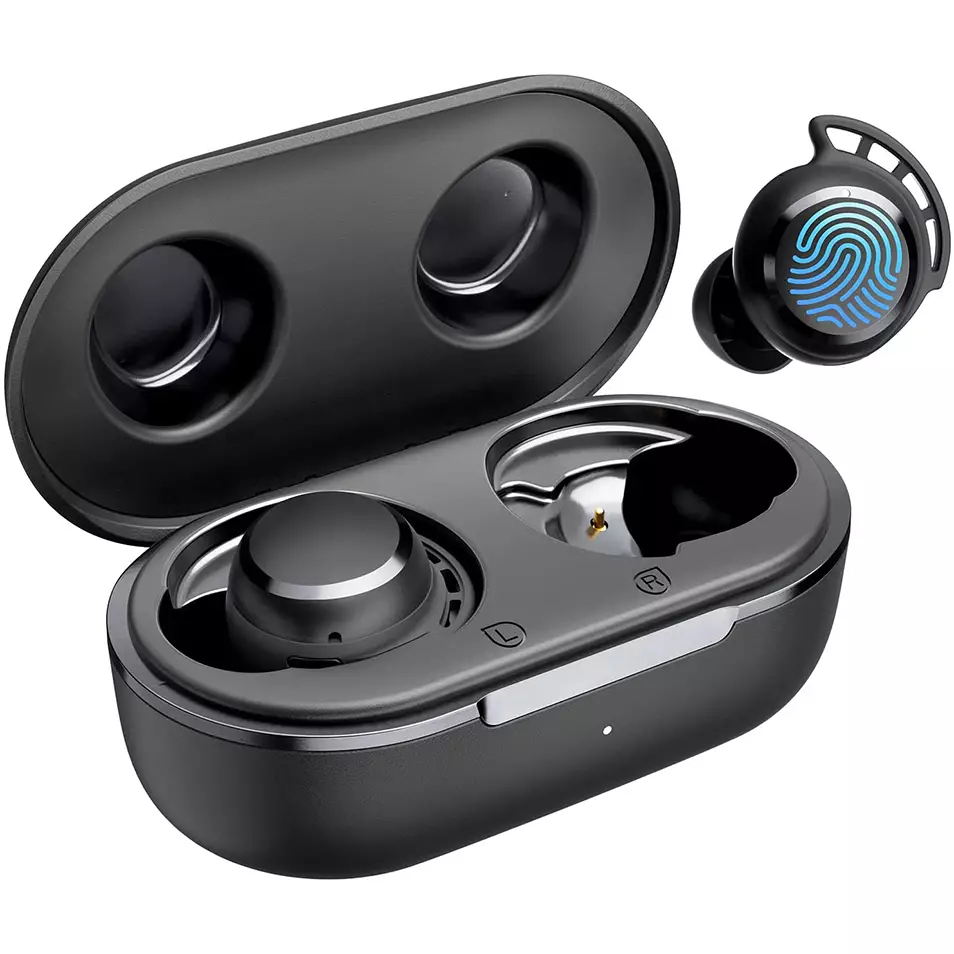
To pair Tribit FlyBud 3 Tai nghe with different devices follow the given different devices steps.
Pair With IOS and Android
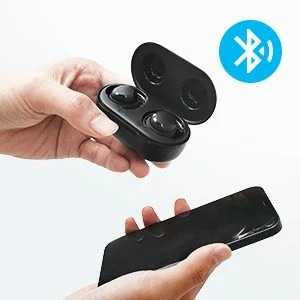
- Lấy tai nghe ra khỏi hộp sạc. They will turn on automatically.
- Sau đó, a red light starts flashing on the earbuds, which means that they will be ready to pair with any device.
- Turn on Bluetooth on your device.
- Go to the device’s Bluetooth settings.
- Hiện nay, select Tribit FlyBuds 3. If prompted for a password type 0000.
- Sau đó, the red light will turn off, và việc ghép đôi sẽ được thực hiện.
Pair With PC (các cửa sổ)
- Đầu tiên, turn on Bluetooth on your PC.
- Go to the settings, go to Bluetooth and other devices.
- Bấm vào Thêm thiết bị.
- Hiện nay, take the earbuds from the charging case. Sau đó, the earbuds will turn on automatically.
- When a red light starts flashing on the earbuds, it means that they will be ready to pair with any device
- Select Tribit FlyBuds 3. If needed for a password, kiểu 0000.
- Sau đó, the red light will turn off, và việc ghép đôi sẽ được thực hiện.
How to Wear These Earbuds
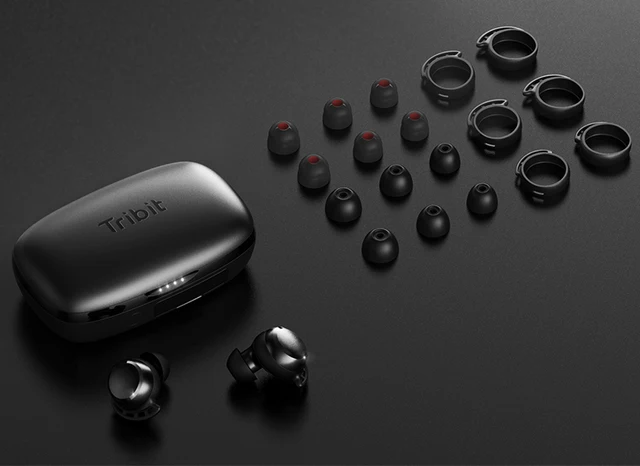
- Take both earbuds out of the charging case.
- Identify the left and right earbuds.
- Choose the ear tips that best suit and fit in your ears.
- Insert the headphones into the inner canal of the ears.
- Rotate for the best possible comfort and best fit, và đảm bảo rằng micrô hướng vào miệng.
How to Turn Off and On
Bật
Lấy tai nghe ra khỏi hộp sạc. Sau đó, the earbuds will turn on automatically.
Tắt
Place the earbuds into the charging case and close its lid. Sau đó, the earbuds will turn off automatically.
Cách kiểm soát
- Press the multifunction touch button on any of the earbuds two times to play or pause.
- Press and hold the multifunction touch button on the right earbud to turn the volume up.
- Press and hold the multifunction touch button on the left earbud to turn the volume down.
- Press the multifunction touch button on any of the earbuds three times to play the next track.
- Press the multifunction touch button on any of the earbuds two times to answer an incoming call.
- Press the multifunction touch button on any of the earbuds two times to end a call.
- Press and hold the multifunction touch button on any of the earbuds for 2 seconds to reject an incoming call.
- Press the multifunction touch button on any of the earbuds three times to activate the voice call.
Ghi chú: The multifunction touch sensor is placed on the circular part on the top of the earbuds.
How to Reset the Tribit FlyBuds 3 Tai nghe
To reset the Tribit FlyBuds 3 Earbuds delete all pairing information from the connected device. Place both earbuds in the charging case with the cover open, and press and hold the charging case button until the four indicator lights of the charging case flash 4 times at the same time, which shows that the earbuds successfully reset.
FAQS to Pair Tribit FlyBuds 3 Tai nghe
Are the Tribit FlyBuds 3 Earbuds waterproof?
Đúng, the Tribit FlyBuds 3 Earbuds are waterproof (IPX6 trở lên). They have a rating of IPX7, which means that they not only are against water but are also protected against the effects of immersion.
Does the Tribit FlyBuds 3 Earbuds have a microphone?
Đúng, these earbuds come with integrated microphones.
Does the Tribit FlyBuds 3 Earbuds have a low latency/gaming mode?
KHÔNG, những chiếc tai nghe này không có chế độ chơi game/độ trễ thấp.
Can the Tribit FlyBuds 3 Earbuds connect to a PC and Laptop?
Đúng, những chiếc tai nghe này có thể kết nối với PC, máy tính xách tay, và thậm chí cả máy tính bảng.
Are the Tribit FlyBuds 3 Earbuds noise-canceling?
KHÔNG! Những chiếc tai nghe này không có công nghệ khử tiếng ồn.
Phần kết luận
We hope you know how to Pair Tribit FlyBuds 3 Earbuds to your devices, and also know how to wear, how to reset, and to control them. Chúng tôi hy vọng bài viết này sẽ giúp ích cho bạn nhiều!


