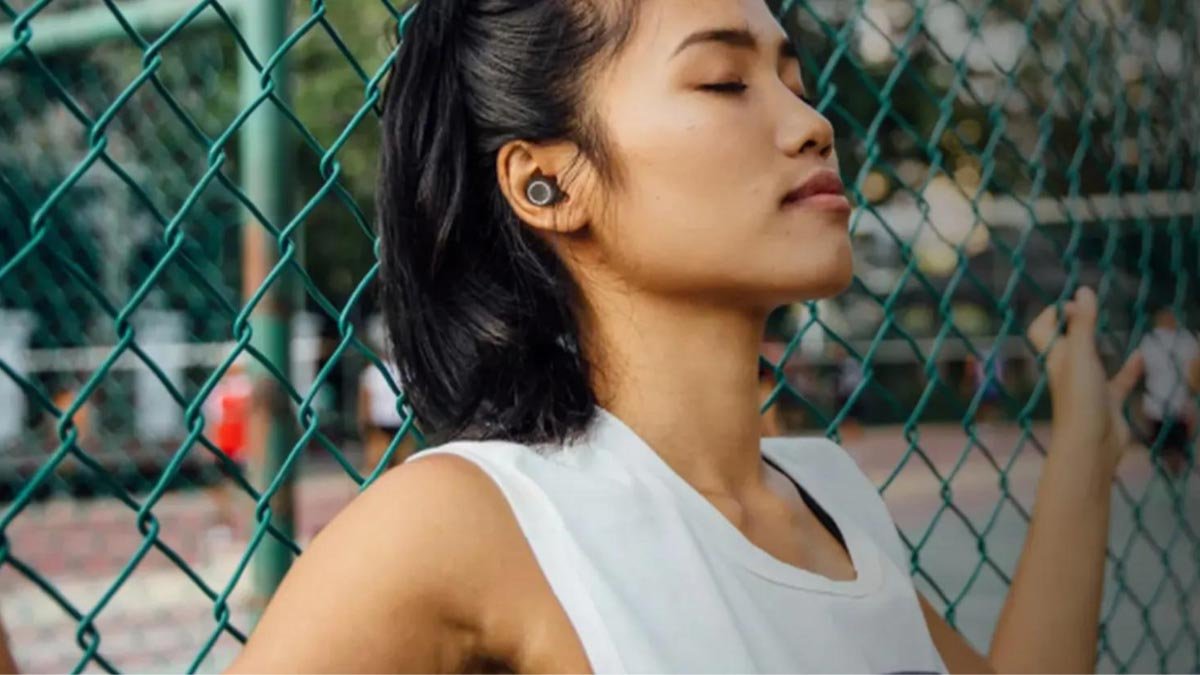
Uzibhanqa njani ii-Earbuds zika-Anker Zolo? I Anker Zolo Liberty Earbuds yiza nobomi bebhetri malunga 8 iiyure + ixhomekeke ku 100 iiyure usebenzisa ityala lokutshaja, ibluetooth 4.2, ezimbini 5.5mm graphene abaqhubi dynamic, inkxaso ye-AAC kunye ne-SBC audio codecs, IPX5 ukubila kunye nesatifikethi sokuthintela uthuli, nokunye okuninzi.
Ukubhanqa u-Anker Zolo Liberty Iindlebe kwizixhobo ezahlukeneyo kulula, kodwa uninzi lwabantu aluyazi indlela yokuBhanqa ii-Earbuds zika-Anker Zolo. Sukuba nexhala emva kokufunda eli nqaku uya kukwazi ukwenza i-Anker Zolo Liberty Earbuds kwizixhobo zakho.. Masiqalise!
Uzidibanisa njani ii-Earbuds zika-Anker Zolo zeLiberty?
Ukudibanisa i-Anker Zolo Liberty Earbuds yinkqubo elula nelula.
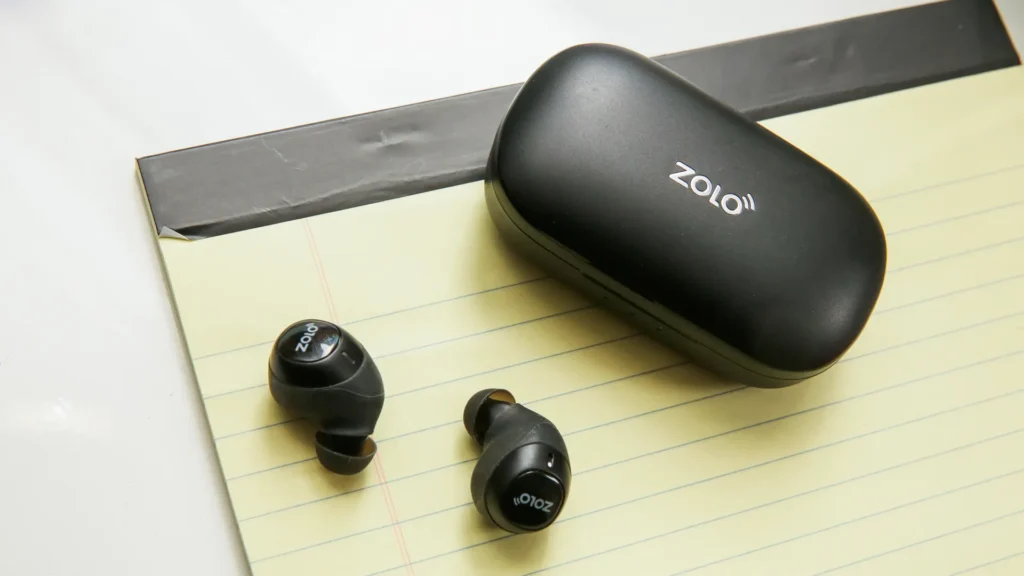
- Nceda ukhuphe ii-earbuds kwityala, ziyakuzivula ngokuzenzekelayo kwaye zikwimo yokubhanqa. Kananjalo, ungacinezela kwaye ubambe iqhosha lemisebenzi emininzi malunga 1 Isibini.
- Emva koko, yiya kuseto kwaye uvule iBluetooth kwisixhobo sakho.
- Khetha i-Zolo Liberty Earbuds kuluhlu olukwisixhobo sakho kwaye ucofe kuyo ukuze udibanise.
- Ukuba uyalelwe ukuba ufake igama lokugqithisa 0000.
Uzidibanisa njani ii-Earbuds ze-Anker Zolo ze-IOS kunye nezixhobo ze-Android?
- Ekuqaleni, vula ingxowa yokutshaja kwaye ukhuphe ii-earbuds. Emveni kwalonto, ziya kuvula ngokuzenzekelayo. Ukuba ayivuleki ngokuzenzekelayo, ungacofa kwaye ubambe iqhosha lokuchukumisa imisebenzi emininzi kuzo zombini ii-earbuds malunga 1 Isibini.
- Emva koko, vula iBluetooth kwisixhobo sakho.
- Yiya kuseto lweBluetooth yesixhobo.
- Khetha uZolo Liberty. Ukuba igama lokugqithisa liyafuneka, uhlobo 0000. Emveni kwalonto, ukudityaniswa kuya kwenziwa.
Uzidibanisa njani ii-Earbuds zika-Anker Zolo zeLiberty ngePC?
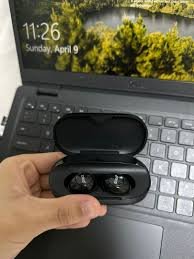
- Vula iBluetooth kwiPC yakho.
- Yiya kwiisetingi.
- Yiya kwiBluetooth kunye nezinye izixhobo.
4. Ngoku, vula ingxowa yokutshaja kwaye ukhuphe ii-earbuds. Emveni kwalonto, ziya kuvula ngokuzenzekelayo. Kananjalo, ungacofa kwaye ubambe iqhosha lokuchukumisa imisebenzi emininzi kuzo zombini ii-earbuds malunga 1 Isibini.
5. Khetha uZolo Liberty. Ukuba igama lokugqithisa liyafuneka, uhlobo 0000. Emveni kwalonto, ukudityaniswa kuya kwenziwa.
Uzinxiba njani ii-Earbuds zikaZolo Liberty?
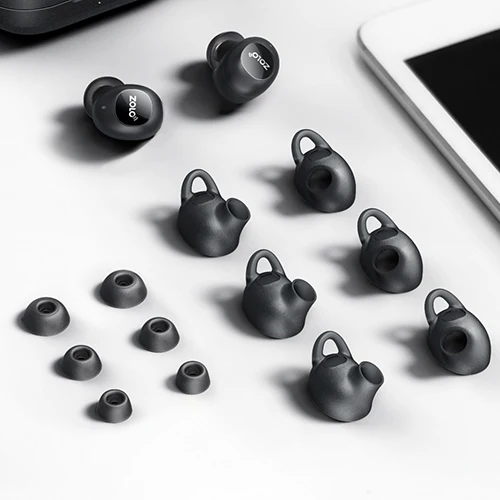
Thatha zombini ii-earbuds kwingxowa yokutshaja. Chonga ii-earbuds zasekhohlo nasekunene. Khetha iingcebiso zeendlebe ezilungele iindlebe zakho. Faka ii-earbuds kumjelo ongaphakathi weendlebe. Jikelezisa ngeyona nto ingcono kwaye ifanelekile, kwaye uqinisekise ukuba imakrofoni ikhomba emlonyeni.
Useta kwakhona njani ii-Earbuds ze-Zolo Liberty?
Thatha ii-earbuds kwingxowa yokutshaja. Cinezela kwaye ubambe iqhosha le-multifunction touch kuzo zombini ii-earbuds malunga 5 imizuzwana, okanye de isibane esibomvu siqalise ukudanyaza kwii-earbuds.
Cinezela kwaye ubambe iqhosha le-multifunction touch kuzo zombini ii-earbuds malunga 8 imizuzwana okanye kude kube ukukhanya okupinki kuqale ukudanyaza kwii-earbuds. Beka zombini ii-earbud kwingxowa yokutshaja.
I-earbud yasekunene iya kuzibhangqa ngokuzenzekelayo kwi-earbud yasekhohlo. Cima lonke ulwazi lokumataniswa kweZolo Liberty kwisixhobo esiqhagamshelweyo. Emveni kwalonto, ukusetwa kwakhona kuya kwenziwa.
Indlela Yokulawula?
- Ukudlala okanye ukunqumamisa ingoma cofa iqhosha le-multifunction touch nakweyiphi na i-earbuds 1 ixesha.
- Dlala ingoma elandelayo cofa kwaye ubambe iqhosha lokucofa imisebenzi emininzi kwi-earbud yasekunene malunga 1 Isibini.
- Dlala ucofa olulandelayo oludlulileyo kwaye ubambe iqhosha lokuchukumisa imisebenzi emininzi kwi-earbud esekhohlo malunga 1 Isibini.
- Phendula umnxeba ongenayo ngokucofa iqhosha le-multifunction touch nakweyiphi na i-earbuds 1 ixesha.
- Phelisa umnxeba wangoku cofa iqhosha lokucofa imisebenzi emininzi kuyo nayiphi na i-earbuds 1 ixesha.
- Yala umnxeba ongenayo ucinezele kwaye ubambe iqhosha le-multifunction touch nakweyiphi na i-earbuds malunga 1 Isibini.
- Dlulisa umnxeba osuka kwi-earbuds ukuya kwisixhobo esiqhagamshelweyo, cinezela kwaye ubambe iqhosha le-multifunction touch nakweyiphi na i-earbuds malunga. 1 Isibini.
- Tshintsha phakathi komnxeba obanjiweyo kunye nokucofa umnxeba osebenzayo kwaye ubambe iqhosha lokuchukumisa imisebenzi emininzi nakweyiphi na i-earbuds malunga 1 Isibini.
- Ukuvula umncedisi welizwi cofa iqhosha lokucofa imisebenzi emininzi kuyo nayiphi na i-earbuds 2 amaxesha.
Ii-FAQs ukuMatanisa ii-Earbuds zika-Anker Zolo Liberty?
Ngaba i-Anker Zolo Liberty Earbuds ayinamanzi?
Hayi, iAnker Zolo Liberty ayikhuseli manzi. Banomlinganiselo we IPX5, nto leyo ethetha ukuba bakhuselwe kumanzi athile avela kumbhobho.
Wenza ntoni ukuba i-Microphone ayisebenzi?
Ukuba imakrofoni ayisebenzi inokuba kungenxa yokuba imakrofoni ithulisiwe, okanye ii-earbuds zibekwe kakubi. Ukulungisa oku, ungenza oku kulandelayo
Ukuba imakrofoni icinyiwe, khangela ivolumu ye-microphone yesixhobo. Ukuba oko akusebenzi, oko kuthetha ukuba kunokubakho isiphene kwii-earbuds, ke zama ukuzitshintsha okanye ufumane imbuyekezo.
Ungazi njani xa i-Anker Zolo Liberty Earbuds ihlawuliswe ngokupheleleyo?
Xa ii-earbuds zitshaja, ezinye izibane zikhanyile. Xa ihlawuliswe ngokupheleleyo, zonke izibane zicinywe kwityala lokutshaja.
Ukuqukumbela
Siyathemba ukuba emva kokufunda eli nqaku uya kukwazi ukwenza i-Anker Zolo Liberty Earbuds kwizixhobo zakho.
Inkqubo yokumatanisa ilula kwaye kulula landela la manyathelo akhankanywe ngasentla ngononophelo ngaphandle kokutsiba naliphi na inyathelo, kungenjalo awukwazi ukugqiba inkqubo yokumatanisa. Siyathemba ukuba eli nqaku liya kukunceda kakhulu!