Ngaba uyafuna ukudibanisa ii-Earbuds ze-Tozo A1? Ii-Earbuds zeTozo A1 zinesiqinisekiso se-IPX5, ibluetooth 5.3, ubomi bebhetri malunga 6 iiyure + 24 usebenzisa ityala lokutshaja kunye ne-6mm yesithethi.
Ukuba unesibini esitsha Ii-Earbuds zeTozo A1 kwaye ufuna ukuzidibanisa nezixhobo zakho. Ukubhanqa kwizixhobo zakho yinkqubo elula, ukwenza oku funda ngokupheleleyo eli nqaku kwaye ulandele inkqubo yokumatanisa. Ngoko, masiqalise!
Ungabhangaza njani uTzo A1 iindlebe?
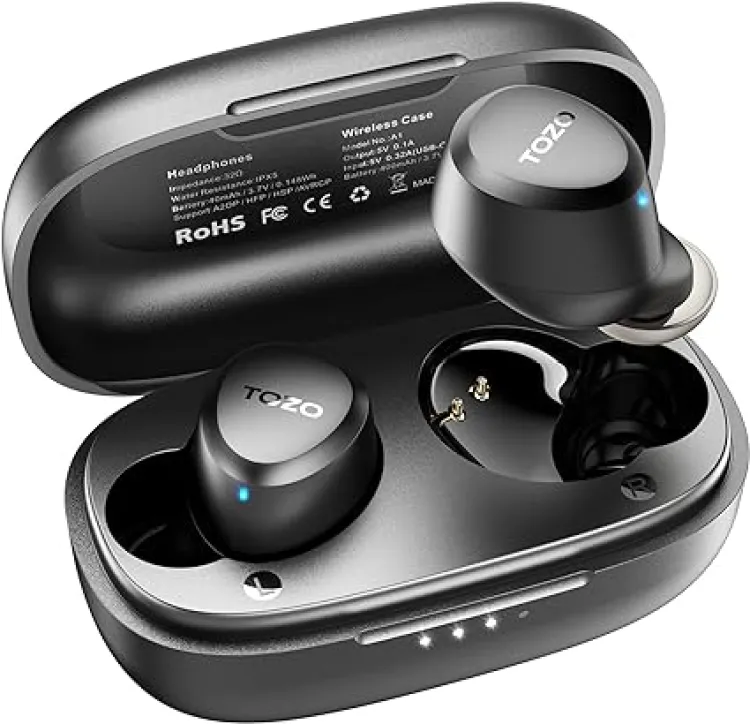
Khupha ii-earbuds kwi-case kwaye ziya kuba ngokuzenzekelayo kwimowudi yokudibanisa kwaye zidibanise enye kwenye 10 imizuzwana. Enye yee-earbud idanyaza ebomvu nebhlowu ngokutshintshanayo. Ngoku, Khangela igama lokumatanisa iTozo A1.
Uzidibanisa njani ii-earbuds zeTozo A1 kwi-IOS kunye neeFowuni ze-Android?
- Thatha i-resids kwindawo yokutshaja, kwaye ii-earbuds ziyakuzivula ngokuzenzekelayo.
- Emva koko xa isibane esiluhlaza nabomvu siqala ukudanyaza kwenye yee-earbuds, ziya kuba zilungele ukudibanisa nasiphi na isixhobo.
- Emva koko, vula iBluetooth kwisixhobo esifunekayo.
- Yiya kuseto lweBluetooth kwisixhobo sakho.
- Ngoku, khetha Tozo A1.
- Ukuba uyalelwa uhlobo lwegama lokugqitha 0000.
- Emveni kwalonto, isibane esiluhlaza siza kuqalisa ukudanyaza qho 3 imizuzwana, kwaye ukudibanisa kuya kwenziwa.
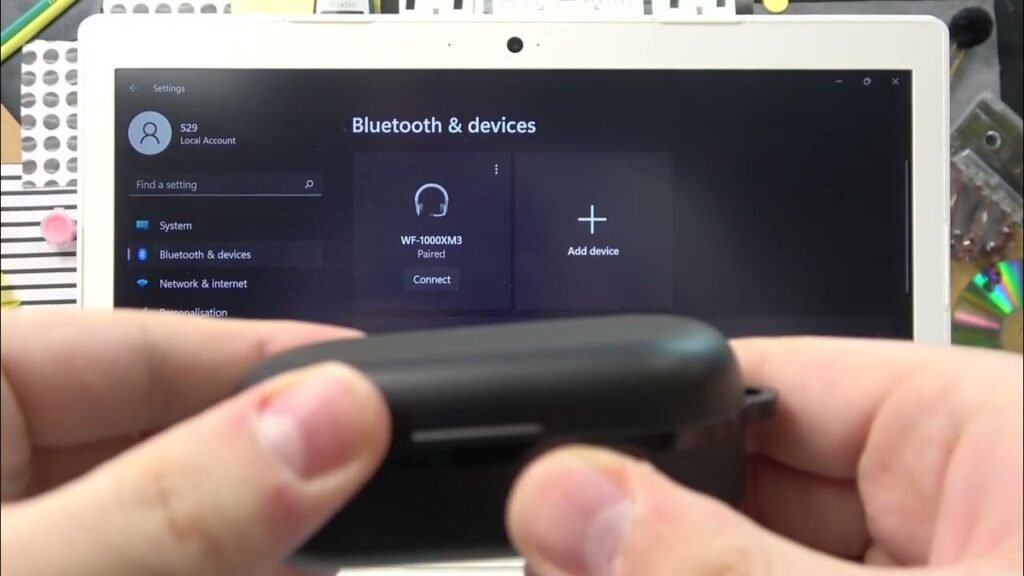
Dibanisa ii-Earbuds zeTozo A1 ezinePC (IiWindows)
- Vula iBluetooth yeWindows.
- Yiya kwiisetingi.
- Yiya kwiBluetooth nakwezinye izixhobo kwaye ucofe ku Faka isixhobo.
- Cofa kwiBluetooth.
- Vula ingxowa yokutshaja kwaye ukhuphe ii-earbuds. Emveni kwalonto, ii-earbuds ziyakuzivula ngokuzenzekelayo.
- Emva koko, khetha Tozo A1 Ukuba igama lokugqitha liyafuneka, uhlobo 0000.
- Emveni kwalonto, isibane esiluhlaza siza kuqalisa ukudanyaza qho 3 imizuzwana, kwaye ukudibanisa kuya kwenziwa.
Uzinxiba njani ii-Earbuds zeTozo A1
Thatha zombini ii-earbuds ngaphandle kwetyala lokutshaja. Chonga ii-earbuds zasekhohlo nasekunene. Khetha iingcebiso zeendlebe ezilungele iindlebe zakho. Emva koko faka i-headphones kwi-canal yangaphakathi yeendlebe. Jikelezisa ngeyona nto ingcono kwaye ifanelekile, kwaye uqinisekise ukuba imakrofoni ikhomba emlonyeni.
Ulayita kwaye uValwe njani
Layita
Ngokuzenzekelayo
Vula ingxowa yokutshaja kwaye ukhuphe ii-earbuds. Emveni kwalonto, ii-earbuds ziyakuzivula ngokuzenzekelayo.
Ngesandla
Ungacofa kwaye ubambe iqhosha le-multifunction touch kuzo zombini ii-earbuds malunga 3 imizuzwana ukuzivula.
Cima
Ngokuzenzekelayo
Beka ii-earbuds kwingxowa yokutshaja kwaye uvale isiciko sayo. Emveni kwalonto, ii-earbuds ziya kuzicima ngokuzenzekelayo.
Ngesandla
Ungacofa kwaye ubambe iqhosha le-multifunction touch kuzo zombini ii-earbuds malunga 5 imizuzwana ukuzicima.
IQhosha lokucofa
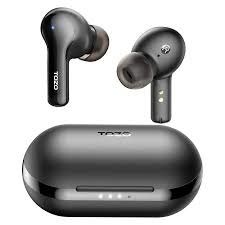
- Iqhosha le-multifunction touch libekwe kwindawo ephezulu yomzimba wee-earbuds.
- Cinezela iqhosha le-multifunction touch nakweyiphi na i-earbuds 1 ixesha lokudlala okanye lokumisa umculo.
- Cinezela kwaye ubambe iqhosha le-multifunction touch kwi-earbud yasekunene ukunyusa ivolyum.
- Cinezela kwaye ubambe iqhosha le-multifunction touch kwi-earbud esekhohlo ukwehlisa ivolyum.
- Cinezela iqhosha le-multifunction touch nakweyiphi na i-earbuds 3 amaxesha okudlala ingoma elandelayo.
- Cinezela iqhosha le-multifunction touch nakweyiphi na i-earbuds 4 amaxesha okudlala ingoma yangaphambili.
- Cinezela iqhosha le-multifunction touch nakweyiphi na i-earbuds 1 ixesha lokuphendula umnxeba ongenayo.
- Cinezela iqhosha le-multifunction touch nakweyiphi na i-earbuds 1 ixesha lokuphelisa umnxeba.
- Cinezela kwaye ubambe iqhosha le-multifunction touch nakweyiphi na i-earbuds 2 imizuzwana yokukhaba ifowuni engenayo.
- Cinezela iqhosha le-multifunction touch nakweyiphi na i-earbuds 3 amaxesha okuvula umncedisi welizwi.
Uyivula njani iMowudi yeMono?
Ukuvula imo yemono kwiTozo A1, Konke omawukwenze kukudibanisa ii-earbuds kwisixhobo kwaye ukhuphe enye yee-earbuds kwityala lokutshaja.. Iya kuqalisa ukusebenza ngokwayo.
Useta kwakhona njani ii-Earbuds zeTozo A1?
Cima zonke iirekhodi zokubhanqa zeTozo A1 kwisixhobo esiqhagamshelwe. Cima umsebenzi weBluetooth kwisixhobo. Thatha zombini ii-earbuds kwingxowa yokutshaja. Cinezela iqhosha le-multifunction touch kuzo zombini ii-earbuds 5 amaxesha, kude kudanyazwe isibane esibomvu 1 Isibini.
Beka ii-earbuds kwingxowa yokutshaja. Emveni kwalonto, ukusetwa kwakhona kuya kwenziwa.
Ungayibiza njani i-rebuds kunye netyala lokutshaja?
Iindlebe
Ukutshaja ii-earbuds, zibeke kwityala lokutshaja kwaye uvale isiciko. Ii-earbuds ziyakuqala ukutshaja ngokuzenzekelayo.
Ityala lokutshaja
Ukuhlawulisa ityala lokutshaja, into ekufuneka uyenzile kukudibanisa i-case kwitshaja ye-USB okanye izibuko lokutshaja elibandakanya i-USB-A ukuya ku-C intambo.
Ukuqukumbela
Emva kokufunda eli nqaku uya kuba nakho ukubhangqa ii-earbuds zeTozo A1 kwizixhobo zakho. Inkqubo yokubhanqa yinkqubo elula. Ukwenza oku landela umyalelo wokubhanqa. Siyathemba ukuba eli nqaku liya kukunceda kakhulu!