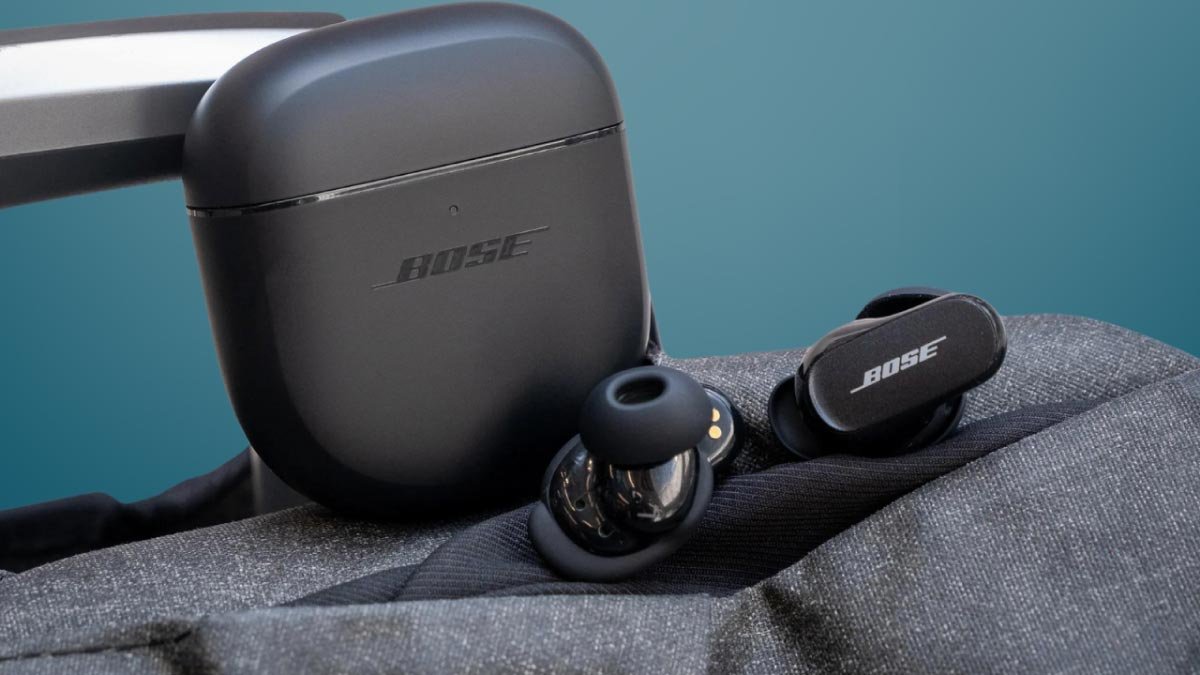
Táak wáaj a conectar auriculares Bose QuietComfort? le auriculares Bose QuietComfort ku yane' le ti' auriculares inalámbricos jaajil je'el u páajtal u kéen p'áatak. Le k'iino'oba' auriculares ku ts'aik jump'éel juum ka'anal calidad, le k'iino'oba' auriculares ku asab ma'alo'ob uti'al le máaxo'ob uts tu yicho'ob le paaxo'. Bey u, Ti' le artículo, k we'esik ti' teech bix conectar Bose QuietComfort Earbuds ti' a iPhone, nu'ukul t'aan, wa PC.
Bix u ts'áabal Bose QuietComfort Earbuds ti' modo emparejamiento
Utia'al u ts'áik Bose QuietComfort Earbuds ti' modo emparejamiento. jóok'es le ka'ap'éel auriculares ti' le caja kuuch, yéetel ku t'abik automáticamente ka wokol ichil modo emparejamiento. Wa le auriculares ma' ku yokolo'ob ti' modo emparejamiento tumen alguna o'olal, je'el u páajtal a activar le manualmente pulsando yéetel sosteniendo le botón ti' le kiis buuts tak ka le sáasilo' parpadea.
Le ken tech wokol ichil modo emparejamiento, je'el u páajtal a conectar le auriculares yéetel je'el ba'ax dispositivo tech elige.
Bix u ts'áabal Bose QuietComfort Earbuds yéetel juntúul Mac wa MacBook
Bose yaan ti' aplicaciones uti'al Android yéetel iOS. Ba'ale' mina'an mix jump'éel versión uti'al Windows yéetel MacOS, bey u k'a'abéet a emparejar le manualmente. Te'ela' yaan k ts'áaik ti' jump'éel náakake' u yaak'il yóok'ol bix conectar Bose QuietComfort Earbuds ti' jump'éel MacBook
- Yáax, ts'áa le Bose QuietComfort ti' modo emparejamiento.
- Túun, u beetik clic ti' le icono Apple tu tu'uk' superior izquierda ti' le pantalla Chúunul u MacBook.
- Yéey SystemSettings ti' le menú desplegable.
- yéey Bluetooth ka t'abik.
- Le ken u auriculares QuietComfort chíikpajal ti' le tsoolol dispositivos, u beetik clic ti' leti'ob. Ka' u beetik clic ti' u k'aaba' le auriculares ti' le lista yaan a wu'uyik jump'éel conexión t'aan bin exitosa.
Bix u emparejar le auriculares Bose QuietComfort yéetel juntúul PC Windows
Bey u conectar le auriculares Bose QuietComfort ti' u PC Windows
- Yáax, jóok'es le auriculares ti' le kiis buuts ku t'abik yéetel wokol ichil modo emparejamiento automáticamente.
- Bejla'e', je'ek'abt le menú Chúunul yéetel xi'iken ti' le ka'anatako'ob configuración.
- Te'ela' u beetik clic ti' Bluetooth & dispositivos > Añadir dispositivo yéetel t'abik Bluetooth.
- Túun, yéey Bluetooth ti' le opciones.
- Ka' tuláakal le k'iino'oba' wook seleccione le auriculares Bose QuietComfort ti' le tsoolol dispositivos disponibles.
Bix u ts'áabal Bose QuietComfort Earbuds yéetel juntúul iPhone wa iPad

Bose yaan ti' ka'ap'éel aplicaciones acompañantes: Bose Connect yéetel Bose (ka'ache' Bose Music). Tu ka'atúulal táan disponibles ti' iOS yéetel Android.
Je'el u páajtal a emparejar le auriculares Bose QuietComfort yéetel a iPhone manualmente wa yéetel le ka'anatako'ob acompañante Bose. Te'ela' k ts'áaik ti' jump'éel t'aan yo'osal bix conectar Bose QuietComfort Earbuds yo'osal u búukinta'al le ka'anatako'ob Bose
- Je'e le Boseapp. Cha' u Bluetooth wa ku k'áatik.
- Pulse Chúunul xoknáalo'obo' utia'al wokol ichil le ka'anatako'ob, yéetel crear jump'éel yilaje'.
- Bejla'e', jóok'es le auriculares ti' le kiis buuts ts'áa le ti' modo emparejamiento, pa'atik u chíikpajal te' pantallao', ka yéeyiko'ob.
- Ba'ale' wa ma' chíikpajal le auriculares, péets'k'abtik le + botón uti'al u ts'áabal manualmente.
- Yéey auriculares, uti'al u beetik jump'éel conexión yéetel pa'atik u kaxtik le app. Ka' jump'éel súutuko' k'a'ana'an a wu'uyik jump'éel conexión exitosa.
Bix u conectar le auriculares Bose QuietComfort ti' jump'éel dispositivo iOS manualmente
- Búukint le auriculares ti' modo emparejamiento.
- Xeen ti' configuración ka t'abik le Bluetooth ti' a iPhone wa iPad.
- Yéey le auriculares Bose QuietComfort ti' le lista yaan ti' a iPhone wa iPad.
Bix u emparejar le auriculares Bose QuietComfort yéetel juntúul nu'ukul t'aan Android wa tablet?
Je'el u páajtal a ts'áik Bose QuietComfort Earbuds ti' a dispositivo Android manualmente wa yéetel le ka'anatako'ob Bose Companion bey le iPhone.
- Je'e le Boseapp yéetel permitir permisos Bluetooth wa ku k'áatik.
- Túun, yéey Chúunul xoknáalo'obo' wa Crear jump'éel yilaje' uti'al wokol ichil le ka'anatako'ob.
- Búukint le auriculares ti' modo emparejamiento.
- Ka' lelo' yéey le ken chíikpajal ti' le pantalla.
- Wa ma' chíikpajal le auriculares, pulse le botón + uti'al u ts'áabal manualmente.
- Yéey auriculares yéetel pa'atik u kaxtik le ka'anatako'ob.
Bix u conectar le auriculares Bose QuietComfort ti' u nu'ukul t'aan Android wa tablet manualmente
- Búukint le auriculares ti' modo emparejamiento.
- Xeen ti' configuración > dispositivos conectados yéetel t'abik Bluetooth.
- Xeen ti' Emparejar túumben dispositivo yéetel pa'atik u chíikpajal le auriculares yáanal dispositivos disponibles.
- Yéey le auriculares ti' le lista.
- Bejla'e', u beetik clic ti' leti' utia'al u meentik jump'éel conexión.
- Ka' jump'éel segundos a auriculares ku conectarán ti' u dispositivo yéetel estarán listos utia'al u búukinta'al.
Conclusión
Le ken ts'o'okok a xookik le artículo je'el u páajtal a conectar auriculares Bose QuietComfort yéetel a dispositivos manualmente yéetel yéetel le ka'anatako'ob Bose Companion. Utia'al u beetik le je'ela' chéen k'a'abet a t'u'uchpachtik le wook ts'o'ok u ya'ala'alo'ob yéetel kanáanil xma' a p'atik mix jump'éel paso.
Bey u, tuláakal k'a'abet a wojéeltik bix u conectar le auriculares Bose QuietComfort yéetel u dispositivos manualmente yéetel le ka'anatako'ob Bose Companion. K pa'atik u le artículo a ayude ya'ab!