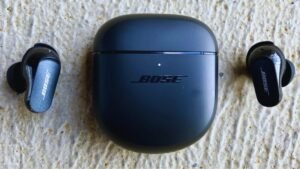
Uyafuna ukubhangqa ama-Earbuds e-Tozo A1? I-Tozo A1 Earbuds inesitifiketi se-IPX5, I-Bluetooth 5.3, impilo yebhethri cishe 6 amahora + 24 usebenzisa ikesi lokushaja nesipika esingu-6mm.
Uma unepheya entsha ye Ama-Earbuds e-Tozo A1 futhi ufuna ukuwabhangqa kumadivayisi akho. Ukumatanisa nezisetshenziswa zakho kuyinqubo elula, ukwenza lokhu funda lesi sihloko ngokuphelele futhi ulandele inqubo yokumatanisa. Ngakho, Ake siqale!
Ungamatanisa kanjani ama-earbuds e-Tozo A1?

Khipha ama-earbud ekesini futhi azoba kumodi yokumatanisa ngokuzenzakalela futhi abhanqe enye nenye 10 imizuzwana. Enye yama-earbud ikhanya ngokubomvu nokuluhlaza okwesibhakabhaka ngokushintshana. Manje, cinga igama lokumatanisa elithi Tozo A1.
Ungamatanisa kanjani ama-earbuds e-Tozo A1 ku-IOS kanye nezingcingo ze-Android?
- Khipha ama-earbud ekesini lokushaja, futhi ama-earbuds azovula ngokuzenzakalelayo.
- Ngemva kwalokho lapho ukukhanya okuluhlaza okwesibhakabhaka nokubomvu kuqala ukubaneka kwenye yama-earbud, zizobe zilungele ukubhanqa nanoma iyiphi idivayisi.
- Khona-ke, vula i-Bluetooth kudivayisi oyifunayo.
- Iya kuzilungiselelo ze-Bluetooth kudivayisi yakho.
- Manje, khetha i-Tozo A1.
- Uma ucelwa uhlobo lwephasiwedi 0000.
- Ngemva kwalokho, ukukhanya okuluhlaza okwesibhakabhaka kuzoqala ukukhanya njalo 3 imizuzwana, futhi ukubhangqa kuzokwenziwa.
Bhangqa ama-Earbuds e-Tozo A1 nge-PC (IWindows)

- Vula i-Bluetooth yewindi.
- Iya kuzilungiselelo.
- Iya ku-Bluetooth namanye amadivayisi bese uchofoza okuthi Engeza idivayisi.
- Chofoza ku-Bluetooth.
- Vula ikesi lokushaja bese ukhipha ama-earbud. Ngemva kwalokho, ama-earbud azovuleka ngokuzenzakalelayo.
- Khona-ke, khetha i-Tozo A1 Uma iphasiwedi idingeka, ukuthayipha 0000.
- Ngemva kwalokho, ukukhanya okuluhlaza okwesibhakabhaka kuzoqala ukukhanya njalo 3 imizuzwana, futhi ukubhangqa kuzokwenziwa.
Ungawagqoka Kanjani Ama-Earbuds we-Tozo A1
Thatha kokubili ama-earbud ngaphandle kwecala lokushaja. Khomba ama-earbuds kwesobunxele nakwesokudla. Khetha amathiphu e-ear ehambisana kahle nezindlebe zakho. Bese ufaka ama-headphones ku-canal yangaphakathi yezindlebe. Zungezisa induduzo engcono kakhulu futhi kufanelekile, futhi uqiniseke ukuthi imakrofoni ikhomba emlonyeni.
Ukuvula Nokuvala Kanjani
Vula
Ngokuzenzakalelayo
Vula ikesi lokushaja bese ukhipha ama-earbud. Ngemva kwalokho, ama-earbud azovuleka ngokuzenzakalelayo.
Ngokuzenzela
Ungacindezela futhi ubambe inkinobho yokuthinta yemisebenzi eminingi kuwo womabili ama-earbud cishe 3 imizuzwana ukuwavula.
Vala
Ngokuzenzakalelayo
Faka ama-earbud ekesini lokushaja bese uvala isivalo salo. Ngemva kwalokho, Ama-Earbuds azocima ngokuzenzakalelayo.
Ngokuzenzela
Ungacindezela futhi ubambe inkinobho yokuthinta yemisebenzi eminingi kuwo womabili ama-earbud cishe 5 imizuzwana ukuwacisha.
Inkinobho Yokuthinta

- Inkinobho yokuthinta yemisebenzi eminingi ibekwa engxenyeni engaphezulu yomzimba yama-earbud.
- Cindezela inkinobho yokuthinta yemisebenzi eminingi kunoma imaphi ama-earbud 1 isikhathi sokudlala noma sokumisa kancane umculo.
- Cindezela futhi ubambe inkinobho yokuthinta yemisebenzi eminingi ku-earbud engakwesokudla ukuze ukhuphule ivolumu.
- Cindezela futhi ubambe inkinobho yokuthinta yemisebenzi eminingi ku-earbud engakwesokunxele ukuze wehlise ivolumu.
- Cindezela inkinobho yokuthinta yemisebenzi eminingi kunoma imaphi ama-earbud 3 izikhathi zokudlala ingoma elandelayo.
- Cindezela inkinobho yokuthinta yemisebenzi eminingi kunoma imaphi ama-earbud 4 izikhathi zokudlala ingoma yangaphambilini.
- Cindezela inkinobho yokuthinta yemisebenzi eminingi kunoma imaphi ama-earbud 1 isikhathi sokuphendula ucingo olungenayo.
- Cindezela inkinobho yokuthinta yemisebenzi eminingi kunoma imaphi ama-earbud 1 isikhathi sokuvala ucingo.
- Cindezela futhi ubambe inkinobho yokuthinta yemisebenzi eminingi kunoma imaphi ama-earbud 2 imizuzwana ukwenqaba ucingo olungenayo.
- Cindezela inkinobho yokuthinta yemisebenzi eminingi kunoma imaphi ama-earbud 3 izikhathi zokuvula isilekeleli sezwi.
Ungakwenza kanjani kusebenze imodi ye-mono?
Ukwenza kusebenze imodi ye-mono ku-Tozo A1, okumele ukwenze nje ukubhangqa ama-earbud kudivayisi bese ukhipha eyodwa yama-earbud ekesi lokushaja.. Izoqala ukusebenza ngokwayo.
Ungawasetha kanjani kabusha ama-earbuds e-Tozo A1?
Susa wonke amarekhodi wokumatanisa we-Tozo A1 kudivayisi exhunyiwe. Vala umsebenzi we-Bluetooth kudivayisi. Thatha izindlebe zombili ecaleni lokushaja. Cindezela inkinobho yokuthinta yemisebenzi eminingi kuwo womabili ama-earbud 5 Izikhathi, kuze kukhanye ilambu elibomvu 1 okwesibili.
Faka ama-earbud ekesini lokushaja. Ngemva kwalokho, Ukusetha kabusha kuzokwenziwa.
Ungashaja kanjani ama-earbud nekesi lokushaja?
Izindlebe
Ukushaja ama-Earbuds, uwafake ekesini lokushaja bese uvala isivalo. Ama-Earbuds azoqala ukushaja ngokuzenzakalelayo.
Ikesi lokushaja
Ukushaja icala lokushaja, okumele ukwenze nje ukuxhuma ikesi kushaja ye-USB noma imbobo yokushaja ene-USB-A eya ku-C efakiwe ikhebula.
Isiphetho
Ngemva kokufunda lesi sihloko uzokwazi ukubhangqa ama-earbud e-Tozo A1 namadivayisi akho. Inqubo yokumatanisa iyinqubo elula. Ukuze wenze lokhu landela umyalelo wokumatanisa. Siyethemba le ndatshana izokusiza kakhulu!