Impone ကို IPhone သို့ IPONON ကြားနာကိရိယာများကိုမည်သို့ဆက်သွယ်ရမည်နည်း? နားကြားကိရိယာများသည် ကမ္ဘာကြီးကို မယုံနိုင်လောက်အောင် ရှင်းလင်းပြတ်သားစွာ သက်သေခံနိုင်ရုံသာမက သင်နှစ်သက်သော တေးဂီတကို နားဆင်နိုင်ကာ သင့်ဖုန်းမှ ဖုန်းခေါ်ဆိုမှုများကို ကြည့်ရှုနိုင်စေပါသည်။!
Oticon နားကြားကိရိယာများသည် ထူးခြားသောကိရိယာများဖြစ်သည်။, အခွင့်အလမ်းများနှင့် ဖြစ်နိုင်ချေများကို ကမ်းလှမ်းသည်။. ဒါပေမယ့် စိုးရိမ်စရာကတော့ Oticon နားကြားကိရိယာကို iPhone နဲ့ ဘယ်လိုချိတ်ဆက်ရမလဲဆိုတာ မသိဘဲနဲ့ သင့် iPhone နဲ့ ချိတ်ဆက်ဖို့ လိုအပ်တာပဲဖြစ်ပါတယ်။. ကောင်းပြီ။, ဤတွင် Oticon နားကြားကိရိယာများကို iPhone နှင့် ချိတ်ဆက်နည်း အသေးစိတ် အဆင့်ဆင့် လမ်းညွှန်ချက်ဖြစ်သည်။. ဒါကြောင့်, စတင်လိုက်ရအောင်………
Oticon နားကြားကိရိယာများကို iPhone နှင့် ချိတ်ဆက်ရန် အဆင့်ဆင့်လမ်းညွှန်ချက်
ချိတ်ဆက်ရန် Oticon နားကြားကိရိယာ iPhone တစ်ခုသို့, သင်သည်ဤရိုးရှင်းသောအဆင့်များကိုလိုက်နာရမည်
- ပထမဦးဆုံး, ဆက်တင်များကို နှိပ်ပြီးနောက် ဝင်ရောက်နိုင်မှုဟု အမည်ပေးထားသည့် တက်ဘ်တစ်ခုသို့ အောက်သို့ ဆင်းသွားရပါမည်။.
- ပြီးနောက်, Connect အကြားအာရုံခံကိရိယာများ ချိတ်ဆက်ခြင်းဟုခေါ်သော တက်ဘ်ကို သင်ရှာမတွေ့မချင်း သင်သည် အောက်သို့ဆင်းသွားရပါမည်။.
- ပြီးတော့, နားကြားကိရိယာကို အဖွင့်အပိတ်လုပ်ရပါမယ်။. ဒီအတွက်, ဘက်ထရီ ဧရိယာ သို့မဟုတ် အပိုင်းကို ဖွင့်၍ပိတ်ရန် လိုအပ်သည်။.
- ကဲ, သင့်ရဲ့ iPhone ပေါ်မှာ, ထို့နောက် သင့်နားကြားကိရိယာအမည် ပေါ်လာသင့်သည်။.
- နောက်တစ်ခု, သင့်နားကြားကိရိယာ၏အမည်ကို သင်နှိပ်ရမည်ဖြစ်ပြီး အကြောင်းကြားလာသောအခါတွင် ရွေးချယ်ခွင့်အတွဲကို နှစ်ကြိမ်နှိပ်ရပါမည်.
- ယခုမှာ, သင်၏ နားကြားကိရိယာများကို သင့် iPhone နှင့် မှန်ကန်စွာ ချိတ်ဆက်ပေးပါမည်။.
Oticon Hearing Aids ကို Android သို့ ချိတ်ဆက်ပါ။
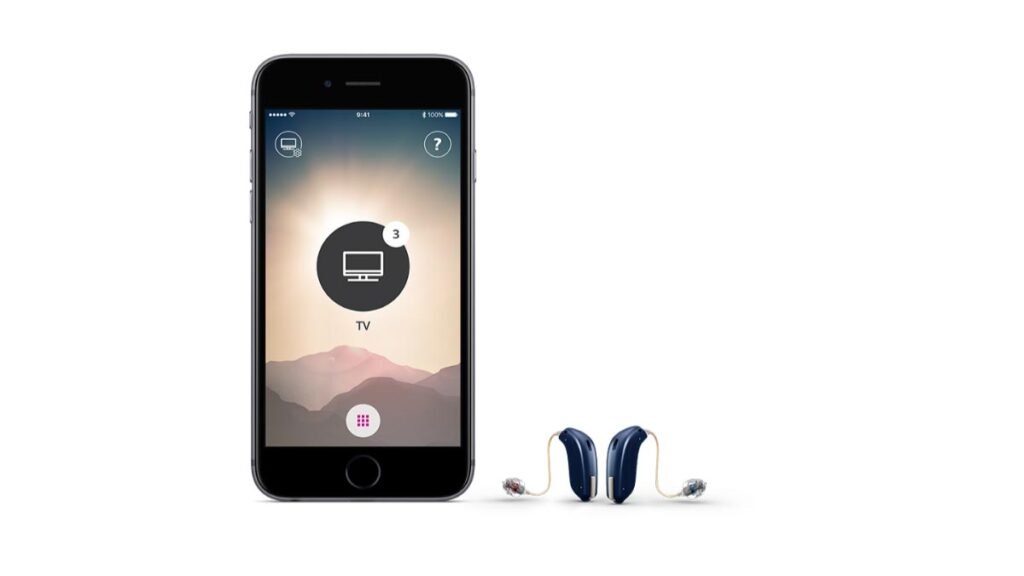
Oticon နားကြားကိရိယာများနှင့် ချိတ်ဆက်ရန် Android ပါ။, ဤအဆင့်များကို လိုက်နာရပါမည်။
- ပထမဦးဆုံး, နားကြားကိရိယာကို တွဲမုဒ်တွင် ထားရမည်။. ဒီအတွက်, ဘက်ထရီအကန့်ကိုဖွင့်ရပါမယ်။. သင့်တွင် အားပြန်သွင်းနိုင်သော စက်များရှိသည်။, ၎င်းတို့ကို အားသွင်းကြိုးပေါ်တွင် ငါးစက္ကန့်မှ ဆယ်စက္ကန့်ကြာထားပါ။.
- ပြီးနောက်, သင်၏ဆက်တင်များအက်ပ်ကိုဖွင့်ရန် သင့် Android ဖုန်း၏ပင်မမျက်နှာပြင်ပေါ်ရှိ အပြာရောင်ဂီယာသင်္ကေတကို နှိပ်ရပါမည်။.
- ကဲ, ချိတ်ဆက်ထားသော ကိရိယာများ ကဏ္ဍကို အောက်သို့ ဆင်းရပါမည်။, ထို့နောက် Pair new device ကိုရွေးချယ်ရပါမည်။.
- ပြီးတော့, သင်၏ နားကြားကိရိယာများသည် ရနိုင်သော စက်များကို မြင်ရပါမည်။. နားကြားကိရိယာ နှစ်ခုရှိရင် ချိတ်ဆက်ပါ။, တစ်ကြိမ်လျှင် တစ်ခုချင်းချိတ်ဆက်ရန် လိုအပ်မည်ဖြစ်ပါသည်။.
- ဘလူးတုသ်ချိတ်ဆက်မှုမှာ အပြီးသတ်နိုင်ပြီဖြစ်သည်။, Beep မြည်လာလိမ့်မယ်။.
Oticon နားကြားကိရိယာ Bluetooth နှင့် မချိတ်ဆက်ပါ။
သင့်နားကြားကိရိယာကို ချိတ်ဆက်ရမယ်ဆိုရင်တော့ ဘလူးတုသ် ထို့နောက်ပထမ, ဘလူးတုသ်ကို ဖွင့်ထားကြောင်း သေချာစေရမည်။. ဒါပေမဲ့, သင့် gadget သို့မဟုတ် device တွင် Bluetooth ကိုပိတ်ထားပါက, ထို့နောက်, ၎င်းသည် သင့်အား ဤစာကို အလိုအလျောက် ညွှန်ပြလိမ့်မည်။, Turn On Bluetooth ကိုနှိပ်ပြီး ဆက်လုပ်ပါ။. ကဲ, နားကြားကိရိယာများကို စစ်ဆေးရပါမည်။.
Oticon Bluetooth ကို ပြန်လည်သတ်မှတ်ပါ။
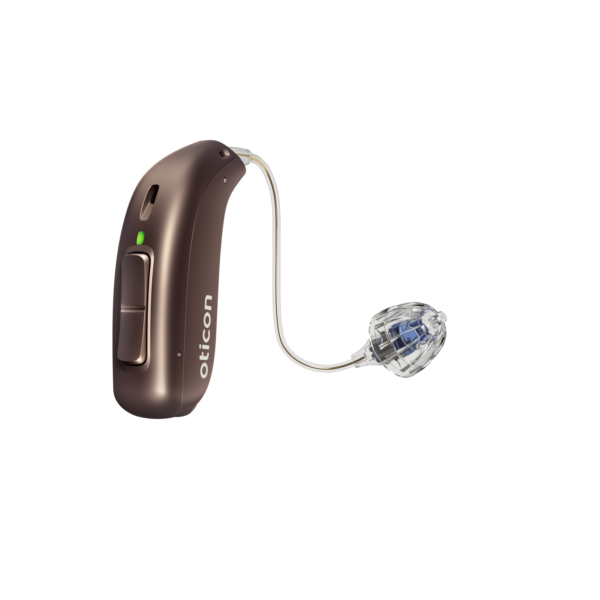
ပြီးတော့, Oticon အက်ပ်လီကေးရှင်းကို စတင်သောအခါတွင် သင်၏ gadget သည် သင့်နားကြားကိရိယာများသို့ ချိတ်ဆက်သွားမည်ဖြစ်သည်။.
Oticon Bluetooth ကို ပြန်လည်သတ်မှတ်ရန်, Settings ထဲကိုဝင်ရပါမယ်။. ဘလူးတုသ်ကို ဖွင့်ထားကြောင်း သေချာစေရမည်။. ကဲ, နားကြားကိရိယာကို ရွေးချယ်ရပါမယ်။. ပြီးတော့, Forget Reset App ကို သင်ရွေးချယ်ပါလိမ့်မယ်။. Oticon ON အက်ပ်ကို စတင်ပါ။. ပြီးတော့, Settings ထဲကိုဝင်ရပါမယ်။. နောက်တစ်ခု, Oticon ON အက်ပ်၏ ဒုတိယအင်္ဂါရပ်များသို့ ဝင်ရောက်ခွင့်ရရန် ဆက်တင်အိုင်ကွန်ကို နှိပ်ရပါမည်။. အပလီကေးရှင်းကို ပြန်လည်သတ်မှတ်ခြင်းသည် တွဲချိတ်မှုဟောင်းကိုလည်း ရှင်းပစ်မည်ဖြစ်ကြောင်း သတိရပါ။.
Oticon နားကြားကိရိယာများကို iPhone နှင့် ချိတ်ဆက်ရန် FAQs
သင်၏ Oticon အကြားအာရုံ ကိရိယာများသည် သင့် iPhone နှင့် အဘယ်ကြောင့် မချိတ်ဆက်နိုင်သနည်း။?
ထပ်မံတွဲချိတ်ခြင်းမစတင်မီ သင်သည် Bluetooth ကိုပိတ်ပြီးနောက် ပြန်ဖွင့်ရပါမည်။. သင့် iPhone သည် ၎င်းတို့ကို သိရှိနိုင်စေရန် စက်ပစ္စည်းများတွင် ထည့်ထားသည့် ဘက်ထရီတံခါးကို ဖွင့်ပြီး ပိတ်ရပါမည်။. နားကြားကိရိယာများ ရနိုင်သည့်အခါတွင် သင်ရွေးချယ်ရပါမည်။. နားကြားကိရိယာတစ်ခုစီအတွက် Bluetooth ချိတ်ဆက်မှုတောင်းဆိုမှုကို သင်အတည်ပြုရန် လိုအပ်သည်။.
သင်၏ Oticon နားကြားကိရိယာများဖြင့် သင့် iPhone ကို ဖြေဆိုနိုင်ပါသလား။?
Oticon ၏ နောက်ဆုံးပေါ် နားကြားကိရိယာများ, ဇာကွန်, Oticon နောက်ထပ်, သင်၏ဟန်းဖရီးဖုန်းခေါ်ဆိုမှုများ သို့မဟုတ် သင့်ဗီဒီယိုခေါ်ဆိုမှုများကို လက်ခံရရှိရန် ရွေးချယ်ထားသော iPad သို့မဟုတ် iPhone စက်ပစ္စည်းများတွင် Play PX ကို ရယူနိုင်သည်။, Facetime ဖုန်းခေါ်ဆိုမှုများ, နှင့် ပို.
IOS သို့ အကြားအာရုံ ကိရိယာ ချိတ်ဆက်နည်း?
ဒီအတွက်, သင်၏ နားကြားကိရိယာများကို တွဲမုဒ်တွင် ထားရပါမည်။, ဘက်ထရီသေတ္တာကိုဖွင့်ပြီး အားပြန်သွင်းနိုင်တဲ့ ကိရိယာကို သိမ်းဆည်းထားရင် သင်ဟာ ဘက်ထရီအိုးကို ဖွင့်ရပါမယ်။, အဲဒါကို အားသွင်းကြိုးပေါ်မှာ တင်ထားရမယ်။ 5 ရန် 10 စက္ကန့်. တွင်, သင်၏ iPad သို့မဟုတ် iPhone, Settings အက်ပ်ကို သင်သွားရပါမည်။, ထို့နောက်, Bluetooth option ကိုရွေးချယ်ပြီး slider ကိုဖွင့်ထားကြောင်းသေချာပါစေ။. ကဲ, ဆက်တင်များတွင်, Accessibility tab ကို ရွေးချယ်ပြီး အကြားအာရုံ ကိရိယာများ ကဏ္ဍသို့ ဆင်းသွားရပါမည်။. ပြီးတော့, သင်သည် အကြားအာရုံ အထောက်အကူပြု လိုက်ဖက်ညီသော ဆလိုက်ဒါကို ဖွင့်ရပါမည်။.
ကဲ, သင့်နားကြားကိရိယာများ၏ ကြိုးမဲ့ချိတ်ဆက်မှုသည် MFi ကြားနာကိရိယာများကဏ္ဍအောက်တွင် ဖြစ်ပေါ်သင့်သည်။. ပြီးတော့, တွဲချိတ်ရန်အတွက် သင့်စက်ပစ္စည်းများကို သင်ရွေးချယ်ရပါမည်။. ပြီးသွားပါပြီ။, အမှတ်အသားတစ်ခု ဖြစ်ပေါ်သင့်သည်။.
နိဂုံး
ဆရာကောင်း, ဒီဆောင်းပါးကိုဖတ်ပြီးနောက်, Oticon နားကြားကိရိယာများကို iPhone နှင့် ချိတ်ဆက်နိုင်မည်ဖြစ်သည်။. ၎င်းတို့ကို သင့် iPhone နှင့် မှန်ကန်စွာ ချိတ်ဆက်နိုင်ရန် အထက်ဖော်ပြပါ လမ်းညွှန်ချက်များကို လိုက်နာရန် လိုအပ်ပါသည်။!