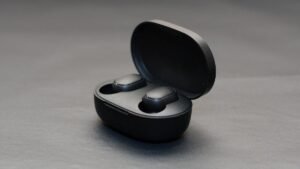
Tozo A1 இயர்பட்ஸை இணைக்க விரும்புகிறீர்களா? Tozo A1 இயர்பட்ஸ் IPX5 சான்றிதழைக் கொண்டுள்ளது, புளூடூத் 5.3, சுமார் ஒரு பேட்டரி ஆயுள் 6 மணி + 24 சார்ஜிங் கேஸ் மற்றும் 6 மிமீ ஸ்பீக்கரைப் பயன்படுத்துகிறது.
உங்களிடம் ஒரு புதிய ஜோடி இருந்தால் டோஸோ ஏ1 இயர்பட்ஸ் அவற்றை உங்கள் சாதனங்களுடன் இணைக்க வேண்டும். அவற்றை உங்கள் சாதனங்களுடன் இணைப்பது எளிமையான செயலாகும், இதைச் செய்ய, இந்தக் கட்டுரையை முழுமையாகப் படித்து, இணைத்தல் செயல்முறையைப் பின்பற்றவும். அதனால், தொடங்குவோம்!
Tozo A1 இயர்பட்ஸை எப்படி இணைப்பது?

கேஸில் இருந்து இயர்பட்களை வெளியே எடுக்கவும், அவை தானாகவே இணைத்தல் பயன்முறையில் இருக்கும் மற்றும் ஒன்றோடொன்று இணைக்கப்படும் 10 வினாடிகள். இயர்பட்களில் ஒன்று சிவப்பு மற்றும் நீல நிறத்தில் மாறி மாறி ஒளிரும். இப்போது, Tozo A1 என்ற இணைத்தல் பெயரைத் தேடவும்.
Tozo A1 இயர்பட்ஸை IOS மற்றும் ஆண்ட்ராய்டு ஃபோன்களுடன் இணைப்பது எப்படி?
- சார்ஜிங் கேஸில் இருந்து இயர்பட்களை எடுக்கவும், மேலும் இயர்பட்கள் தானாக ஆன் செய்யப்படும்.
- அதன் பிறகு இயர்பட் ஒன்றில் நீலம் மற்றும் சிவப்பு விளக்கு ஒளிரத் தொடங்கும் போது, அவர்கள் எந்த சாதனத்துடனும் இணைக்க தயாராக இருப்பார்கள்.
- பிறகு, விரும்பிய சாதனத்தில் புளூடூத்தை இயக்கவும்.
- உங்கள் சாதனத்தில் புளூடூத் அமைப்புகளுக்குச் செல்லவும்.
- இப்போது, Tozo A1 ஐத் தேர்ந்தெடுக்கவும்.
- கடவுச்சொல் வகை கேட்கப்பட்டால் 0000.
- அதற்கு பிறகு, ஒரு நீல விளக்கு ஒளிரும் 3 வினாடிகள், மற்றும் இணைத்தல் செய்யப்படும்.
PC உடன் Tozo A1 இயர்பட்ஸை இணைக்கவும் (விண்டோஸ்)

- சாளரத்தின் புளூடூத்தை இயக்கவும்.
- அமைப்புகளுக்குச் செல்லவும்.
- புளூடூத் மற்றும் பிற சாதனங்களுக்குச் சென்று, சாதனத்தைச் சேர் என்பதைக் கிளிக் செய்யவும்.
- புளூடூத்தில் கிளிக் செய்யவும்.
- சார்ஜிங் கேஸைத் திறந்து, இயர்பட்களை வெளியே எடுக்கவும். அதற்கு பிறகு, இயர்பட்கள் தானாக இயக்கப்படும்.
- பிறகு, கடவுச்சொல் தேவைப்பட்டால் Tozo A1 ஐத் தேர்ந்தெடுக்கவும், வகை 0000.
- அதற்கு பிறகு, ஒரு நீல விளக்கு ஒளிரும் 3 வினாடிகள், மற்றும் இணைத்தல் செய்யப்படும்.
Tozo A1 இயர்பட்ஸ் அணிவது எப்படி
இரண்டையும் எடுத்துக் கொள்ளுங்கள் இயர்பட்ஸ் சார்ஜிங் கேஸ் வெளியே. இடது மற்றும் வலது இயர்பட்களை அடையாளம் காணவும். உங்கள் காதுகளுக்கு மிகவும் பொருத்தமான காது குறிப்புகளைத் தேர்வு செய்யவும். பின்னர் காதுகளின் உள் கால்வாயில் ஹெட்ஃபோன்களை செருகவும். சிறந்த வசதிக்காகவும் சிறந்த பொருத்தத்திற்காகவும் சுழற்றுங்கள், மற்றும் மைக்ரோஃபோன் வாயை நோக்கி இருப்பதை உறுதிசெய்யவும்.
எப்படி ஆன் மற்றும் ஆஃப் செய்வது
இயக்கவும்
தானாக
சார்ஜிங் கேஸைத் திறந்து, இயர்பட்களை வெளியே எடுக்கவும். அதற்கு பிறகு, இயர்பட்கள் தானாக இயக்கப்படும்.
கைமுறையாக
இரண்டு இயர்பட்களிலும் மல்டிஃபங்க்ஷன் டச் பட்டனை அழுத்திப் பிடிக்கலாம் 3 அவற்றை இயக்க வினாடிகள்.
அணைக்க
தானாக
இயர்பட்களை சார்ஜிங் கேஸில் வைத்து அதன் மூடியை மூடவும். அதற்கு பிறகு, இயர்பட்கள் தானாகவே அணைக்கப்படும்.
கைமுறையாக
இரண்டு இயர்பட்களிலும் மல்டிஃபங்க்ஷன் டச் பட்டனை அழுத்திப் பிடிக்கலாம் 5 அவற்றை அணைக்க வினாடிகள்.
டச் பட்டன்

- மல்டிஃபங்க்ஷன் டச் பட்டன் இயர்பட்ஸின் உடலின் மேல் பகுதியில் வைக்கப்பட்டுள்ளது.
- இயர்பட்களில் ஏதேனும் ஒன்றில் மல்டிஃபங்க்ஷன் டச் பட்டனை அழுத்தவும் 1 இசையை இயக்க அல்லது இடைநிறுத்துவதற்கான நேரம்.
- ஒலியளவை அதிகரிக்க வலதுபுற இயர்பட்டில் உள்ள மல்டிஃபங்க்ஷன் டச் பட்டனை அழுத்திப் பிடிக்கவும்.
- ஒலியளவைக் குறைக்க, இடது இயர்பட்டில் உள்ள மல்டிஃபங்க்ஷன் டச் பட்டனை அழுத்திப் பிடிக்கவும்.
- இயர்பட்களில் ஏதேனும் ஒன்றில் மல்டிஃபங்க்ஷன் டச் பட்டனை அழுத்தவும் 3 அடுத்த பாடலை இசைக்க வேண்டிய நேரம்.
- இயர்பட்களில் ஏதேனும் ஒன்றில் மல்டிஃபங்க்ஷன் டச் பட்டனை அழுத்தவும் 4 முந்தைய பாடலை இசைக்கும் முறை.
- இயர்பட்களில் ஏதேனும் ஒன்றில் மல்டிஃபங்க்ஷன் டச் பட்டனை அழுத்தவும் 1 உள்வரும் அழைப்பிற்கு பதிலளிக்கும் நேரம்.
- இயர்பட்களில் ஏதேனும் ஒன்றில் மல்டிஃபங்க்ஷன் டச் பட்டனை அழுத்தவும் 1 அழைப்பை முடிக்க நேரம்.
- எந்த இயர்பட்களிலும் மல்டிஃபங்க்ஷன் டச் பட்டனை அழுத்திப் பிடிக்கவும் 2 உள்வரும் அழைப்பை நிராகரிக்க சில நொடிகள்.
- இயர்பட்களில் ஏதேனும் ஒன்றில் மல்டிஃபங்க்ஷன் டச் பட்டனை அழுத்தவும் 3 குரல் உதவியாளரை இயக்குவதற்கான நேரங்கள்.
மோனோ பயன்முறையை எவ்வாறு செயல்படுத்துவது?
Tozo A1 இல் மோனோ பயன்முறையைச் செயல்படுத்த, நீங்கள் செய்ய வேண்டியது, இயர்பட்களை சாதனத்துடன் இணைத்து, சார்ஜிங் கேஸில் இருந்து இயர்பட்களில் ஒன்றை எடுக்க வேண்டும்.. அது தானே வேலை செய்ய ஆரம்பிக்கும்.
Tozo A1 இயர்பட்ஸை எவ்வாறு மீட்டமைப்பது?
இணைக்கப்பட்ட சாதனத்தில் அனைத்து Tozo A1 இணைத்தல் பதிவுகளையும் நீக்கவும். சாதனத்தில் புளூடூத் செயல்பாட்டை முடக்கவும். இரண்டு இயர்பட்களையும் சார்ஜிங் கேஸில் இருந்து வெளியே எடுக்கவும். இரண்டு இயர்பட்களிலும் மல்டிஃபங்க்ஷன் டச் பட்டனை அழுத்தவும் 5 முறை, சிவப்பு விளக்கு ஒளிரும் வரை 1 இரண்டாவது.
இயர்பட்களை சார்ஜிங் கேஸில் வைக்கவும். அதற்கு பிறகு, மீட்டமைப்பு செய்யப்படும்.
இயர்பட்ஸ் மற்றும் சார்ஜிங் கேஸை எப்படி சார்ஜ் செய்வது?
இயர்பட்ஸ்
இயர்பட்களை சார்ஜ் செய்ய, அவற்றை சார்ஜிங் கேஸில் வைத்து மூடியை மூடவும். இயர்பட்கள் தானாகவே சார்ஜ் செய்யத் தொடங்கும்.
சார்ஜிங் கேஸ்
சார்ஜிங் கேஸ் வசூலிக்க, யூ.எஸ்.பி சார்ஜர் அல்லது சார்ஜிங் போர்ட்டில் உள்ள யூ.எஸ்.பி-ஏ க்கு சி உடன் கேஸை இணைக்க வேண்டும் கேபிள்.
முடிவுரை
இந்தக் கட்டுரையைப் படித்த பிறகு, உங்கள் சாதனங்களில் Tozo A1 இயர்பட்களை இணைக்க முடியும். இணைத்தல் செயல்முறை எளிதான செயலாகும். இதைச் செய்ய, இணைக்கும் வழிமுறைகளைப் பின்பற்றவும். இந்த கட்டுரை உங்களுக்கு நிறைய உதவும் என்று நம்புகிறோம்!