Táak wáaj a conectar MPOW auriculares? U ts'áabal auriculares MPOW yéetel a dispositivo ma' jach talam. Te' k'iino' je'el xano' k'iin, le específicos páajtal variar ichil modelos yéetel dispositivos, le ts'íiba' yaan u yáantkech u sincronizar tuláakal.
le auriculares MPOW ku jump'éel rival u ya'ab uláak' marcas auriculares. Le k'iino'oba' auriculares yaan ti' jump'éel cancelación juum excepcional, ichil uláak' ba'alo'ob ku beetiko'ob u chíikpajal. Ku, Le auriculares MPOW ku fáciles u conectar u ti' uláak' dispositivos, ba'ale' le wook je'el u páajtal u talamtal wa ma' a wojel bix káajsik modo emparejamiento.
Bix u conectar le auriculares MPOW ti' u dispositivos?
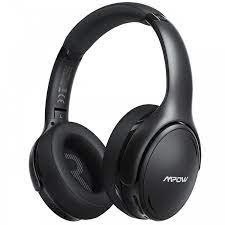
Utia'al u conectar le auriculares MPOW ti' je'el ba'ax dispositivo, yáax k'a'ana'an, ts'áa le ti' le modo emparejamiento.
Bix je'el u páajtal a ts'áik le auriculares MPOW ti' modo emparejamiento?
Le ken u t'abik le auriculares yáax ka'atéen automáticamente yaan u yokol ti' le modo emparejamiento.
Wa ma' táan u t'aba'an automáticamente, pulse yéetel mantenga pulsado le botón multifunción uti'al 2 ti' 3 segundos yéetel tech a wilej le luces LED ti' le auriculares flash utia'al 1 u ka'ap'éele' yéetel jump'éel t'aan ku ya'alik le auricularo' táan encendido yéetel le auriculares ku bino'ob ti' le modo emparejamiento.
Chéen ba'ale', le auriculares ma' ku bino'ob ti' le modo emparejamiento, tu'upul le pulsando yéetel sosteniendo le botón multifunción uti'al 2 ti' 5 segundos tak ka le luces LED parpadean rojo yéetel solicitar jump'éel t'aan apagado.
Túun, tu ka'atéen pulse yéetel mantenga pulsado le botón multifunción uti'al 5 ti' 6 segundos tak ka le luces LED parpadean rojo yéetel azul utia'al u ye'esik u le auriculares táan ti' modo emparejamiento.
Ka' ts'o'ok u ts'áabal le auriculares ti' le emparejamiento je'el conectar le ti' u dispositivo.
Conectar auriculares MPOW yéetel juntúul Android
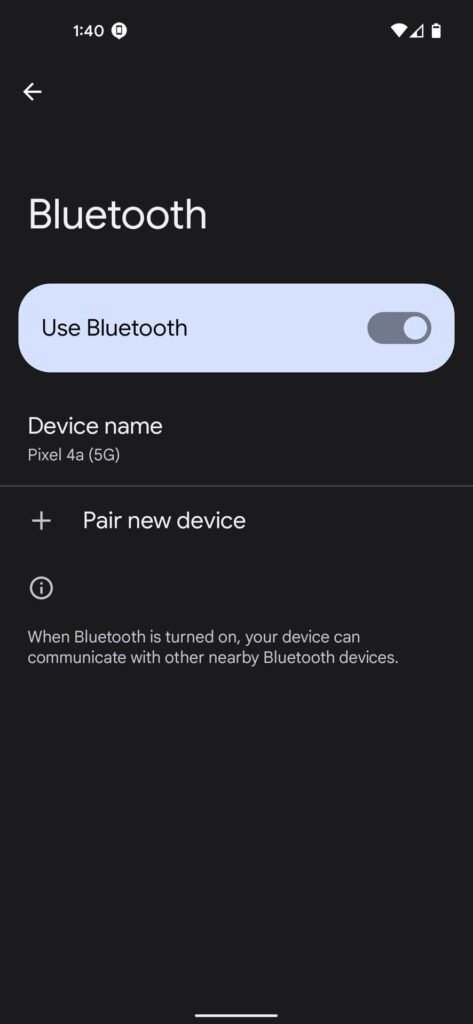
Utia'al u conectar MPOW Auriculares yéetel juntúul Android t'u'uchpachtik le wook.
- Yáax, xi'iken ti' configuración yéetel seleccione dispositivo conectado.
- Yéetel, yéey u túumben opción u emparejar.
- Ka' jump'éel segundos u dispositivo escanea utia'al u dispositivos Bluetooth disponibles naats'il.
- Le ken a wil le auriculares MPOW ti' le tsoolol dispositivos, yéey le ka pulse par.
- Wa k'a'abéet uti'al jump'éel código, bin yano'ob 0000, yéetel jump'éel t'aan ti' notificará u le emparejamiento ts'o'oksik una pakteche' kin le auriculares yéetel le nu'ukul t'aan táan conectados.
Conecte auriculares MPOW yéetel juntúul iPhone
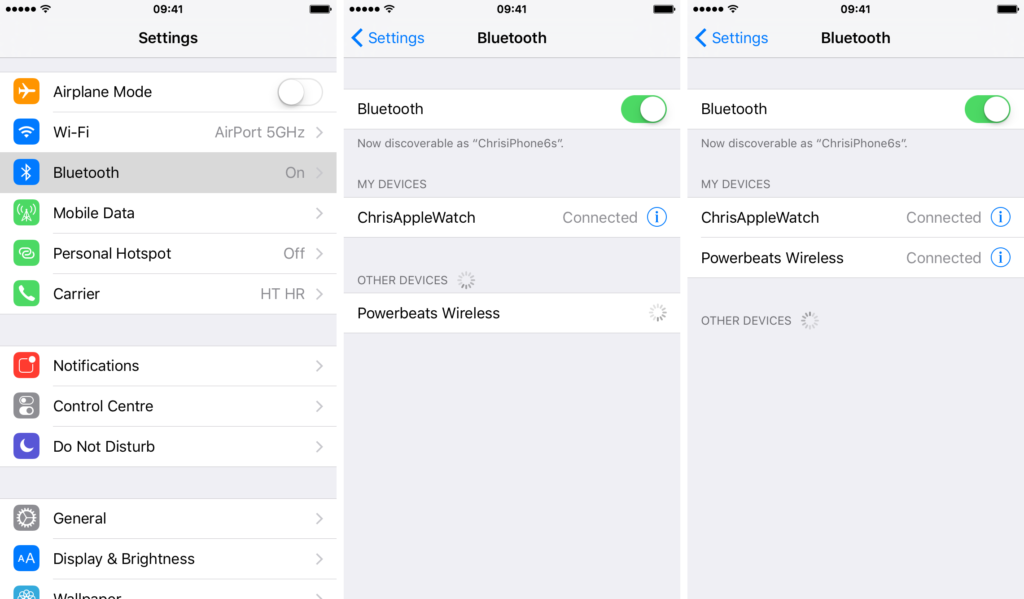
- Yáax, t'abik Bluetooth ti' a iPhone, uti'al u t'abik Bluetooth xi'iken te' configuración yéey Bluetooth, yéetel pulse le deslizante utia'al u activar Bluetooth wa táan apagado.
- Ka' jump'éel segundos u dispositivo escanea utia'al u dispositivos Bluetooth disponibles naats'il.
- Túun, pulse u k'aaba' le auriculares MPOW ti' le tsoolol dispositivos, wa ku k'áata'al ti' ka ts'íibtik jump'éel bin yano'ob código PIN 0000.
Conecte le auriculares MPOW yéetel juntúul ventana
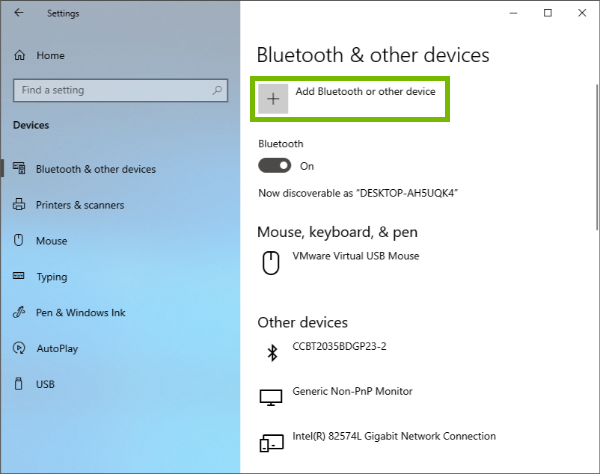
Bix u conectar MPOW auriculares ti' jump'éel Windows dispositivo le wook in continuación describen.
- Tu yáax kúuchil, u beetik clic ti' le opción Chúunul ti' le barra tareas, ka tu láak' yéey configuración.
- túun wa yaantech jump'éel Windows 10 díispositivo, xi'iken ti' dispositivos yéetel seleccione Bluetooth& uláak' nu'ukulo'ob.
- wa yaan teech jump'éel Windows 11 díispositivo, yéey Bluetooth&nu'ukulo'ob.
- Tu láak' asegurar ku u le Bluetooth táan encendido.
- Bejla'e', yéey le opción Añadir Bluetooth wa uláak' dispositivo yéetel yéey Bluetooth ti' le ju'unil tu'ux kun chíikpajal.
- Pa'atik jump'éel segundos uti'al u xak'altik le nu'ukulo'ob yaan, yéetel k'a'ana'an u kaxtik a auriculares MPOW.
- Le ken u kaxtik le auriculares seleccione le ka seleccione Conectar utia'al u chukbesik le tuukula'.
- K'a'ana'an a wu'uyik jump'éel t'aan ti' le auriculares ku ya'alik ti' teech táan conectados.
Conecte le auriculares MPOW yéetel juntúul MAC
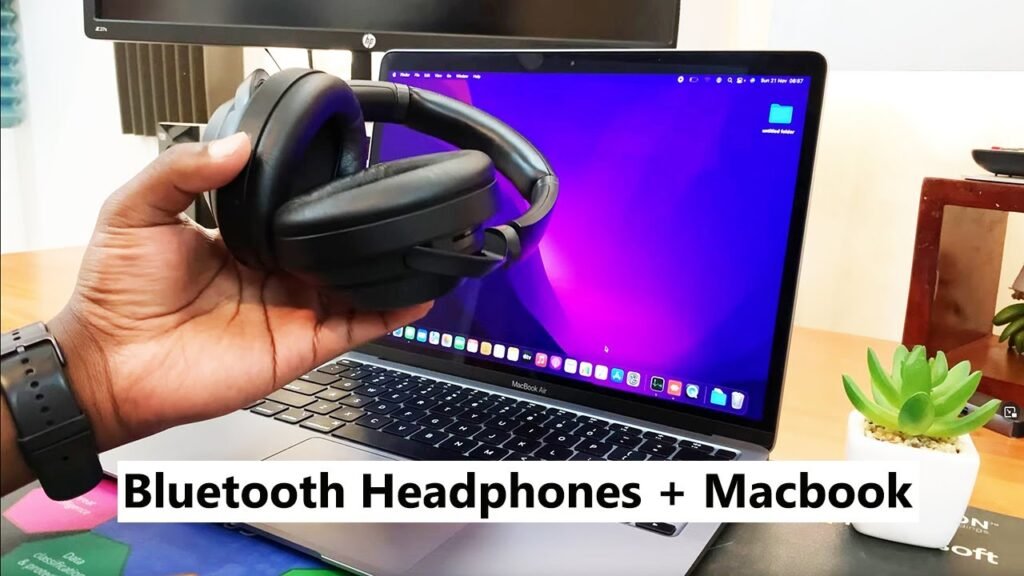
Utia'al u conectar MPOW Auriculares yéetel MAC.
- Yáax, yéey le menú Apple yéetel xi'iken configuración le yaan utia'al u habilitar le conectividad Bluetooth ti' jump'éel Mac.
- Láak', yéey le opción Bluetooth ti' le túumben ventana.
- Tu láak' t'abik Bluetooth wa táan apagado. Je'el u páajtal a wilik le je'ela' tu x-ts'íik le ventana je'ek'abta'ano'.
- Le dispositivo yaan u káajal u xak'altik le dispositivos disponibles yéetel enumerar le ti' le ventana abierta. Yéey le auriculares MPOW uti'al u ts'o'okol le tuukula' emparejamiento.
Conclusión
U ts'áabal le auriculares MPOW ti' modo emparejamiento jach uts chéen ch'a'abil bey wojéeltik ba'ax botón u pulsar yéetel tumen Buka'aj k'iin. Ti' le artículo, yaan k ts'áaik ti' t'aano'ob completas yóok'ol bix Búukint le ti' modo emparejamiento yéetel conectar le ti' u dispositivo. K pa'atik u le artículo a ayude ya'ab!