
Táan a kaxtik bix u emparejar le auriculares Jaybird Vista ti' u dispositivo Bluetooth? Ba'ale' ma' a wojel ba'ax ken a beete'. Ma' a chi'ichnaktal, k'a'abéet a taal tu kúuchil ma'alob. tech beetik yaan wook simples yéetel fáciles.
Ichil uláak' ba'ale', wa yaantech talamil u ts'áabal a auriculares, ma' tukultik. Ts'o'ok k pixik le talamila'. Ilawil le consejos yéetel trucos u solución toop. Bey u, ko'ox káajsik u emparejar le auriculares Jaybird Vista.
Jaybird Vista Earbuds
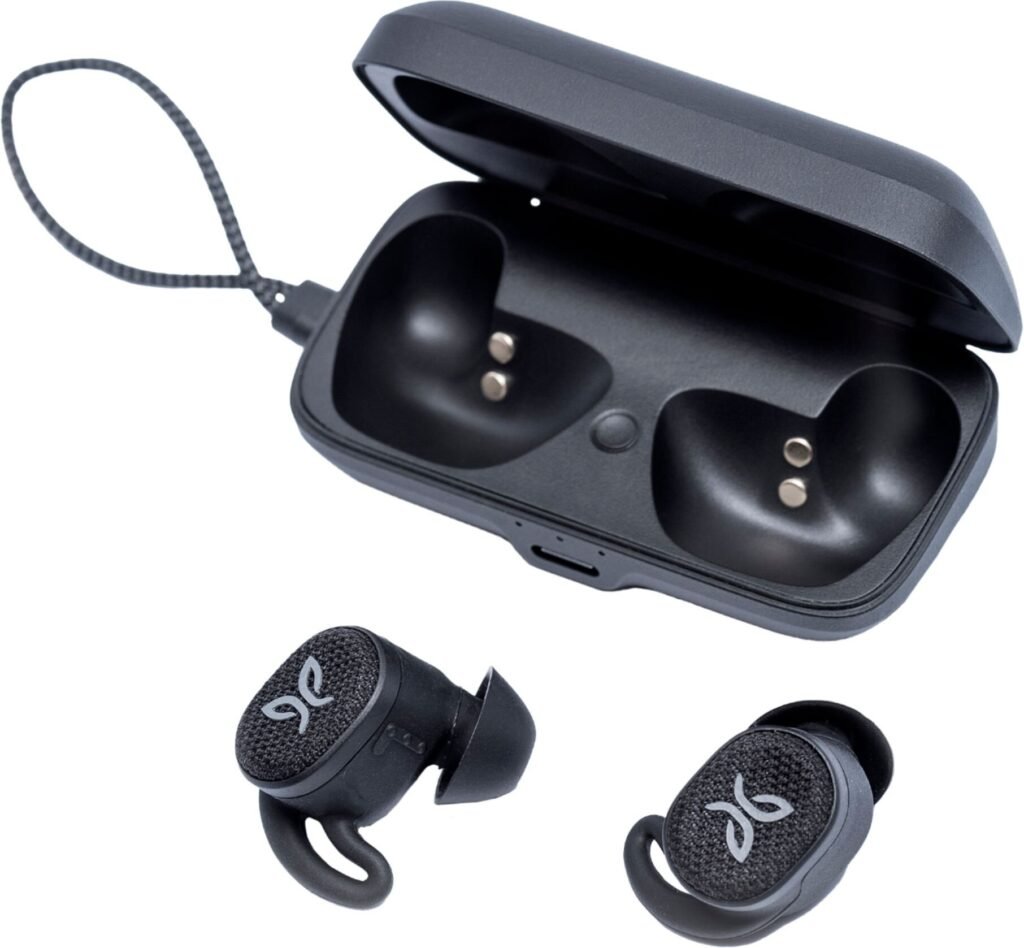
Jaybird Vista Earbuds ku auriculares inalámbricos u ka'anal calidad ku ts'abal jump'éel ajuste yanen yéetel excelente ma'alobil juum. Le k'iino'oba' auriculares táan diseñados utia'al aquellos máako'ob ku Mantats' táan u bin yéetel k'a'anan jump'éel auricular confiable u páajtal u mantener u estilo kuxtal activo.
Way yaan Jayp'éel yáantajo'ob ti' le k'iino'oba' auriculares.
Ma' tu yokol ja'
Le auriculares Jaybird Vista ku IPX7-clasificados, u k'áat u ya'ale' je'el u páajtal u soportar u inmersión ichil ja' tak jump'éel metro tak 30 minuto'ob. Le auriculares je'elo'oba' jach ma'alob uti'al le máako'ob uts tu yich u meyajo'ob wa u yáalkab ichil cháak.
Batería u chowak kuxtal
Le k'iino'oba' auriculares ku ts'abal tak 6 horas u kuxtal le batería ti' jump'éel chéen kuuch, yéetel le kiis buuts kuuch ku ts'aik jump'éel adicional 10 horas u kuxtal le batería. Je'el u páajtal a meyajtik le auriculares tuláakal k'iino'ob xma' a chi'ichnaktal yo'osal u xu'ulul u batería.
Chéen ch'a'abil u biilankiltej
Le auriculares Jaybird Vista ku taalo'ob yéetel kaambalilo'ob táctil ku cha'ik u controlar u paax, k'amik t'aano'ob, yéetel activar u asistente t'aan xma' yaantal u jóok'sik u nu'ukul t'aan.
Personalizar u juum
Le Jaybird Vista Earbuds ku taal yéetel jump'éel app acompañante ku cha'antik personalizar le perfil juum bey tech taak. Je'el u páajtal a ajustar le bajo, agudos, yéetel frecuencias chúumuk rango uti'al u beetik jump'éel juum jach ma'alob uti'al a xikino'ob.
Bix u emparejar le auriculares Jaybird Vista ti' u dispositivos?

Táanil ti' u káajsik le tuukula' emparejamiento u auriculares Jaybird Vista, asegurar u táan completamente cargados, yéetel le dispositivo jach compatible yéetel Bluetooth 2.1 wa asab ka'anal.
T'abik Bluetooth
Xeen ti' configuración ti' u dispositivo ka t'abik le Bluetooth.
Modo u emparejamiento
Utia'al u ts'áik a auriculares ti' le modo emparejamiento, ts'áa a auriculares te' funda ka muts'ik u maak. Túun, pulse yéetel mantenga pulsado le botón paach le kiis buuts utia'al 3 segundos tak ken u sáasil LED tu táan le kiis buuts Káaj u parpadear sak.
U yéeyik le nu'ukulo'
Ti' u dispositivo kaxant auriculares Jaybird Vista. Le ken u dispositivo táan conectado ti' le auriculares, k'a'ana'an a wu'uyik jump'éel tono ti' le ka'ap'éel auriculares, ku ye'esik u táan u núupk'ebantalo'ob, yéetel ka meyajtiko'ob.
Consejos uti'al u yutskíintik toop
Wa yaan talamil ti' a emparejar a auriculares Jaybird Vista yéetel a dispositivo, ma' tukultik. Way u yaan consejos solución toop je'el u páajtal u ch'aik utia'al u emparejar yéetel conectar.
U ka'a ts'áabal le auriculares
Yaan k'iin, u ka'a je'elel je'el u yáantik u yutskíinta'al talamilo'ob ti' emparejamiento. Way u yaan wook utia'al u restablecer u auriculares Jaybird Vista.
- Yáax, jóok'es le ka'ap'éel auriculares ti' le caja kuuch ka tu'upul.
- Pulse yéetel mantenga pulsado le botón ti' le ka'ap'éel auriculares utia'al 10 segundos tak ka le LED parpadea rojo yéetel ya'ax.
- Coloque le auriculares ka'a ti' le caja kuuch yéetel muts'ik in le maak.
- pa'atik 10 segundos bey ma' jóok'sik le auriculares ti' le funda kuuch yéetel k'aax u emparejar le tu ka'atéen
Ilawil u nivel le batería
Le niveles bajos ti' le batería Yaan k'iine' je'el u páajtal u causar toop emparejamiento. Way u yaan wook utia'al Saamale' yaan k wilik le niveles batería u auriculares Jaybird Vista
- Yáax, je'ek'abt le ka'anatako'ob Jaybird Vista ti' a nu'ukulil.
- Túun, pulse ti' le icono auriculares utia'al u yil le niveles batería u auriculares.
- Wa le niveles le batería ku bajos, ts'áa le auriculares tu ka'atéen ti' le caja kuuch uti'al u kuuch.
Actualizaciones ti' le software
Utia'al u actualizar le software toj ka' le wook cuidadosamente.
- Tu yáax kúuchil, je'ek'abt le ka'anatako'ob Jaybird ti' a nu'ukulil.
- Túun, pulse ti' le icono auriculares utia'al u yil le versión firmware u auriculares.
- Bejla'e', wa yaan jump'éel túumben versión, t'u'uchpachtik le t'aano'ob yaan te' ka'anatako'ob uti'al a túumbenkuunsik a auriculares.
Wa ka beetik le ba'alo'oba' uti'al u yutskíinta'al toop, k'a'ana'an u páajtal a emparejar a auriculares Jaybird Vista yéetel a dispositivo audio xma' mix jump'éel talamil.
U kanáanta'al u auriculares Jaybird Vista
Utia'al u asegurar u u auriculares Jaybird Vista permanecen ti' ma'alo'ob noj, jach k'a'anan u t'u'uchpachtik yaan wook simples u mantenimiento.
P'o'ik le auriculares

Way yaan yaan consejos ku yáantiko'ob cho'oik a auriculares Jaybird Vista.
- Meyaj juntúul O'olkij, nook' tikin uti'al u p'o'ik le auriculares yéetel le carcasa kuuch. Ma' a meyajtik je'el ba'ax yik'áalil químicos wa disolventes je'el u páajtal u dañar le auriculares.
- Utia'al u suciedad terca wa escombros, meyaj juntúul cepillo u tso'otsel u tso'otsel uti'al u p'o'ik le auriculares. Je'el xan u páajtal a meyajtik jump'éel cepillo de dientes yéetel cerdas O'olkij.
- Utia'al u p'o'ik u xikin, jóok'es ti' le auriculares yéetel p'o'ik yéetel chokoj, ja' yéetel jabón. Enjuague ma'alob ka p'atik u tijil iik' bey ma' k'a' ts'áik ti' le auriculares.
Conclusión
U emparejar u auriculares Jaybird Vista yéetel u nu'ukul t'aan wa dispositivo audio jach jump'éel tuukula' sencillo ku páajtal meentik ti' jump'éel pocos wook simples. Bey u, tuláakal ba'ax k'a'abet a wojéeltike' leti' bix u emparejar le auriculares Jaybird Vista ti' u dispositivo. K pa'atik u le artículo a ayude ya'ab!