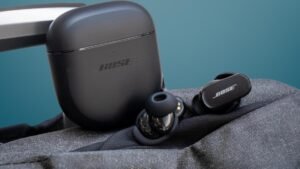
Táak wáaj a emparejar le auriculares Tozo A1? Tozo A1 Earbuds yaan ti'ob le certificación IPX5, Bluetooth 5.3, u kuxtal le batería yaan kex 6 oora'ob + 24 utilizando le caja kuuch yéetel juntúul altavoz 6mm.
Wa yaantech jump'éel túumben par ti' Tozo A1 Auriculares yéetel taak a emparejar le yéetel a dispositivos. U emparejar le ti' u dispositivos jach jump'éel tuukula' ken a wa'ale', uti'al a beetik le je'ela', xook le artículo yéetel t'u'uchpachtik le tuukula' emparejamiento. Bey u, Empecemos!
Bix u emparejar le auriculares Tozo A1?

jóok'es le auriculares ti' le funda yéetel automáticamente yaan u yaantal ti' modo emparejamiento yéetel emparejamiento yéetel u láak'o'ob ti' 10 sobras. Juntúul ti' le auriculares ku léembal rojo yéetel azul alternadamente. Bejla'e', kaxant u k'aaba' le emparejamiento Tozo A1.
Bix u emparejar le auriculares Tozo A1 ti' le teléfonos IOS yéetel Android?
- jóok'es le auriculares ti' le caja kuuch, yéetel le auriculares ku t'abik automáticamente.
- Ka' lelo' ken jump'éel sáasil azul yéetel roja Káaj u parpadear ti' jump'éel le auriculares, yaan u listos utia'al u emparejar yéetel je'el ba'ax dispositivo.
- Túun, t'abik le Bluetooth ti' le dispositivo k'áato'.
- Xeen ti' le configuración Bluetooth ti' u dispositivo.
- Bejla'e', yéey Tozo A1.
- Wa ku k'áatik jump'éel bin yano'ob contraseña 0000.
- Ka' lelo', jump'éel sáasil azul yaan u káajal u léembal Amal ka'atéen 3 sobras, yéetel le emparejamiento yaan u beeta'al.
Ts'áa auriculares Tozo A1 yéetel juntúul PC (Windows)

- T'abik u Bluetooth le ventanao'.
- Xeen te' configuración.
- Xeen ti' Bluetooth yéetel uláak' nu'ukulo'ob ka beetik clic ti' Añadir dispositivo.
- u beetik clic ti' Bluetooth.
- Je'ek'abt le caja kuuch ka jóok'es le auriculares. Ka' lelo', le auriculares ku t'abik automáticamente.
- Túun, yéey Tozo A1 Wa k'a'abéet jump'éel contraseña, bin yano'ob 0000.
- Ka' lelo', jump'éel sáasil azul yaan u káajal u léembal Amal ka'atéen 3 sobras, yéetel le emparejamiento yaan u beeta'al.
Bix u búukinta'al Tozo A1 auriculares
ch'a' tu ka'atúulal Auriculares paach le kiis buuts kuuch. Identificar le auriculares izquierda yéetel derecha. Elegir le puntas u xikino'ob ku asab ma'alo'ob ti' u xikino'ob. Tu láak' inserte le auriculares ti' le canal interior ti' le xikino'obo'. sutk'esiko'ob uti'al u yantal utsil comodidad yéetel utsil ajuste, yéetel ilawil wa le micrófono táan u chíikbesik u chi'.
Bix u t'abik yéetel u tu'upul
T'abik
automáticamente
Je'ek'abt le caja kuuch ka jóok'es le auriculares. Ka' lelo', le auriculares ku t'abik automáticamente.
Manualmente
Je'el u páajtal a presionar yéetel sostener le botón táctil multifunción ti' le ka'ap'éel auriculares tumen yan 3 segundos uti'al u t'abik.
Tu'upul
automáticamente
Ts'áa le auriculares ichil le carcasa kuuch yéetel muts'ik u maak. Ka' lelo', le auriculares ku tu'upul automáticamente.
Manualmente
Je'el u páajtal a presionar yéetel sostener le botón táctil multifunción ti' le ka'ap'éel auriculares tumen yan 5 segundos uti'al u tu'upul.
u péets'k'abtik le botón

- Le botón táctil multifunción ku coloca tu superior u wíinkilal ti' le auriculares.
- Pulsa le botón táctil multifunción ti' je'el máaxake' ti' le auriculares 1 k'iin uti'al u báaxal wa u je'elel le paaxo'.
- Mantenga pulsado le botón táctil multifunción ti' le auricular k'abil beya' utia'al u ya'abtal u volumen.
- Mantenga pulsado le botón táctil multifunción ti' le auricular izquierdo utia'al u yéemel u volumen.
- Pulsa le botón táctil multifunción ti' je'el máaxake' ti' le auriculares 3 k'iin uti'al u báaxal le uláak' k'aayo'.
- Pulsa le botón táctil multifunción ti' je'el máaxake' ti' le auriculares 4 k'iin uti'al u báaxal le k'aayo' máaniko'.
- Pulsa le botón táctil multifunción ti' je'el máaxake' ti' le auriculares 1 k'iin uti'al u núukik jump'éel t'aan ku taal.
- Pulsa le botón táctil multifunción ti' je'el máaxake' ti' le auriculares 1 k'iin uti'al u xu'ulul jump'éel t'aan.
- Mantenga pulsado le botón táctil multifunción ti' je'el máaxake' ti' le auriculares utia'al 2 segundos uti'al u p'atik jump'éel t'aan ku taal.
- Pulsa le botón táctil multifunción ti' je'el máaxake' ti' le auriculares 3 Óoxten utia'al u activar le asistente t'aan.
Bix u activar le modo mono?
Utia'al u activar le modo mono ti' le Tozo A1, tuláakal ba'ax k'a'abet a beetike' leti' a emparejar le auriculares ti' le dispositivo yéetel jóok'sik juntúul le auriculares ti' le funda kuuch. yaan u káajal u meyaj tu juunal.
Bix u ka'a ts'áabal le auriculares Tozo A1?
tselik tuláakal le registros u emparejamiento Tozo A1 ti' le dispositivo conectado. Tup le función Bluetooth ti' le dispositivo. jóok'es le ka'ap'éel auriculares ti' le caja kuuch. Pulse le botón táctil multifunción ti' le ka'ap'éel auriculares 5 Óoxten, tak ken u léembal jump'éel sáasil chak uti'al 1 ka'a.
Ts'áa le auriculares ichil u kúuchil kuuch. Ka' lelo', le restablecimiento yaan u beeta'al.
Bix u kuuch le auriculares yéetel le funda kuuch?
Auriculares
Utia'al u kuuch le auriculares, ts'áa ichil le caja kuuch ka muts'ik u maak. Le auriculares yaan u káajal u kuuch automáticamente.
Caja u kuuch
Utia'al u kuuch le kiis buuts kuuch, tuláakal ba'ax k'a'abet a beetike' leti' conectar le kiis buuts ti' jump'éel cargador USB wa puerto kuuch yéetel le USB-A u C incluido cable.
Conclusión
Le ken ts'o'okok a xookik le artículo je'el u páajtal a emparejar auriculares Tozo A1 ti' a dispositivos. Le tuukula' emparejamiento jach jump'éel tuukula' ch'a'abil. Utia'al u beetik le je'ela' toj ka' le instrucción emparejamiento. K pa'atik u le artículo a ayude ya'ab!