Conectar Foreflight ti' MSFS 2020 ma' jach talam meyaj je'el bix a tukultike'. Ch'e'eno', ma' k'a'abéet a chi'ichnaktal tu yo'olal le je'ela' tumen le artículo ti' proporcionará jump'éel a'alajil t'aan completa yéetel le utsil solución utia'al u solucionar u talamil yóok'ol Connect Foreflight To MSFS 2020.
Bey u, waye' yaan Jayp'éel soluciones fáciles utia'al tech ku enumeran in continuación. Je'el u páajtal a meyajtik juntúul ti' leti'ob uti'al a conectar Foreflight To MSFS 2020. Ba'ale' asegurar ku u u Router WiFi yéetel le cortafuegos ti' le computadora ma' táan u bloqueando le tráfico UDP ti' le puerto 49002.
Bix u conectar Foreflight ti' MSFS 2020
Je'el u páajtal u utilizar je'el máaxake' ti' le je'ela' métodos mencionados utia'al u conectar Foreflight ti' MSFS 2020:
1. FS2FF (Simulador u vuelo u ForeFlight)
FS2FF leti' jump'éel dispositivo wa nu'ukula' ku meyajtiko'ob uti'al u túuxta'al datos ti' MSFS2020 ForeFlight Mobile. FS2FF yaan ti' FS2FF Github Page. Ch'e'eno', uti'al a káajsik k'a'abéet a t'u'uchpachtik le t'aano'ob yaan te'ela':
- Tu yáax kúuchil, yaan a Je'e le ts'ook versión FS2FF.
- Ka' lelo', k'a'abéet a descargar FS2FF.exe ti' jump'éel kúuchil ma'alob je'el bix in ju'uno'ob wa escritorio.
- Tu láak' yaan a Je'e FS2FF.exe.
- Waye, wa ku ya'alik Windows Defender, “Windows tu kanáantaj a PC,” yaan a beetik clic “Asab a'alajil t'aan” ka tu láak' u beetik clic ti' “wáalkab je'el bixake'.”
- Bejla'e', yaan a conectar ti' le páawo'ob inalámbrica exacta bey u dispositivo móvil wa dispositivo.
- Láak', k'a'abéet a Je'e Microsoft Flight Simulator.
- Túun, yaan a beetik clic ti' Conectar bey tech k'uchul le pantalla Chúunul MSFS ti' FS2FF.
- Ka' lelo', k'a'abéet a Je'e ForeFlight Mobile ka tu láak' bin MORE > DISPOSITIVOS yéetel confirmar u MSFS ye'esik bey conectado. Wa ma' táan conectado, k'a'abéet a péets'k'abtik le azulejo ka tu láak' deslizar le “Habilitado” k'ex ti' ON.
CH'A' TS'ÍIB: Je'el u yantal jump'éel talamil ti' cortafuegos/páawo'ob wa ma' ku chíikpajal mix jump'éel conexión ti' ForeFlight Mobile yáanal MORE > DISPOSITIVOS ka' jo'op' u FS2FF ku ya'alik “Conectado”, wa xan yaan u páajtalil u iPad ma' táan conectado ti' le páawo'ob Wi-Fi exacta bey u computadora.
2. K'inbesajo'ob ti' vuelo
Le beyo' ku meyaj uti'al u yáanta'al u túuxta'al datos u posición emulado u MSFS2020 u ForeFlight Mobile. Bey u, uti'al lela', k'a'abéet a beetik le je'ela' wook.
- Yáax, yaan a instalar versión 2.2.0 wa asab táanil (K'a'ana'an).
- Bejla'e', yaan a descargar k'inbesajo'ob vuelo ti' le ts'ono'oto' k'inbesajo'ob vuelo. Utia'al le ba'ala', yaan a beetik clic ti' le “Nuup” botón ku ts'aik tu superior k'abil beya', yéetel t'u'uchpachtik le t'aano'obo'.
- Láak', ti' le menú configuración ti' k'inbesajo'ob vuelo, yaan a facilitar le transmisión ti' le páawo'ob local (i.e., yéey 'Ts'u'ubul datos ti' páawo'ob local').
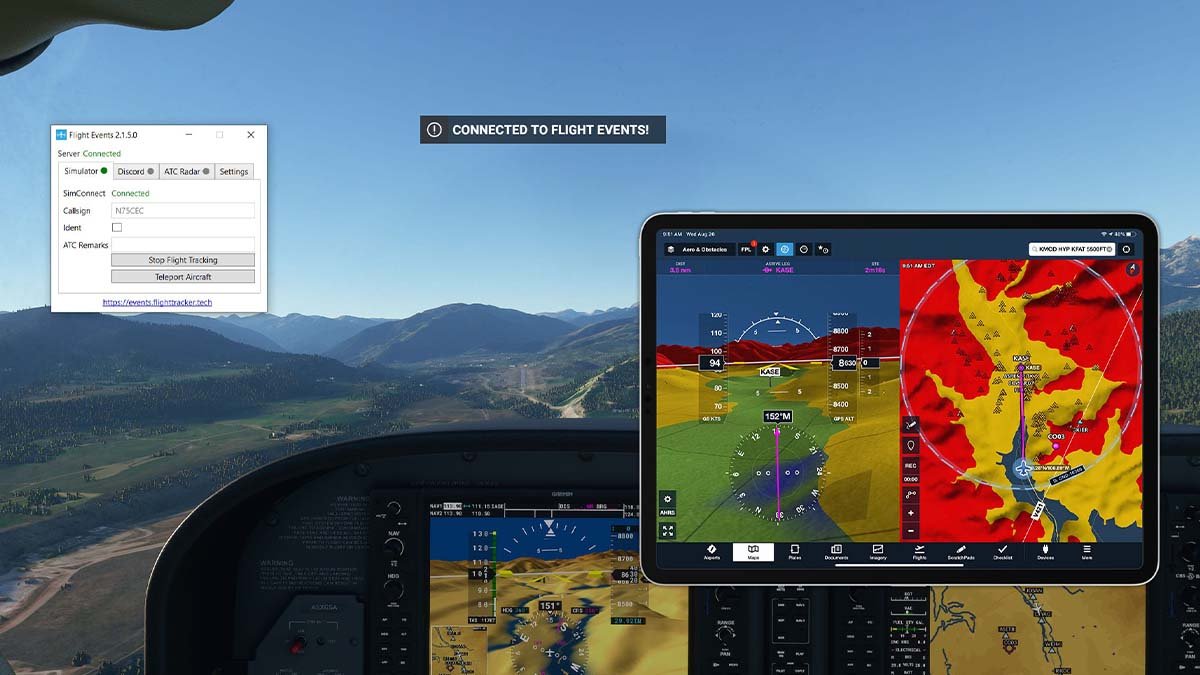
- Ka' lelo', ti' le Simulador, yéetel MFSF2020 je'ek'ab yéetel ka' jo'op' u ti' le iik'o', yaan a ts'íibtik jump'éel señal de llamada aleatoria, ka tu láak' yaan a presionar “Káajsik u seguimiento le vuelo.” yaan a xíimbaltik jump'éel t'aan ichil le báaxalo' yéetel le t'aana' yaan u ya'alik, “K'inbesajo'ob u vuelo conectados.”
- Bejla'e', k'a'abéet a péets'k'abtik MORE > DISPOSITIVOS, ti' ForeFlight Mobile. Ka' lelo', yaan a péets'k'abtik le “K'inbesajo'ob ti' vuelo” azulejo, ka tu láak' deslice le “Habilitado” t'abik.
3. Puente MSFS
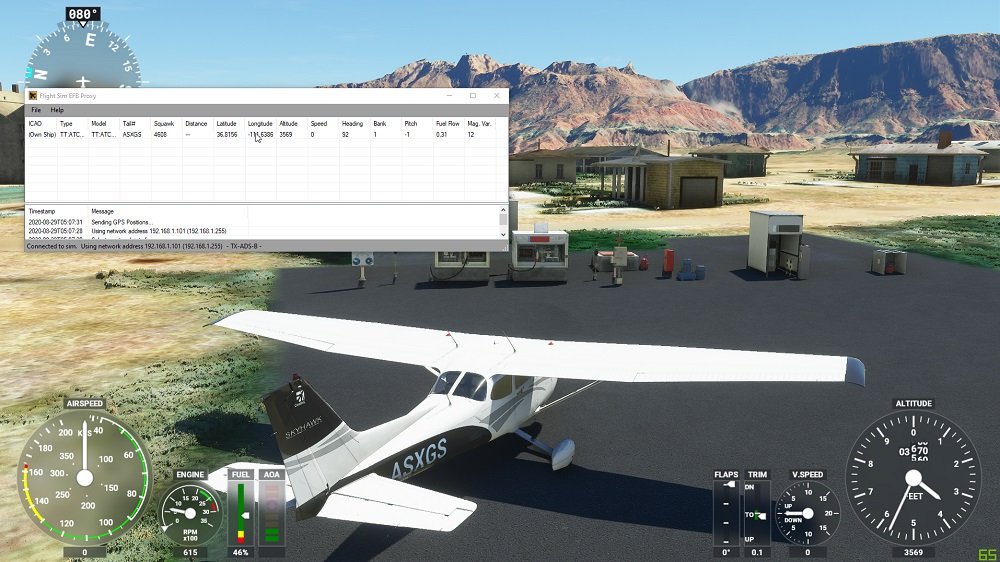
MSFS Bridge ku yáantik túuxtik u séebtal, póosision, yéetel datos u altitud u MSFS2020 u ForeFlight Mobile. MSFS Bridge jach funcional u Simmarket.
Le ken yanak a maan yéetel a descargar le puente MSFS, k'a'abéet a meyajtik le ka'ansajo'ob yaan te'ela' uti'al a káajsik:
- Yáax, k'a'abéet a descomprimir MSFSBridge ka tu láak' u beetik naaj clic ti' MSFSBridge.exe.
- Ka' lelo', k'a'abéet a Je'e MSFS2020.
- Tu láak' yaan a Je'e ForeFlight Mobile yéetel pulse ti' ASAB > DISPOSITIVOS. Ka' lelo', k'a'abéet a pulsar ti' le azulejo MSFSBridge yéetel deslizar le “Habilitado” botón uti'al u ON.
- Bejla'e', yéetel MSFS2020 je'ek'abta'an, k'a'abéet a péets'k'abtik mapas ka tu láak' confirmar u u posición simulada táan u indicando.
4. XMapsy
XMapsy ku cha'ik u túuxta'al datos MSFS2020 ti' ForeFlight Mobile. Yaan a xíimbaltik le je'ela' ts'ono'oto'ob mencionados:
- XMapsy ts'ono'oto' web
- U linki abas kaambal u t'aano'ob XMapsy
- XMapsy áantaj linki abas kaambal
K'a'abéet a instalar XMapsy. Ka' ts'o'ok u káajsik XMapsy, k'a'abéet a je'ek'abtik ForeFlight Mobile, túun yaan a péets'k'abtik MORE > DISPOSITIVOS yéetel confirmar le “XMAPSY” azulejo ku ye'esik “Conectado.” wa ma', túun tech yaan u pitik le azulejo yéetel deslizar le “Habilitado” botón uti'al u ON.
FAQs of Connect Foreflight To MSFS 2020
Bix je'el u páajtal a conectar a iPad ti' MSFS?
K'ex ti' fs2ff, ka tu láak' yaan a beetik clic ti' le interruptor wa botón "Conectar" tu chúumukil le pantalla. yaan a wilik jump'éel ch'aaj ya'ax, le ch'aaj je'ela' ku ya'alik "Conectado." Ken ts'o'okok, k'a'abéet a bin ForeFlight, Asab dispositivos yéetel yaan u pitik u pulsar ti' le azulejo "MSFS".. ka' lelo', yaan a t'abik le botón "Habilitado" ON.
ForeFlight chéen uti'al u búukinta'al iPad?
ForeFlight ku meyaj yéetel tuláakal le túumben modelos iPhone yéetel iPad. Je'el u páajtal a wokol ichil jump'éel suscripción tak 2 iPads yéetel 1 iPhone, wa 2 iPhones yéetel 1 iPad tu juntéene'. Wa táan a maan jump'éel túumben iPad, túun yaan u sugerido ti' le Wi-Fi + Versión celular ti' le iPad Pro 11 pulgadas wa le iPad mini utia'al u beneficiar u le chatarra wa chip GPS incorporado.
Je'el u páajtal a meyajtik ForeFlight ti' a PC?
Mapas aeronáuticos u ForeFlight ku yila'al increíble ti' jump'éel ordenador escritorio yéetel característica decluttering dinámico u componentes le mapa yéetel datos aeronáuticos personalizables, ku taasik ti' datos jach k'a'anan ti' je'el ba'ax nivel zoom.
Le ka'anatako'ob ForeFlight gratis u descargar?
Je'el, le ka'anatako'ob ForeFlight Mobile jach gratis u descargar, je'el u páajtal a descargar ti' le app store. Chéen ba'ale', k'a'abéet jump'éel suscripción uti'al u meyaj le ka'anatako'ob ForeFlight Mobile. Je'el u páajtal a na'atik asab yóok'ol u tojol yéetel planes ti' le linki abas kaambal u maano' suscripción.
Conclusión
Ts'o'ok k tsolik le maneras asab simples yéetel pertinentes u conectar Foreflight ti' MSFS 2020 Ti' le artículo. Kexi', ts'o'ok a na'atik jach bix u nupikubáa tu ka'atúulal ka' ts'o'ok a xookik le artículoa'. Elegir juntúul ti' le k'iino'oba' maneras ka deshacer u ti' le talamilo' conexión.