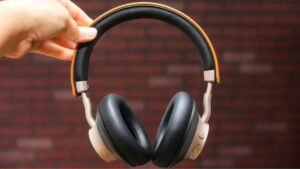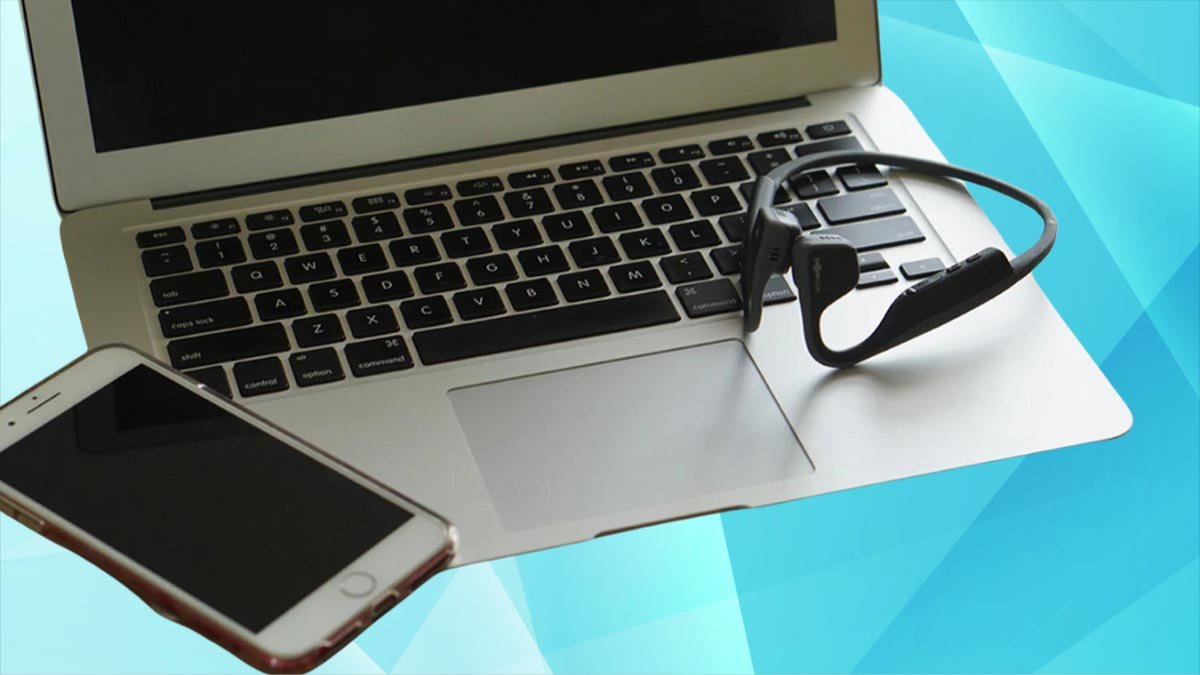
Utia'al u emparejar le auriculares Shokz yéetel u dispositivos k'a'ana'an activar u auriculares ti' modo emparejamiento pulsando yéetel sosteniendo le botón volumen utia'al 7 segundos yéetel kaxtik le ti' u dispositivos. Ilawil le t'aano'ob paso a paso yóok'ol bix emparejar le auriculares Shokz ti' je'el ba'ax dispositivo imaginable.
Activar le modo emparejamiento ti' le auriculares Shokz
Conducción u baakel Shokz auriculares k'a'abéet u yantal ti' modo emparejamiento bey ma' emparejar yéetel juntúul dispositivo Bluetooth. Je'el u páajtal a activar le modo automáticamente wa manualmente.

Le ken a t'abik le modo u emparejamiento le auriculares ku activa automáticamente.
Utia'al u activar le auriculares manualmente, k'a'abéet a beetik
- Tup a auriculares Shokz.
- Mantenga le botón volumen utia'al 5 ti' 7 segundos wa tak ken a wil jump'éel LED ti' le auriculares parpadeando ti' rojo yéetel azul.
- Bejla'e', ilawil u configuración Bluetooth ti' a dispositivo Bluetooth uti'al a wilik wa le auriculares Shokz ts'o'ok u chíikpajal yáanal dispositivos disponibles.
Bix u emparejar le auriculares Shokz ti' jump'éel iPhone & iPad
U ts'áabal auriculares yéetel dispositivos iOS jach chéen ch'a'abil, ba'ale' ma' jach chéen ch'a'abil je'el bix ti' Android, ba'ale' asab yóok'ol lelo' asab táanil. Bey u beetik
- Pulse ti' le icono Bluetooth.
- Túun, pulse yéetel mantenga pulsado le icono Bluetooth utia'al u bin configuración Bluetooth.
- Ka' lelo' asegurar ku u u a auriculares Shokz táan ti' modo emparejamiento.
- Ka' wokol ichil modo emparejamiento, le auriculares k'a'abéet u chíikpajal yáanal Uláak' dispositivos, ka péek ti' leti'ob.
- ka' ts'o'okok le wook, ken u péeko'ob ti' in dispositivos, táan u conectados belal.
Bix u emparejar le auriculares Shokz ti' jump'éel dispositivo Android
Le dispositivos Android ku asab intuitivos utia'al u conectar u le iPhones tuméen u tuukula' emparejamiento Bluetooth automáticamente Jaap tuláakal ba'ax k'a'abet utia'al u emparejamiento séeba'an.
- Je'ek'abt a dispositivo Android ka kaxtik le icono Bluetooth pulse utia'al u t'abik.
- Ts'áa a auriculares ti' modo emparejamiento pulsando yéetel sosteniendo le botón volumen utia'al 5 ti' 7 segundos wa tak ken a wil jump'éel LED ti' le auriculares parpadeando ti' rojo yéetel azul.
- Bejla'e', bin u configuración Bluetooth, xi'ikech tak kaambal tak le dispositivos disponibles, ka péets'k'abtik a auriculares. Wa ma' ts'o'ok u chíikpajal, pulse Scan.
Bix u emparejar le auriculares Shokz yéetel Windows 11

U ts'áabal auriculares Shokz ti' jump'éel Windows jach jump'íit asab tedioso u yéetel uláak' dispositivos Bluetooth, ba'ale' ma' a chi'ichnaktal. Bey u beetik uchik.
- Ti' u pantallail a escritorio, péeksik a cursor yóok'ol le iconos xookilo' ka beetik clic izquierdo ti' leti'ob.
- u beetik clic ti' le Bluetooth yéetel seleccione bin configuración.
- Túun, u beetik clic ti' Añadir dispositivo.
- Bejla'e', asegurar ku u u le auriculares Shokz táan activados yéetel ti' modo emparejamiento.
- Xeen ti' a dispositivo Windows, tu'ux ka yéeyik le opción Bluetooth, Windows táan u kaxtik a auriculares.
- Ka' jump'éel segundos ku chíikpajal a auriculares te' pantalla, u beetik clic ti' leti'ob uti'al a conectar.
Bix u emparejar le auriculares Shokz yéetel Windows 10
- Le tuukula' emparejamiento ti' Windows 10 jach chíika'an ti' Windows 11.
- Ti' u pantallail a escritorio, péeksik le cursor ti' le icono notificación yéetel u beetik clic izquierdo utia'al Je'e configuración rápida.
- u beetik clic ti' le Bluetooth ka tu láak' u beetik clic k'abil utia'al seleccionar bin configuración.
- Ti' configuración, u beetik clic ti' Añadir Bluetooth jump'éel uláak' dispositivo.
- Táanil ti' u seguer le tuukula', habilitar le modo emparejamiento ti' u auriculares Shokz.
- suut Windows yéetel u beetik clic ti' le opción Bluetooth. yanaktech paciencia ka' jump'éel segundos, tumen Windows je'el u xáantal u kaxtik a auriculares.
- Le ken u chíikpajal a auriculares te' ventanao', u beetik clic ti' leti'ob uti'al a conectar.
Bix u emparejar le auriculares Shokz ti' Mac, Macbook
Wa a k'áat a emparejar auriculares ti' MacOS toj ka' le k'iino'oba' wook
- Ti' u pantallail a escritorio, u beetik clic ti' le logotipo Apple ti' le ti'its'o' superior izquierda, yéetel u beetik clic ti' SystemPreferences.
- Ts'áa a auriculares ti' modo emparejamiento.
- Ti' le preferencias le yaan, kaxtik yéetel u beetik clic ti' Bluetooth utia'al Je'e u configuración.
- Bejla'e', ti' dispositivos naats'il, k'a'ana'an a wilik jáan u k'aaba' a auriculares Shokz. u beetik clic ti' le opción Conectar tu tséel.
Bix u emparejar le auriculares Shokz yéetel uláak' dispositivos Bluetooth
Auriculares Shokz suuk u beeta'al uti'al u meyajo'ob deportivos, yaan a meyajtik táankab yéetel yaan a wu'uyik paax yéetel a smartwatch. Bey u, xan yaan k we'esik bix u emparejar le yéetel smartwatches u:
- Máansana
- Huawei
- Garmin
Emparejamiento yéetel Apple Watch
- Pulse le corona digital ti' le tséel k'abil u p'isibo' utia'al u bin tuláakal le aplicaciones.
- Kaxtik ka péets'k'abtik le Settingsicon.
- Xíimbal tak kaambal ka péets'k'abtik Bluetooth.
- Bejla'e', ts'áa a auriculares Shokz ti' modo emparejamiento pulsando yéetel sosteniendo le botón volumen utia'al 5 ti' 7 segundos wa tak ken a wil jump'éel LED ti' le auriculares parpadeando ti' rojo yéetel azul.
- Ilawil a Apple Watch uti'al a wilik wa a Shokz ku ye'esik yáanal dispositivos.
- Túun, pulse ti' leti'ob utia'al conectar.
Emparejamiento yéetel p'isibo' na'atja'an u Huawei
- Tu yáax kúuchil, u beetik clic ti' le botón físico yaan tu tséel le smartwatch.
- Kaxtik yéetel pulse ti' le icono configuración.
- Pulse ti' Bluetooth, yéetel le p'isibo' automáticamente comenzará u kaxtik auriculares utia'al u emparejar.
- Habilitar le modo emparejamiento ti' u auriculares Shokz.
- Le ken a wil u k'aaba' a auriculares Shokz te' p'isibo', péets'k'abtik uti'al a conectar.
Emparejamiento yéetel le p'isibo' na'atja'an Garmin
- Mantenga le botón chúumuk ti' le tséel ts'íik lela' le p'isibo' utia'al wokol ichil configuración.
- Xeen te' ka'anatako'ob paax ka yéey auriculares.
- Activar le modo emparejamiento ti' u auriculares Shokz utilizando le t'aano'ob anteriores.
- Bejla'e', ti' a p'isib, pulse ti' Añadir túumben yéetel pulse ti' u k'aaba' u auriculares ken a wil utia'al conectar.
Bix u ka'a ts'áabal le auriculares Shokz
Utia'al u ka'a ts'áabal a auriculares Shokz, t'u'uchpachtik le wook je'ela'.
- Tu'ups le auriculares yéetel activar u modo emparejamiento pulsando yéetel sosteniendo le botón Volume Up tumen Ba'axten lo bey 7 segundos wa tak ken a wil jump'éel LED ku léembal rojo yéetel azul.
- Bejla'e', pulse tuláakal le botones simultáneamente(ya'ab meyaj, Na'akal u juum, yéetel le botones u t'okik u juum) tumen Ba'axten lo bey 5 segundos wa tak ken le auriculares ma' u pitido wa vibrar.
- ka' ts'o'ok u ka'a ts'a'abal, t'okik yéetel ka'a t'abik.
FAQs utia'al u emparejar auriculares Shokz
Bix je'el in t'abik le auriculares Shokz?
tech t'abik le sosteniendo le (Na'akal u juum) botón ichil jump'éel segundos.
Bix u ts'áabal le auriculares Shokz ti' modo emparejamiento?
Teche' ku ts'áabal le auriculares Shokz ti' modo emparejamiento tumen apagar le ka tu láak' ka'a ON mientras u pulsa yéetel sostenga le energía (Na'akal u juum) botón uti'al yóok'ol 7 segundos wa tak ken a wil le sáasilo' LED ku léembal rojo yéetel azul.
Je'el u páajtal u emparejar u auriculares Shokz yéetel ka'ap'éel dispositivos?
Shokz modelos OpenRun, OpenRun Pro, OpenFit, Aeropex, yéetel OpenComm je'el u páajtal u emparejado yéetel ka'ap'éel dispositivos utilizando Bluetooth multipunto.
Bix u restablecer le auriculares Shokz?
Je'el u páajtal u ka'a ts'áabal le auriculares Shokz tumen Búukint le ti' modo emparejamiento, ka tu láak' simultáneamente sosteniendo tuláakal le botones utia'al 5 segundos wa tak ken u vibrar le auriculares.
Conclusión
K pa'atik ka' xook le artículo ts'o'ok u emparejado belal u auriculares Shokz ti' u dispositivos Bluetooth.